
1. Introduction
This manual provides essential information for the safe and efficient use of your Amzfast 24 Inch QHD 180Hz Gaming Monitor (Model AMZG24F6Q). Please read these instructions carefully before operating the device and retain them for future reference.
2. Safety Information
Observe the following safety precautions to prevent damage to the monitor or injury to yourself:
- Do not expose the monitor to rain or moisture to avoid fire or shock hazards.
- Do not open the monitor casing. There are no user-serviceable parts inside. Refer all servicing to qualified service personnel.
- Place the monitor on a stable, flat surface to prevent it from falling.
- Ensure proper ventilation around the monitor. Do not block ventilation openings.
- Use only the power adapter supplied with the monitor.
- Unplug the monitor from the power outlet during lightning storms or when unused for long periods.
3. What's in the Box
Verify that all components are present upon unboxing:
- Amzfast 24 Inch QHD 180Hz Gaming Monitor
- Monitor Base x 1
- Power Adaptor x 1
- DP Cable (1.5m) x 1
- Quick Start Guide
- User Manual (this document)

Image: Illustration of the monitor and included accessories.
4. Setup
4.1 Assembling the Monitor Stand
- Carefully remove the monitor and stand components from the packaging.
- Attach the stand base to the stand arm, securing it with the provided screw.
- Align the assembled stand with the mounting points on the back of the monitor.
- Secure the stand to the monitor using the designated screws or quick-release mechanism.

Image: Rear view of the monitor showing the stand attachment.
4.2 Connecting to a Device
The monitor features multiple input ports for versatile connectivity:
- DisplayPort (DP 1.4 x 2): Supports resolutions up to 2560x1440p at 180Hz. Use the included DP cable for optimal performance.
- HDMI (HDMI 2.0 x 2): Supports resolutions up to 2560x1440p at 144Hz.
- Earphone Jack: For connecting external audio devices.
- Connect one end of the DP or HDMI cable to the corresponding port on your computer or gaming console.
- Connect the other end of the cable to the appropriate input port on the monitor.
- Connect the power adapter to the monitor's DC IN port, then plug the adapter into a power outlet.
- If desired, connect headphones or external speakers to the earphone jack.

Image: Detailed view of the monitor's rear ports and their labels.
4.3 Initial Power On
Press the power button located on the back of the monitor to turn it on. The monitor will automatically detect the active input source. If no signal is detected, ensure your device is powered on and the cables are securely connected.
Video: Official product video demonstrating the monitor's features, including setup and various functionalities.
5. Operating the Monitor
5.1 On-Screen Display (OSD) Menu
Navigate the OSD menu using the 5-way gaming joystick located on the back of the monitor. This menu allows you to adjust various display settings, including brightness, contrast, color modes, and gaming features.
5.2 Adjustable Stand Features
The monitor's ergonomic stand offers multiple adjustment options for optimal viewing comfort:
- Height Adjustment: Lift the monitor from 0-130mm to your preferred height.
- Pivot: Rotate the screen -90° to 90° for portrait or landscape orientation.
- Swivel: Swivel the monitor L30° to R30° horizontally.
- Tilt: Adjust the screen angle from -5° to 22° (+/-2°).
Image: Visual guide to the monitor's adjustable stand capabilities.
5.3 Gaming Features
Enhance your gaming experience with these integrated features:
- 180Hz Refresh Rate & 1ms MPRT: Provides faster, clearer gaming visuals with reduced motion blur.
- Adaptive Sync: Reduces screen tearing and stuttering, compatible with both AMD FreeSync and G-SYNC.
- AI Crosshair: An on-screen crosshair overlay for improved aiming accuracy in games.
- Night Vision: Enhances visibility in dark in-game environments.

Image: Demonstrates the AI Crosshair and Night Vision game assist modes.
5.4 Display Quality and Eye Care
The monitor offers a high-quality visual experience with features designed for eye comfort:
- QHD 2560x1440p Resolution: Delivers extreme clarity and fine detail.
- Fast IPS Panel: Ensures vibrant colors and wide viewing angles.
- 10-bit Color Depth (8bit+FRC), 96% DCI-P3, 130% sRGB, HDR Display: Provides a wide range of accurate and vivid colors.
- Hardware Low Blue Light: Reduces harmful blue light emissions.
- Anti-flicker: Minimizes screen flickering for comfortable viewing.
- Anti-glare: Reduces reflections from ambient light.

Image: Highlights the eye care technologies integrated into the monitor.
6. Maintenance
6.1 Cleaning the Monitor
To maintain the monitor's appearance and performance:
- Always unplug the monitor before cleaning.
- Use a soft, lint-free cloth lightly dampened with water or a non-abrasive screen cleaner.
- Do not spray cleaner directly onto the screen.
- Avoid using alcohol, ammonia, or abrasive cleaners, as they may damage the screen or casing.
6.2 Cable Management
The monitor stand includes a cable organizer to help keep your workspace tidy. Route cables through the designated loop on the stand arm.
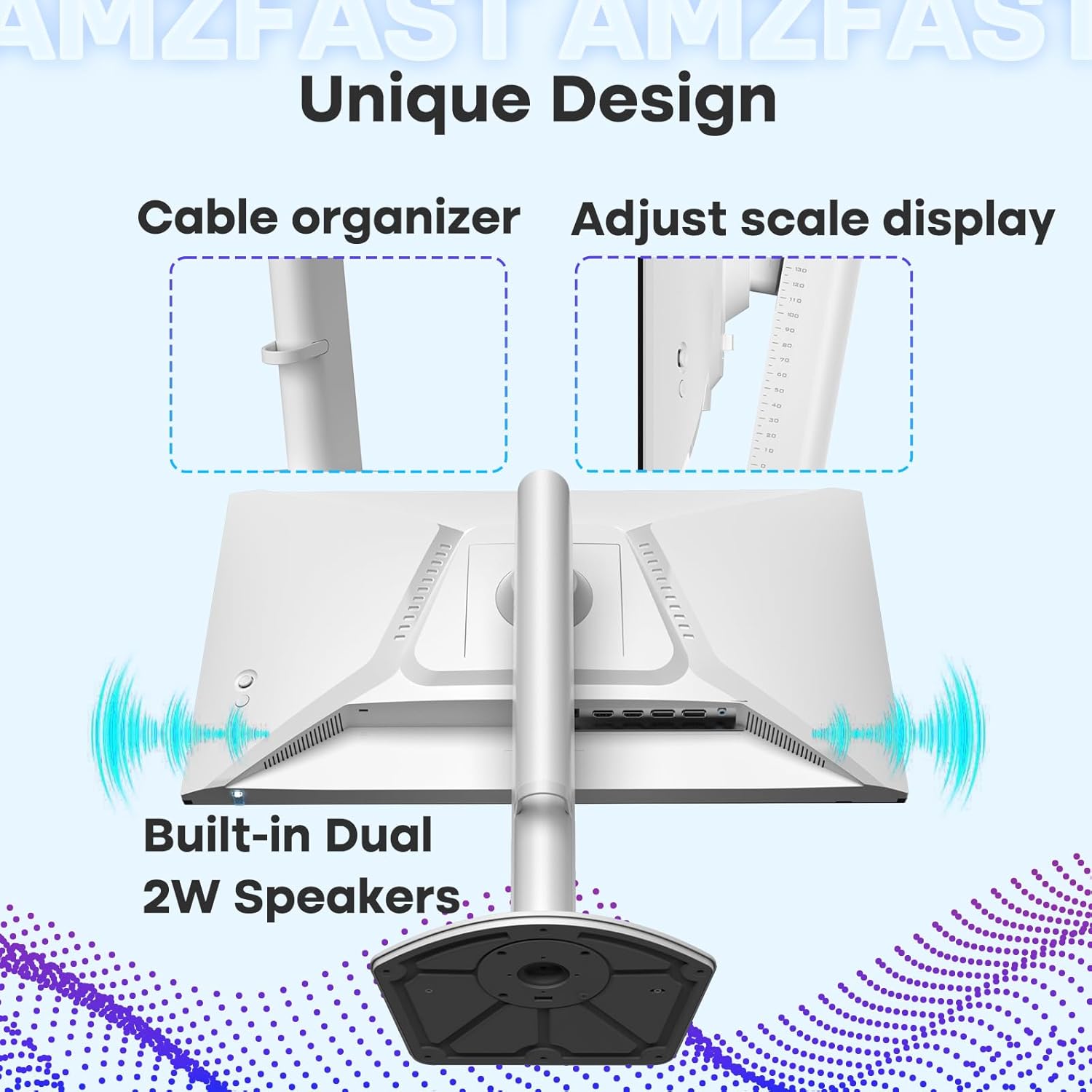
Image: Demonstrates the cable organizer feature on the monitor stand.
7. Troubleshooting
If you encounter issues with your monitor, refer to the following common problems and solutions:
| Problem | Possible Cause / Solution |
|---|---|
| No image on screen |
|
| Image is blurry or distorted |
|
| Screen flickers or goes black intermittently |
|
| No sound from built-in speakers or earphone jack |
|
8. Specifications
| Feature | Description |
|---|---|
| Model Number | AMZG24F6Q |
| Screen Size | 24 Inches |
| Panel Type | Fast IPS |
| Resolution | 2560 x 1440 (QHD Wide 1440p) |
| Refresh Rate | 180Hz |
| Response Time | 1ms (MPRT) |
| Adaptive Sync | Compatible with AMD FreeSync and G-SYNC |
| Color Depth | 10-bit (8bit+FRC) |
| Color Gamut | 96% DCI-P3, 130% sRGB |
| HDR Support | HDR10 |
| Brightness | 300 Candela per Square Meter |
| Connectivity | 2 x DisplayPort 1.4, 2 x HDMI 2.0, 1 x Earphone Jack |
| Speakers | Built-in Dual Speakers |
| Ergonomics | Height Adjustable (0-130mm), Pivot (-90°~90°), Swivel (L30°, R30°), Tilt (-5°~22°) |
| VESA Mount | 100mm x 100mm |
| Product Dimensions | 8.54 x 21.22 x 19.72 inches |
| Item Weight | 12.87 pounds |
9. Warranty and Support
9.1 Product Warranty
This Amzfast monitor comes with a 1-year warranty from the date of purchase, covering manufacturing defects. Please retain your proof of purchase for warranty claims.
9.2 Return Policy
A 30-day refund/replacement policy is available from the date of purchase. Refer to your retailer's specific return terms for details.
9.3 Customer Support
For technical assistance or further inquiries, please visit the official Amzfast store or contact customer support. You can find more information and contact options at the Amzfast Official Store.


