1. Introduction
This manual provides essential instructions for the safe and efficient operation, maintenance, and troubleshooting of your Anker SOLIX C2000 Gen 2 Portable Power Station. Please read this manual thoroughly before using the product and retain it for future reference.
The Anker SOLIX C2000 Gen 2 is a versatile portable power station designed to provide reliable power for various applications, including home backup, outdoor activities, and emergency situations. It features a high-capacity LiFePO4 battery, multiple output ports, and various recharging options.
2. Package Contents
Verify that all items listed below are included in your package. If any items are missing or damaged, please contact customer support.
- Anker SOLIX C2000 Gen 2 Portable Power Station
- AC Charging Cable
- Car Charging Cable
- Quick Start Guide
- Safety Manual
- Warranty Card
3. Product Overview
Familiarize yourself with the main components and ports of your Anker SOLIX C2000 Gen 2 Portable Power Station.
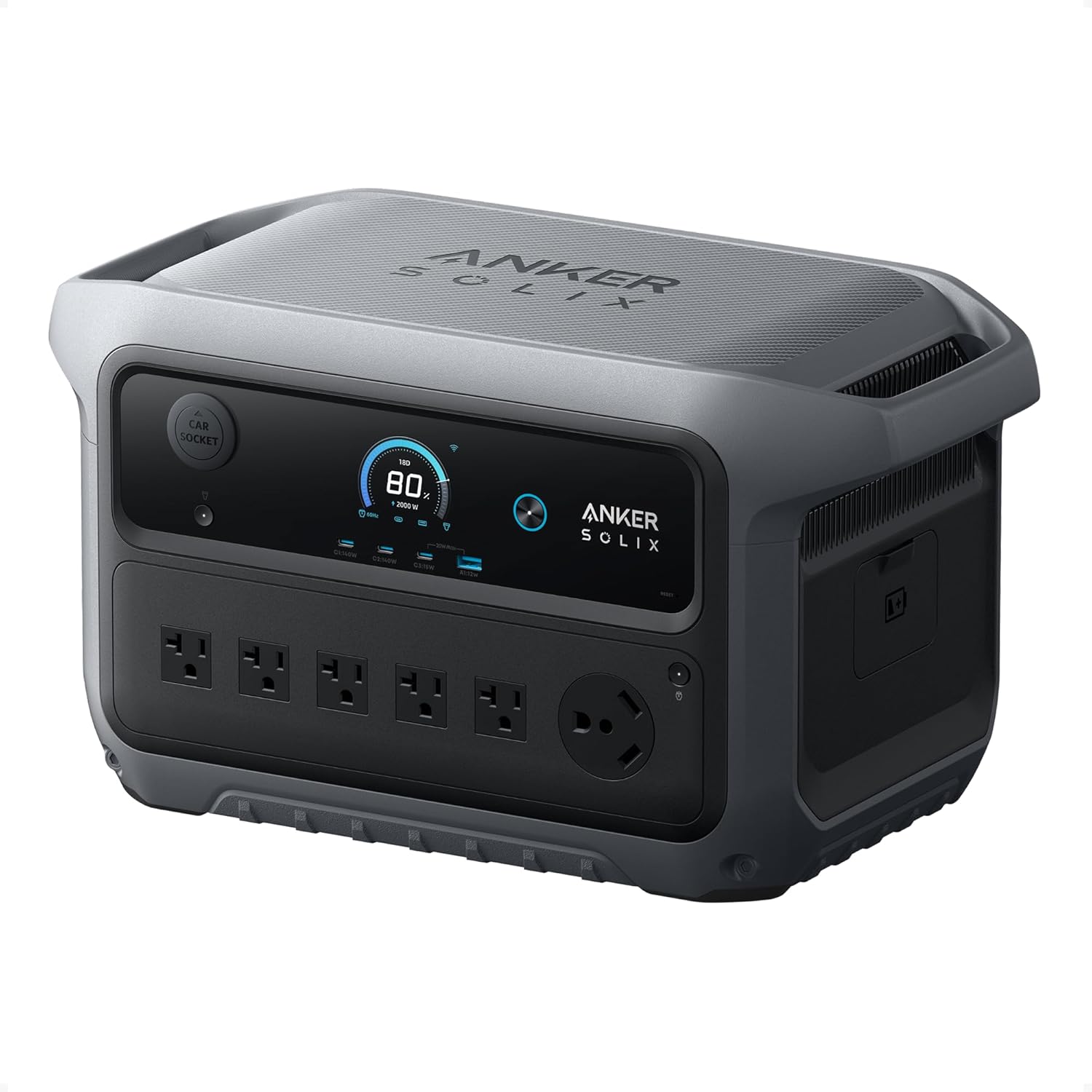
Image 3.1: Front view of the Anker SOLIX C2000 Gen 2 Portable Power Station, showing the display, AC outlets, USB ports, and car socket.
3.1. Ports and Indicators
- AC Output Ports (x5): Standard household outlets for powering AC appliances.
- TT-30 Port (x1): For RV and heavy-duty appliance connections.
- USB-C Ports (x2): High-speed charging for compatible devices (up to 140W).
- USB-C Port (x1): Standard USB-C charging (15W).
- USB-A Port (x1): Standard USB-A charging (12W).
- Car Socket: 12V DC output for car-powered devices.
- Display Screen: Shows battery level, input/output wattage, remaining runtime, and other status indicators.

Image 3.2: Close-up view highlighting the 10 output ports available on the Anker SOLIX C2000 Gen 2.
4. Setup
4.1. Initial Charging
Before first use, fully charge your Anker SOLIX C2000 Gen 2. This ensures optimal battery performance and calibration.
- Connect the provided AC Charging Cable to the power station's AC input port.
- Plug the other end into a standard wall outlet.
- The display will indicate charging status. The unit is fully charged when the battery indicator shows 100%.
The power station can reach 80% charge in 45 minutes and 100% in 58 minutes using AC and solar power simultaneously.
4.2. Placement
Place the power station on a stable, flat surface in a well-ventilated area. Ensure adequate space around the unit for heat dissipation. Avoid direct sunlight or extreme temperatures.
5. Operation
5.1. Powering On/Off
Press and hold the main power button for a few seconds to turn the unit on or off. The display will illuminate upon activation.
5.2. Charging Devices
Connect your devices to the appropriate output ports (AC, USB-A, USB-C, TT-30, Car Socket). Ensure the total power draw does not exceed the rated output of 2,400W (or 4,000W peak).

Image 5.1: The power station connected to and powering a window air conditioner, demonstrating its capability to handle high-wattage appliances.
5.3. Recharging the Power Station
The Anker SOLIX C2000 Gen 2 offers multiple recharging methods:
- AC Wall Outlet: Connect via the AC Charging Cable.
- Solar Panels: Connect compatible solar panels (up to 800W input).
- Car Charging: Use the Car Charging Cable for 12V car outlets.
- Alternator Charging: Utilize 800W UltraFast Alternator Charging for rapid vehicle recharging.
- Gas Generator: Connect to a gas generator for recharging.

Image 5.2: Visual representation of the six different methods to recharge the power station, including AC+Solar, Alternator Charger, Car Input, AC Input, Solar Input, and Gas Generator.
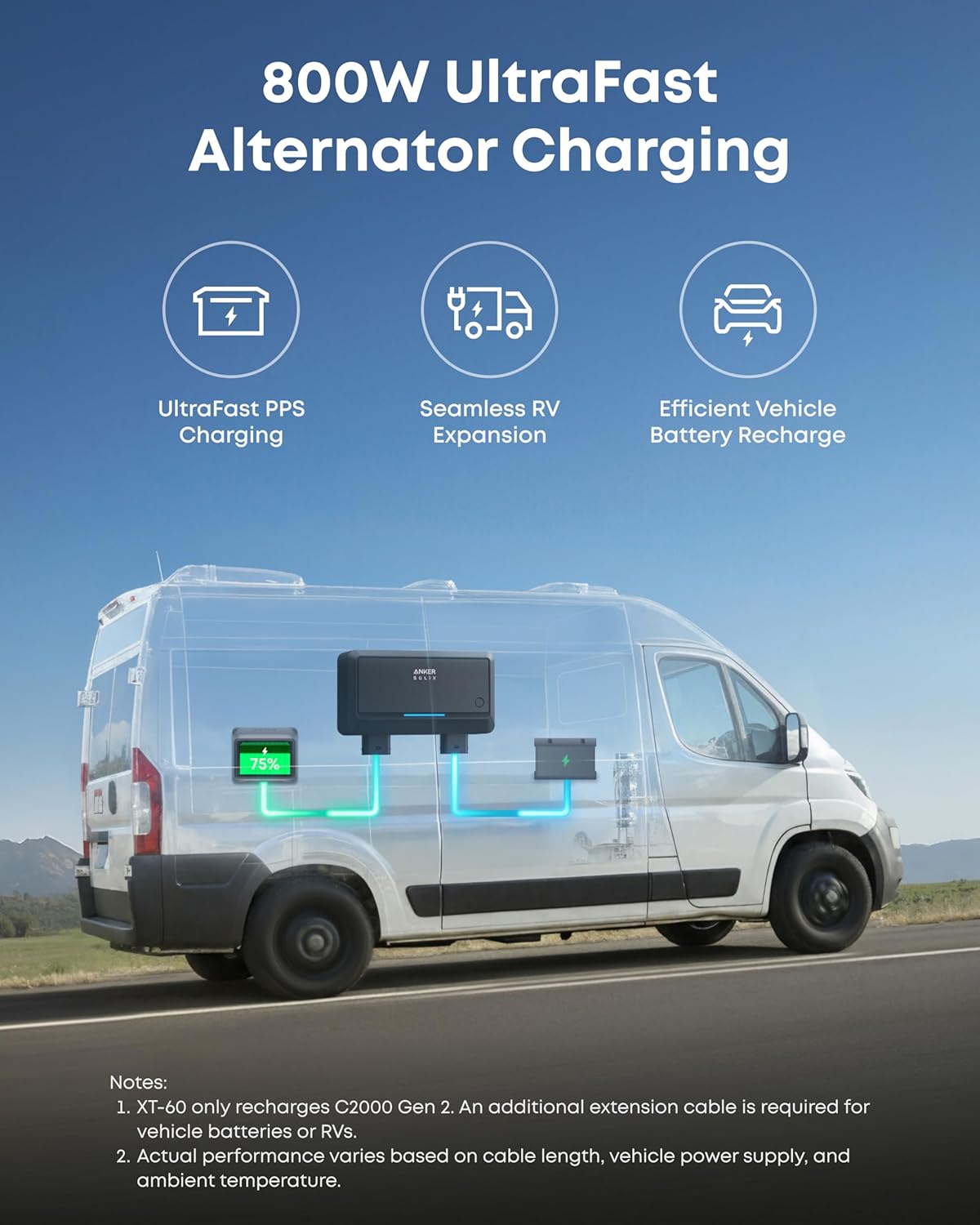
Image 5.3: Illustration of the 800W UltraFast Alternator Charging feature, showing the power station connected within a van for efficient vehicle battery recharge.
5.4. Operating Modes
The C2000 Gen 2 has four operating modes:
- Standard Mode: Default operation for general use.
- Time-of-Use (TOU) Mode: Optimizes charging and discharging based on electricity prices to reduce costs.
- Storm Guard Mode: Automatically charges the unit during weather alerts, ensuring readiness for power outages.
- Fast Charging Plan: Prioritizes rapid recharging.
The unit can be charged via grid and solar panels simultaneously, with solar power prioritized.
5.5. Expandable Capacity
The Anker SOLIX C2000 Gen 2 can be expanded from its base 2,048Wh capacity up to 4kWh with an optional expansion battery (Anker SOLIX BP2000 Gen 2 or BP3000). This allows for extended runtime for your appliances.
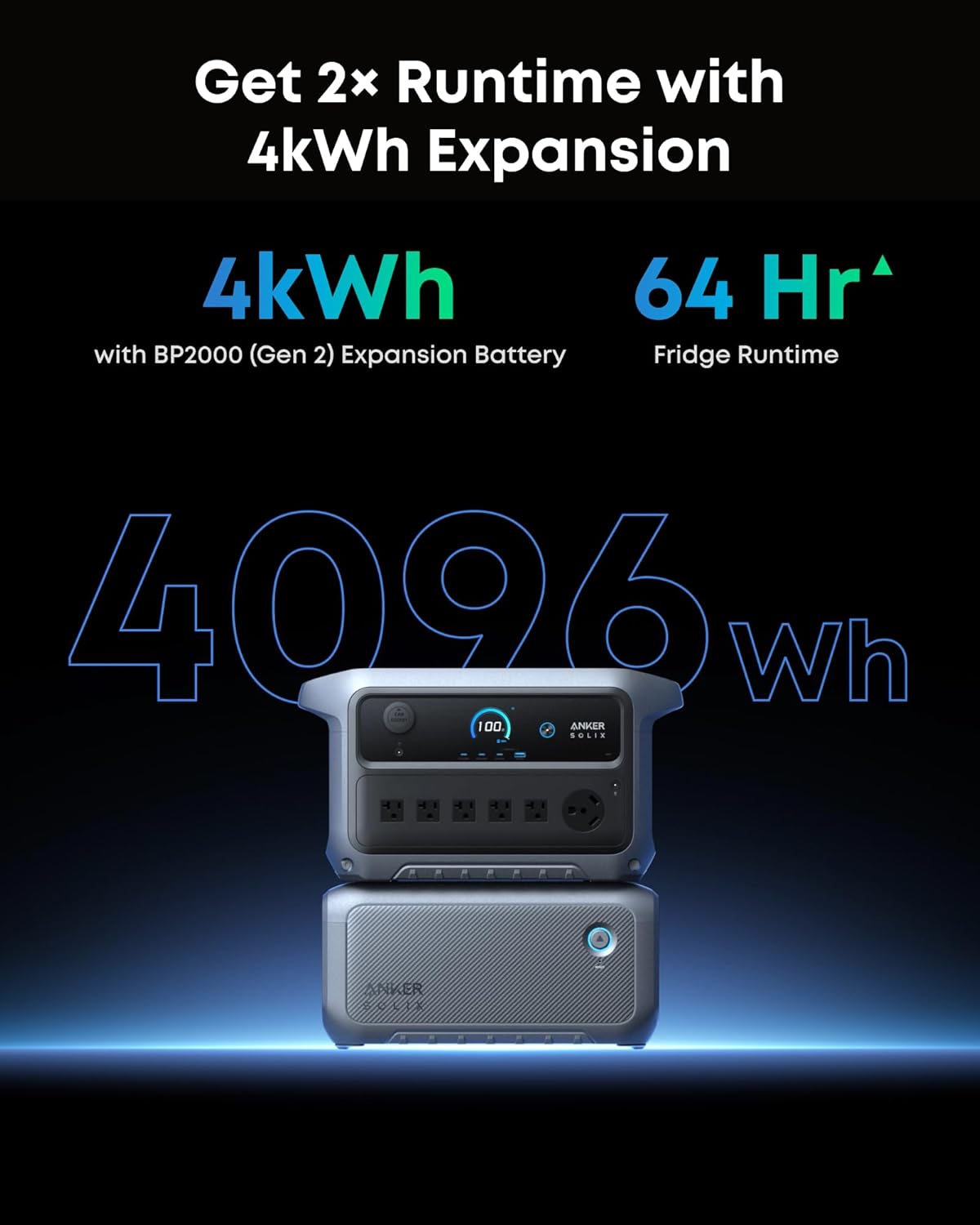
Image 5.4: The Anker SOLIX C2000 Gen 2 unit stacked on top of an expansion battery, illustrating the expandable capacity feature.
5.6. Efficiency and Runtime
The power station features OptiSave Technology, resulting in ultra-efficient power consumption with only 9W idle power consumption. This reduces conversion loss and extends runtime.

Image 5.5: Diagram illustrating OptiSave Technology, showing low power consumption (9W) and extended idle runtime (230 hours) for the C2000 Gen 2.
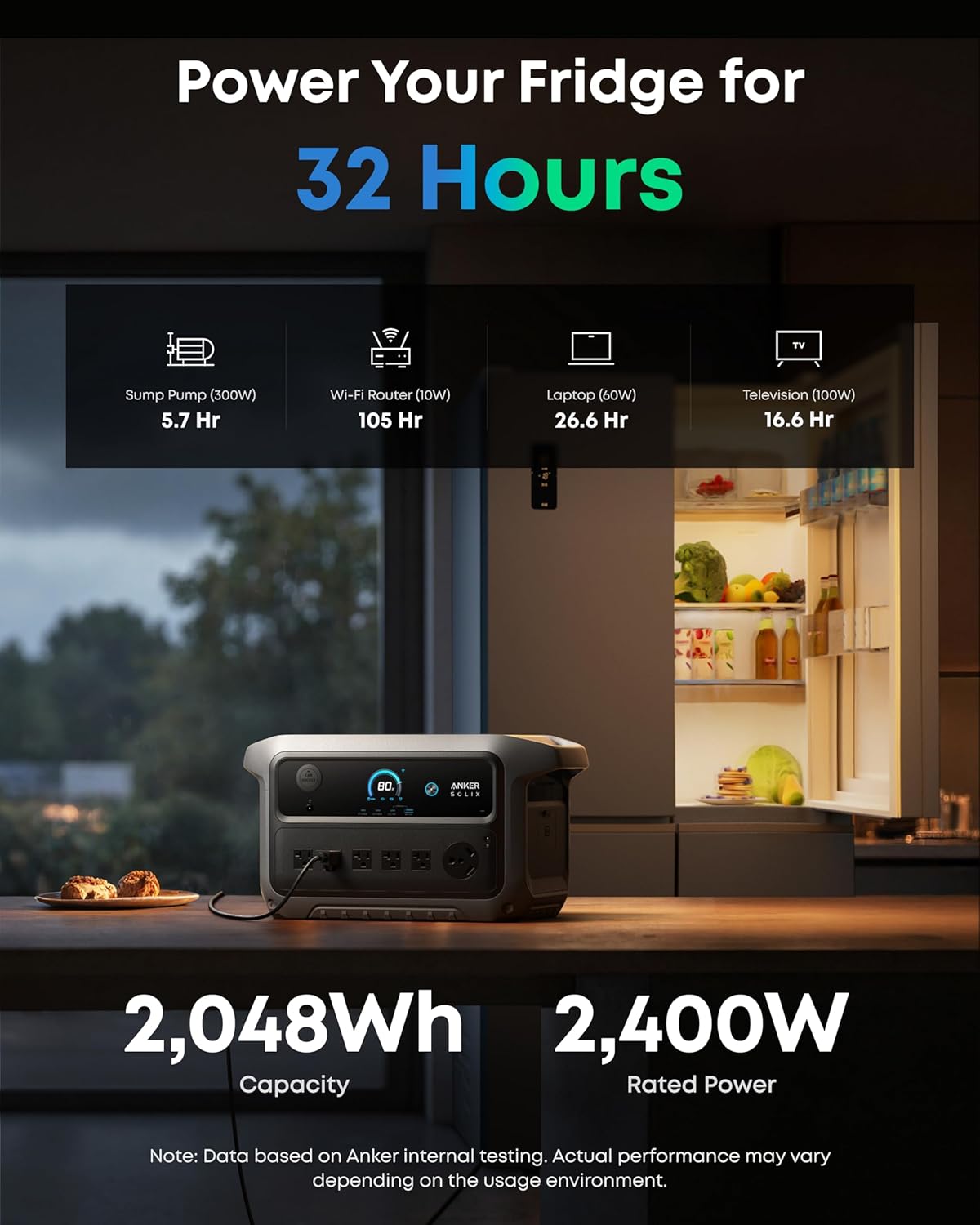
Image 5.6: The power station connected to a refrigerator, indicating it can power a dual-door fridge for up to 32 hours on its internal battery.
6. Care and Maintenance
6.1. General Care
- Keep the power station dry and away from heat sources.
- Avoid dropping or subjecting the unit to strong impacts.
- Clean the exterior with a dry, soft cloth. Do not use abrasive cleaners or solvents.
6.2. Battery Longevity
The Anker SOLIX C2000 Gen 2 uses a durable LiFePO4 battery designed for 4,000 cycles to 80% capacity, providing a lifespan of approximately 10 years with typical use. To maximize battery life:
- Avoid fully discharging the battery frequently.
- Store the unit with a charge level between 30% and 70% if not used for extended periods.
- Recharge the unit every 3-6 months during storage to prevent deep discharge.
7. Troubleshooting
If you encounter issues with your Anker SOLIX C2000 Gen 2, refer to the following common problems and solutions:
| Problem | Possible Cause | Solution |
|---|---|---|
| Unit does not power on | Battery fully discharged; Power button not pressed correctly | Charge the unit using AC power; Press and hold the power button firmly for 3 seconds. |
| Devices not charging | Output port not activated; Overload protection triggered; Cable issue | Ensure the specific output port (AC/USB) is turned on; Reduce connected load; Check cable connections. |
| Slow charging/recharging | Low input power; High ambient temperature; Cable inefficiency | Ensure adequate input power (e.g., sufficient solar irradiance); Move to a cooler environment; Use original or high-quality cables. |
| Display not working | Unit off; Software glitch | Power on the unit; Try restarting the unit. |
If the problem persists, please contact Anker customer support.
8. Specifications
Detailed technical specifications for the Anker SOLIX C2000 Gen 2 Portable Power Station.
| Feature | Specification |
|---|---|
| Brand | Anker |
| Model Name | SOLIX C2000 Gen 2 |
| Item Model Number | A1783 |
| Battery Type | LiFePO4 (Lithium-Phosphate) |
| Cell Capacity | 2,048Wh (51.2V / 40,000mAh) |
| Cycle Life | 4,000 Cycles to 80% Capacity |
| Rated Output Power | 2,400W |
| Peak Output Power | 4,000W |
| AC Input (Charging) | 120V~ 15A Max (2,600W), 1,800W Max (10A Continuous) |
| PV / XT-60 Input | 11-60V⎓17A Max, 800W |
| Car Charger Output | 12V⎓10A |
| USB-A Output | 5V⎓2.4A, 12W Max |
| USB-C Output | USB-C1 & C2: 5V⎓3A/9V⎓3A/15V⎓3A/20V⎓5A (140W Max); USB-C3: 5V⎓3A (15W Max) |
| Recharging Temperature | 32°F - 104°F / 0°C - 40°C |
| Operating Temperature | 32°F - 104°F / 0°C - 40°C |
| Dimensions (L x W x H) | 18.1" x 9.8" x 10.1" (459 x 250 x 257 mm) |
| Net Weight | 41.7 lbs (18.9 kg) |
| UPS Function | 10 ms Switchover |
| Expandable Capacity | Up to 4kWh (with optional expansion battery) |
9. Warranty Information
The Anker SOLIX C2000 Gen 2 Portable Power Station comes with a 5-year warranty from the date of purchase. This warranty covers manufacturing defects and ensures the product meets its specified performance standards under normal use.
Please retain your proof of purchase for warranty claims. For detailed warranty terms and conditions, refer to the Warranty Card included in your package or visit the official Anker website.
10. Customer Support
For any questions, technical assistance, or support needs, please contact Anker customer service through the following channels:
- Online Support: Visit the official Anker website and navigate to the support section.
- Email: Refer to your Warranty Card or Quick Start Guide for specific email addresses.
- Phone: Contact numbers may vary by region. Check the Anker website for local support numbers.
When contacting support, please have your product model (SOLIX C2000 Gen 2) and serial number ready.