
Introduction
Welcome to your new EchoByte Smart Watch IDW26. This manual provides essential information for setting up, operating, and maintaining your device. Designed for an active lifestyle, the IDW26 combines advanced health tracking with smart communication features, all accessible from your wrist.
What's in the Box
- EchoByte Smart Watch IDW26
- Charging Cable
- User Manual
Setup
1. Charging the Device
Before first use, fully charge your smartwatch. Connect the magnetic charging cable to the charging points on the back of the watch. Plug the USB end into a compatible power adapter (not included). A full charge typically takes approximately 2.5 hours.

Figure 1: Smart Watch connected to its magnetic charging cable.
2. Downloading and Pairing with the VeryFit App
- Scan the QR code provided in the manual or on the watch screen (if available) to download the VeryFit app from your smartphone's app store (Android/iOS).
- Open the VeryFit app and create an account or log in.
- Navigate to the 'Device' section in the app and select 'Add Device'. The app will search for nearby devices.
- Select 'IDW26' from the list of found devices to initiate pairing. Follow the on-screen prompts to confirm the connection on both your phone and smartwatch.
- Once paired, the app will guide you through entering personal data such as height, weight, and age for accurate health tracking.
Video 1: Demonstrates the process of linking the EchoByte Smart Watch to the VeryFit app on an Android device, including scanning a QR code and navigating app features.
Operating the Smart Watch
Basic Navigation
- Swipe Up/Down: Scroll through notifications, quick settings, or menu options.
- Swipe Left/Right: Access different widgets like activity data, heart rate, weather, or music control.
- Press Side Button: Wake up the screen, return to the home screen, or access the main menu.
Customizing Watch Faces
Personalize your smartwatch with over 100 watch faces available through the VeryFit app. You can also upload your own photos to create unique watch faces that match your style or mood.

Figure 2: Customizable watch faces and personal photo upload options via the VeryFit app.
Bluetooth Calling & Smart Notifications
With Bluetooth 5.3 connectivity, you can answer or make calls directly from your wrist. The built-in microphone and speaker ensure clear, hands-free communication. Receive instant notifications from popular apps like WhatsApp, X (Twitter), Facebook, and Instagram, ensuring you never miss important messages.

Figure 3: Smart Watch showing call and message notifications.
Alexa Built-in & Smart Voice Control
Utilize Alexa directly from your wrist for hands-free voice control. Check the weather, set reminders, start workouts, or control your music without needing your phone. This feature enhances productivity and organization.

Figure 4: Alexa Built-in feature on the Smart Watch.
Additional Smart Features
- Music Control: Manage your music playback directly from your watch.
- Find Phone: Locate your misplaced smartphone with a tap on your watch.
- Weather Forecast: Get real-time weather updates.
- Alarm Clock: Set and manage alarms.
- Camera Control: Remotely control your phone's camera.
- Timer & Flashlight: Convenient tools for daily use.

Figure 5: Multifunction Smartwatch features.
Health & Wellness Tracking
24/7 Health Monitoring
The EchoByte Smart Watch provides continuous monitoring of key health metrics. Track your heart rate, sleep patterns, stress levels, and blood oxygen with precision sensors. Access personalized insights in the VeryFit app to understand your health trends and build healthier habits.

Figure 6: Detailed 24/7 health management overview.
100+ Sports Modes
Choose from over 100 sports modes to accurately monitor your workouts. Whether you're running, doing yoga, cycling, or swimming, the watch provides real-time data on steps, calories burned, and distance. The IP68 waterproof rating ensures durability during any fitness challenge.
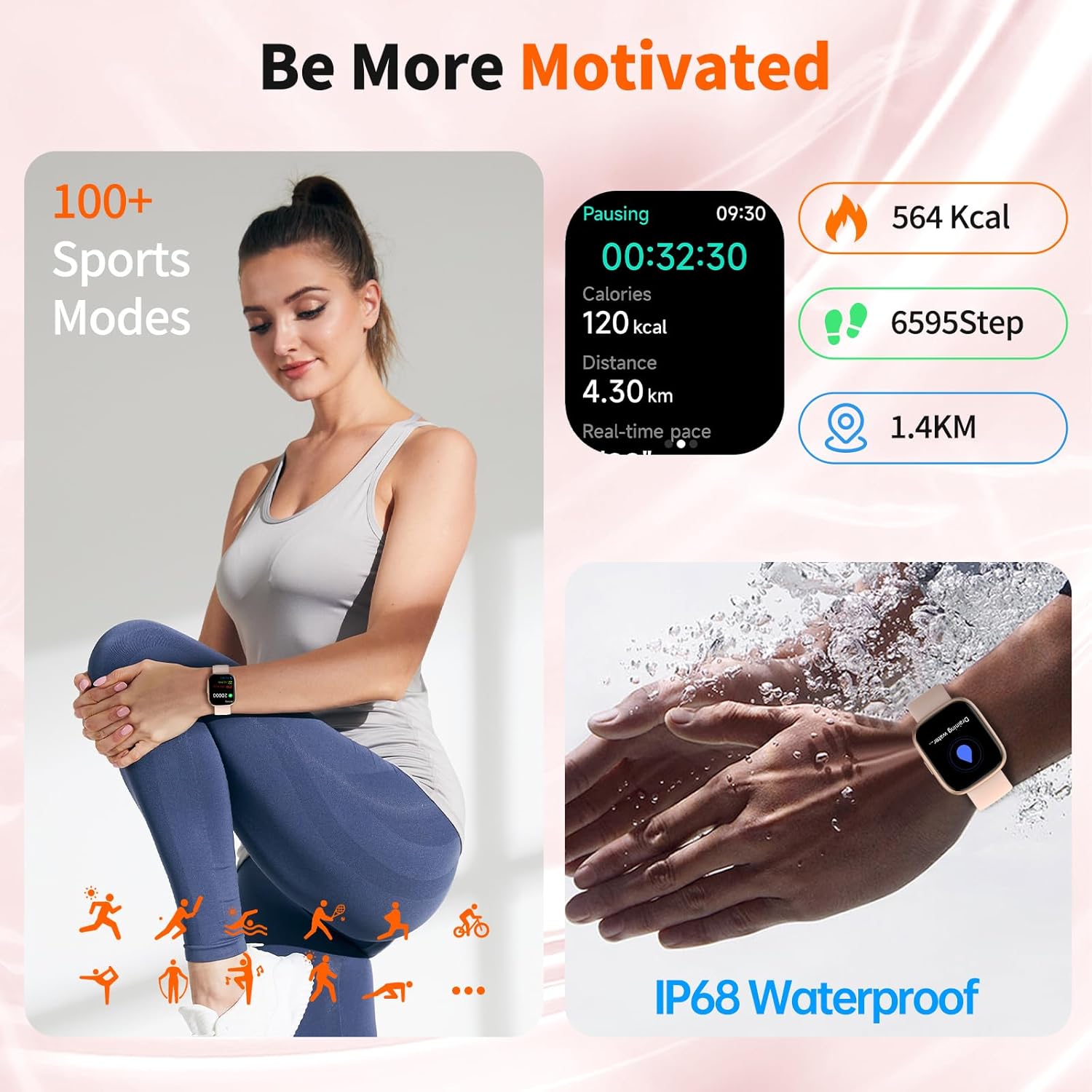
Figure 7: Smart Watch tracking various sports activities.
Video 2: Overview of the Antfit Premium Smart Watch, showcasing its features including fitness tracking, heart rate monitoring, and waterproof capabilities.
Female Cycle Tracking
The smartwatch includes a dedicated feature for scientific cycle monitoring, designed to care for women at every stage of their lives.
Maintenance
Waterproof Rating
The EchoByte Smart Watch has an IP68 waterproof rating, meaning it can withstand sweat, rain, and splashes. It is suitable for swimming and other water-based activities, but avoid hot water or prolonged submersion.
Battery Life
Enjoy extended usage with 5-7 days of average battery life and up to 30 days on standby. Regular charging is recommended to maintain optimal performance.
Cleaning
To keep your smartwatch clean and functioning properly, wipe it regularly with a soft, dry cloth. Avoid using harsh chemicals or abrasive materials.
Troubleshooting
- Pairing Issues: Ensure Bluetooth is enabled on your phone and the watch is within range. Restart both devices and try pairing again.
- Notifications Not Appearing: Check app permissions in your phone settings to ensure the VeryFit app has access to notifications. Also, verify notification settings within the VeryFit app.
- Inaccurate Readings: Ensure the watch is worn snugly on your wrist, not too tight or too loose. Keep the sensors clean. Update your personal data in the VeryFit app for better accuracy.
- Battery Draining Quickly: Reduce screen brightness, disable unnecessary notifications, and limit continuous heart rate monitoring to extend battery life.
Specifications
| Feature | Detail |
|---|---|
| Model Number | B0FVF7KFV4 |
| Screen Size | 1.83 Inches |
| Operating System | Android/iOS |
| Connectivity Technology | Bluetooth 5.3 |
| Special Feature | Activity Tracker, Alexa Built-in |
| Waterproof Rating | IP68 |
| Battery Life (Average Usage) | 5-7 Days |
| Battery Life (Standby) | 30 Days |
| Charging Time | 2.5 Hours |
| Item Weight | 2.89 ounces |
| Color | Pink |
Warranty & Support
Your EchoByte Smart Watch IDW26 comes with a 365-day All-Year Guarantee. For any questions, technical assistance, or support, please contact our online 24/7 Customer Service. Refer to the VeryFit app or the official EchoByte website for contact details.