
Introduction
Thank you for choosing the KXAITO 8105 Men's Sports Watch. This manual provides detailed instructions for the proper setup, operation, and maintenance of your watch. Please read this manual carefully to ensure optimal performance and longevity of your device.
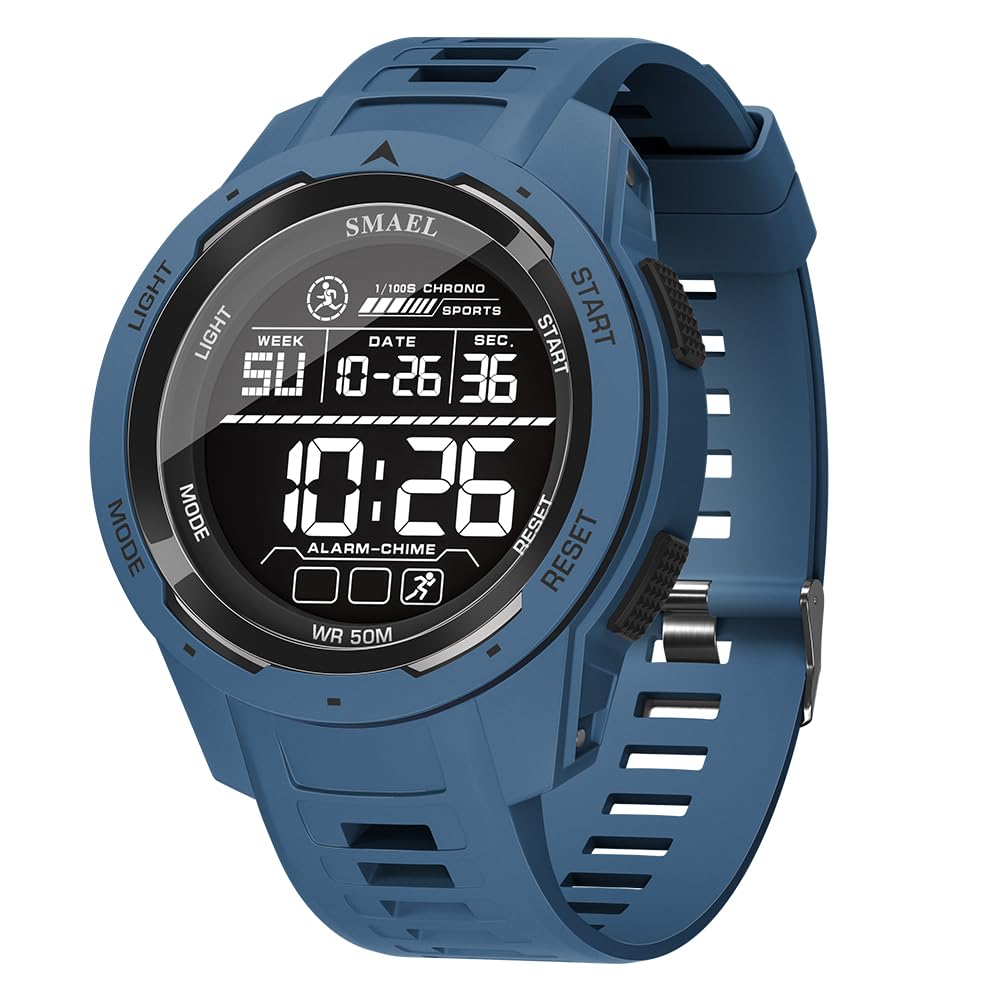
Image: Front view of the KXAITO 8105 Men's Sports Watch.
Product Overview
The KXAITO 8105 is a multi-functional digital watch designed for sports and outdoor activities. It features a durable, lightweight design with a high-contrast LED display for clear readability.
Key Features:
- Ultra-Light Design: Weighs only 49g for all-day comfort.
- Multi-Functionality: Includes 1/100s chronograph, 12/24h time, date/week display, hourly chime, and dual alarms.
- LED Backlight: Ensures clear visibility in low-light conditions.
- Water Resistance: Rated for 50 meters (5ATM), suitable for swimming and showering (not for hot water or diving).
- Shock-Resistant: Designed for durability in active environments.
Watch Components:

Image: KXAITO 8105 watch with labeled buttons (LIGHT, MODE, START, RESET) and display sections (Week, Date, Time, Alarm).
The watch features four primary buttons: LIGHT (top left), MODE (bottom left), START (top right), and RESET (bottom right). These buttons are used to navigate modes and adjust settings.

Image: Detailed view of watch components including high-definition mirror, multi-function buttons, shockproof structure, stainless steel back cover, TPU strap, and stainless steel clasp.
Setup
Initial Time and Date Setting:
- In normal time display mode, press the MODE button repeatedly until the seconds begin to flash. This indicates you are in setting mode.
- Press the RESET button to cycle through the setting options: seconds, hour, minute, month, date, day of the week.
- Use the START button to adjust the flashing value. For example, to set the hour, press START to advance the hour.
- Once all settings are correct, press the MODE button to exit the setting mode and return to normal time display.
12/24 Hour Format:
While in time setting mode (seconds flashing), press the LIGHT button to toggle between 12-hour (AM/PM) and 24-hour formats.
Activating Luminous Function:
The watch features luminous hands and calibration. For optimal glow, expose the watch to a light source for a period to charge the luminous material.
Operating Instructions
Mode Switching:
Press the MODE button to cycle through the different functions: Normal Time Display → Stopwatch → Alarm Setting → Time Setting.
Stopwatch Function:
- From normal time display, press MODE once to enter Stopwatch mode. The display will show '00:00:00'.
- Press START to begin timing.
- Press START again to pause timing.
- Press RESET to reset the stopwatch to '00:00:00'.
- To record split times, press RESET while the stopwatch is running. The display will show the split time. Press RESET again to return to the running stopwatch.
Alarm Setting:
- From normal time display, press MODE twice to enter Alarm setting mode. The hour digits will flash.
- Press START to adjust the hour.
- Press RESET to switch to minute setting. The minute digits will flash.
- Press START to adjust the minutes.
- Press MODE to confirm the alarm setting and exit.
Alarm ON/OFF and Hourly Chime:
In Alarm setting mode, press START and RESET simultaneously to toggle the alarm ON/OFF. An alarm icon will appear/disappear on the display. Press RESET to toggle the hourly chime ON/OFF. A chime icon will appear/disappear.
LED Backlight:
Press the LIGHT button at any time to illuminate the display for a few seconds. This provides instant clarity in low-light conditions.
Dual Time Display:
The watch supports dual time display. To set the second time zone, navigate to the dual time mode (usually after alarm mode) by pressing MODE. Then use RESET and START buttons to adjust the time similar to the main time setting.
Video: Demonstration of KXAITO 8105 watch features, including water resistance and backlight function.
Maintenance
Water Resistance:
The KXAITO 8105 watch is water-resistant to 50 meters (5ATM). This means it is suitable for recreational swimming and showering. However, it is not recommended for diving or prolonged submersion. Avoid pressing buttons underwater, as this can compromise the water seal.
Cleaning:
Clean the watch case and strap regularly with a soft, damp cloth. For stubborn dirt, a mild soap solution can be used, followed by rinsing with clean water and drying thoroughly. Avoid harsh chemicals or abrasive materials.
Battery Replacement:
The watch is powered by a standard watch battery. When the display becomes dim or the watch stops functioning, the battery may need replacement. It is recommended to have the battery replaced by a qualified watch technician to ensure the water resistance seal is properly maintained.
Troubleshooting
Watch Not Functioning:
- Check if the battery needs replacement.
- Ensure no buttons are stuck in a pressed position.
Display is Dim or Hard to Read:
- The battery may be low and require replacement.
- Ensure you are using the LED backlight in low-light conditions by pressing the LIGHT button.
Water Inside the Watch:
- Immediately stop using the watch.
- Take it to a professional watch repair service as soon as possible to prevent further damage.
Specifications

Image: Diagram showing the dimensions of the KXAITO 8105 watch.
| Feature | Detail |
|---|---|
| Model Name | 8105 |
| Brand | KXAITO |
| Movement Type | Japanese Quartz |
| Display Type | Digital |
| Case Material | Polycarbonate |
| Band Material | Thermoplastic Polyurethane (TPU) |
| Clasp Type | Buckle |
| Water Resistance Depth | 50 Meters (5ATM) |
| Case Diameter | 46 Millimeters |
| Case Thickness | 16 Millimeters |
| Band Width | 22 Millimeters |
| Band Length | 254 Millimeters |
| Item Weight | 2 Ounces (49g) |
| Additional Features | Chronograph, LED Backlight, Dual Time Display, Shock-Resistant, Alarm, Stopwatch |
Warranty and Support
This product comes with standard manufacturer support. For any issues not covered in this manual, or for warranty claims, please contact the seller directly through your purchase platform. Please retain your proof of purchase for warranty purposes.
