Introduction
Thank you for choosing the Lamicall MagSafe Car Mount and Ultra-Thin Cell Phone Stand. This manual provides detailed instructions for the proper setup, operation, and maintenance of your new accessories. Please read this manual carefully before use to ensure optimal performance and longevity of the products.

Image: The Lamicall MagSafe Car Mount and the Ultra-Thin Cell Phone Stand displayed together.
Product Overview
Your package includes the following components:
- Lamicall MagSafe Car Mount (x1)
- Lamicall Ultra-Thin Cell Phone Stand (x1)
Setup Instructions
1. Ultra-Thin Cell Phone Stand Setup
- Unfold the Stand: Gently unfold the stand from its compact, flat position. The base and the phone support panel will articulate.
- Adjust Height and Angle: The stand features a dual-pivot structure, allowing you to adjust the back plate up to 180 degrees and the base up to 90 degrees. The height can be extended up to 3.2 inches.
- Placement: Place the stand on a flat, stable surface such as a desk, table, or countertop. The weighted metal base with an integrated silicone anti-slip pad ensures stability.
- Position Your Device: Place your smartphone onto the support hooks. The enlarged and thickened anti-slip silicone pads on the backrest and hooks provide a secure grip. This stand is compatible with smartphones in thick cases up to 0.71 inches.

Image: The Ultra-Thin Cell Phone Stand demonstrating its adjustable design for optimal viewing.
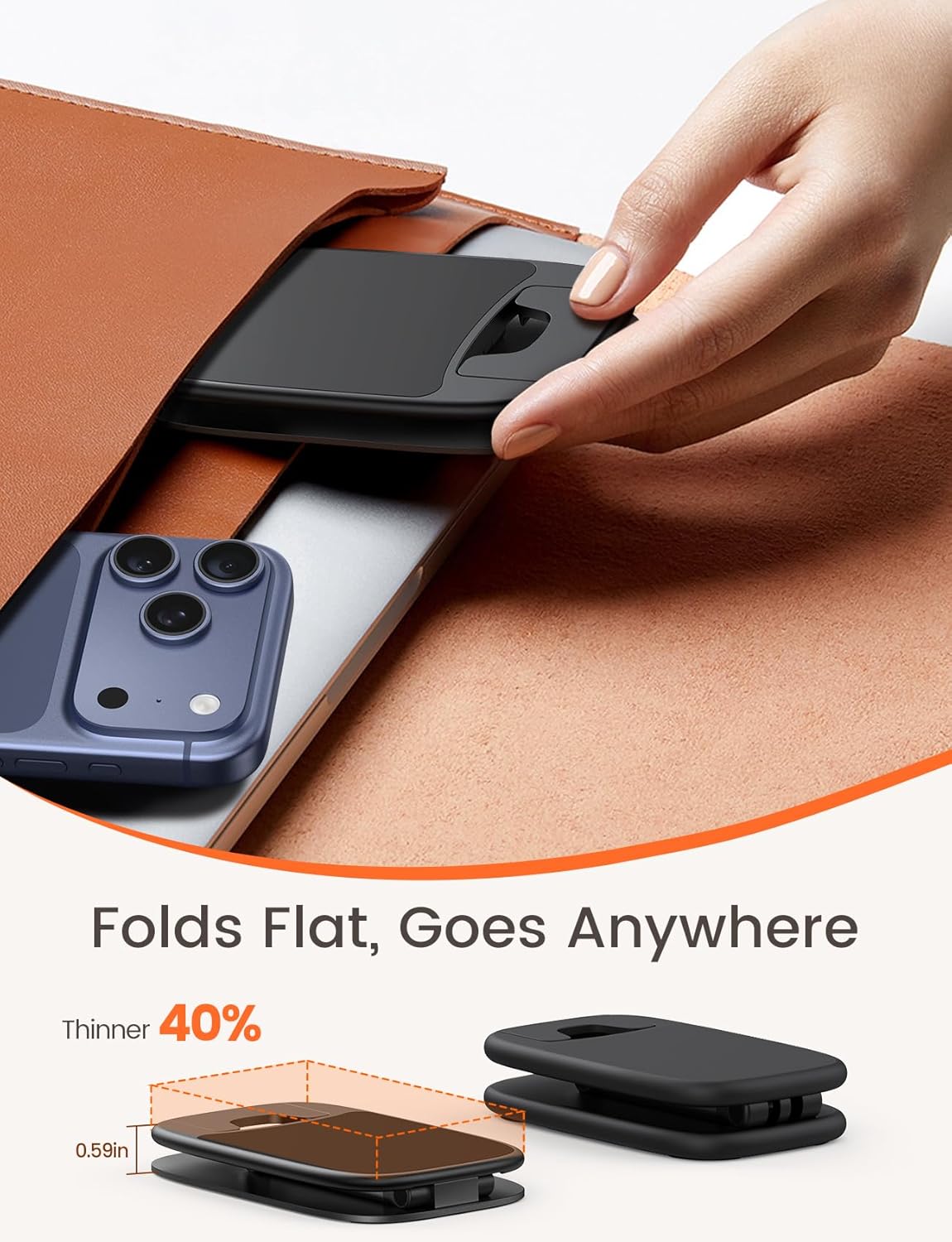
Image: The Ultra-Thin Cell Phone Stand in its folded, compact state, highlighting its portability.

Image: The Ultra-Thin Cell Phone Stand accommodating a phone with a thick case, illustrating its design for wider compatibility.
2. MagSafe Car Mount Setup
- Identify Suitable Vent: The car mount is designed for most vertical and horizontal car air vents. Avoid circular vents if possible, as they may not provide optimal stability.
- Attach to Vent: Gently push the upgraded metal hook of the car mount into one of your car's air vent blades. Ensure the hook is securely engaged.
- Secure the Mount: Rotate the locking mechanism on the mount to tighten the grip on the vent blade. This triangular support system ensures a firm hold.
- Position Your Device: Align your MagSafe-compatible phone (or phone with a MagSafe-compatible case) with the magnetic ring on the car mount. The 20 upgraded N52 super magnets will securely hold your phone in place.
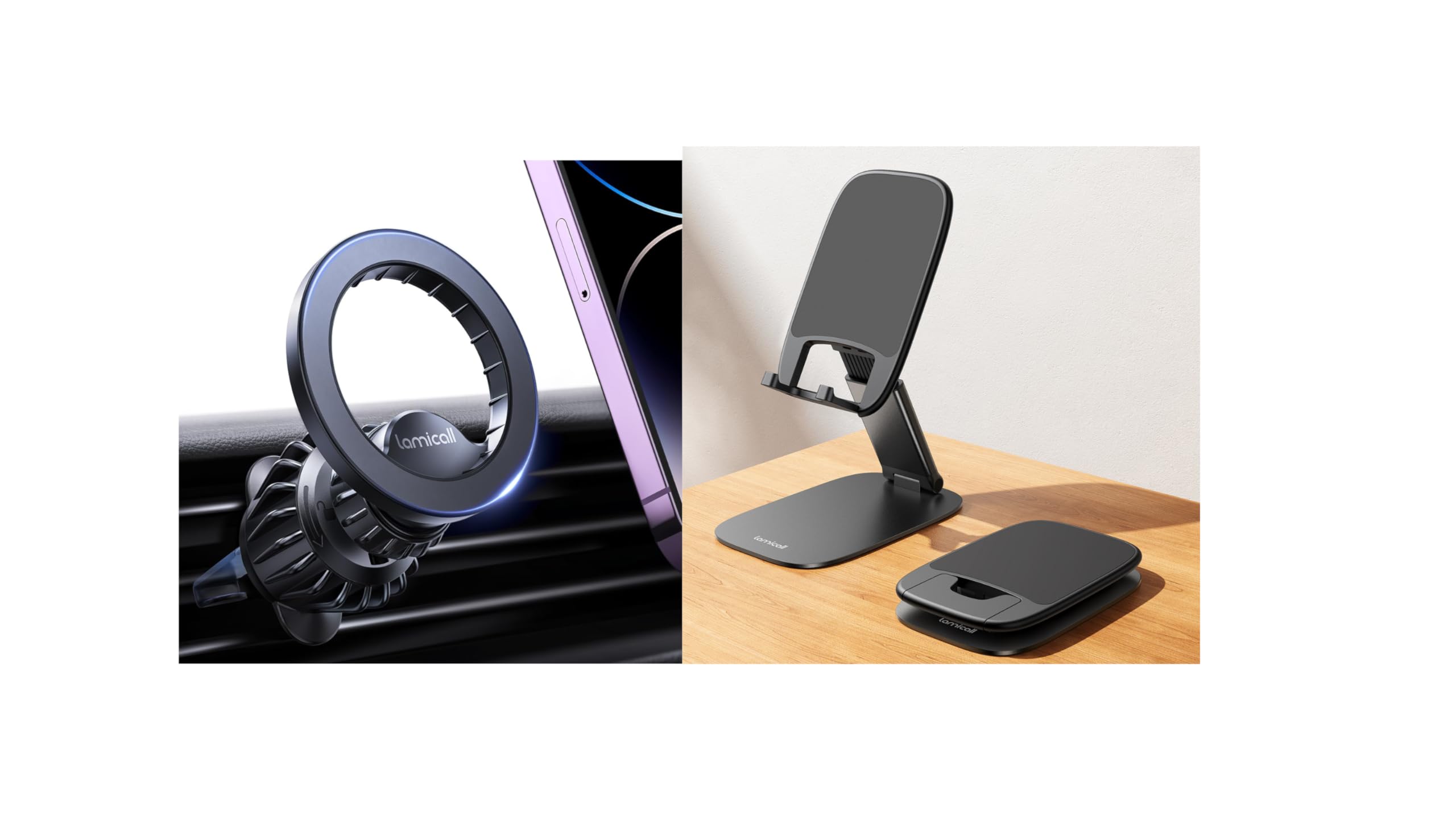
Image: The Lamicall MagSafe Car Mount securely installed in a car's air vent, holding a smartphone.

Image: Detailed view of the car mount's triangular support system and upgraded metal hook for secure vent attachment.
Operating Instructions
1. Using the Ultra-Thin Cell Phone Stand
- Adjust for Comfort: Utilize the stand's height and angle adjustments to find the most comfortable viewing position for watching videos, making video calls, gaming, or working.
- Charging Access: The design allows for easy charging while your phone is on the stand.
- Portability: When not in use, fold the stand flat for easy storage and transport in your pocket or bag.
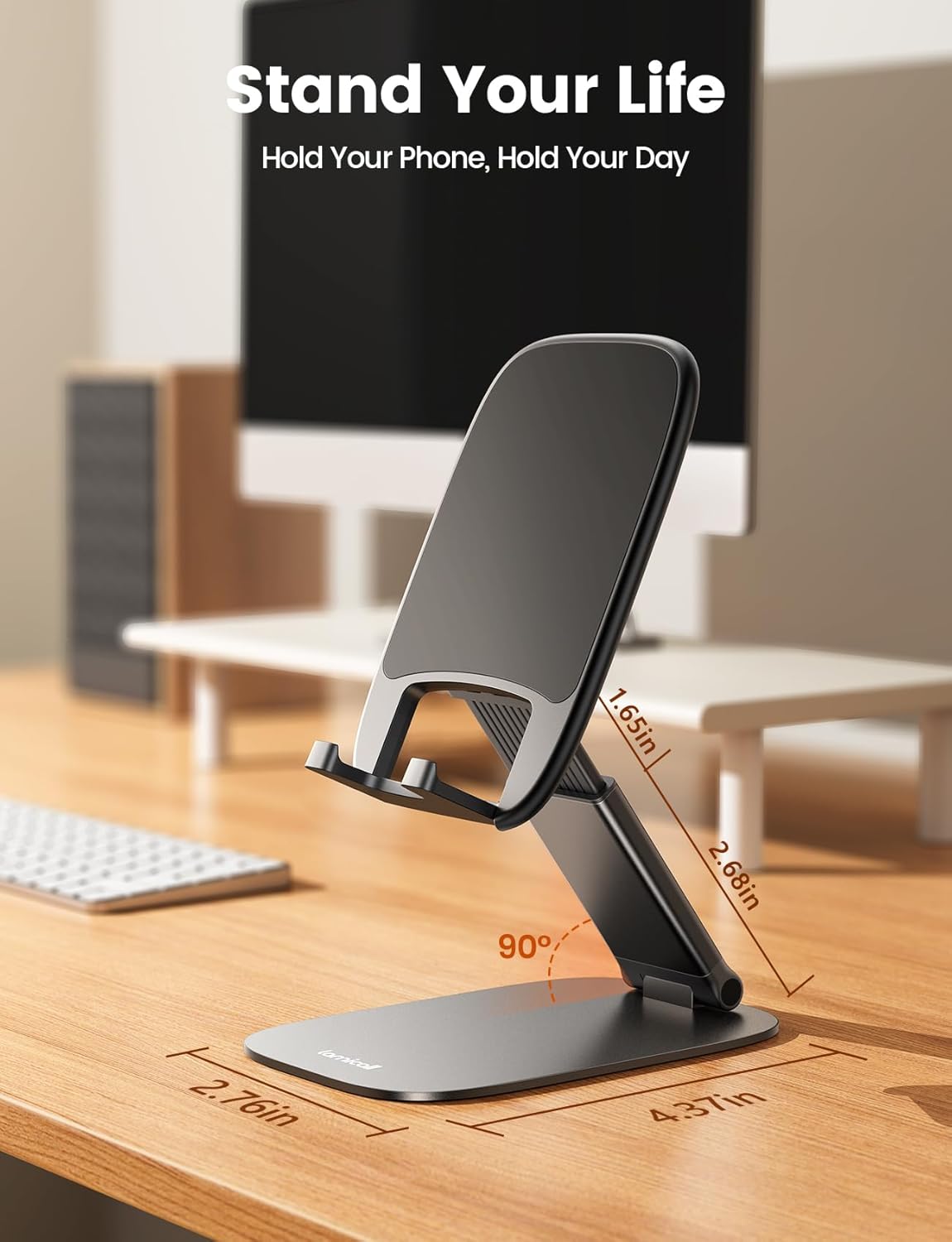
Image: The Ultra-Thin Cell Phone Stand in use on a desk, illustrating its compact footprint and adjustable features.
2. Using the MagSafe Car Mount
- Attaching Your Phone: Simply bring your MagSafe-compatible phone close to the magnetic surface of the mount. The strong N52 magnets will automatically align and secure your device.
- Removing Your Phone: Gently pull your phone away from the magnetic surface. The one-hand operation allows for quick attachment and removal.
- Driving Stability: The powerful magnets and secure vent attachment ensure your phone remains stable even during strong braking, sharp turns, or driving on rough roads.

Image: The MagSafe Car Mount illustrating the ease of one-hand operation for attaching and detaching a smartphone.
Maintenance
- Cleaning: Use a soft, dry, or slightly damp cloth to wipe down the surfaces of both the car mount and the phone stand. Avoid abrasive cleaners or solvents.
- Storage: When not in use, store the products in a clean, dry environment. The Ultra-Thin Cell Phone Stand can be folded flat for compact storage.
- Inspection: Periodically check the car mount's vent hook and the phone stand's pivots for any signs of wear or damage.
Troubleshooting
- Phone Stand Instability: Ensure the stand is placed on a flat, level surface. The weighted metal base and silicone anti-slip pad are designed for stability. If the stand feels loose, check the pivot points for proper articulation.
- Car Mount Not Holding Phone Securely:
- Verify your phone or phone case is MagSafe compatible.
- Ensure there are no obstructions between the phone and the mount's magnetic surface.
- Confirm the car mount's vent hook is securely tightened to the air vent blade using the locking mechanism.
- Car Mount Not Attaching Firmly to Vent: Ensure the vent type is compatible (vertical or horizontal slats). Avoid circular vents if the hook cannot get a firm grip. Re-adjust the hook and tighten the locking mechanism.
- Phone Stand Not Accommodating Thick Case: The stand supports cases up to 0.71 inches thick. If your case exceeds this, it may not fit properly.
Specifications
| Feature | Detail |
|---|---|
| Model Number (ASIN) | B0FVF32Y7Q |
| Brand | Lamicall |
| Car Mount Magnets | 20 Upgraded N52 Super Magnets |
| Car Mount Holding Capacity | Up to 4.4 lbs (2 kg) |
| Phone Stand Material | Carbon Steel Base, Silicone Pads |
| Phone Stand Max Case Thickness | 0.71 inches (18mm) |
| Phone Stand Height Adjustment | Up to 3.2 inches |
| Date First Available | September 1, 2025 |
Warranty and Support
Lamicall products are designed for durability and performance. For any questions, concerns, or support needs regarding your Lamicall MagSafe Car Mount or Ultra-Thin Cell Phone Stand, please contact Lamicall customer service through the retailer's platform or the official Lamicall website.
Please retain your proof of purchase for any warranty claims. Specific warranty details may vary by region and retailer.


