1. Introduction
Thank you for choosing the Sweetcrispy 55" Computer Desk. This desk is designed to provide a versatile and organized workspace for your home office, gaming setup, or study area. It features a spacious desktop, six fabric drawers, and two adjustable storage shelves. Please read this manual carefully before assembly and use to ensure proper setup and safe operation.
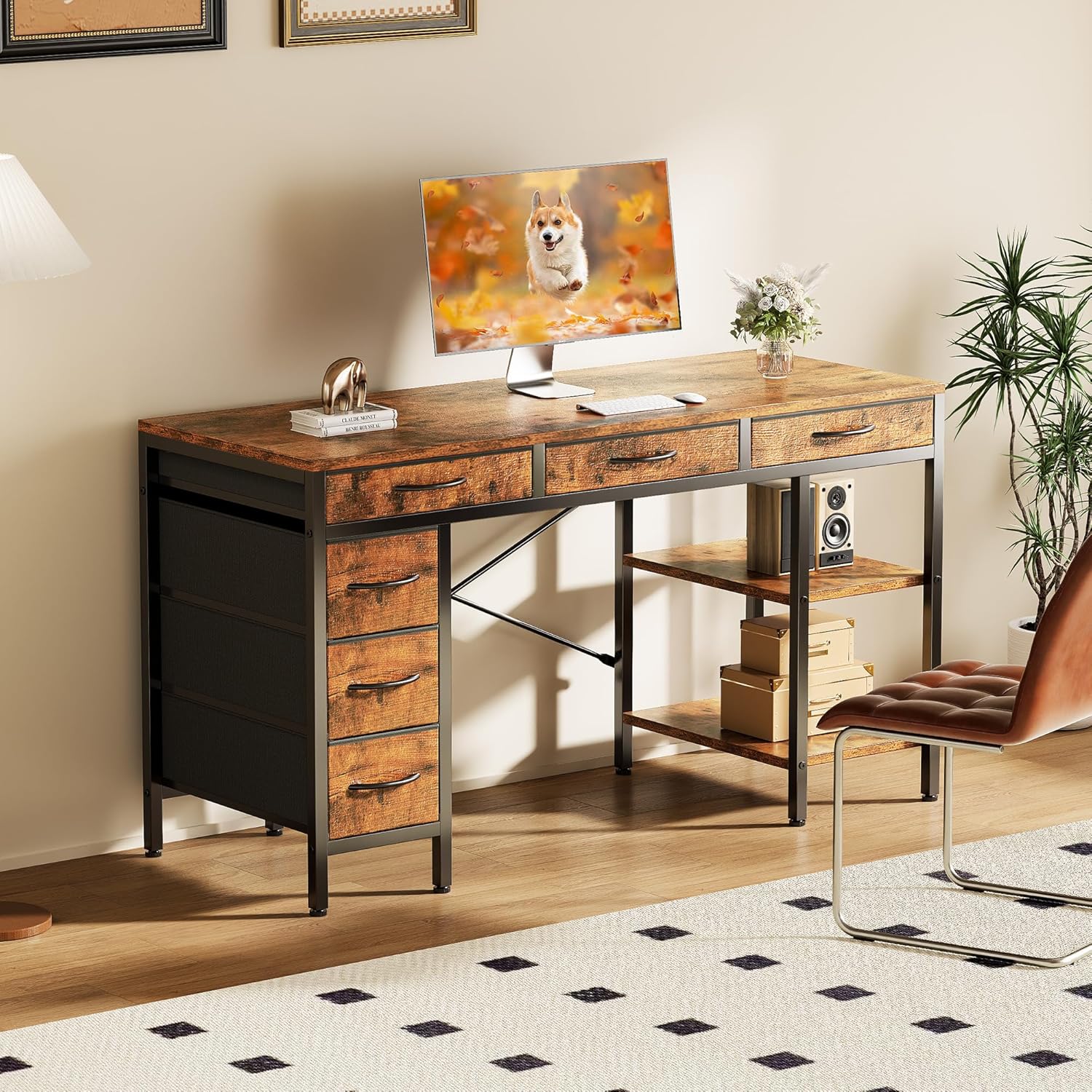
Image 1: Sweetcrispy 55" Computer Desk in a home office environment.
2. Safety Information
- Always assemble this desk with a partner.
- Do not attempt to assemble or use if the total weight on the desk exceeds 250 pounds.
- Ensure all screws and fasteners are securely tightened before use.
- Place the desk on a level surface to prevent tipping.
- Keep small parts away from children during assembly.
3. Package Contents
Before beginning assembly, verify that all parts listed below are present and undamaged. If any parts are missing or damaged, please contact customer support.
The assembly video below provides a visual guide to all components and the step-by-step process.
Video 1: Official assembly guide for the Sweetcrispy Computer Desk with 6 Drawers. This video demonstrates the unboxing of all components and the complete assembly process.
4. Assembly Instructions
Follow these steps carefully for proper assembly. Refer to Video 1 for visual guidance.
- Step 1: Assemble the Side Frames. Connect the horizontal bars to the vertical posts for both the drawer side and the shelf side frames. Ensure all connections are secure using the provided screws and Allen wrench.
- Step 2: Attach Shelf Panels. Insert the wooden shelf panels into the designated slots on the shelf side frame. Secure them with screws.
- Step 3: Connect the Main Frame. Join the assembled side frames using the long horizontal support bars. Tighten all screws to create a stable base.
- Step 4: Install Rear Cross Braces. Attach the X-shaped cross braces to the back of the desk frame for added stability.
- Step 5: Place the Desktop. Carefully align the main desktop panel onto the assembled frame. Secure it using the pre-drilled holes and screws.
- Step 6: Assemble Fabric Drawers. Fold the fabric drawers into shape and insert the bottom panel. Attach the handles to the front of each drawer.
- Step 7: Insert Drawers. Slide the assembled fabric drawers into their respective compartments on the desk.
- Step 8: Adjust Leveling Feet. Adjust the feet at the bottom of the desk to ensure it is stable and level on uneven floors.

Image 2: Detail of the desk's robust metal frame with X-structure and adjustable feet.
5. Product Features & Usage
5.1 Spacious Storage & Organization
The desk is equipped with six fabric drawers and two open storage shelves, providing ample space for office supplies, gaming accessories, books, and other items. This design helps maintain a clean and efficient workspace.

Image 3: Overview of the spacious desktop and six fabric drawers.
5.2 Adjustable & Removable Shelf
The middle shelf on the storage unit can be adjusted to different heights or removed entirely. This flexibility allows you to accommodate taller items such as CPU towers, large books, or decorative objects.
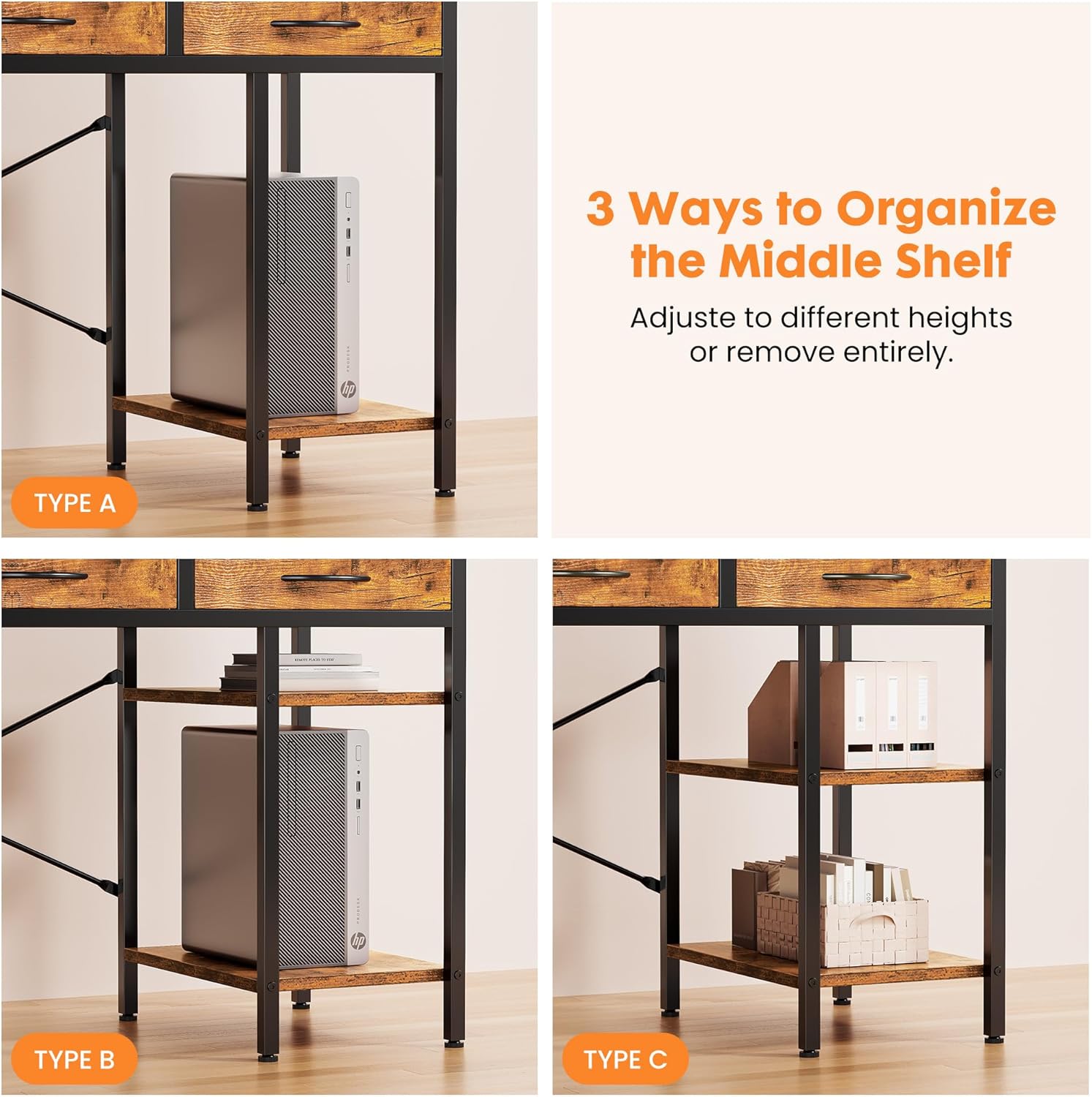
Image 4: Demonstrating the three ways to organize the middle shelf.
5.3 Versatile Multifunctional Workstation
This desk serves as a versatile hub suitable for various activities. It can function as a computer desk, gaming desk, study desk, or craft table, fitting seamlessly into a home office, bedroom, or living room.
6. Maintenance
To maintain the appearance and longevity of your Sweetcrispy desk, wipe it with a damp cloth as needed. Avoid using harsh chemicals or abrasive cleaners that may damage the finish.
7. Troubleshooting
If you encounter any issues during assembly or use, please review the assembly steps and ensure all connections are secure. For persistent problems or missing parts, contact Sweetcrispy customer support for assistance.
8. Specifications
| Feature | Detail |
|---|---|
| Brand | Sweetcrispy |
| Model Number | SWYMHJ2-D6BC-55RT |
| Product Dimensions (D x W x H) | 18.11"D x 50.12"W x 30.3"H |
| Color | Rustic Brown |
| Material Type | Metal, Wood |
| Number of Drawers | 6 |
| Number of Shelves | 2 |
| Maximum Weight Recommendation | 250 Pounds |
| Required Assembly | Yes |
| Recommended Number of People for Assembly | 2 |
| Product Care Instructions | Wipe with Damp Cloth |

Image 5: Product dimensions and weight capacity.
9. Warranty & Support
For warranty information or customer support, please refer to the contact details provided with your purchase or visit the official Sweetcrispy website. Keep your purchase receipt for warranty claims.


