
1. Introduction
This manual provides essential information for the safe and effective use of your MZK 13-inch 13-Amp 2-in-1 Electric Dethatcher and Scarifier. Please read all instructions carefully before operating the machine. Proper use and maintenance will ensure optimal performance and extend the life of your tool.

Image 1.1: The MZK 13-inch 13-Amp 2-in-1 Electric Dethatcher and Scarifier.
Product Overview
The MZK 2-in-1 Electric Dethatcher and Scarifier is designed to improve lawn health by removing thatch and aerating the soil. It features a powerful 13-Amp motor and a 13-inch working width, offering both dethatching and scarifying capabilities with interchangeable blades. The machine includes a collection bag and adjustable depth settings for versatile lawn care.
Video 1.1: An introductory overview of the MZK 13-inch 2-in-1 Electric Dethatcher, highlighting its key features and components.
2. Safety Information
Always prioritize safety when operating power tools. Failure to follow these instructions may result in serious injury or property damage.
General Safety Rules
- Read the Manual: Familiarize yourself with all controls and proper use before operation.
- Personal Protective Equipment (PPE): Always wear safety glasses, hearing protection, and sturdy footwear. Long pants are recommended.
- Clear the Area: Ensure the work area is free of stones, sticks, wires, and other debris that could be thrown by the blades. Keep bystanders, children, and pets at a safe distance (at least 50 feet/15 meters).
- Inspect Before Use: Check the machine for any damaged parts, loose fasteners, or worn blades. Do not operate if any components are damaged.
- Electrical Safety: Use only with a properly grounded outdoor extension cord. Ensure the cord is in good condition and rated for outdoor use. Keep the cord away from the blades and avoid tripping hazards.
- Secure Cord Connection: Utilize the cord retention feature to prevent accidental disconnection during operation.
- Maintain Control: Operate the machine at a steady pace. Do not force the tool.
- Avoid Wet Conditions: Do not operate the dethatcher/scarifier in wet grass or rain to prevent electrical shock and loss of control.
- Unplug When Not in Use: Disconnect the power cord before cleaning, adjusting, or servicing the machine.

Image 2.1: Illustration of securing the power cord connection to ensure waterproof protection and maintain plug connection during use.
3. Package Contents
Upon opening the package, verify that all items listed below are present and undamaged. If any parts are missing or damaged, contact customer support immediately.
- MZK Dethatcher/Scarifier Unit (1)
- Dethatcher Blade Cartridge (1)
- Scarifier Blade Cartridge (1)
- Collection Bag (1)
- Upper Handle Assembly (1)
- Lower Handle Assembly (1)
- Handle Knobs and Bolts (4 sets)
- Cable Clips (2)
- User Manual (1)
4. Assembly
Follow these steps to assemble your MZK Dethatcher and Scarifier. A cross-headed screwdriver is required for some steps.
4.1. Handle Assembly
- Attach the lower handle assembly to the main unit using the provided knobs and bolts. Ensure they are securely tightened.
- Connect the upper handle assembly to the lower handle assembly, securing it with the remaining knobs and bolts.
- Route the power cord along the handle and secure it with the cable clips to prevent it from interfering with operation.

Image 4.1: The handle assembly, showing the two-step easy start mechanism.
4.2. Collection Bag Assembly
- Assemble the metal frame for the collection bag.
- Hook the fabric mesh of the collection bag over the assembled frame.
- Attach the assembled collection bag to the rear of the dethatcher/scarifier unit.
4.3. Blade Cartridge Installation
The unit comes with two interchangeable blade cartridges: one for dethatching and one for scarifying. The scarifier blade is typically pre-installed.
- To change the blade cartridge, ensure the machine is unplugged.
- Turn the machine on its side to access the underside.
- Locate the blade release mechanism (refer to the user guide for specific details).
- Carefully remove the installed blade cartridge.
- Insert the desired blade cartridge (dethatcher or scarifier) and ensure it locks securely into place.
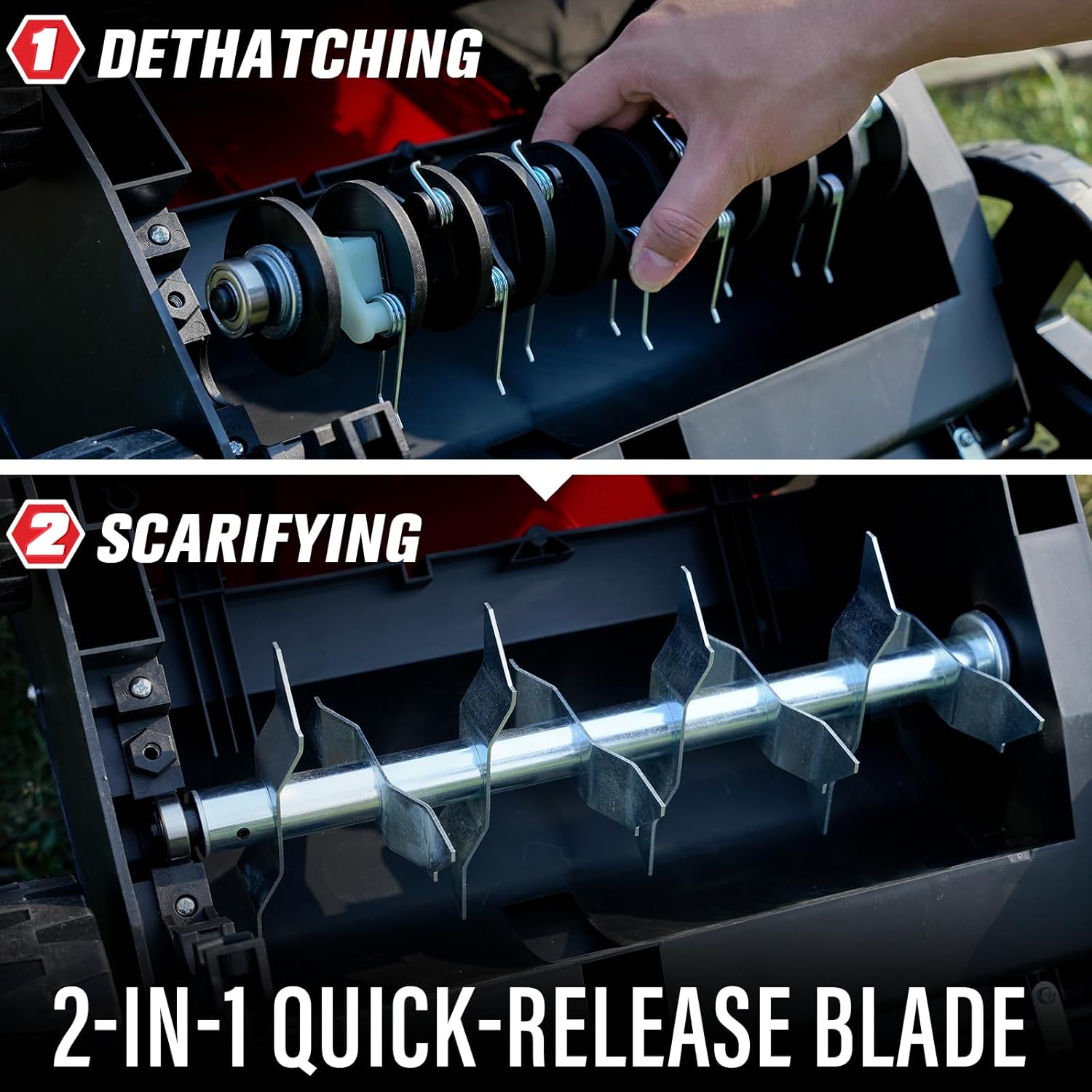
Image 4.2: The 2-in-1 quick-release blade system, showing both the dethatching and scarifying cartridges.
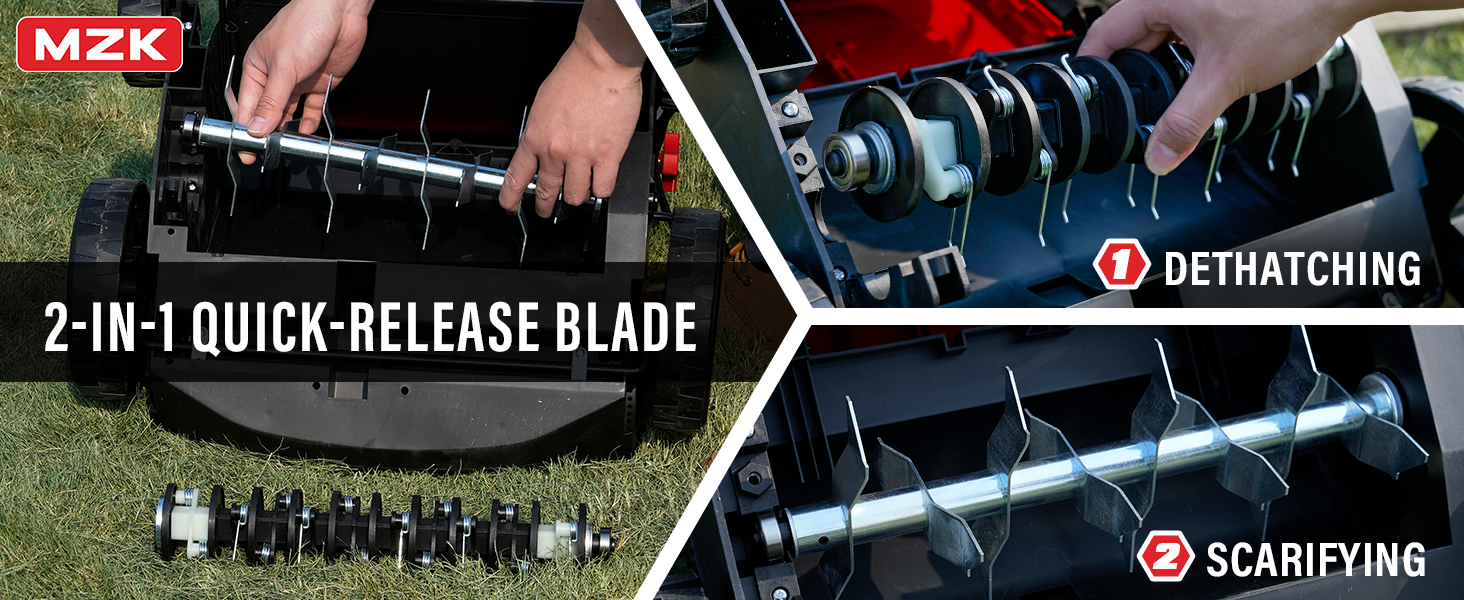
Image 4.3: Detailed view illustrating the quick-release mechanism for changing between dethatching and scarifying blades.
5. Operation
Before operating, ensure the machine is fully assembled, the correct blade cartridge is installed, and all safety precautions are observed.
5.1. Selecting the Right Blade
- Dethatcher Blade: Use this blade to remove dead grass, moss, and other organic debris (thatch) from the lawn surface. This allows water, nutrients, and air to reach the soil and grass roots more effectively.
- Scarifier Blade: Use this blade for deeper aeration, cutting into the soil to improve drainage and encourage stronger root growth. This is ideal for compacted lawns or preparing for overseeding.

Image 5.1: Visual comparison of a lawn before and after dethatching, and before and after scarifying, demonstrating the benefits of each process.
5.2. Adjusting Cutting Depth
The MZK Dethatcher/Scarifier features a 4-position height adjustment mechanism. This allows you to select the appropriate working depth for your lawn conditions.
- Locate the depth adjustment lever on the side of the unit.
- Move the lever to select one of the four available depth settings. Refer to the diagram for corresponding depths.
- Start with a higher setting for initial passes, especially if your lawn has significant thatch. Gradually decrease the depth as needed.

Image 5.2: Diagram illustrating the 4-position height adjustment for both dethatching and scarifying blades, with depth indicators.

Image 5.3: A user demonstrating the adjustment of the 4-position depth lever on the machine.
5.3. Starting and Stopping the Machine
- Connect the power cord to a suitable outdoor extension cord, ensuring the connection is secure.
- Press and hold the safety button on the handle.
- Squeeze the bail switch lever towards the handle to start the motor.
- Release the bail switch lever to stop the motor.
5.4. Operating Tips
- Work in straight, overlapping lines across your lawn.
- Avoid prolonged operation in one spot to prevent damage to the lawn.
- Empty the collection bag frequently to maintain optimal performance and prevent clogging.
- For heavily thatched lawns, multiple passes at increasing depths may be necessary.
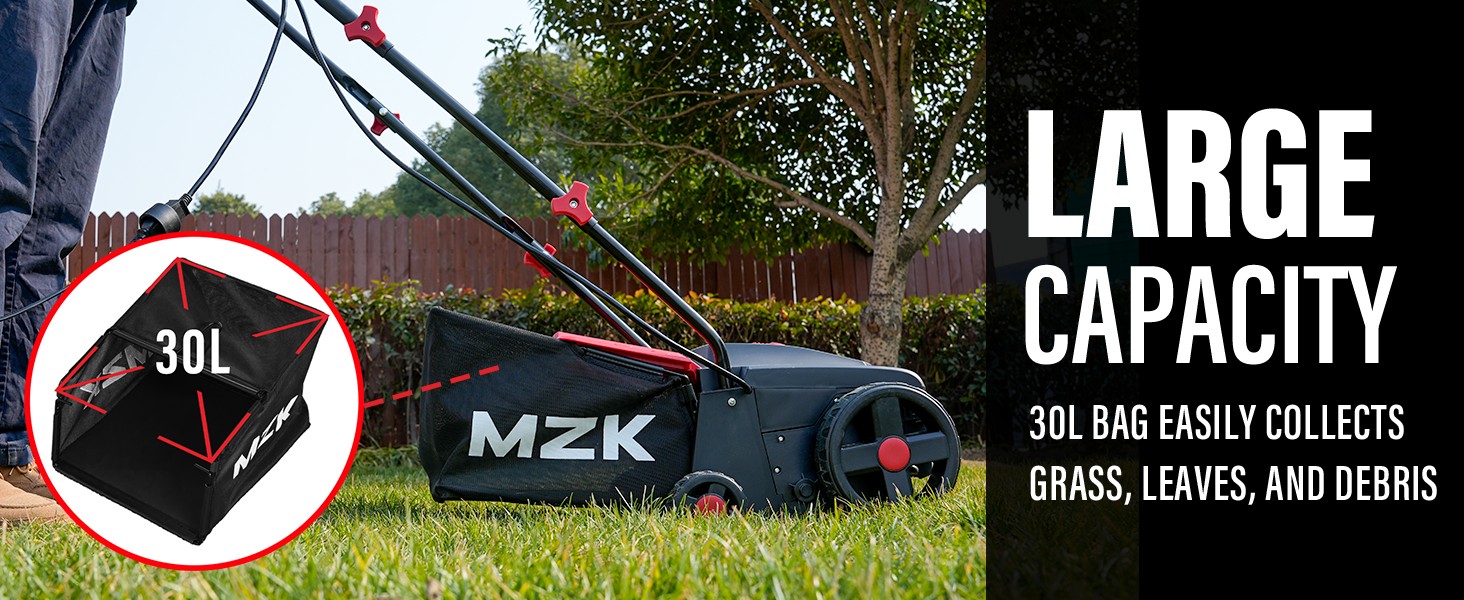
Image 5.4: The large 30L collection bag, designed to efficiently gather grass, leaves, and debris.

Image 5.5: Diagram illustrating the 'Air Boost Technology' which clears dense thatch to enhance lawn vitality by allowing better air and water flow to roots.
6. Maintenance
Regular maintenance ensures the longevity and safe operation of your dethatcher/scarifier.
6.1. Cleaning
- Always unplug the machine before cleaning.
- Remove any grass, thatch, or debris from the housing, blades, and collection bag after each use.
- Use a stiff brush or cloth; do not use water directly on the motor or electrical components.
6.2. Blade Care
- Inspect blades regularly for wear or damage. Dull or damaged blades can reduce performance and potentially cause injury.
- Replace worn blades with genuine MZK replacement parts. Refer to the user manual for instructions on blade replacement.
6.3. Storage
- Clean the machine thoroughly before storing.
- Store the dethatcher/scarifier in a dry, secure location, out of reach of children.
- The foldable handle allows for compact storage.
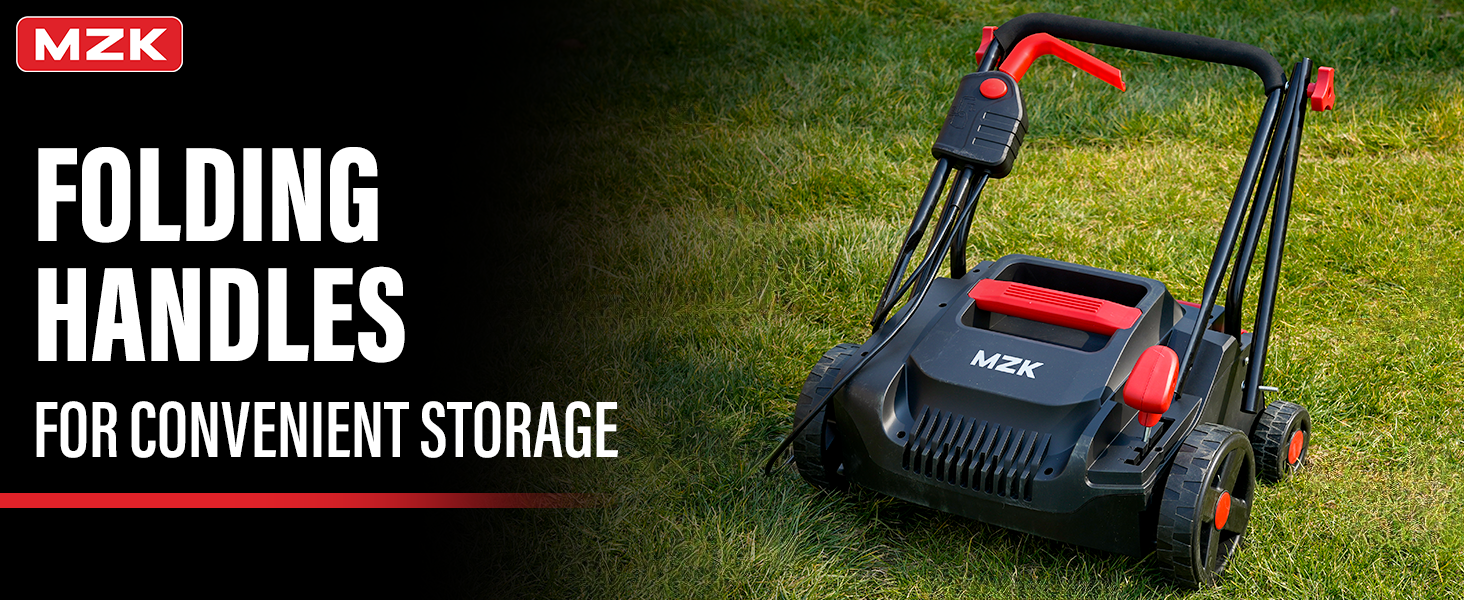
Image 6.1: The dethatcher/scarifier with its handles folded, demonstrating its compact design for easy storage.
7. Troubleshooting
This section addresses common issues you might encounter with your MZK Dethatcher/Scarifier.
| Problem | Possible Cause | Solution |
|---|---|---|
| Machine does not start | No power supply; Safety switch not engaged; Loose connection | Check power outlet and extension cord; Ensure safety button is pressed and bail switch is squeezed; Verify all electrical connections are secure. |
| Poor dethatching/scarifying performance | Incorrect depth setting; Worn or damaged blades; Clogged blades/collection bag | Adjust depth to a lower setting; Replace blades; Clean blades and empty collection bag. |
| Excessive vibration | Damaged or unbalanced blades; Loose components | Inspect and replace blades if necessary; Check all fasteners for tightness. |
| Motor overheats | Overloading the motor; Blocked air vents | Reduce workload; Clear any blockages from air vents. Allow motor to cool before resuming. |
If the problem persists after attempting these solutions, please contact MZK customer support.
8. Specifications
| Feature | Detail |
|---|---|
| Brand | MZK |
| Model Number | DS13A04 (G-AC2403-GL-1009) |
| Power Source | AC Electric |
| Motor | 13 Amp |
| No-Load Speed | 3700 RPM |
| Cutting Width | 13 Inches |
| Depth Adjustment | 4 Positions (-0.47" to 0.16") |
| Collection Bag Capacity | 8 Gallons (approx. 30 Liters) |
| Product Dimensions | 21.06"D x 13"W x 17.8"H |
| Weight | 19.5 lbs |
| Operation Mode | Manual Push |
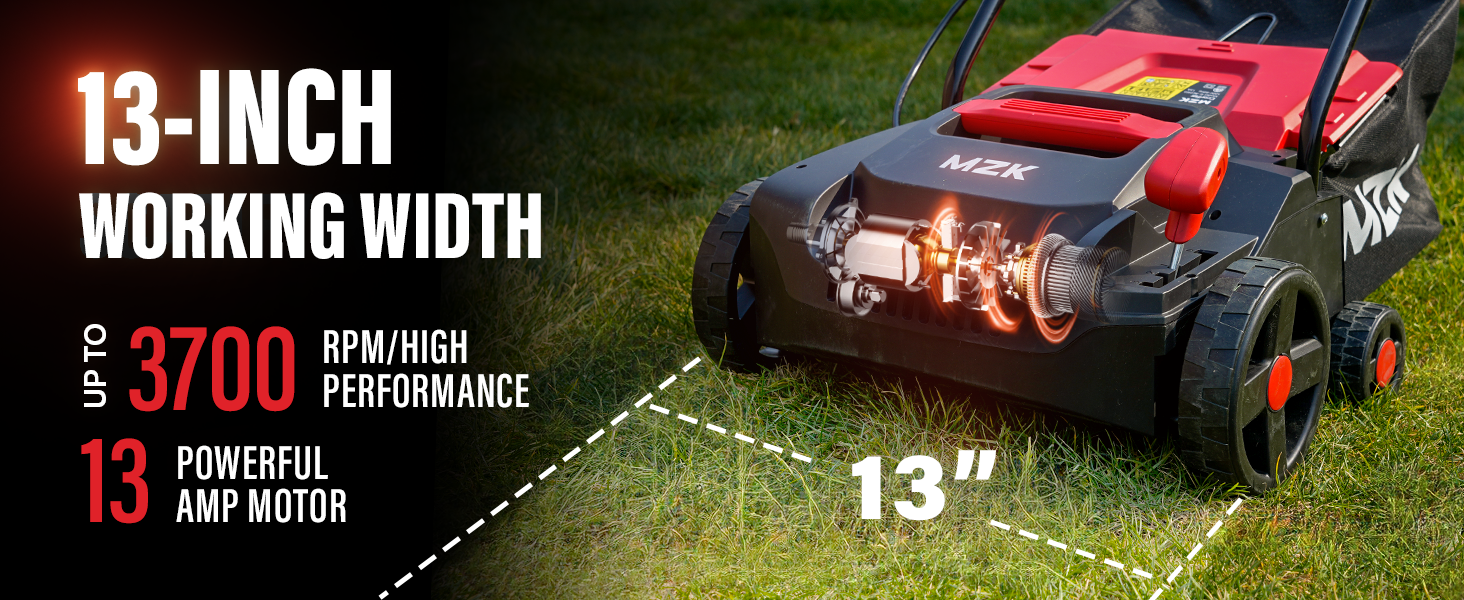
Image 8.1: Visual representation of the 13-inch working width and the powerful 13 Amp motor with 3700 RPM.

Image 8.2: Details on the easy control features and the reinforced shell design for enhanced stability, maneuverability, and extra protection.
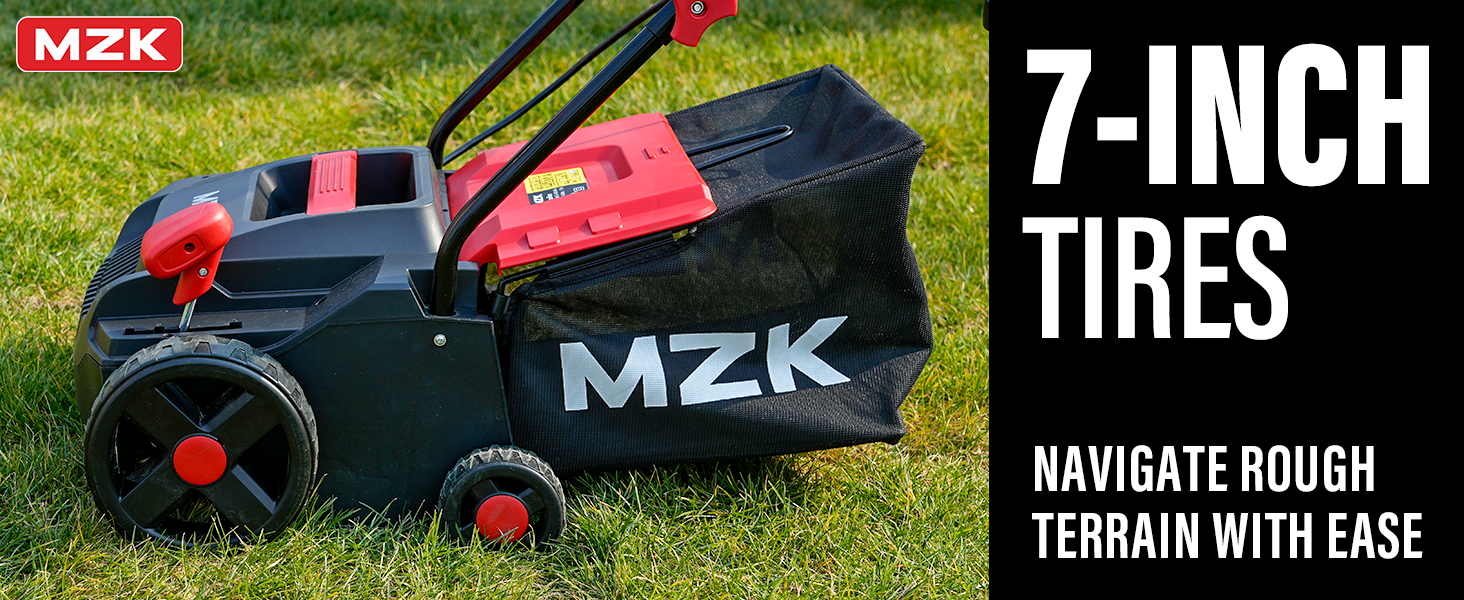
Image 8.3: The 7-inch tires designed to navigate rough terrain with ease.
9. Warranty and Support
9.1. Warranty Information
This product is covered by a 30-day return policy for refund or replacement. For extended protection, 2-Year and 3-Year Protection Plans are available for purchase.
9.2. Customer Support
For any questions, technical assistance, or warranty claims, please contact MZK customer support. Refer to the contact information provided in your product packaging or visit the official MZK website.