
1. Introduction
The House of Marley Get Together Go is a portable Bluetooth speaker designed for high-quality audio and outdoor durability. It features sustainable materials, multiple sound modes, and a robust, adventure-ready design.

Figure 1: Get Together Go Speaker in an outdoor environment.
Key features include IP67 waterproof and dustproof rating, up to 20 hours of playtime, customizable EQ modes, and Auracast multi-speaker pairing. The speaker is crafted from renewable bamboo and REGRIND silicone, reflecting a commitment to sustainable design.

Figure 2: Overview of main features including EQ settings, playtime, IP67 protection, and ambient lighting.
2. Package Contents
Ensure all items are present in the package:
- House of Marley Get Together Go Portable Bluetooth Speaker
- USB-C Charging Cable
- Quick Start Guide (not included in this manual)
3. Setup
3.1 Charging the Speaker
- Connect the provided USB-C charging cable to the speaker's charging port.
- Connect the other end of the cable to a compatible USB power adapter (not included).
- The charging indicator light will illuminate during charging and turn off when fully charged.
3.2 Powering On/Off
- To power on, press and hold the Power button until the indicator lights activate.
- To power off, press and hold the Power button again until the indicator lights turn off.

Figure 3: Front view of the speaker, illustrating general layout and control area.
3.3 Bluetooth Pairing
- Ensure the speaker is powered on.
- Press and hold the Bluetooth button on the speaker until the Bluetooth indicator light begins to flash, indicating pairing mode.
- On your device (smartphone, tablet, etc.), enable Bluetooth and search for available devices.
- Select "Get Together Go" from the list of devices.
- Once connected, the Bluetooth indicator light will become solid.
3.4 Auracast Multi-Speaker Pairing
The Get Together Go supports Auracast for connecting multiple compatible speakers for a larger sound experience. Refer to the official House of Marley website for detailed instructions on Auracast setup.
4. Operating Instructions
4.1 Audio Playback
- Once paired via Bluetooth, play audio from your connected device.
- Use the Volume Up (+) and Volume Down (-) buttons on the speaker to adjust the volume.
- Press the Play/Pause button to control playback.

Figure 4: Speaker control panel for power, Bluetooth, volume, and playback.
4.2 Custom EQ Modes
The speaker features three customizable EQ modes to optimize sound for different environments:
- Marley Signature Sound: Balanced audio profile.
- Bass Boost: Enhanced low-frequency response.
- Outdoor Mode: Optimized for open-air listening.
To switch between EQ modes, briefly press the Power button while the speaker is on. The ambient lighting may change to indicate the active mode.

Figure 5: Speaker in an outdoor setting, demonstrating its durability and suitability for various environments, where EQ modes can be adjusted.
4.3 Ambient Lighting
The speaker includes ambient lighting at its base. This lighting can be toggled or adjusted by pressing a dedicated button (refer to the speaker's physical controls for exact button location, often integrated with power or EQ controls).
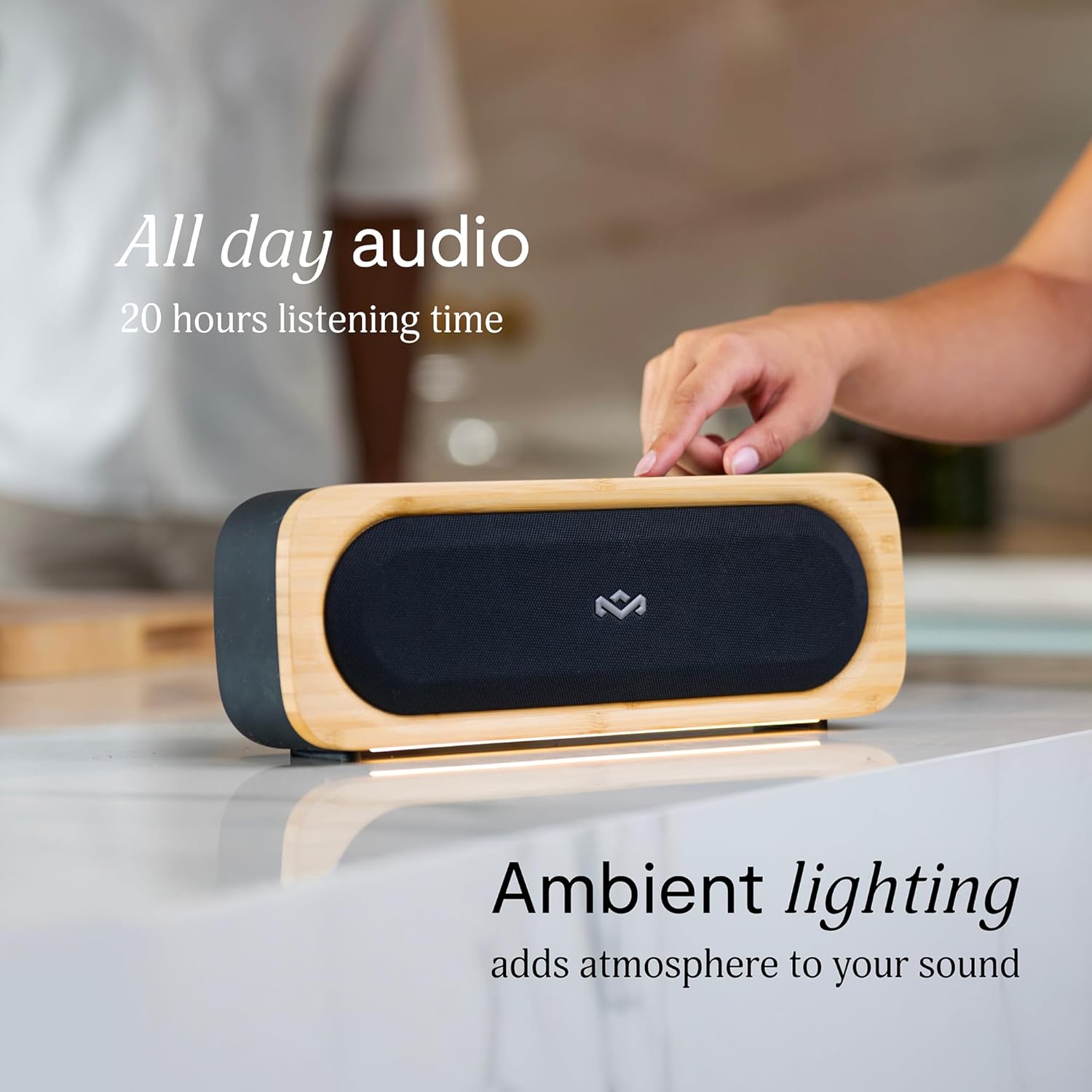
Figure 6: Speaker with ambient lighting active.
4.4 Built-in Bottle Opener
A bottle opener is integrated into the speaker's design for convenience. Locate the bottle opener on the rear or side of the speaker and use it as you would a standard bottle opener.

Figure 7: Demonstrating the use of the built-in bottle opener.
5. Maintenance
5.1 Cleaning
- The speaker features a removable grill for easy cleaning. Gently detach the grill to clean any dust or debris from the speaker drivers.
- Wipe the speaker's exterior with a soft, damp cloth. Avoid using harsh chemicals or abrasive cleaners.
- Ensure the speaker is completely dry before reattaching the grill or using it near water.

Figure 8: Speaker with removable grill detached for cleaning.
5.2 Water and Dust Protection (IP67)
- The IP67 rating means the speaker is protected from dust ingress and can withstand immersion in water up to 1 meter for 30 minutes.
- Always ensure the charging port cover is securely closed before exposing the speaker to water or dust.
- After exposure to water, dry the speaker thoroughly before charging.
5.3 Battery Care
- For optimal battery life, avoid fully discharging the speaker frequently.
- Store the speaker in a cool, dry place when not in use for extended periods.
6. Troubleshooting
6.1 Speaker Not Powering On
- Ensure the battery is charged. Connect the speaker to a power source and allow it to charge for at least 30 minutes before attempting to power on again.
- Press and hold the Power button for a few seconds to ensure it's not a brief press.
6.2 Bluetooth Pairing Issues
- Make sure the speaker is in pairing mode (flashing Bluetooth indicator).
- Ensure your device's Bluetooth is enabled and within range (typically 10 meters or 33 feet).
- Try forgetting the speaker from your device's Bluetooth settings and re-pairing.
- Restart both the speaker and your Bluetooth device.
6.3 No Sound or Low Volume
- Check the volume levels on both the speaker and your connected device.
- Ensure the speaker is properly paired and connected to your device.
- Try playing audio from a different application or source on your device.
7. Specifications
| Feature | Detail |
|---|---|
| Model Name | GET TOGETHER GO |
| Item Model Number | EM-JA036-SB |
| Connectivity Technology | Bluetooth |
| Speaker Maximum Output Power | 20 Watts |
| IP Rating | IP67 (Waterproof & Dustproof) |
| Playtime | Up to 20 hours |
| Product Dimensions | 5.75"D x 16.13"W x 4.75"H |
| Item Weight | 4.05 pounds |
| Materials | Renewable Bamboo, REGRIND Silicone, REWIND Fabric |
| UPC | 846885011706 |
8. Warranty and Support
For warranty information and technical support, please refer to the official House of Marley website or contact their customer service directly. Keep your proof of purchase for warranty claims.
9. Sustainability Commitment
The House of Marley Get Together Go speaker is designed with sustainability in mind, utilizing:
- Renewable Bamboo: Crafted from one of the world's fastest-growing plants.
- REWIND Fabric: Made from recycled plastic bottles for a durable finish.
- REGRIND Silicone: Produced using reclaimed and upcycled post-process and post-consumer waste.

Figure 9: Details on the sustainable materials used in the speaker's construction.


