Introduction
Thank you for choosing the SonixForce Pocket Grip Tripod T20-C. This versatile device functions as a grip, selfie stick, and tripod, designed for portability and ease of use. This manual provides detailed instructions for setup, operation, maintenance, and troubleshooting to ensure optimal performance.
Product Overview
The SonixForce T20-C offers multiple modes and features for capturing photos and videos.

The SonixForce T20-C can be used in various configurations: Grip Mode for handheld use, Extend Mode as a selfie stick, Stand Mode as a stable tripod, and Clip Mode for attaching to objects.
Key Features:
- All-in-One Design: Functions as a grip, extendable selfie stick, and stable tripod.
- Universal Magnetic Mount: Compatible with MagSafe-ready devices and includes a metal ring for other cases.
- Adjustable Angles: Features 225° tilt, 360° rotation, and 180° rotation for flexible positioning.
- Quad-Leg Stability: One-click engagement for enhanced stability.
- Ultra-Portable: Compact design for easy carrying.
- Wireless Remote: Detachable Bluetooth remote with a 10m/33ft range, USB-C rechargeable.
- Wide Compatibility: Supports Android 4.4+ and iOS 6+ devices.

The complete 3-in-1 kit includes the tripod, a pouch, wrist strap, USB-C charging cable, carabiner, and a magnetic mounting plate.
Setup
1. Unpacking and Initial Inspection
Carefully remove all components from the packaging. Verify that all items listed in the 'Product Overview' section are present and undamaged.
2. Attaching Your Phone
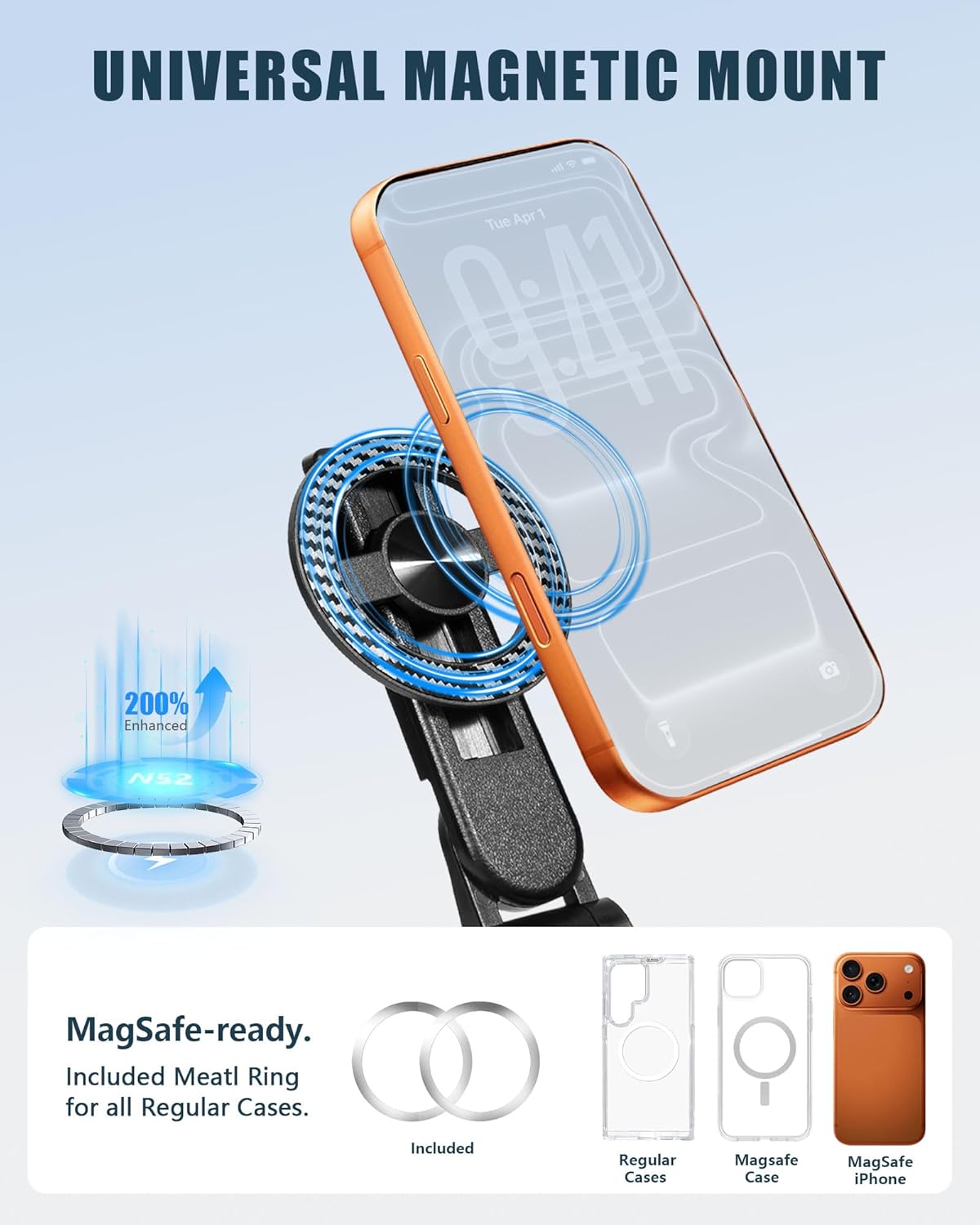
The universal magnetic mount securely holds your smartphone. For non-MagSafe cases, attach the included metal ring to your phone case.
- Magnetic Mount: The T20-C features a universal magnetic mount. If your phone or case is MagSafe-compatible, simply align and attach it to the mount.
- For Non-MagSafe Cases: Use the included metal ring. Peel off the adhesive backing and center the ring on the back of your phone case. Press firmly to secure. Once attached, your phone case will be compatible with the magnetic mount.
- Ensure your phone is securely attached before use.
3. Pairing the Bluetooth Remote

The wireless remote control can be detached from its dock for use and charges via a Type-C port.
- Charge the Remote: Before first use, ensure the remote is charged using the provided USB-C cable.
- Power On: Press and hold the button on the remote until the indicator light flashes, indicating it is in pairing mode.
- Pair with Phone: On your smartphone, go to Bluetooth settings and search for available devices. Select "SonixForce Remote" (or similar name) to pair. The indicator light will stop flashing once successfully paired.
- The remote is compatible with Android 4.4+ and iOS 6+ devices.
Operating
1. Using as a Grip
With the legs folded, the T20-C functions as a comfortable handheld grip for stable video recording or photography.
2. Extending as a Selfie Stick
Gently pull the top section upwards to extend the pole. The T20-C can extend to a maximum height of 420mm (16.5 inches) for wider shots.
3. Setting up as a Tripod
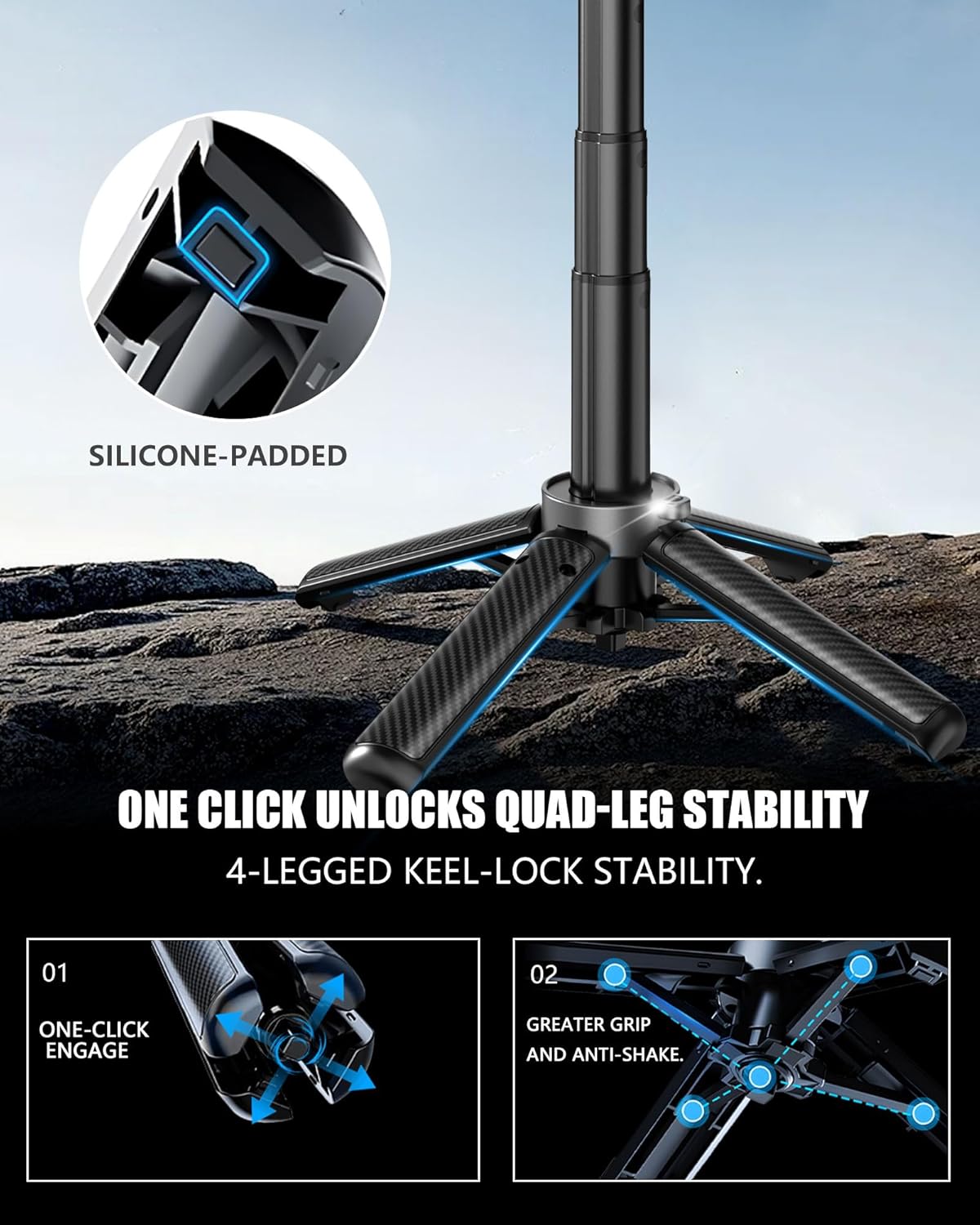
Press the button to engage the quad-legs for enhanced stability. Ensure the legs are fully extended and locked before placing your device.
- Deploy Legs: Press the button on the base to release and extend the four legs. Ensure they are fully spread for maximum stability.
- Adjust Height: Extend the central pole to your desired height.
- Placement: Place the tripod on a flat, stable surface.
4. Adjusting Angle and Rotation

The phone holder allows for 225° tilt, vertical adjustment, and 360° rotation to achieve the perfect shooting angle.
- Tilt: The phone holder can tilt up to 225° to adjust the vertical angle.
- Rotation: The phone holder can rotate 360° for landscape or portrait orientation. The base also allows for 180° rotation.
- Adjust these to achieve your desired shooting angle.
5. Using the Remote Shutter
Once paired, press the button on the Bluetooth remote to remotely trigger your phone's camera shutter. This is ideal for group photos, selfies, or long-exposure shots without touching your phone.
Maintenance
1. Cleaning
Wipe the tripod and remote with a soft, dry cloth. Avoid using harsh chemicals or abrasive materials that could damage the finish.
2. Storage
When not in use, collapse the tripod to its most compact form and store it in the included pouch. Keep it in a cool, dry place away from direct sunlight and extreme temperatures.
3. Charging the Remote
Charge the remote control using the provided USB-C cable when the battery is low. A full charge takes approximately 2 hours and provides up to 5 days of standby time.
Troubleshooting
- Remote Not Pairing:
- Ensure the remote is charged.
- Make sure Bluetooth is enabled on your phone.
- Turn the remote off and on again, then re-attempt pairing.
- Forget the device in your phone's Bluetooth settings and try pairing again.
- Tripod Stability Issues:
- Ensure all four legs are fully extended and locked into position.
- Place the tripod on a flat, level surface.
- While the T20-C is designed for portability, it is lightweight. Avoid placing it in high-traffic areas where it might be bumped, especially when fully extended.
- Phone Not Secure in Mount:
- Verify that your phone or case is properly aligned with the magnetic mount.
- If using the metal ring, ensure it is securely attached to your phone case and centered.
- Check for any obstructions between the phone/case and the magnetic mount.
Specifications
The SonixForce T20-C is compact when folded and extends to a useful height.
- Model: T20-C
- Collapsed Length: Approximately 11 cm (4.3 inches)
- Minimum Height (Tripod): 215 mm (8.5 inches)
- Maximum Height (Extended): 420 mm (16.5 inches)
- Product Dimensions: 3.3 x 6.35 x 26.67 cm (collapsed)
- Weight: 170 g (0.37 lbs)
- Bluetooth Remote Range: Up to 10 meters (33 feet)
- Remote Charging Port: USB-C
- Remote Charge Time: Approximately 2 hours
- Remote Standby Time: Up to 5 days
- Compatibility: Android 4.4+, iOS 6+
Warranty and Support
For warranty information or technical support, please refer to the product packaging or contact SonixForce customer service through the retailer where the product was purchased. Keep your proof of purchase for warranty claims.


