
1. Important Safety Information
Please read all instructions carefully before using the Invengo Automatic Cat Litter Box. Retain this manual for future reference. Failure to follow these instructions may result in product damage or injury.
- This appliance is intended for household use only.
- Do not immerse the main unit in water or other liquids.
- Ensure the power cord is not damaged and is placed where it cannot be tripped over or pulled by pets.
- Keep children and small pets away from the unit during operation.
- Only use the provided power adapter.
- Do not attempt to disassemble or repair the unit yourself. Contact customer support for assistance.
- The unit is equipped with multiple safety sensors. Do not interfere with these sensors.
2. Package Contents
Verify that all items are present in the package:
- Self-Cleaning Litter Box x1
- Waste Bin x1
- Litter Liners (40 Bags / 2 Rolls)
- Deodorizer x1
- Anti-Tracking Mat x1
- Power Adapter x1
- Support Legs x4
- Filter x1
- Cleaning Brush x1
- Quick Start Guide x1
- User Manual x1
3. Product Overview
The Invengo Automatic Cat Litter Box is designed to provide a clean and convenient solution for cat owners. It features smart app control, an open-top design, and multiple safety sensors.

The Invengo Automatic Cat Litter Box in LightGrey.

The litter box features smart app remote control, supporting 2.4GHz Wi-Fi for convenient management.

Dimensions of the open-top self-cleaning cat litter box, suitable for cats weighing 3.3-27.5 lbs.

Multi-layer safety protection with weight, Hall, and infrared sensors to keep your cat safe.
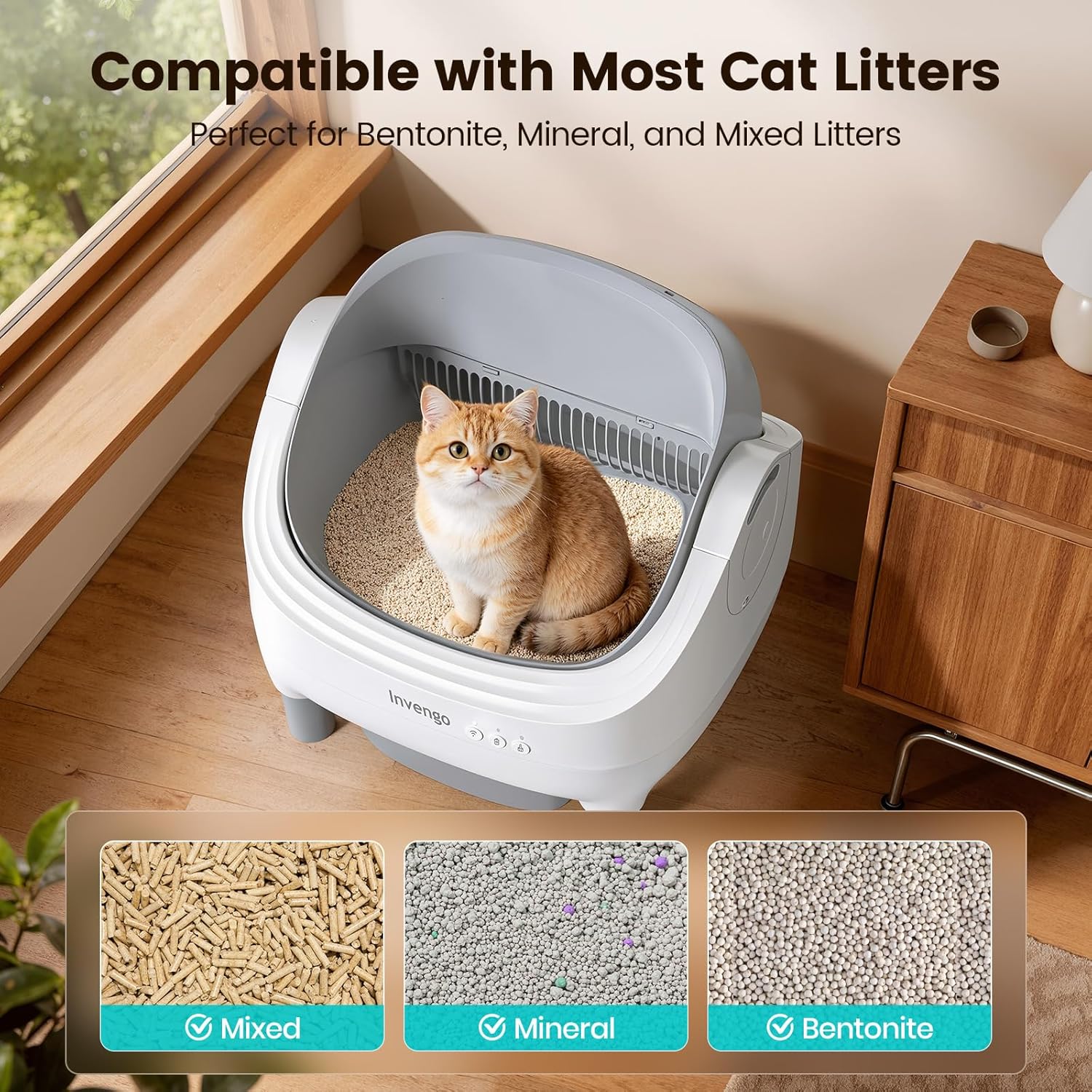
The litter box is compatible with most cat litters, including bentonite, mineral, and mixed litters.
4. Setup Guide
4.1 Initial Assembly
- Unpack all components and ensure they are free from damage.
- Install the four support legs onto the main unit. Ensure that the 'R' marked on the leg aligns with the 'R' slot on the unit, and 'L' with 'L'. The support legs should rebound properly once installed.
- Place the waste bin into its designated slot at the bottom of the unit. Ensure it is pushed fully in until it clicks into place and the indicator light stays on.
- Insert a litter liner into the waste bin.
- Place the anti-tracking mat in front of the litter box.
Video: Instructions on how to properly install the support legs for the Invengo litter box.
Video: Guide for installing the waste collection tray in the M1 cat litter box.
4.2 Adding Litter
- Pour clumping cat litter into the main drum.
- Do not exceed the 'MAX' fill line indicated inside the drum. Overfilling can affect performance and cleaning cycles.
- The litter box is compatible with bentonite, mineral, and mixed litters. Avoid litter pellets longer than 0.4 inches (10mm).
4.3 Power Connection
- Connect the power adapter to the unit and then plug it into a wall outlet.
- The unit will perform a self-check upon power-on.
5. Operating Instructions
5.1 Smart App Control
The Invengo Automatic Cat Litter Box can be controlled via a dedicated smartphone app (2.4GHz Wi-Fi required).
- Download the Invengo app from your device's app store.
- Register an account and follow the in-app instructions to connect your litter box to your home Wi-Fi network.
- Once connected, you can:
- Schedule automatic cleaning cycles.
- Manually initiate cleaning or emptying cycles.
- Receive full-bin alerts and other notifications.
- Monitor litter usage and cat activity.

The Invengo app allows for comprehensive control and monitoring of the litter box.
5.2 Manual Mode Operation
The litter box can also be operated manually using the buttons on the front panel, even without an internet connection.

Control panel with Wi-Fi, Empty, and Clean buttons for manual operation.
- Wi-Fi Button: Press and hold for 3 seconds until you hear a "beep" to enter Wi-Fi connection mode.
- Empty Button: Press and hold for 3 seconds until you hear a "beep" to start the emptying cycle.
- Clean Button: Press for 1 second until you hear a "beep" to start a cleaning cycle.
Video: A general overview of the MeowLuLoo M1 litter box operation.
6. Maintenance and Cleaning
Regular maintenance ensures optimal performance and hygiene of your Invengo Automatic Cat Litter Box.
6.1 Emptying the Waste Bin
- The 10.5L waste bin can hold waste for up to 14 days for a single cat.
- When the app notifies you or the indicator light signals a full bin, pull out the waste bin.
- Use the pull-and-wrap system of the litter liner to seal the waste bag securely.
- Dispose of the sealed bag and replace it with a new one.
- Slide the waste bin back into the unit until it is fully seated.

The 10.5L waste bin and quick-pull liner bags simplify waste disposal.
6.2 Cleaning the Unit
- The internal drum and waste bin are washable. Ensure the main unit is unplugged before cleaning.
- Remove the drum and waste bin for thorough cleaning with mild soap and water.
- Wipe down the exterior of the unit with a damp cloth. Do not use abrasive cleaners.
- Ensure all parts are completely dry before reassembling and plugging in the unit.
6.3 Deodorizer and Filter Replacement
- The built-in deodorizer helps neutralize odors. Replace it periodically as needed.
- The filter should also be checked and cleaned or replaced regularly to maintain air quality.

Key features for maintenance: waterproof liner, built-in deodorizer, included durable liners, and anti-tracking mat.
7. Safety Features
The Invengo Automatic Cat Litter Box is equipped with advanced safety mechanisms to protect your pet.
- Infrared Sensors: Three pairs of infrared sensors detect when a cat enters or approaches the litter box, immediately pausing any ongoing cleaning cycle.
- Weight Sensors: Four weight sensors located in the support legs detect the presence of your cat, ensuring the unit remains stationary when a cat is inside.
- Anti-Pinch Design: The toothless safety design and limited rotation angle (30 degrees) prevent pinching during operation.
- Cleaning cycles will only resume once the cat has left the unit and a safe delay period has passed.

Four weight sensors in the legs ensure the cleaning cycle stops when a cat is present.

Six infrared safety sensors instantly stop the litter robot whenever your cat approaches.
8. Troubleshooting
If you encounter issues with your Invengo Automatic Cat Litter Box, refer to the following common solutions:
- Unit Not Powering On: Check if the power adapter is securely connected to both the unit and the wall outlet. Ensure the outlet is functional.
- Cleaning Cycle Not Starting: Verify that the waste bin is correctly inserted. Check if any objects or debris are obstructing the sensors. Ensure the litter level is not above the MAX line.
- App Connectivity Issues: Confirm your Wi-Fi network is 2.4GHz. Restart your router and the litter box. Ensure your phone is close to the unit during the initial pairing process.
- Odor Issues: Replace the deodorizer. Ensure the waste bin is emptied regularly and the litter liner is properly sealed.
- Excessive Noise: Check for any loose parts or obstructions in the rotating drum. Ensure the unit is placed on a flat, stable surface.
If the problem persists, please contact Invengo customer support for further assistance.
9. Specifications
| Feature | Detail |
|---|---|
| Model Number | CATBOX-Mini-F |
| Product Dimensions (L x W x H) | 22.66" x 21.47" x 16.15" |
| Item Weight | 17.64 Pounds |
| Material | Polypropylene (PP) |
| Waste Bin Capacity | 10.5 Liters |
| Suitable for Cat Weight | 3.3 - 27.6 lbs |
| Connectivity | 2.4GHz Wi-Fi (App Control) |
| Safety Features | 3 pairs Infrared Sensors, 4 Weight Sensors, Anti-Pinch Design |
| Noise Level | Ultra-Quiet (approx. 32dB) |
| Included Components | Litter Box, Waste Bin, Liners, Deodorizer, Mat, Power Adapter, Support Legs, Filter, Brush, Manuals |
10. Warranty and Support
10.1 Warranty Information
The Invengo Automatic Cat Litter Box comes with a 1-Year Warranty for the main unit. Please retain your proof of purchase for warranty claims.
10.2 Customer Support
For any questions, technical support, or warranty inquiries, please contact Invengo customer service:
- Email: service@invengo.com
- Customer service support is available 24/7.

Invengo offers customer service support to assist with any product-related questions.