Download PDFFree PDF. The Save button below keeps a bookmark and private notes in your account.
TAGRY AI Translation Earbuds A12 User Manual
Model: A12 | Brand: TAGRY
Introduction
The TAGRY AI Translation Earbuds A12 are advanced wireless headphones designed for real-time language translation, communication, and audio playback. Featuring support for 164 languages and multiple translation modes, these earbuds facilitate seamless interaction across language barriers for travel, business, and learning.
Image: The TAGRY AI Translation Earbuds A12, showcasing their ergonomic design and the compact charging case.
Key Features
164 Language Support: Advanced AI translation technology for comprehensive language coverage.
AI Chat Mode: Multilingual AI assistant for questions, tips, and language practice.
Audio/Video Call Translation: Real-time translation during global voice and video calls.
Five Translation Modes: Free Talk, Headphone+Phone, Audio/Video Call, Photo Translation, and Translation Machine.
4-in-1 Multifunctionality: Combines translation, video calling, phone calling, and high-quality music playback.
Extended Battery Life: Up to 10 hours of continuous use, extending to 40 hours with the charging case.
Clear Sound: Optimized audio for music, calls, and translation features.
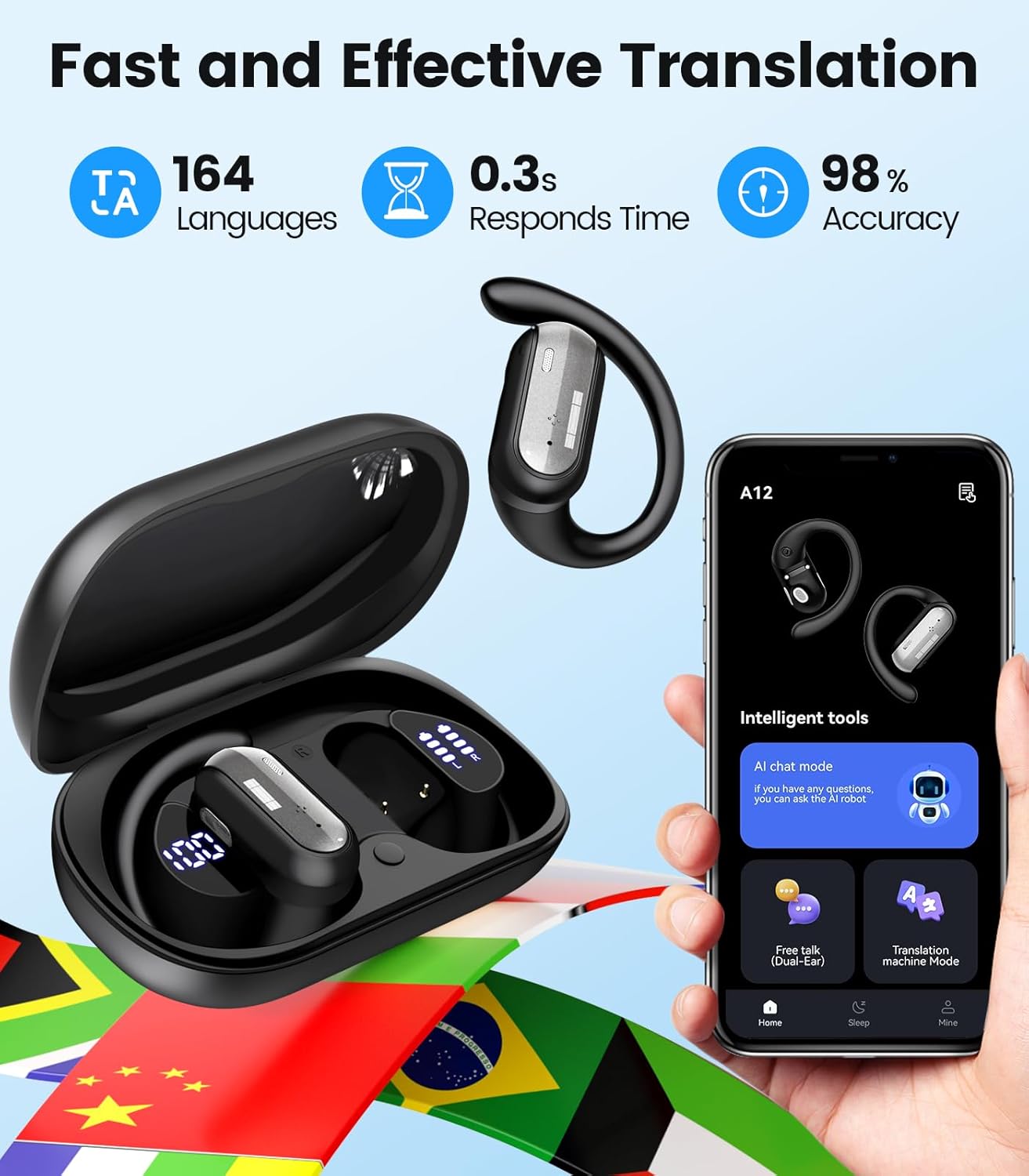
Image: Visual representation of the earbuds supporting 164 languages, with flags of different countries.
Image: A graphic highlighting the earbuds' fast and effective translation capabilities, including language count, response time, and accuracy.
Image: An exploded view diagram of an earbud, illustrating its internal audio components for clear sound and enhanced bass.
Package Contents
Please verify that all items are present in your package:
TAGRY AI Translation Earbuds A12 (Left and Right)
Portable Charging Case
USB Charging Cable
User Manual (This document)
(Potentially) Eartips of various sizes
Image: The compact portable charging case, demonstrating its size relative to a US quarter coin, with one earbud.
Setup Guide
1. Initial Charging
Place both earbuds into the charging case.
Connect the charging case to a power source using the provided USB cable.
Allow the earbuds and case to fully charge before first use. The charging indicators on the case will show the charging status.
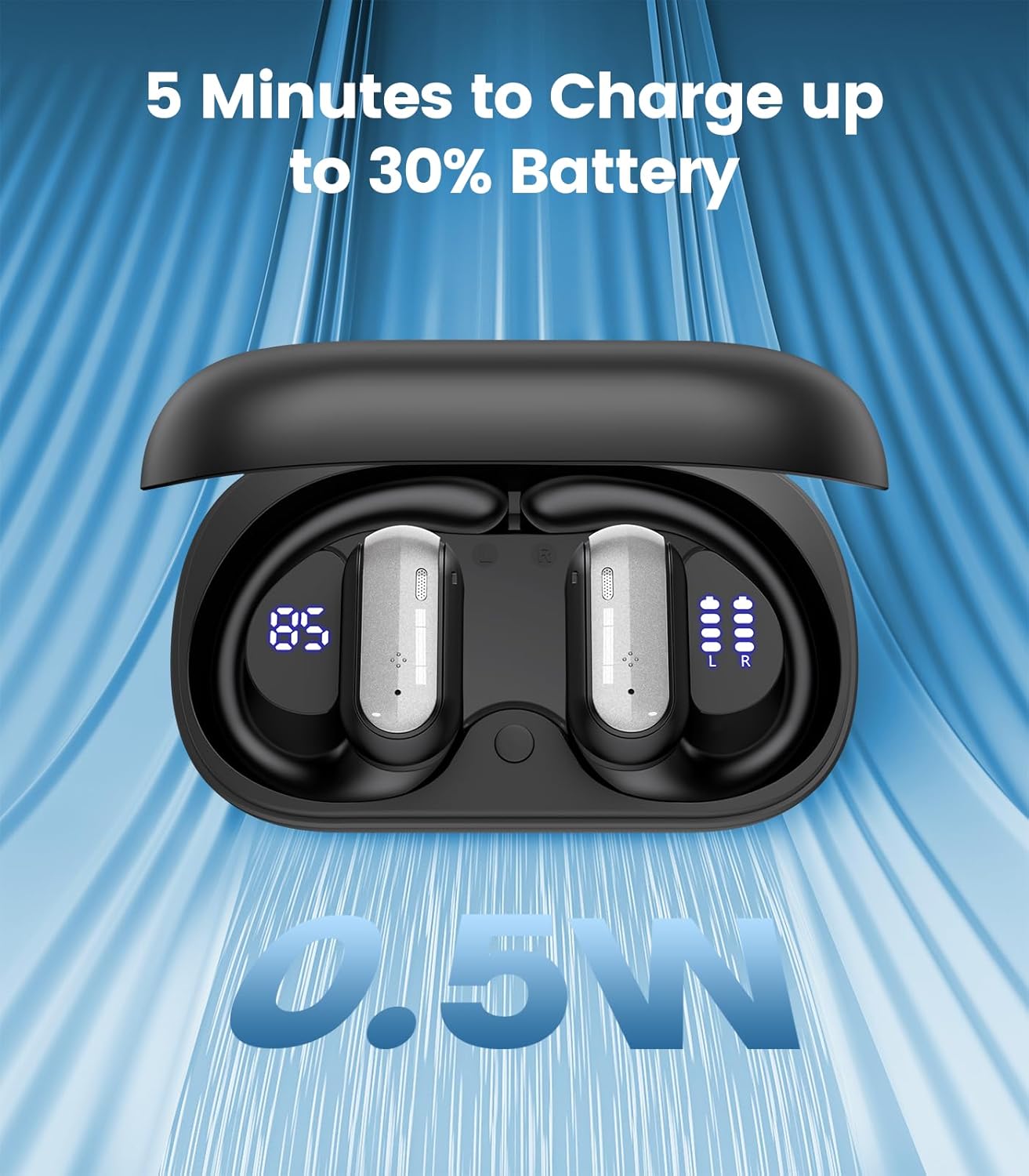
Image: The charging case displaying battery levels for both earbuds and the case, highlighting fast charging capability.
2. Bluetooth Pairing
Open the charging case. The earbuds will automatically enter pairing mode.
On your smartphone or device, go to Bluetooth settings and enable Bluetooth.
Select "TAGRY A12" from the list of available devices to connect.
Once connected, you will hear an audio prompt from the earbuds.
3. App Installation
To utilize the full translation features, download the dedicated TAGRY translation app from your device's app store (iOS App Store or Google Play Store). Follow the in-app instructions to complete setup and link your earbuds.
Operating Instructions
Translation Modes
The TAGRY A12 earbuds offer five distinct translation modes:
Free Talk Mode: Ideal for face-to-face conversations. Both users wear an earbud for smooth, two-way real-time communication.
Headphone + Phone Mode: One user wears the earbuds, and the other speaks into the smartphone. The translation is heard through the earbuds and displayed on the phone.
Audio/Video Call Translation: Initiate voice or video calls through the app. The earbuds provide real-time translation for participants worldwide.
Photo Translation: Use the app to take a picture of text (e.g., a menu or sign). The app will translate the text.
Translation Machine Mode: Functions like a traditional handheld translator, where you speak into the earbud/phone and it translates aloud.
Image: Two individuals engaged in conversation while wearing the earbuds, demonstrating the Free Talk translation mode.
Image: A user participating in a video call, with the phone screen showing real-time translation of the conversation.
AI Chat Mode
Access the AI Chat mode through the app to interact with a multilingual AI assistant. This feature can answer questions, provide life tips, and assist with language practice.
Image: Screenshots illustrating the AI Chat mode, where users can interact with an AI assistant for various queries.
Music Playback & Phone Calls
The earbuds also function as standard Bluetooth headphones for music and phone calls. Use the touch controls on the earbuds to manage playback, answer/end calls, and activate your device's voice assistant.
Play/Pause: Single tap on either earbud.
Next Track: Double tap on the right earbud.
Previous Track: Double tap on the left earbud.
Answer/End Call: Single tap on either earbud.
Reject Call: Press and hold either earbud for 2 seconds.
Activate Voice Assistant: Triple tap on either earbud.
Image: A visual representation of the earbuds' 4-in-1 functionality, including AI translations, video calls, phone calls, and music playback.
Charging
The earbuds provide up to 10 hours of listening time on a single charge. The portable charging case extends the total battery life to approximately 40 hours.
Charging the Earbuds: Place the earbuds into the charging case. They will automatically begin charging.
Charging the Case: Connect the charging case to a USB power adapter (not included) or a computer using the provided USB cable. The LED indicators on the case will show the charging status.
Quick Charge: A 5-minute charge can provide up to 30% battery life for quick use.
Maintenance
To ensure the longevity and optimal performance of your TAGRY AI Translation Earbuds A12, follow these maintenance guidelines:
Cleaning: Regularly clean the earbuds and charging case with a soft, dry, lint-free cloth. Do not use abrasive materials or harsh chemicals.
Storage: When not in use, store the earbuds in their charging case to protect them from dust and damage.
Avoid Moisture: Keep the earbuds and charging case away from water, excessive humidity, and extreme temperatures.
Charging Contacts: Ensure the charging contacts on both the earbuds and the case are clean and free of debris to maintain proper charging.
Troubleshooting
Problem
Possible Solution
Earbuds not pairing with device.
Ensure earbuds are charged and in pairing mode (open case).
Turn off and on Bluetooth on your device.
Forget "TAGRY A12" from your device's Bluetooth list and try pairing again.
Restart your device.
No sound or poor sound quality.
Check device volume and earbud volume.
Ensure earbuds are properly seated in your ears.
Clean any debris from the earbud speakers.
Reconnect the earbuds to your device.
Translation not working or inaccurate.
Ensure the TAGRY translation app is installed and updated.
Check your internet connection (required for real-time translation).
Verify correct source and target languages are selected in the app.
Speak clearly and at a moderate pace.
Earbuds not charging.
Ensure the charging cable is securely connected to both the case and power source.
Clean the charging contacts on the earbuds and inside the case.
Try a different USB cable or power adapter.
Specifications
Model: A12
Product Dimensions: 1.46 x 4.09 x 3.3 inches
Item Weight: 3.52 ounces
Batteries: 1 Lithium Ion battery required (included)
Manufacturer: TAGRY
Translation Languages: 164 (via app)
Battery Life (Earbuds): Up to 10 hours (continuous use)
Battery Life (with Charging Case): Up to 40 hours
Warranty and Support
For warranty information or technical support, please refer to the official TAGRY website or contact their customer service directly. Keep your purchase receipt as proof of purchase.
Ask about setup, troubleshooting, compatibility, parts, safety, or missing instructions. Manuals+ will review the question and use this page’s manual context to help answer it.