
UNCLE BRICK T2007
UNCLE BRICK T2007 Mechanical Robotic Arm Building Blocks Set - Instruction Manual
Comprehensive guide for assembly, operation, and maintenance.
1. Introduction
Thank you for choosing the UNCLE BRICK T2007 Mechanical Robotic Arm Building Blocks Set. This STEM educational toy is designed to provide an engaging and educational building experience, culminating in a functional robotic arm controlled by a remote. It encourages hands-on learning, problem-solving, and an understanding of mechanical principles.
2. Product Overview
The UNCLE BRICK T2007 Mechanical Robotic Arm is a sophisticated building set that allows for the construction of a multi-axis collaborative mechanical arm. Once assembled, the robotic arm offers impressive mobility and functionality:
- Chassis Rotation: The base allows for nearly 360 degrees of rotation, providing extensive reach.
- Arm Bends: Two sections of the arm can bend up to 90 degrees, enabling precise maneuvering.
- Hand Claws: The robotic hand features claws that can open and close at 270 degrees, designed for gripping various objects.
- Gripping Capability: In its finished state, the arm can grip items weighing up to 150 grams. The actual gripping value may vary based on item size and surface smoothness. Weighted bases can be used for heavier items, with the final gripping weight dependent on motor torque and gear durability.
- Remote Control: The arm is fully controlled via an included 8-way remote control.

Figure 2.1: Assembled UNCLE BRICK T2007 Mechanical Robotic Arm with remote control.
3. Package Contents
Your UNCLE BRICK T2007 Mechanical Robotic Arm Building Blocks Set includes the following components:
- 784 Building Blocks
- 4 M Motors
- 1 Li-ion Battery Box
- 1 Remote Control
- 1 Instruction Manual
4. Safety Information
WARNING: CHOKING HAZARD - Small Parts. Not for children under 3 years.
Please ensure all small parts are kept out of reach of young children. Adult supervision is recommended during assembly and operation, especially for younger users.
5. Setup and Assembly
The assembly process for the UNCLE BRICK T2007 Mechanical Robotic Arm is detailed in the included Production Guide. Follow the step-by-step visual instructions carefully. It is recommended to organize all building blocks before starting to ensure no pieces are misplaced.
5.1. General Assembly Tips
- Follow the Guide: Refer to the Production Guide for detailed visual instructions. Each step illustrates the required parts and their placement.
- Organize Parts: Separate the blocks by type or color as suggested in the manual to streamline the building process.
- Secure Connections: Ensure all blocks are firmly connected to maintain the structural integrity and functionality of the robotic arm.
- Motor and Wiring: Pay close attention to the installation of the 4 M motors and the Li-ion battery box. Ensure all wiring connections are correct and secure as per the instructions. Incorrect wiring may prevent proper operation.
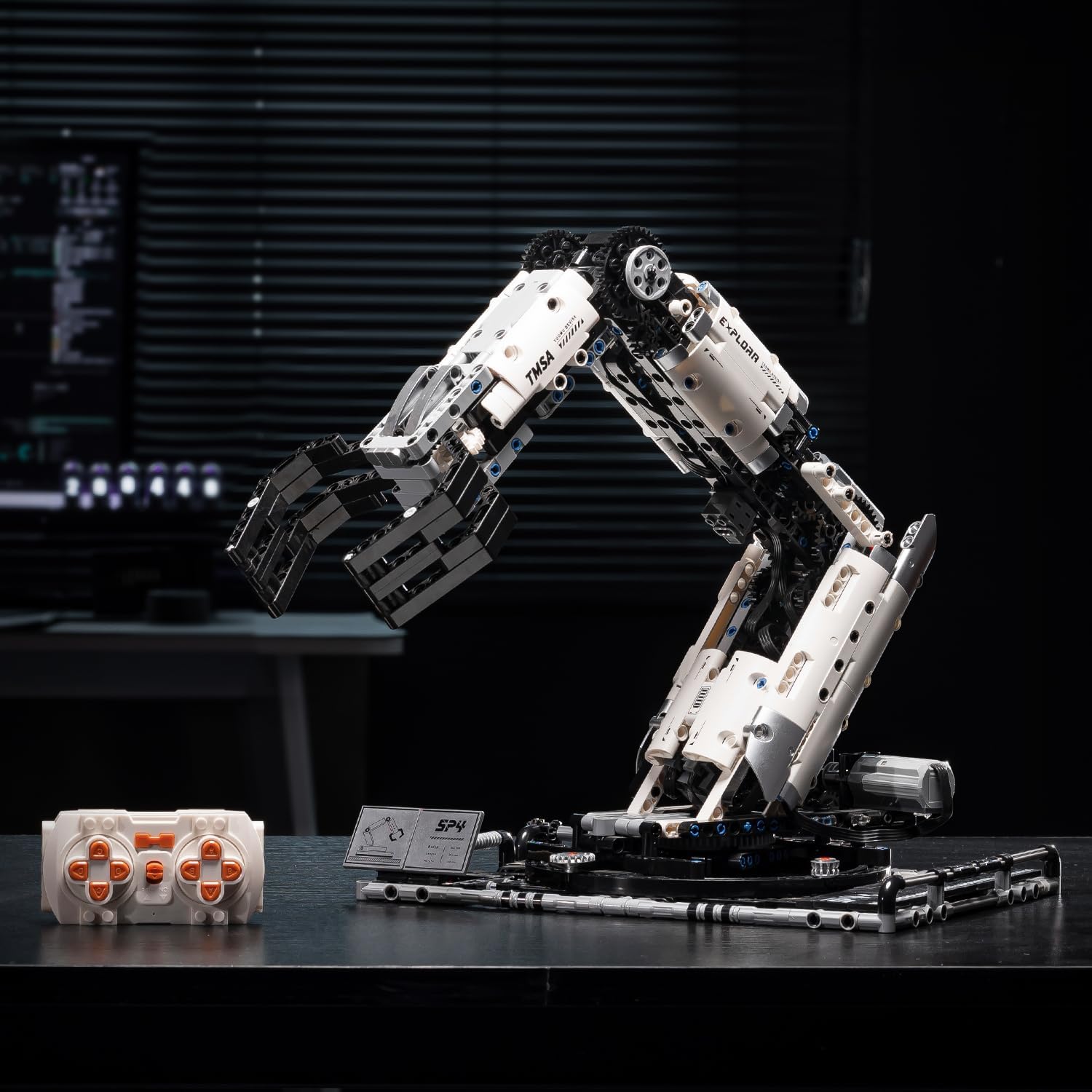
Figure 5.1: Close-up of the robotic arm during the assembly process.

Figure 5.2: Detailed view of the gear mechanism within the robotic arm.
5.2. Battery Installation
- Locate the battery compartment on the robotic arm's base.
- Insert the Li-ion battery into the compartment, ensuring correct polarity.
- Close the battery compartment securely.
- The remote control may require separate batteries (not included). Refer to the remote control's specific instructions for battery type and installation.
6. Operating Instructions
Once assembled and powered, the UNCLE BRICK T2007 Mechanical Robotic Arm can be operated using the included 8-way remote control. Ensure the robotic arm and remote control are properly paired (refer to the Production Guide for pairing instructions if needed).
6.1. Remote Control Functions
The remote control allows for precise manipulation of the robotic arm's various movements:
- Base Rotation: Controls the 360-degree rotation of the arm's base.
- Arm Elevation/Lowering: Adjusts the vertical angle of the main arm sections.
- Arm Extension/Retraction: Controls the forward and backward movement of the arm.
- Claw Open/Close: Operates the gripping mechanism of the robotic hand.

Figure 6.1: The 8-way remote control for operating the robotic arm.
6.2. Operational Tips
- Smooth Movements: Practice using the remote control to achieve smooth and precise movements.
- Weight Limits: Do not attempt to lift objects exceeding the recommended 150-gram weight limit to prevent damage to the motors or gears.
- Surface Consideration: When gripping items, consider their size and surface texture for optimal performance.
Video 6.1: Official product video demonstrating the UNCLE BRICK Mechanical Arm Building Blocks Set in operation, showcasing its movements and gripping capabilities.
7. Maintenance
To ensure the longevity and optimal performance of your UNCLE BRICK T2007 Mechanical Robotic Arm, follow these maintenance guidelines:
- Cleaning: Use a soft, dry cloth to wipe down the robotic arm and remote control. Avoid using harsh chemicals or abrasive materials.
- Battery Care: Remove the Li-ion battery from the robotic arm and any batteries from the remote control if the toy will not be used for an extended period. Store batteries in a cool, dry place.
- Check Connections: Periodically inspect all block connections and wiring to ensure they are secure. Re-attach any loose parts.
- Storage: Store the robotic arm in a clean, dry environment away from direct sunlight and extreme temperatures.
8. Troubleshooting
If you encounter any issues with your UNCLE BRICK T2007 Mechanical Robotic Arm, refer to the following troubleshooting tips:
| Problem | Possible Cause | Solution |
|---|---|---|
| Robotic arm does not respond to remote control. | Low battery in arm or remote; incorrect pairing; loose wiring. | Charge/replace batteries. Re-pair remote and arm (refer to Production Guide). Check all motor and battery box connections. |
| Arm movements are jerky or weak. | Low battery; excessive weight; loose gears/connections. | Charge/replace batteries. Reduce load on the arm. Inspect gears and connections for proper alignment and tightness. |
| Claw does not open/close properly. | Obstruction; gear misalignment; motor issue. | Check for any obstructions in the claw mechanism. Verify claw gears are correctly aligned and engaged. Ensure the claw motor is functioning. |
| Missing or damaged parts during assembly. | Manufacturing defect or shipping damage. | Contact UNCLE BRICK customer support for replacement parts. |
9. Specifications
- Model: T2007
- Brand: UNCLE BRICK
- Number of Pieces: 784
- Motors: 4 M Motors
- Battery: Li-ion Battery Box (rechargeable)
- Control: 8-Way Remote Control
- Recommended Age: 8 - 14 years (also suitable for adults)
- Product Dimensions: Approximately 15.78 x 11.7 x 15.78 inches (assembled)
- Item Weight: Approximately 3.01 pounds
- Maximum Gripping Weight: Up to 150 grams (dependent on object characteristics)
10. Warranty and Support
For warranty information, technical support, or to inquire about replacement parts, please refer to the documentation included with your product or visit the official UNCLE BRICK website. Customer support contact details are typically provided on the product packaging or within the instruction manual.
Ask a question about this manual
Ask about setup, troubleshooting, compatibility, parts, safety, or missing instructions. Manuals+ will review the question and use this page’s manual context to help answer it.