
1. Introduction and Overview
The Bagotte BG550 Pro Robot Vacuum Cleaner is designed to provide efficient and convenient floor cleaning. Featuring advanced gyro navigation and powerful suction, this ultra-thin device is capable of vacuuming and mopping various floor types, including hard floors and carpets. Its intelligent design ensures thorough cleaning under furniture and effective pet hair removal, making it a versatile addition to any home.

Image: The Bagotte BG550 Pro Robot Vacuum Cleaner, highlighting its intelligent features.
2. Product Features
- ULTRA-THIN BUT POWERFUL DESIGN: This ultra-slim robot vacuum and mop is designed to clean under sofas and beds, reaching hidden dust that traditional vacuums miss. With 3000Pa strong suction, it effectively captures dirt, crumbs, and pet hair from hardwood floors and carpet surfaces.
- 2.0 INTELLIGENT NAVIGATION SYSTEM: Equipped with a gyro robotic vacuum cleaner navigation system, it intelligently avoids obstacles and prevents falls. The “Zigzag Path” ensures systematic cleaning, making this automatic vacuum robot both smart and reliable.
- MULTIPLE EFFICIENT CLEANING MODES: Choose from Auto, Spot, Edge, and Zigzag modes to fit different scenes. This sweeping robot vacuum supports scheduled cleaning, 3-level suction adjustment, and personalized plans.
- DUAL CONTROL & ALEXA VOICE ACTIVATION: Control your robot vacuum easily via remote or smartphone app. It also works with Alexa for voice commands, offering a seamless experience for the whole family.
- SUPERIOR TANGLE-FREE DESIGN FOR HAIR: Engineered specifically as a robot vacuum for pet hair, it features a brushless intake that prevents tangling. The system self-cuts long hairs multiple times daily, saving you maintenance time and effort.
- LONG-LASTING BATTERY & AUTO-RECHARGE: A full charge delivers up to 150 minutes of cleaning—enough for about 1950 sq. ft. As a dependable robot vacuum cleaner, it automatically returns to recharge when the battery is low, ideal for medium-sized homes.

Image: The Bagotte BG550 Pro showcasing its 2.75-inch slim profile, ideal for cleaning under furniture.

Image: Illustration of the robot vacuum's built-in gyroscopic navigation system, demonstrating its systematic Z-zag cleaning route.

Image: Screenshot of the mobile app showing various cleaning modes like Auto, Edge, Spot, and Manual Cleaning.

Image: The robot vacuum being controlled via a smartphone app, remote control, and voice commands through Alexa.
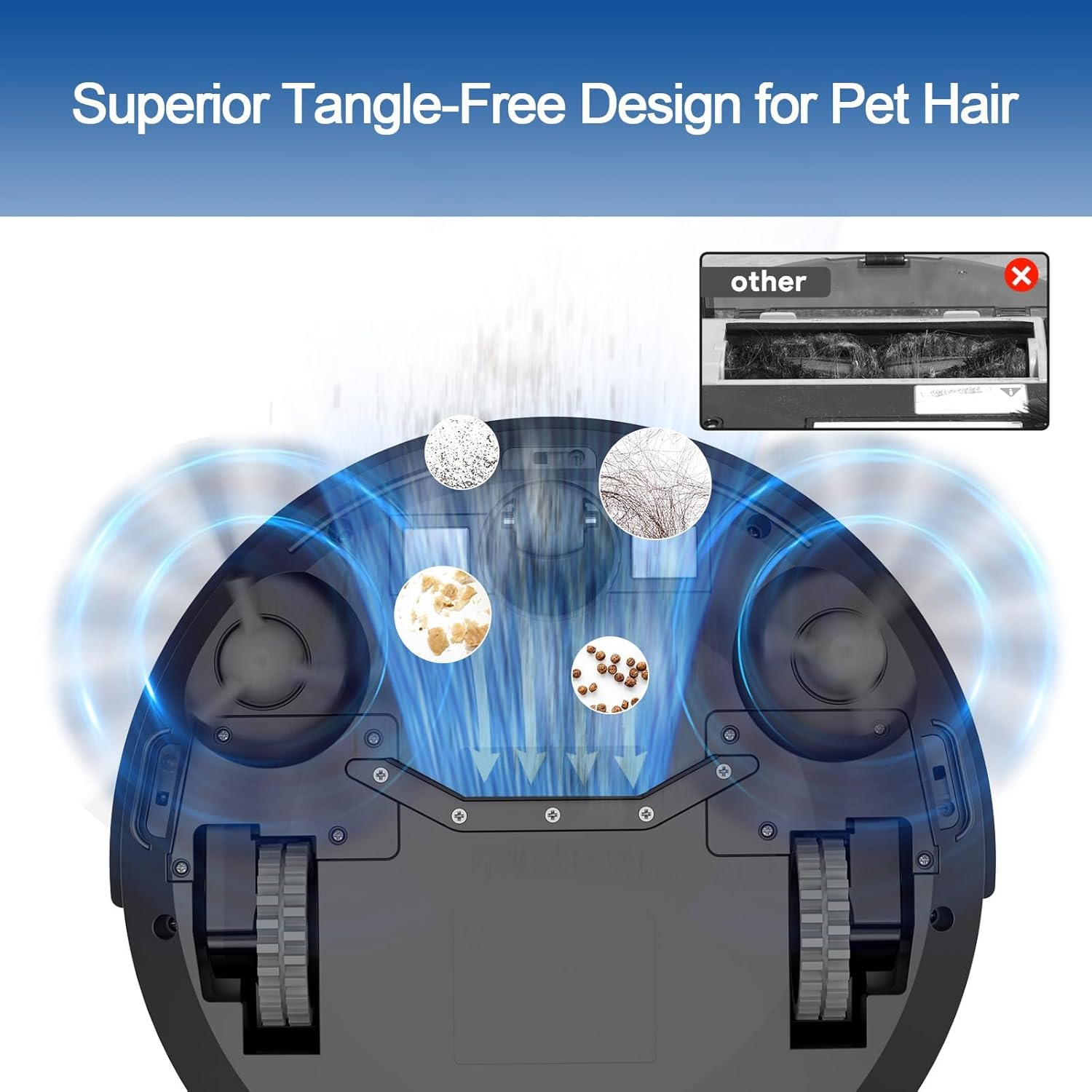
Image: Underside view of the Bagotte BG550 Pro highlighting its tangle-free suction design, effectively picking up hair and debris.

Image: The robot vacuum automatically returning to its charging dock when its battery is low, illustrating its 2600mAh battery and 150 minutes of runtime.
3. Package Contents
The Bagotte BG550 Pro Robot Vacuum Cleaner package includes the following items:
- 1x BG550Pro Robotic Vacuum
- 1x Charging Dock
- 1x Remote Control
- 1x Dust Bin
- 1x AC power adapter
- 1x Cleaning Tool
- 1x HEPA Filter
- 1x Mop Holder
- 2x Mop Cloth
- 4x Side Brushes
4. Setup
Before first use, ensure the robot vacuum is fully charged. Place the charging dock against a wall in an open area, ensuring there are no obstacles within 1 meter to the sides and 2 meters in front. Connect the AC power adapter to the charging dock and plug it into a power outlet. Place the robot vacuum onto the charging dock to begin charging. The indicator lights on the robot will show its charging status.
Attach the side brushes by pressing them onto the designated posts on the underside of the robot until they click into place. For mopping functionality, fill the water tank with clean water (or a recommended cleaning solution) and attach the mop cloth to the mop holder. Slide the filled water tank and mop holder into the designated slot at the rear of the robot.
5. Operating Instructions
The Bagotte BG550 Pro can be operated using the physical power button on the device, the included remote control, or the dedicated smartphone app.
Starting the Robot Vacuum
- Manual Start: Press the power button on the top of the robot.
- Remote Control: Press the 'Start/Stop' button on the remote control.
- Smartphone App: Open the Bagotte app, select your device, and tap the 'Start' or 'Auto Cleaning' option.
Video: A short demonstration of starting the robot vacuum cleaner.
Stopping the Robot Vacuum
To pause or stop the cleaning cycle, press the power button on the robot, the 'Start/Stop' button on the remote, or the 'Pause' button in the app. To send the robot back to its charging dock, press the 'Home' button on the remote or the 'Recharge' option in the app.
6. Cleaning Modes
The Bagotte BG550 Pro offers several cleaning modes to suit various needs, accessible via the remote control or the smartphone app.
- Auto Cleaning: The robot automatically cleans the entire floor area, adjusting its path based on its gyro navigation system.
- Spot Cleaning: The robot focuses on a specific dirty area, cleaning in a spiral pattern.
- Edge Cleaning: The robot cleans along the edges of walls and furniture.
- Zigzag Cleaning: The robot cleans in a systematic zigzag pattern for thorough coverage.
Suction and Mopping Water Level Adjustment
Using the smartphone app, you can adjust the suction power (Gentle, Standard, Strong) and the mopping water level (Low, Medium, High) to customize the cleaning intensity for different floor types and dirt levels.

Image: Illustration of the robot vacuum's 3-level powerful motor suction: 1500Pa (Quiet Mode), 2800Pa (Standard Mode), and 4000Pa (Maximum Mode).
Video: A detailed overview of the BG550 Pro Robotic Vacuum Cleaner, demonstrating its features and cleaning capabilities.
7. Maintenance
Regular maintenance ensures optimal performance and extends the lifespan of your robot vacuum.
Dust Bin and Filter Cleaning
After each cleaning cycle, or when the dust bin is full, remove it from the robot. Open the dust bin and empty its contents into a trash can. Remove the HEPA filter and clean it with the provided cleaning tool or tap it gently to remove dust. Do not wash the HEPA filter with water. Reinsert the clean filter and close the dust bin.
Mop Pad Cleaning
Remove the mop cloth from the mop holder. The mop cloth is washable and can be hand-washed or machine-washed. Allow it to air dry completely before reattaching it to the mop holder.
Side Brush Maintenance
Periodically check the side brushes for tangled hair or debris. Use the cleaning tool to cut and remove any tangled hair. If the brushes are worn or damaged, replace them with new ones (4x Side Brushes are included in the package).
8. Troubleshooting
If your robot vacuum encounters an issue, refer to the following common troubleshooting tips:
- Robot not turning on: Ensure the robot is fully charged. Check if the power switch on the side of the robot is in the 'ON' position.
- Robot not charging: Verify that the charging dock is properly plugged in and the power adapter is securely connected. Ensure the charging contacts on both the robot and the dock are clean.
- Robot getting stuck frequently: Clear obstacles like cables, small toys, or loose rugs from the cleaning path. Use the app to set 'No-Go Zones' if certain areas consistently cause issues.
- Poor cleaning performance: Clean the dust bin and filter. Check if the side brushes are tangled or worn and replace if necessary. Ensure the suction level is set appropriately for the floor type.
- Mopping not effective: Ensure the water tank is filled and the mop cloth is clean and properly attached. Adjust the mopping water level in the app if needed.
For more detailed troubleshooting or persistent issues, please consult the full user manual or contact customer support.
9. Specifications
| Feature | Specification |
|---|---|
| Brand | Bagotte |
| Model Name | BG550 Pro |
| Product Dimensions | 11.02"L x 2.75"W x 11.02"H |
| Item Weight | 7.32 pounds |
| Power Source | Battery Powered |
| Battery Life | 150 minutes |
| Capacity | 0.55 Liters |
| Filter Type | Sponge |
| Control Method | App, Push Button, Remote, Voice |
| Surface Recommendation | Carpet, Wood Floor, Hard Floor |
10. Warranty & Support
The Bagotte BG550 Pro Robot Vacuum Cleaner is backed by a 12-month worry-free warranty. Should you have any questions or require assistance, please feel free to contact us via Amazon's customer support channels.


