
Introduction
Thank you for choosing the INTERGREAT 2-Drawer White Metal Lateral File Cabinet. This manual provides essential information for the safe assembly, operation, and maintenance of your new filing cabinet. Please read these instructions carefully before beginning assembly and retain them for future reference.
This cabinet is designed for organizing various document sizes including Letter, Legal, F4, and A4, and features a secure locking mechanism and an anti-tilt system for enhanced safety and functionality in home or office environments.
Safety Information
To ensure safe use and prevent injury or damage, please adhere to the following safety guidelines:
- Always use two people to assemble the cabinet to avoid injury.
- Tighten all screws securely to prevent wobbling and ensure structural stability.
- Do not overload drawers. Distribute weight evenly to maintain balance.
- The cabinet is equipped with an Anti-tilt Interlock System. This system allows only one drawer to be extended at a time, preventing the cabinet from tipping over when drawers are open. Do not attempt to force open multiple drawers simultaneously.
- Keep fingers clear of moving parts during drawer operation.
- Place the cabinet on a level, stable surface.
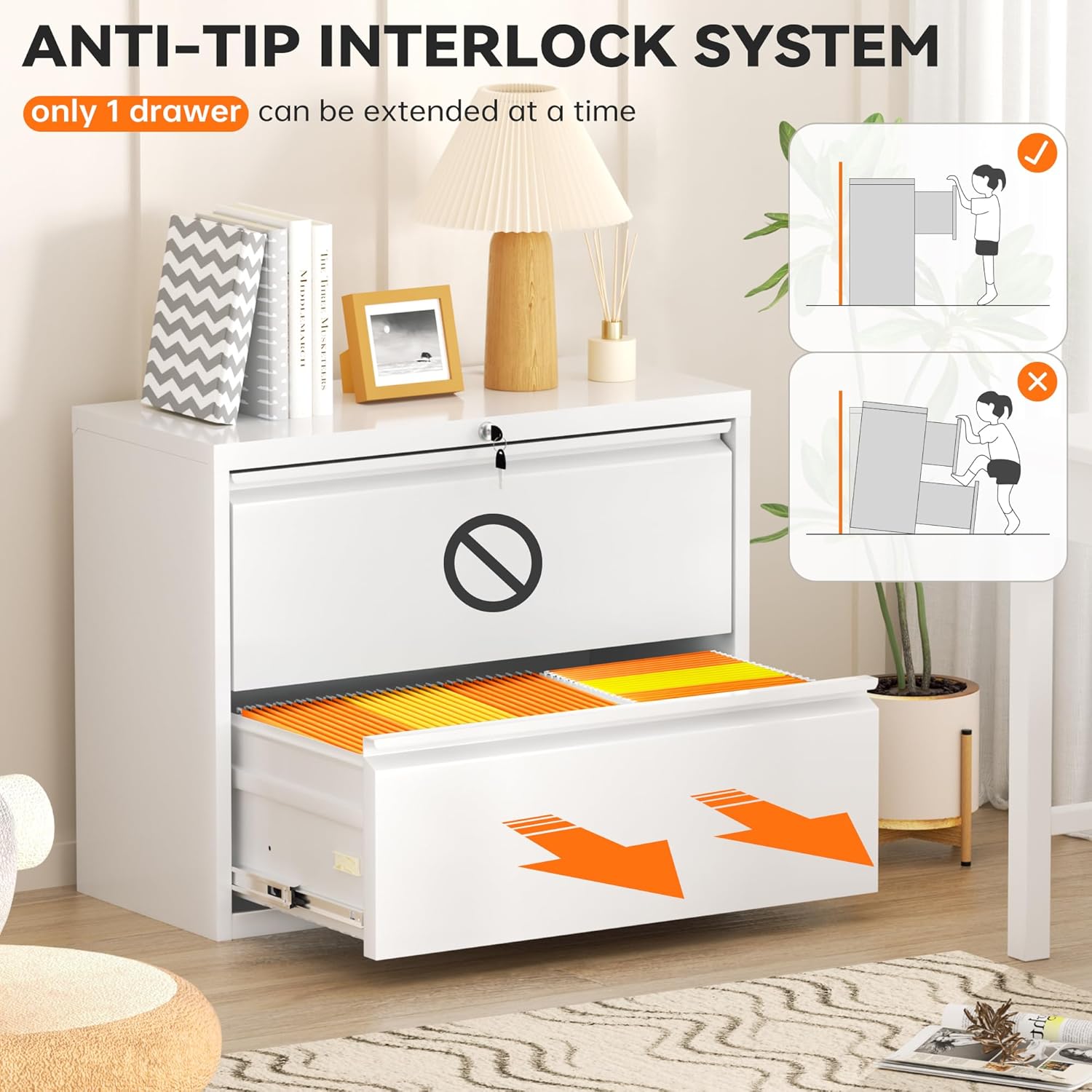
Figure 1: Anti-tilt Interlock System. This mechanism ensures only one drawer can be extended at a time, enhancing stability and preventing the cabinet from tipping forward.
Package Contents
Before assembly, verify that all components are present and undamaged. If any parts are missing or damaged, please contact customer support.
- Cabinet Panels (Top, Bottom, Sides, Back)
- Drawer Components (Fronts, Sides, Backs, Bottoms)
- Drawer Slides (Left and Right pairs)
- Locking Mechanism with Keys
- Adjustable Hanging Rods
- Assembly Hardware (Screws, bolts, nuts, etc.)
- Assembly Tools (e.g., screwdriver, gloves - may be included)
Setup and Assembly Instructions
Assembly is required for this file cabinet. Follow these general steps. Refer to the included diagram for specific part identification.
- Prepare the Area: Clear a spacious, clean, and level work area. Lay out all components and hardware.
- Assemble the Frame: Attach the side panels to the bottom panel using the provided hardware. Ensure all connections are secure.
- Install the Back Panel: Secure the back panel to the assembled frame.
- Attach the Top Panel: Fasten the top panel to complete the main cabinet frame.
- Assemble Drawers: Construct each drawer by attaching the front, side, and back panels to the drawer bottom.
- Install Drawer Slides: Attach the drawer slides to both the cabinet interior and the sides of each drawer. Ensure they are correctly oriented for smooth operation.
- Insert Drawers: Carefully slide the assembled drawers into the cabinet, aligning them with the installed slides.
- Install Locking Mechanism: Integrate the locking mechanism into the designated area, typically on the top drawer or cabinet frame, ensuring it engages both drawers.
- Insert Hanging Rods: Place the adjustable hanging rods inside the drawers as needed for file organization.
- Final Check: Verify all screws are tightened, drawers open and close smoothly, and the lock functions correctly.

Figure 2: Assembled INTERGREAT 2-Drawer File Cabinets in an office setting.
Operating Instructions
Your INTERGREAT file cabinet is designed for efficient and secure document storage.
Drawer Operation
- Opening Drawers: Gently pull the drawer handle to open. The smooth metal glides ensure effortless sliding.
- Closing Drawers: Push the drawer firmly until it is fully closed and flush with the cabinet frame.
- Anti-tilt Mechanism: Remember that only one drawer can be opened at a time due to the integrated anti-tilt system. Do not attempt to force open a second drawer if one is already extended.
Locking Mechanism
- To Lock: Ensure both drawers are fully closed. Insert the key into the lock cylinder and turn it clockwise until the lock engages. Remove the key.
- To Unlock: Insert the key into the lock cylinder and turn it counter-clockwise until the lock disengages. The drawers can now be opened.
- Keep spare keys in a secure location.
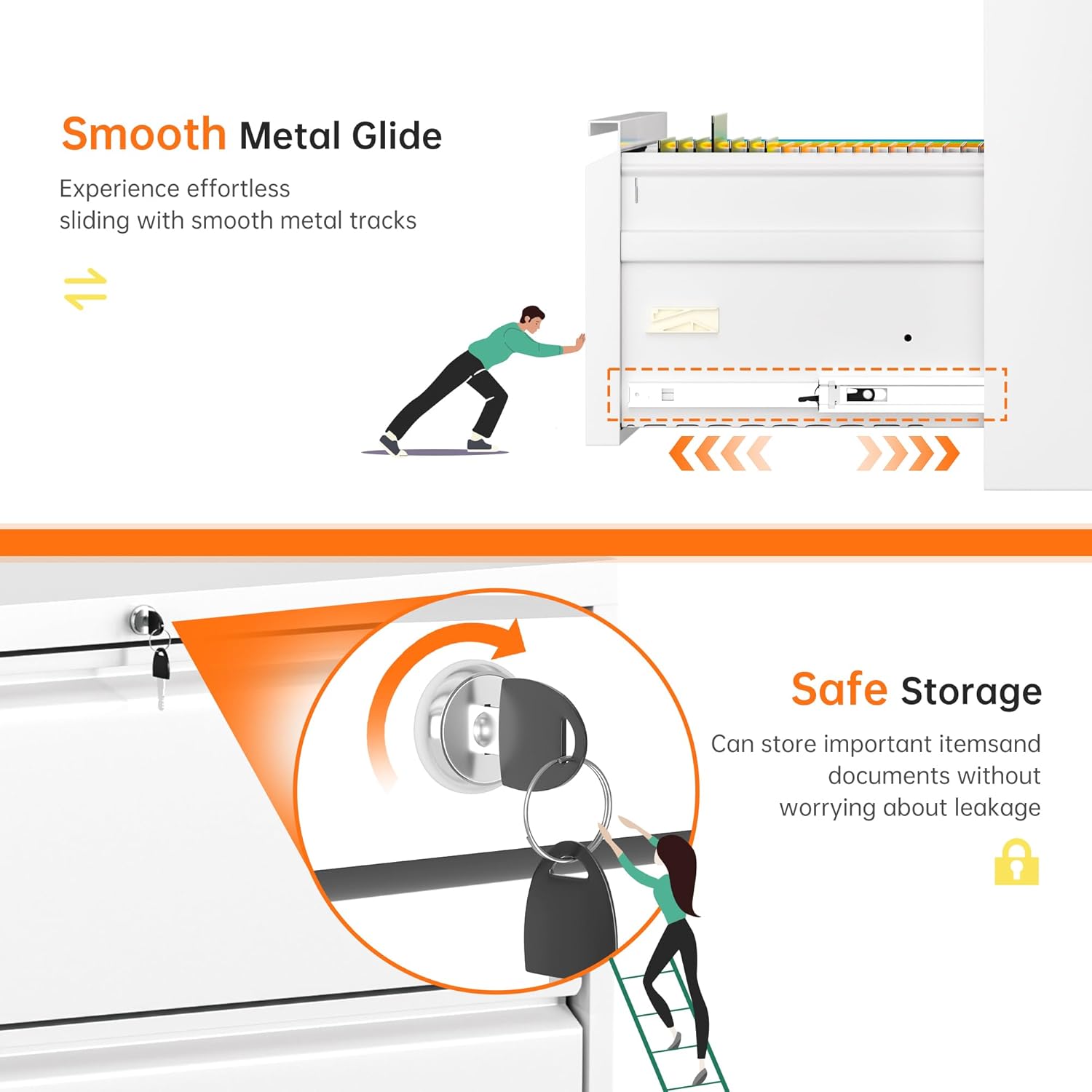
Figure 3: Smooth Metal Glides and Secure Locking Mechanism.
File Organization
- The spacious drawers accommodate Letter, Legal, F4, and A4 size hanging folders.
- Adjust the hanging rods within the drawers to fit your preferred file format.

Figure 4: Multi-Purpose Storage. The drawers can hold various items beyond files, such as office supplies, books, or other small items.
Maintenance
Regular maintenance will help prolong the life and appearance of your file cabinet.
- Cleaning: Wipe the metal surfaces with a soft, damp cloth. Avoid abrasive cleaners or harsh chemicals that could damage the finish.
- Drawer Slides: Periodically check the drawer slides for smooth operation. If they become stiff, a small amount of silicone lubricant can be applied to the tracks.
- Hardware: Occasionally check all screws and bolts to ensure they remain tight. Retighten if necessary.
- Lock: Keep the lock mechanism clean and free of debris. Do not force the key if it feels stuck.
Troubleshooting
If you encounter issues with your file cabinet, refer to the following common problems and solutions:
| Problem | Possible Cause | Solution |
|---|---|---|
| Drawers are difficult to open or close. | Overloaded drawer; misaligned slides; debris in tracks. | Reduce drawer contents. Check slide alignment and clear any obstructions. Apply silicone lubricant to slides. |
| Cabinet wobbles. | Loose hardware; uneven surface. | Tighten all assembly screws. Ensure the cabinet is on a level surface. |
| Lock does not engage or disengage. | Drawers not fully closed; key inserted incorrectly; lock mechanism jammed. | Ensure both drawers are completely closed. Reinsert key correctly. Do not force the key; contact support if the issue persists. |
| Cannot open a second drawer. | Anti-tilt interlock system is active. | This is normal operation. Close the currently open drawer before attempting to open another. |
Specifications
Detailed specifications for your INTERGREAT 2-Drawer White Metal Lateral File Cabinet:
- Brand: INTERGREAT
- Model: 2 Drawers
- Color: White
- Material: Metal (SPCC cold rolled steel with anti-embroidery coating)
- Product Dimensions (D x W x H): 16"D x 28"W x 28.5"H
- Drawer Capacity: Accommodates Letter, Legal, F4, and A4 size hanging folders.
- Features: Lockable, Anti-tilt Mechanism, Smooth Ball Bearing Slides, Adjustable Hanging Rods.
- Assembly Required: Yes

Figure 5: Product Dimensions. This image provides a visual representation of the cabinet's external and internal drawer measurements.
Warranty and Support
For any questions, concerns, or assistance with your INTERGREAT file cabinet, please contact our customer support team. While specific warranty details are not provided in this manual, please refer to your purchase documentation or the retailer's website for warranty information.
Customer Support: Please visit the INTERGREAT store on Amazon or refer to the contact information provided with your purchase for assistance.