Download PDFFree PDF. The Save button below keeps a bookmark and private notes in your account.
ThruNite Archer 2A V3 LED Flashlight User Manual
Model: Archer 2A V3
1. Introduction
The ThruNite Archer 2A V3 is a compact and powerful LED flashlight designed for everyday carry (EDC), security, emergency, and camping applications. Constructed from aerospace-grade aluminum with a military-grade Type III hard-anodized anti-abrasive finish, it offers durability and reliability. Featuring an XP-L V6 LED, it delivers up to 500 lumens with a beam distance of 108 meters (354 feet) and operates on readily available AA batteries.
Image 1.1: The ThruNite Archer 2A V3 LED Flashlight, showcasing its sleek black design and textured grip.
2. Package Contents
Please check the package contents upon receipt to ensure all items are present:
ThruNite Archer 2A V3 LED Flashlight x 1
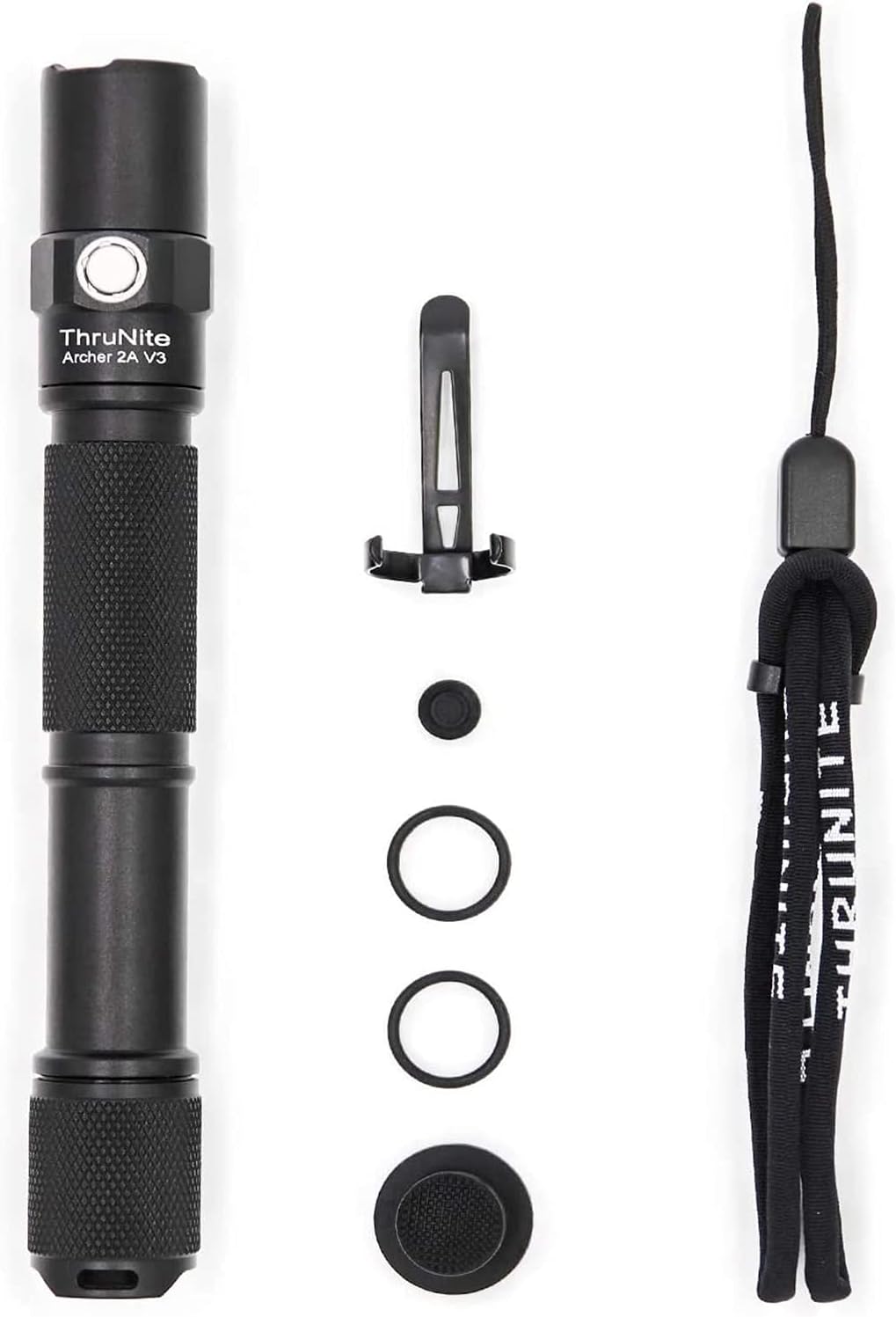
Pocket Clip x 1
Spare O-rings x 2
Lanyard x 1
Image 2.1: All items included in the ThruNite Archer 2A V3 package: flashlight, pocket clip, spare O-rings, and lanyard.
3. Setup
3.1 Battery Installation
The ThruNite Archer 2A V3 operates on AA batteries (not included). Ensure correct polarity when inserting batteries.
Unscrew the tail cap of the flashlight.
Insert two AA batteries with the positive (+) end facing towards the head of the flashlight.
Screw the tail cap back on securely.
3.2 Attaching the Pocket Clip and Lanyard
The flashlight comes with a removable pocket clip and a lanyard for convenient carrying options.
Pocket Clip: Slide the pocket clip onto the flashlight body in the desired orientation. Ensure it is firmly seated.
Lanyard: Thread the lanyard through the hole on the tail cap of the flashlight and secure it.
Image 3.1: Close-up view of the removable pocket clip attached to the flashlight body, showing the textured grip.
4. Operating Instructions
The Archer 2A V3 features a tail switch for power control and a side switch for mode selection.
4.1 Power On/Off (Tail Switch)
Momentary On: Half-press the tail switch to temporarily activate the light. Release to turn off.
Constant On/Off: Fully click the tail switch to turn the light on or off.
4.2 Mode Selection (Side Switch)
When the flashlight is on, use the side switch to cycle through different brightness levels and special modes.
Brightness Modes: Press the side switch once to cycle through Low, Medium, and High modes.
Strobe Mode: Long press the side switch to activate Strobe mode. Press once more to return to the previous brightness mode.
Image 4.1: Diagram illustrating the functions of the tail switch and side switch for power control and mode selection.
Image 4.2: The ThruNite Archer 2A V3 illuminating a path in a dark outdoor setting, demonstrating its beam throw.
5. Maintenance
Proper maintenance ensures the longevity and optimal performance of your ThruNite Archer 2A V3 flashlight.
Cleaning: Clean the flashlight body and lens with a soft, damp cloth. Do not use abrasive cleaners or solvents.
O-rings: Regularly inspect the O-rings for wear and tear. Replace them with the provided spare O-rings if necessary to maintain water resistance. Apply silicone grease to O-rings periodically.
Threads: Keep the threads of the tail cap clean and lubricated to ensure smooth operation and good electrical contact.
Battery Care: Remove batteries if the flashlight will not be used for an extended period to prevent leakage and damage.
6. Troubleshooting
If you encounter issues with your flashlight, please refer to the following common problems and solutions:
Problem
Possible Cause
Solution
Flashlight does not turn on.
Batteries are dead or inserted incorrectly.
Tail cap is loose.
Dirty contacts.
Replace batteries or ensure correct polarity.
Tighten the tail cap securely.
Clean battery contacts and threads with a clean cloth.
Light is dim or flickers.
Low battery power.
Loose tail cap or head.
Dirty contacts.
Replace batteries.
Ensure tail cap and head are tightened.
Clean battery contacts and threads.
7. Specifications
Key technical specifications for the ThruNite Archer 2A V3 LED Flashlight:
Feature
Detail
Model
Archer 2A V3
LED Type
XP-L V6 LED
Maximum Output
500 Lumens
Beam Distance
108 meters (354 feet)
Power Source
2 x AA Batteries (not included)
Material
Aerospace-grade Aluminum with Type III Hard-Anodized Finish
Dimensions
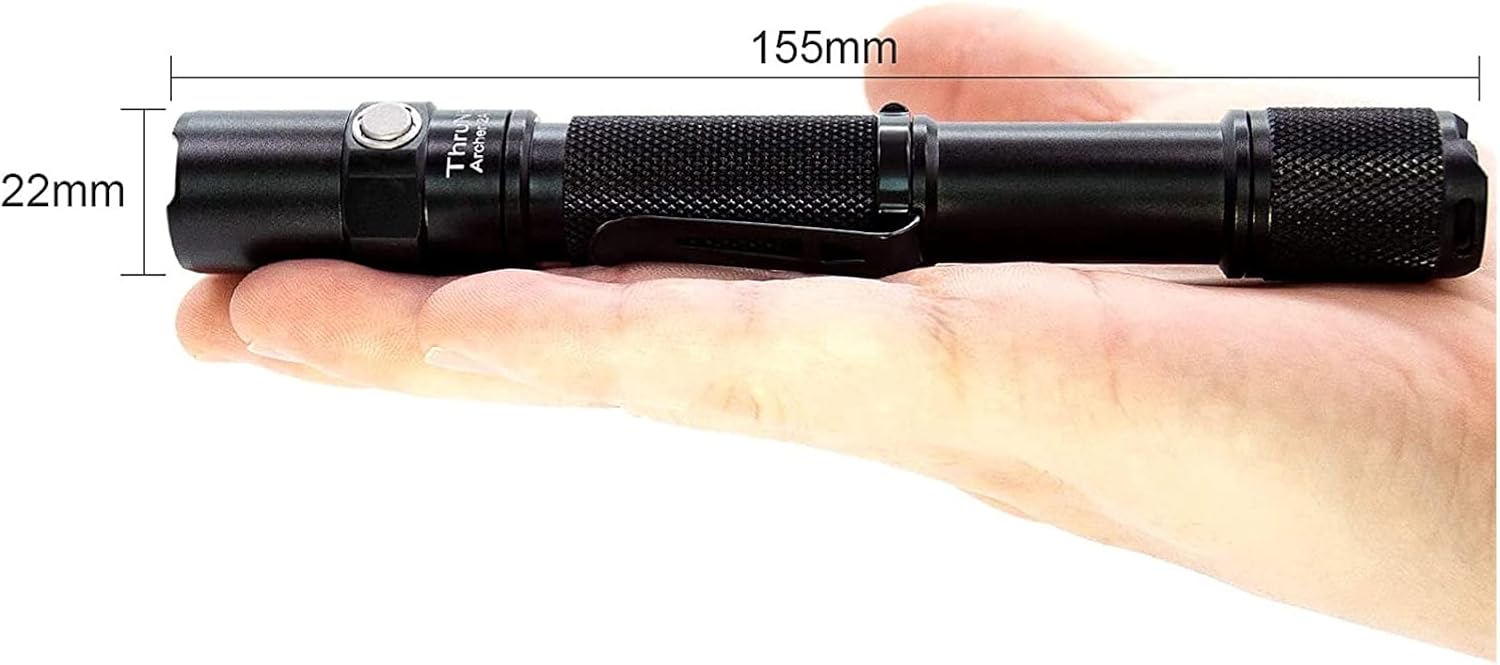
Approximately 155mm (Length) x 22mm (Diameter)
Weight
Approximately 48g (without batteries)
Manufacturer Part Number
TFG - Ttfd-423
Image 7.1: The ThruNite Archer 2A V3 held in hand, illustrating its compact size and dimensions (155mm length, 22mm diameter).
Image 7.2: Detailed view of the ThruNite Archer 2A V3, highlighting its dimensions (6.1 inches / 155mm length, 0.87 inches / 22mm diameter) and ultra-light weight of 48g.
8. Warranty & Support
For warranty information and customer support, please refer to the official ThruNite website or contact your retailer. Keep your purchase receipt as proof of purchase.
For further assistance, you may contact the manufacturer, TFG - Ttfd, through their official channels.
Ask about setup, troubleshooting, compatibility, parts, safety, or missing instructions. Manuals+ will review the question and use this page’s manual context to help answer it.