
1. Introduction
The Winfun 3-in-1 Lion Walker is designed to support your child's developmental stages from early walking to independent play. This versatile product transforms into three modes: a push-along walker, a sit-and-ride toy, and a scooter. It features engaging lights, sounds, and melodies to stimulate sensory development and encourage active play.
2. Safety Information
- Adult Supervision Required: Always supervise children when using this product.
- Age Recommendation: Suitable for children aged 12 months and older.
- Weight Limit: Do not exceed the maximum weight limit (refer to specifications).
- Assembly: Adult assembly is required. Ensure all parts are securely fastened before use.
- Hazard Prevention: Keep away from stairs, steps, uneven surfaces, and open flames.
- Battery Safety: Do not mix old and new batteries. Do not mix alkaline, standard (carbon-zinc), or rechargeable (nickel-cadmium) batteries. Remove batteries if the product is not used for an extended period.
- Cleaning: Clean only with a damp cloth. Do not immerse in water.
3. Package Contents
Please check the package to ensure all items are present:
- 1x Winfun 3-in-1 Lion Walker main unit
- 2x "AA" Batteries (pre-installed or included separately)
- Instruction Manual (this document)
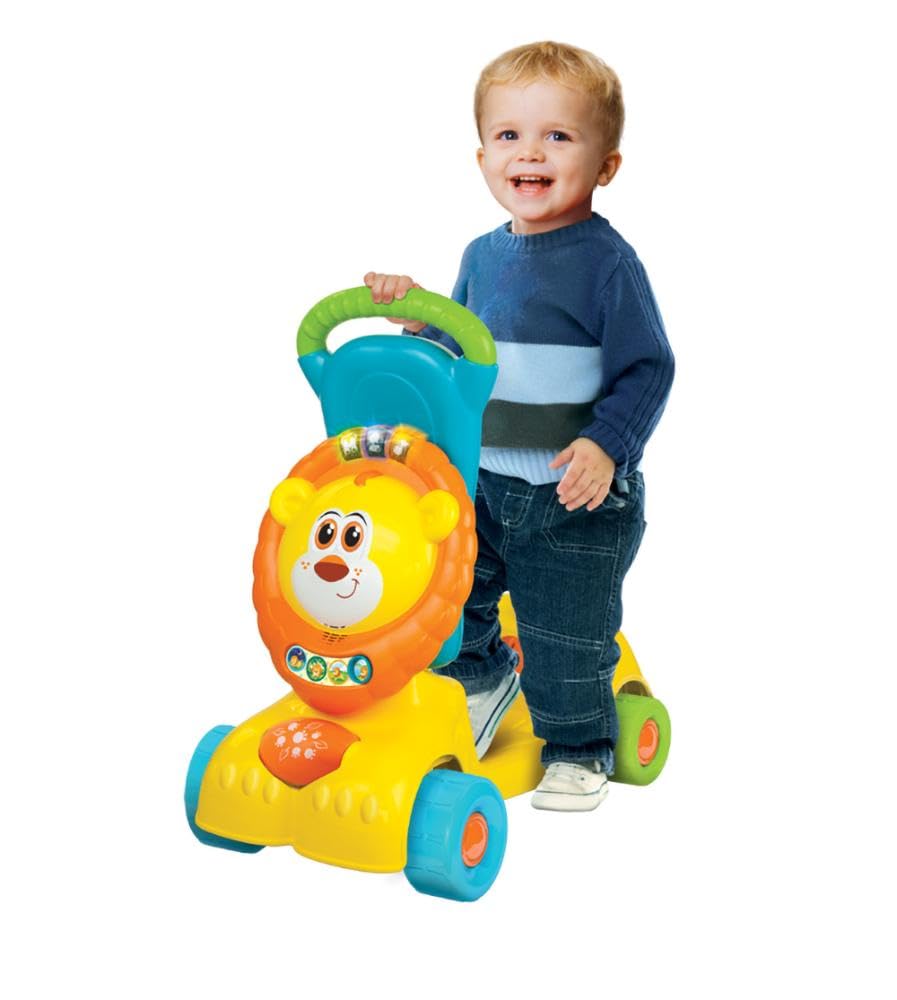
Image 1: Packaging of the Winfun 3-in-1 Lion Walker, illustrating its three versatile modes.
4. Setup and Assembly
4.1. Battery Installation
- Locate the battery compartment on the main unit (typically under the lion's head or seat).
- Using a screwdriver, open the battery compartment cover.
- Insert 2 "AA" batteries, ensuring correct polarity (+/-).
- Replace the battery compartment cover and secure it with the screw.
4.2. Assembling the Push-Along Walker Mode
This mode helps babies stand and take their first steps.
- Ensure the handle is securely attached to the main body.
- Verify that the wheels are free to rotate and the structure is stable.

Image 2: The Lion Walker configured as a push-along walker, ideal for early steps.
4.3. Converting to Sit-and-Ride Mode
For toddlers who can sit independently and propel themselves.
- Adjust the handle to a lower position or remove it if designed for this mode (refer to specific product diagrams if available).
- Ensure the seat is firmly in place and the structure is stable for sitting.

Image 3: The Lion Walker in its sit-and-ride configuration, ready for a child to scoot.
4.4. Converting to Scooter Mode
For older toddlers to enjoy as a stand-up scooter.
- Remove the seat component.
- Adjust the handle to the upright scooter position. Ensure it is locked securely.
5. Operating Instructions
5.1. Interactive Features
- Light-Up Buttons: Press the buttons on the lion's head to activate flashing lights, fun sounds, and cheerful melodies.
- Spinning Roller: Rotate the colorful roller with spinning beads for additional sensory engagement.
- Lion's Head Interaction: Turn the lion's head to trigger unique lights and sounds.
- Mode Switch: The product features 3 different modes with varied phrases, sound effects, and melodies. Locate the mode switch (if present) to change between these interactive settings.
5.2. Using Each Mode
- Push-Along Walker: Encourage your child to hold onto the handle and push the walker forward, aiding in balance and walking development.
- Sit-and-Ride: Allow your child to sit on the seat and use their feet to propel the toy forward, enhancing leg strength and coordination.
- Scooter: For more advanced mobility, children can stand on the base and use the handle to steer, pushing off with one foot.
6. Maintenance
- Cleaning: Wipe the product clean with a soft, damp cloth. Do not use abrasive cleaners or immerse the product in water.
- Storage: Store the walker in a cool, dry place away from direct sunlight when not in use.
- Battery Care: Remove batteries if the product will not be used for an extended period to prevent leakage.
- Inspection: Regularly check all parts for wear and tear, especially wheels, handles, and fasteners. Discontinue use if any damage is found.
7. Troubleshooting
| Problem | Possible Cause | Solution |
|---|---|---|
| No sound or lights | Batteries are dead or incorrectly installed. | Replace batteries with new "AA" batteries, ensuring correct polarity. |
| Sounds are distorted or weak | Batteries are low. | Replace batteries with new "AA" batteries. |
| Walker is unstable | Parts not assembled correctly or fasteners are loose. | Recheck all assembly steps and tighten any loose fasteners. Ensure the product is on a flat, even surface. |
8. Specifications
- Model: 0855
- Brand: Winfun
- Material: Plastic
- Power Source: 2 x "AA" Batteries (included)
- Recommended Age: 12 months +
- Product Dimensions: Approximately 32 x 58 x 26 cm (L x W x H)
- Product Weight: Approximately 3.14 kg
9. Warranty and Support
This product is covered by a standard manufacturer's warranty against defects in materials and workmanship. For specific warranty details, please refer to the documentation provided at the time of purchase or contact Winfun customer support.
For technical support, replacement parts, or any inquiries regarding your Winfun 3-in-1 Lion Walker, please visit the official Winfun website or contact their customer service department. Contact information can typically be found on the product packaging or the brand's official website.