
1. Introduction
The AGXOV M302-144GB is a versatile MP3/MP4 player designed for high-fidelity audio and multimedia playback. Featuring a 4.02-inch touchscreen, Bluetooth, and Wi-Fi connectivity, it supports popular streaming applications and offers extensive storage capacity. This manual provides essential information for setting up, operating, maintaining, and troubleshooting your device.
2. Package Contents
Verify that all items are present in the package:
- AGXOV M302-144GB MP3/MP4 Player
- Earphones
- USB Charging Cable
- 128GB MicroSD Card (pre-installed or separate)
- User Manual (this document)

Image: The AGXOV M302-144GB player, along with the included earphones and a microSD card.
3. Device Overview
Familiarize yourself with the physical components of your AGXOV M302-144GB player.

Image: The player's 4.02-inch touchscreen displaying various application icons, indicating its multimedia capabilities.
Key Features:
- 4.02-inch Touchscreen: For intuitive navigation and control.
- Physical Buttons: Power, volume, and possibly home/back buttons (location may vary).
- USB-C Port: For charging and data transfer.
- 3.5mm Audio Jack: For connecting wired earphones or headphones.
- MicroSD Card Slot: For storage expansion up to 1TB.
- Built-in Speaker: For audio playback without headphones.
4. Setup
4.1. Charging the Device
Before first use, fully charge your player. Connect the provided USB charging cable to the device's USB-C port and the other end to a USB power adapter (not included) or a computer's USB port. The battery indicator on the screen will show charging status.

Image: The player being charged via its USB Type-C port, highlighting its 2000mAh battery for extended use.
4.2. Inserting a MicroSD Card
The device comes with 16GB internal storage and a 128GB microSD card, offering a total of 144GB. You can expand storage further with a microSD card up to 1TB. Locate the microSD card slot on the side of the device. Gently insert the card with the gold contacts facing down until it clicks into place.
4.3. Powering On/Off
- To Power On: Press and hold the Power button until the screen lights up.
- To Power Off: Press and hold the Power button, then select "Power Off" from the options on the screen.
- To Sleep/Wake: Briefly press the Power button to turn the screen off or on.
4.4. Connecting to Wi-Fi
To access online streaming services and system updates, connect your player to a Wi-Fi network:
- From the home screen, swipe down from the top to open the quick settings panel.
- Tap the Wi-Fi icon to enable it.
- Tap and hold the Wi-Fi icon to go to Wi-Fi settings.
- Select your desired network from the list and enter the password if prompted.
4.5. Bluetooth Pairing
Connect your player to Bluetooth headphones, speakers, or other compatible devices:
- Ensure the Bluetooth device is in pairing mode.
- On your player, swipe down from the top to open the quick settings panel.
- Tap the Bluetooth icon to enable it.
- Tap and hold the Bluetooth icon to go to Bluetooth settings.
- The player will scan for available devices. Select your device from the list to pair.
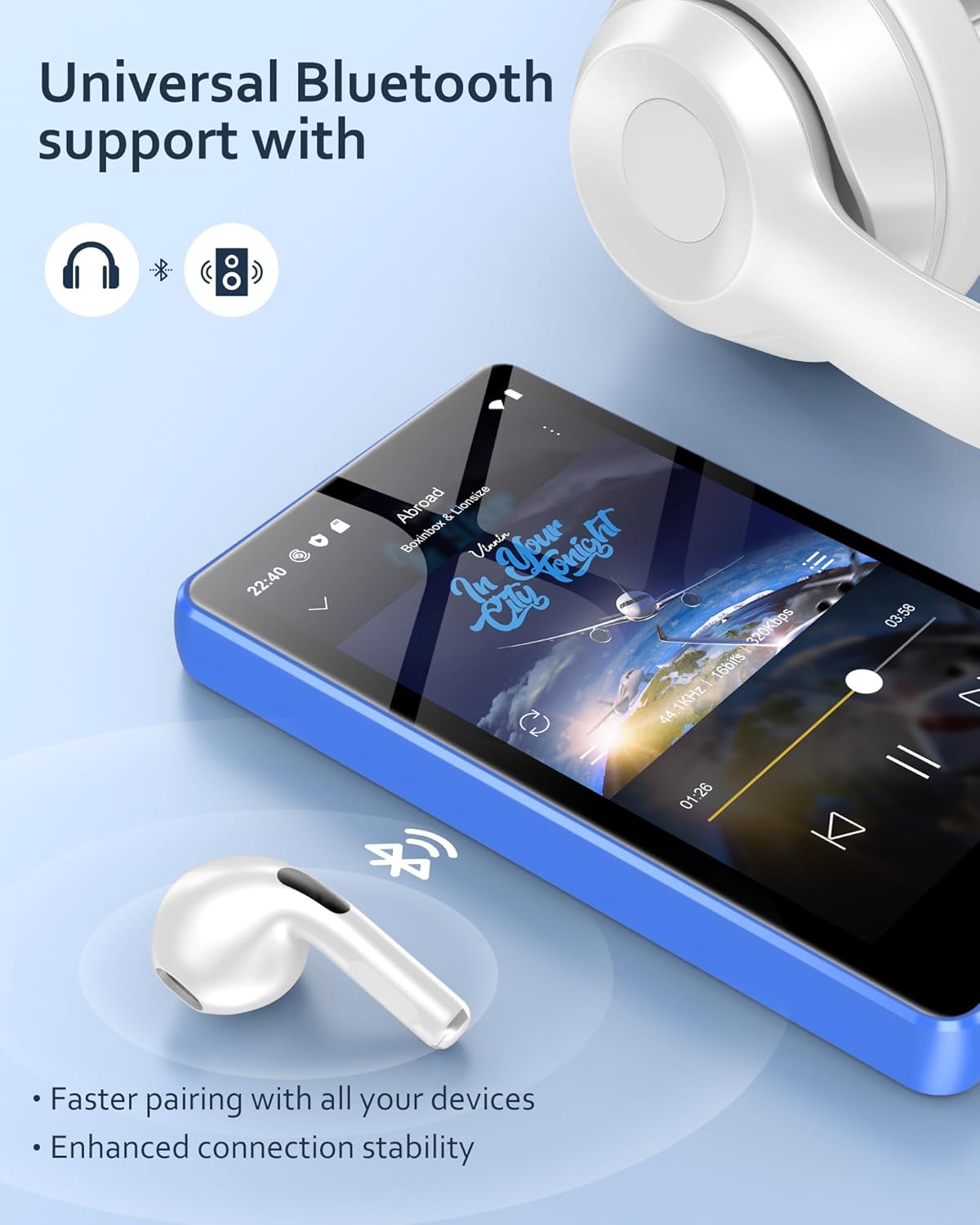
Image: The player demonstrating universal Bluetooth support, connecting to wireless earbuds for audio playback.
5. Operating Instructions
5.1. Navigation and Interface
The AGXOV M302-144GB runs on an Android system, providing a familiar touchscreen interface. Swipe, tap, and pinch gestures are used for navigation. The home screen displays app icons, and you can access quick settings and notifications by swiping down from the top.
5.2. Music Playback
Your player supports various audio formats including MP3, FLAC, APE, WAV, OGG, AAC, and WMA. You can play music stored locally or use pre-installed streaming apps.
- Local Music: Transfer music files from your computer to the device's internal storage or microSD card. Use the pre-installed music player app to browse and play your library.
- Streaming Services: The device comes with Spotify, Deezer, and Amazon Music pre-installed. Connect to Wi-Fi, log in to your accounts, and stream music online or download for offline listening.

Image: A user experiencing the HiFi sound quality of the player, which supports MP3, OGG, FLAC, AAC, WAV, WMA, and APE formats.
5.3. Video Playback
The player supports video formats such as MP4, MKV, RM, RMVB, FLV, DAT, MPG, MOV, and TS, offering an excellent 1080P viewing experience on its 4.02-inch screen.

Image: The player displaying a high-definition video, demonstrating its capability for an excellent 1080P viewing experience.
5.4. Other Functions
- Voice Recorder: Use the built-in voice recorder app to capture audio.
- FM Radio: Tune into FM radio stations. Earphones may need to be connected to act as an antenna.
- E-book Reader: Read TXT format e-books using the dedicated application.
- File Manager: Organize and manage files on internal storage and the microSD card.
5.5. App Management and Customization
The Android system allows for app installation and management. You can install additional applications from the Google Play Store (requires Google account setup) or uninstall pre-installed apps to free up storage space.

Image: A user uninstalling an application on the player, illustrating the ability to personalize the device by managing installed apps.
5.6. System Updates
The device supports wireless system updates. Connect to Wi-Fi and navigate to System Settings to check for and install available updates. No computer connection is required for this process.

Image: The player's screen displaying a system update prompt, demonstrating its wireless update feature without needing a computer.
5.7. Parental Controls
After connecting your Google account, you can configure parental controls via Google settings. This allows you to set screen time restrictions, authorize or restrict access to specific applications, and manage website permissions on the Chrome browser.

Image: The player's screen showing Google parental control settings, illustrating the ability to manage device usage for children.
6. Maintenance
- Cleaning: Use a soft, dry, lint-free cloth to clean the screen and body of the device. Avoid using harsh chemicals or abrasive materials.
- Storage: Store the device in a cool, dry place away from direct sunlight and extreme temperatures.
- Battery Care: To prolong battery life, avoid fully discharging the battery frequently. Charge the device regularly, even if not in use for extended periods.
- Software Updates: Regularly check for and install system updates to ensure optimal performance and security.
7. Troubleshooting
| Problem | Possible Cause | Solution |
|---|---|---|
| Device does not power on. | Low battery. | Charge the device for at least 30 minutes before attempting to power on. |
| Cannot connect to PC via USB. | Missing drivers or incorrect USB mode. |
|
| Bluetooth device fails to pair. | Device not in pairing mode or too far. |
|
| Wi-Fi connection issues. | Incorrect password or network interference. |
|
| Slow performance or app crashes. | Too many apps running or low storage. |
|
8. Specifications
| Feature | Detail |
|---|---|
| Brand | AGXOV |
| Model Number | M302-144GB |
| Display | 4.02-inch Touchscreen |
| Connectivity | Bluetooth, Wi-Fi |
| Internal Storage | 16 GB |
| Included MicroSD Card | 128 GB |
| Max. Storage Expansion | Up to 1 TB (Micro SD) |
| Supported Audio Formats | MP3, FLAC, APE, WAV, OGG, AAC, WMA |
| Supported Video Formats | MP4, MKV, RM, RMVB, FLV, DAT, MPG, MOV, TS |
| Special Features | Touchscreen, Video Playback, Spotify/Deezer/Amazon Music compatibility, Voice Recorder, FM Radio, E-book (TXT) |
| Compatible Devices | Speakers, Headphones, Smartphones, Personal Computers |
| Battery Type | Lithium Metallic (2000 mAh) |
| Battery Life (Audio) | Up to 50 hours |
| Battery Life (Video) | Up to 8 hours |
| Operating System | Android (version not specified, but implied by features) |
| Processor | 8-core processor |
9. Warranty and Support
The AGXOV M302-144GB MP3/MP4 Player comes with a 12-month warranty from the date of purchase, as well as a 2-year manufacturer's warranty. This covers defects in materials and workmanship under normal use.
For technical assistance, troubleshooting, or warranty claims, please contact AGXOV customer support. Refer to the contact information provided with your purchase or visit the official AGXOV website for support details.
Please retain your proof of purchase for warranty validation.
