1. Product Overview
The Generic XY-T220H is a high-performance dual-channel stereo amplifier board designed for audio applications. It integrates a TPA3251 amplifier chip, offering robust audio output and features high-low frequency adjustment for sound customization. This board operates efficiently within a DC 12-36V/8A power range, delivering up to 220W per channel, making it suitable for various home audio projects and system upgrades. It also includes Bluetooth connectivity for wireless audio streaming.
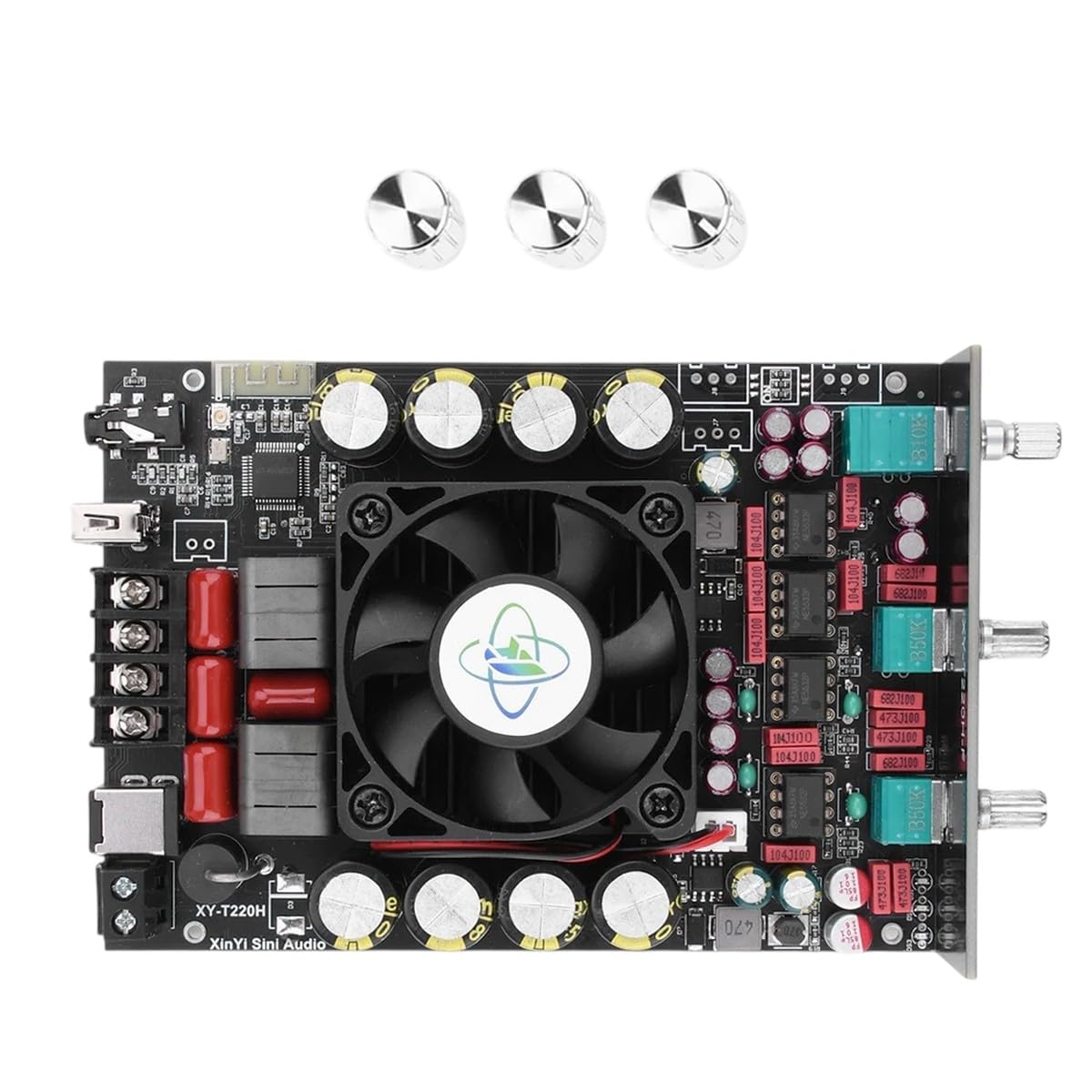
Figure 1: The XY-T220H amplifier board, showcasing its main components including the heatsink, capacitors, input/output ports, and three control knobs for adjustment.
2. Key Features
- Dual Channel Stereo Output: Provides two independent audio channels for stereo sound reproduction.
- TPA3251 Amplifier Chip: Utilizes a high-efficiency Class-D amplifier chip for powerful and clear audio.
- High-Low Frequency Adjustment: Allows users to fine-tune bass and treble levels for personalized sound.
- Wide Operating Voltage: Compatible with DC 12-36V/8A power supplies.
- High Output Power: Delivers up to 220W per channel (x2).
- Integrated Bluetooth (BT): Enables wireless audio streaming from compatible devices.
3. Setup Instructions
Follow these steps to correctly set up your XY-T220H amplifier board.
3.1. Power Connection
- Identify the DC power input terminals on the amplifier board.
- Connect a stable DC power supply (12-36V, 8A recommended) to these terminals. Ensure that the positive (+) and negative (-) polarities are correctly matched to avoid damage.
3.2. Audio Input Connection
- Locate the audio input ports on the board. These typically include a 3.5mm jack or RCA connectors.
- Connect your audio source (e.g., smartphone, media player, computer) to the input using an appropriate audio cable.
3.3. Speaker Output Connection
- Identify the speaker output terminals for the left and right channels.
- Connect your passive speakers to the corresponding terminals. Ensure correct polarity (+ to + and - to -) for each speaker. Observe the speaker impedance ratings to ensure compatibility with the amplifier board.

Figure 2: A detailed view of the amplifier board, highlighting the various connection points for power, audio input, and speaker output.
3.4. Bluetooth Pairing
- Once the amplifier board is powered on, it will typically enter Bluetooth pairing mode automatically.
- On your audio source device (e.g., smartphone), enable Bluetooth and search for available devices.
- Select "XY-T220H" (or a similar identifier) from the list of found devices to establish a connection.
- Upon successful pairing, audio will stream wirelessly from your device to the amplifier.
4. Operation
4.1. Power On/Off
- Ensure all connections are secure before applying power.
- To power on, connect the DC power supply. To power off, disconnect the DC power supply.
4.2. Volume Control
- Adjust the main volume knob on the amplifier board to control the overall audio output level. Start at a low level and gradually increase to your desired listening volume.
4.3. Frequency Adjustment
- Use the dedicated high-frequency and low-frequency adjustment knobs to fine-tune the bass and treble response of your audio. Rotate clockwise to increase and counter-clockwise to decrease.
5. Maintenance and Care
- Cleaning: Keep the amplifier board clean and free from dust. Use a soft, dry cloth for cleaning. Avoid using liquid cleaners directly on the components.
- Ventilation: Ensure adequate airflow around the board to prevent overheating, especially during prolonged operation at high volumes. Do not obstruct the heatsink or fan (if present).
- Environment: Avoid exposing the device to moisture, extreme temperatures, or direct sunlight. Operate in a dry, stable environment.
- Service: Do not attempt to repair the board yourself if you are not a qualified technician. Contact a professional for any service or repair needs.
6. Troubleshooting Guide
| Problem | Possible Solution |
|---|---|
| No Power |
|
| No Sound Output |
|
| Distorted Sound |
|
| Bluetooth Connection Issues |
|
7. Technical Specifications
- Model: XY-T220H
- Amplifier Chip: TPA3251
- Operating Voltage: DC 12-36V/8A
- Output Power: 220W x 2 (Dual Channel)
- Features: Bluetooth Connectivity, High-Low Frequency Adjustment
- Material: Electronic components, Metal
- Item Model Number (Manufacturer): Generic-XVM146241
8. Warranty and Support
This product is covered by a standard manufacturer's warranty. For detailed warranty terms, conditions, and duration, please refer to the documentation provided with your purchase or contact the retailer directly. For technical support, troubleshooting assistance beyond this manual, or service inquiries, please reach out to the manufacturer's customer service department or the point of purchase.
Please retain your proof of purchase for warranty claims.


