1. Introduction
This manual provides detailed instructions for the operation and maintenance of your ZAQE 4.0-inch IPS MP3 Player. This multi-functional device features Bluetooth and Wi-Fi connectivity, a 4.0-inch 1080P HD full-color screen, and support for various media applications. Please read this manual thoroughly to ensure proper usage and to maximize your experience with the device.

Image 1.1: The ZAQE 4.0-inch HiFi MP3 Player, highlighting its compact design and key features like 80GB storage, Wi-Fi, Bluetooth, Android OS, and a full-touch screen.
2. Package Contents
Please verify that all items are present in the package:
- ZAQE 4.0-inch IPS MP3 Player
- USB Type-C Charging Cable
- Protective Case
- User Manual (this document)
3. Device Overview
Familiarize yourself with the physical components of your MP3 player.

Image 3.1: Front view of the ZAQE MP3 Player, showcasing its 4.0-inch IPS display with various application icons.
Key Components:
- 4.0-inch IPS Touch Screen: Main display for interaction and content viewing.
- Power Button: Located on the side, used for powering on/off, locking/unlocking the screen, and taking screenshots.
- Volume Buttons: Located on the side, used to adjust audio volume.
- USB Type-C Port: For charging and data transfer.
- 3.5mm Headphone Jack: For wired audio output.
- MicroSD Card Slot: For expandable storage up to 1TB.
- Built-in Speaker: For audio playback without headphones.
4. Getting Started (Setup)
4.1 Charging the Device
Before first use, fully charge the MP3 player. Connect the provided USB Type-C cable to the device and a compatible USB power adapter (not included) or a computer's USB port.
- A full charge provides up to 40 hours of continuous music playback or 3-5 months of standby time.

Image 4.1: The ZAQE MP3 Player connected to a USB Type-C cable for charging, illustrating its 2000mAh battery capacity.
4.2 Powering On/Off
- To Power On: Press and hold the Power button until the screen illuminates.
- To Power Off: Press and hold the Power button, then select 'Power Off' from the on-screen options.
4.3 Connecting to Wi-Fi
The device supports Wi-Fi for online streaming and app downloads.
- Go to Settings > Network & Internet > Wi-Fi.
- Toggle Wi-Fi On.
- Select your desired Wi-Fi network from the list.
- Enter the password if prompted and tap Connect.
4.4 Bluetooth Pairing
Connect to Bluetooth headphones, speakers, or car stereos for wireless audio.
- Go to Settings > Connected devices > Bluetooth.
- Toggle Bluetooth On.
- Ensure your Bluetooth audio device is in pairing mode.
- Select your device from the list of available devices to pair.
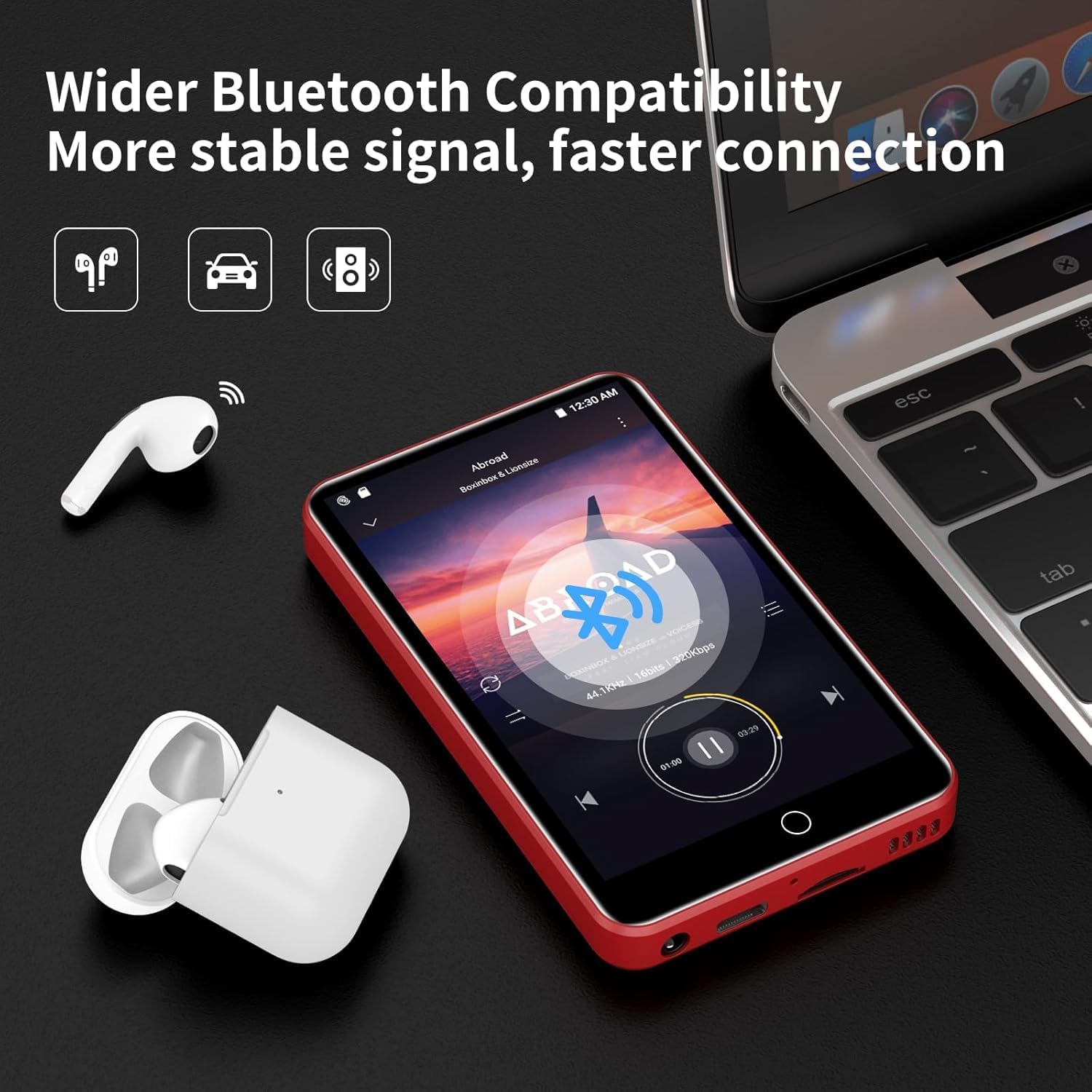
Image 4.2: The ZAQE MP3 Player demonstrating Bluetooth connectivity with wireless earbuds, indicating a stable and fast connection.
4.5 Inserting a MicroSD Card
Expand your storage up to 1TB using a MicroSD card (not included).
- Locate the MicroSD card slot on the device.
- Gently insert the MicroSD card into the slot until it clicks into place.
- The device may prompt you to format the card. Follow the on-screen instructions. Formatting will erase all data on the card.
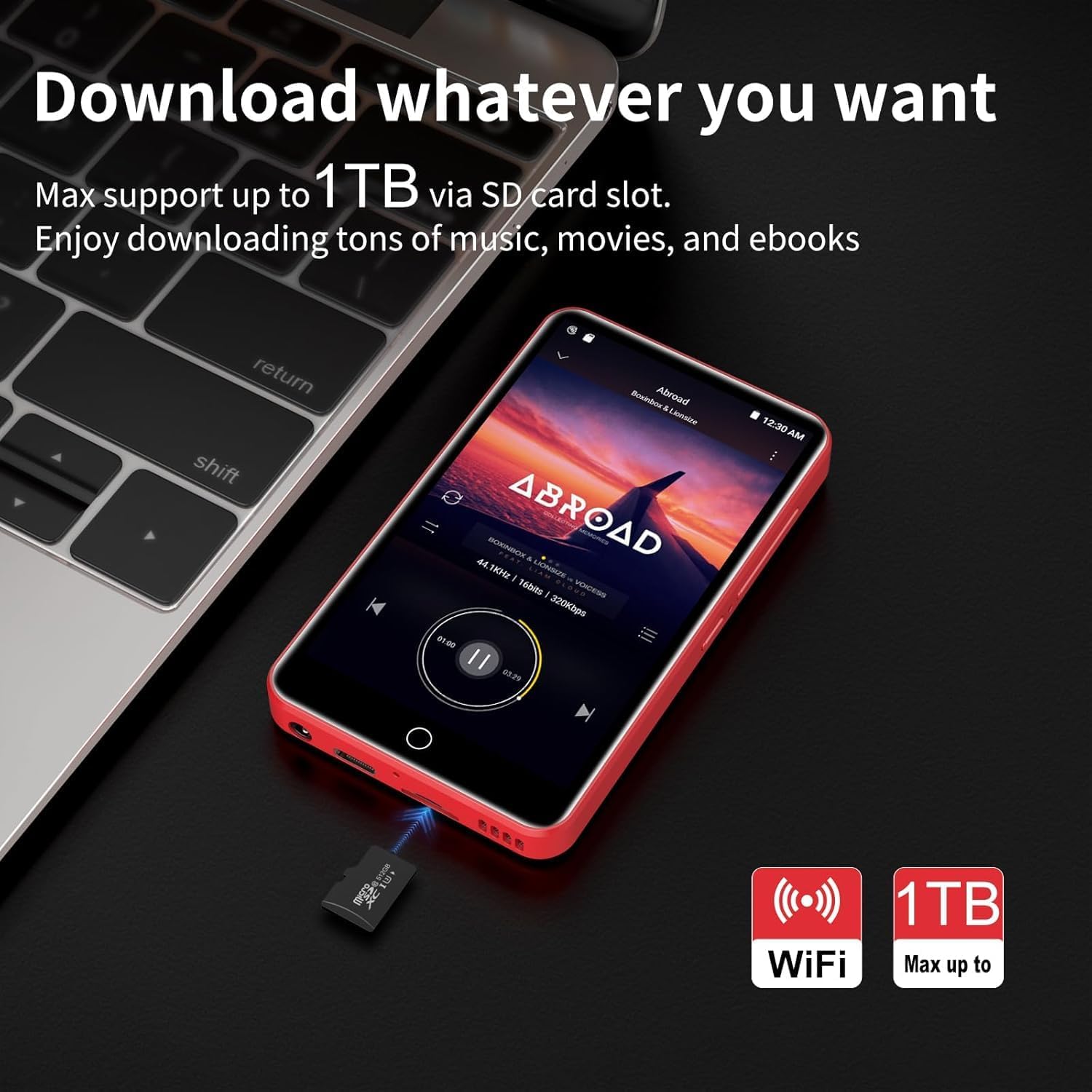
Image 4.3: The ZAQE MP3 Player next to a MicroSD card, illustrating its capability to expand storage up to 1TB for music, movies, and e-books.
5. Basic Operation
5.1 Navigating the Interface
The ZAQE MP3 Player features a 4.0-inch full-touch IPS screen for intuitive navigation.
- Tap: Select an item or open an application.
- Swipe: Scroll through lists or switch between screens.
- Pinch-to-Zoom: Adjust zoom in supported applications.

Image 5.1: A hand interacting with the 4.0-inch full-touch screen of the ZAQE MP3 Player, demonstrating smooth and responsive operation.
5.2 Music Playback
Enjoy high-fidelity lossless sound with support for various audio formats.
- Supported Formats: MP3, OGG, FLAC, AAC, WAV, WMA, APE.
- Built-in Speaker: Play music directly without headphones.
- Features: Synchronized lyrics display, playlist creation, custom equalizer settings.
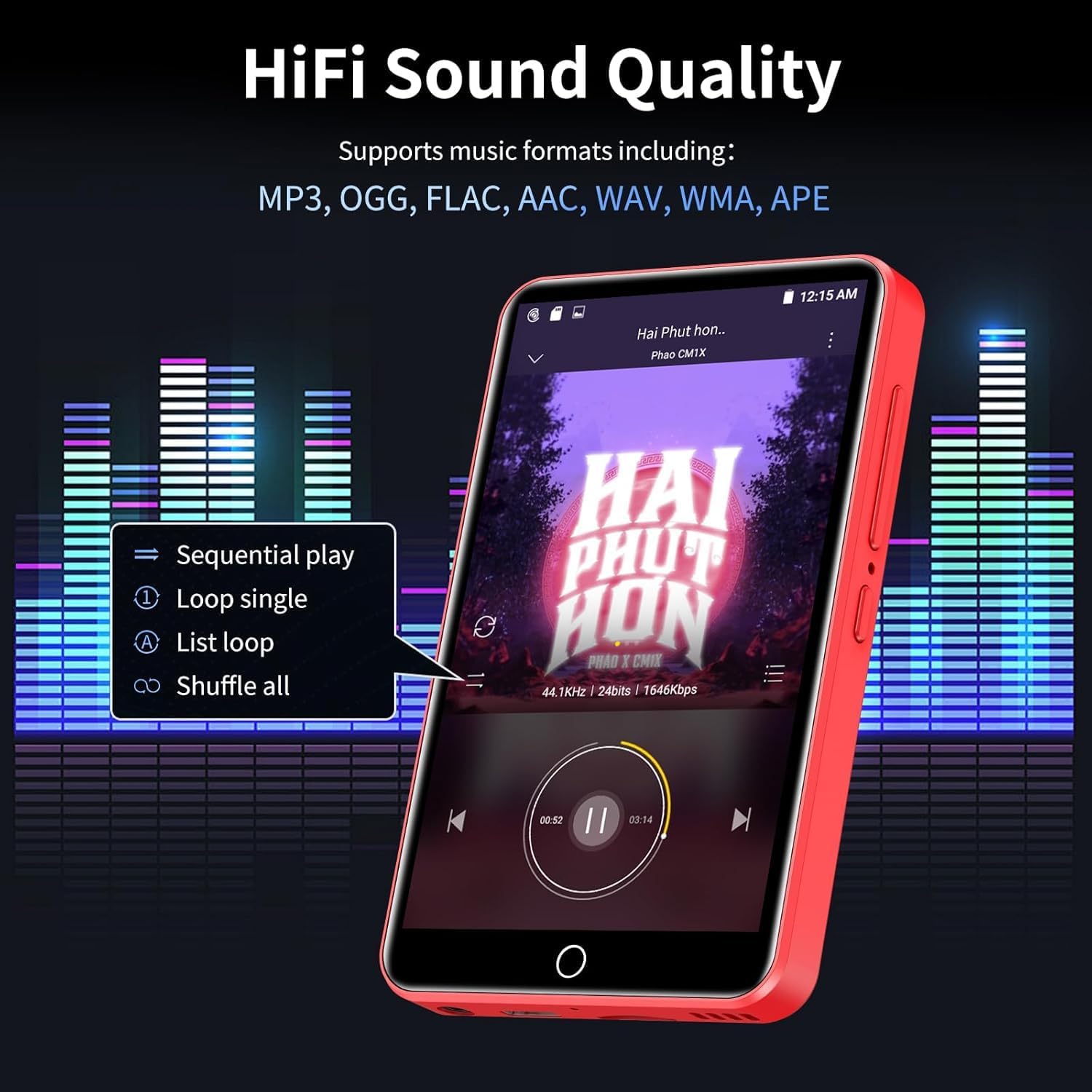
Image 5.2: The ZAQE MP3 Player's music playback screen, illustrating its HiFi sound quality and options for sequential play, loop, and shuffle.
5.3 Video Playback
The 4-inch 1080P HD screen supports direct playback of high-definition videos.
- Supported Formats: RM, RMVB, FLV, MP4, DAT, MKV, MPG, MOV, TS.
- No format conversion is required for 720P and 1080P videos.

Image 5.3: The ZAQE MP3 Player displaying a video, emphasizing its powerful 8-core CPU, 1080P HD video support, and 2GB RAM + 16GB ROM for a smooth audio-visual experience.
5.4 Using Pre-installed Applications
The device comes with several mainstream media apps and tools pre-installed.
- Media Apps: Spotify, Audible, Amazon Music, Deezer.
- Tools: FM Radio, Video Player, Calendar, Recorder, Clock, Sound Recorder, Browser.
- Access these applications from the home screen.

Image 5.4: The ZAQE MP3 Player's screen displaying a variety of popular pre-installed applications such as Spotify, Audible, Amazon Music, Deezer, FM Radio, and a web browser.
5.5 Lock Screen and Screenshot
- Lock Screen: Briefly press the Power button to lock the screen and prevent accidental touches. Press again to wake, then swipe to unlock.
- Screenshot: Press and hold the Power button to capture a screenshot.
6. Advanced Features
6.1 Offline Playback via HiByMusic
The built-in HiByMusic app allows for offline playback of downloaded music and video files.
- Transfer music or video files from your PC to the player's internal 80GB storage (2GB RAM + 16GB ROM + 128GB card) or an inserted MicroSD card.
- Open the HiByMusic app to access and play your local media library without a network connection.

Image 6.1: The ZAQE MP3 Player showcasing its 80GB built-in storage and 1TB expandable memory, capable of storing approximately 32,000 lossless quality songs or 100 movies.
6.2 HiFi Sound Settings
Customize your audio experience:
- Access the equalizer settings within your music player application to adjust bass, treble, and other audio frequencies.
- Experiment with different presets or create your own custom sound profile.
7. Maintenance
7.1 Battery Care
- Avoid extreme temperatures, which can degrade battery life.
- For long-term storage, charge the device to about 50% and store it in a cool, dry place.
- Use only the provided USB Type-C cable for charging.
7.2 Cleaning
- Use a soft, lint-free cloth to clean the screen and body of the device.
- Do not use abrasive cleaners or solvents.
7.3 Storage Management
- Regularly check the available storage space in Settings > Storage.
- Delete unnecessary files or applications to free up space.
- Utilize the MicroSD card for large media files to preserve internal memory.
8. Troubleshooting
This section addresses common issues you might encounter.
| Issue | Possible Solution |
|---|---|
| Device does not power on. | Ensure the device is fully charged. Connect to a power source and try again. |
| Cannot connect to Wi-Fi. | Check if Wi-Fi is enabled in settings. Verify the Wi-Fi password. Restart your router and the MP3 player. |
| Bluetooth connection is unstable or drops. | Ensure the MP3 player and Bluetooth device are within close proximity. Disconnect and re-pair the devices. Avoid obstacles between devices. |
| Low audio volume. | Adjust the volume using the side buttons. Check volume settings within the music application. Ensure headphones are properly connected or Bluetooth volume is maximized. |
| Difficulty downloading music or apps. | Ensure a stable Wi-Fi connection. Check available storage space. Some services may require a subscription. |
| Forgot screen lock password. | Contact ZAQE customer support for assistance with password recovery. |
9. Specifications
Technical details of the ZAQE 4.0-inch IPS MP3 Player.
| Feature | Detail |
|---|---|
| Model | ZAQE 4.0-inch IPS MP3 Player |
| Display | 4.0-inch IPS HD Full-Color Touch Screen |
| Processor | Advanced 8-Core CPU |
| Operating System | Android 9.0 OS |
| Memory | 2GB RAM + 16GB ROM (Internal) |
| Expandable Storage | Up to 1TB via MicroSD card |
| Connectivity | Bluetooth, Wi-Fi |
| Battery | 2000mAh (Type-C rechargeable) |
| Music Playback Time | Up to 40 hours |
| Standby Time | 3-5 months |
| Supported Audio Formats | MP3, OGG, FLAC, AAC, WAV, WMA, APE |
| Supported Video Formats | RM, RMVB, FLV, MP4, DAT, MKV, MPG, MOV, TS (1080P HD) |
| Dimensions | 5.79 x 5.75 x 0.75 inches |
| Item Weight | 7.8 ounces |
| UPC | 765826120102 |
10. Warranty and Support
For warranty information, please refer to the documentation provided at the time of purchase or contact your retailer. For technical support, product inquiries, or assistance with any issues not covered in this manual, please contact ZAQE customer service.
You can also visit the official ZAQE store on Amazon for additional resources and contact options: ZAQE Amazon Store


