
Introduction
This manual provides detailed instructions for the proper use and maintenance of your Samvix UCamera X8400 Digital Camera. Please read this manual thoroughly before operating the camera to ensure optimal performance and longevity.
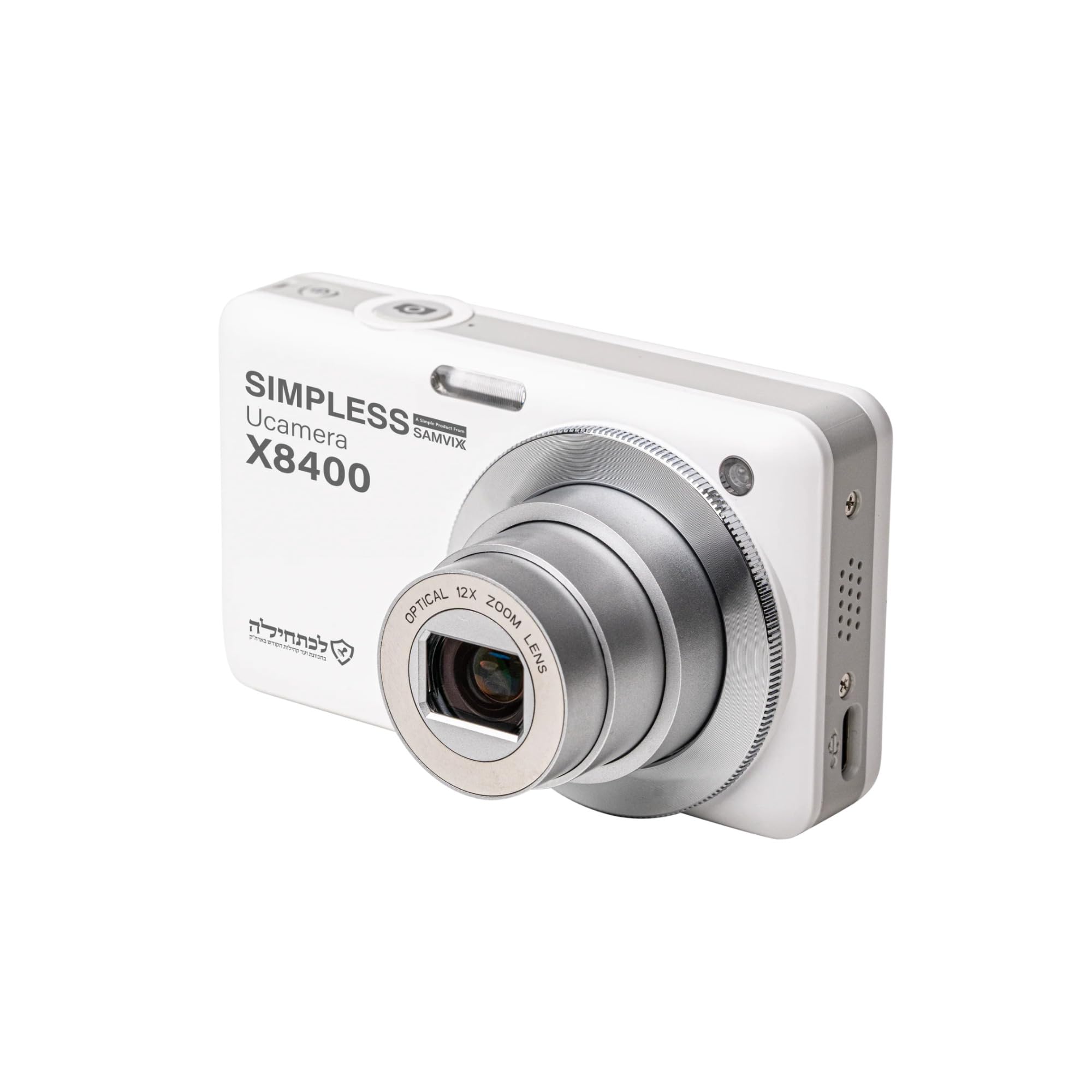
Figure 1: Front view of the Samvix UCamera X8400 Digital Camera. This image shows the camera's lens, flash, and overall compact design.
Package Contents
Verify that all items are present in your package:
- Samvix UCamera X8400 Digital Camera
- USB-C Cable
- Rechargeable Lithium-Ion Battery (if included, check packaging)
- User Manual (this document)
- Note: Micro SD card is not included and must be purchased separately.
Setup
1. Charging the Battery
- Insert the Lithium-Ion battery into the battery compartment located at the bottom of the camera. Ensure it clicks into place.
- Connect the USB-C cable to the camera's USB-C port and the other end to a compatible USB power adapter (not included) or a computer.
- The charging indicator light will illuminate. Once fully charged, the light will change color or turn off.
2. Inserting a Micro SD Card
- Locate the Micro SD card slot, typically near the battery compartment or on the side of the camera.
- Insert the Micro SD card with the metal contacts facing the correct direction (refer to the diagram on the camera body). Push until it clicks into place.
- To remove, gently push the card in again until it springs out.

Figure 2: Side view of the Samvix UCamera X8400, showing the USB-C port and potentially the Micro SD card slot cover. This illustrates connectivity options.
Operating the Camera
1. Power On/Off
Press and hold the power button (usually located on the top of the camera) to turn the camera on or off.
2. Taking Photos
- Turn on the camera.
- Frame your shot using the LCD display or electronic viewfinder.
- Use the zoom lever (typically around the shutter button) to adjust the 12x optical zoom.
- Press the shutter button halfway down to activate autofocus. The focus indicator will confirm when focus is achieved.
- Press the shutter button fully to capture the photo.
3. Recording Videos
- Switch the camera to video mode (if applicable, usually via a mode dial or menu setting).
- Press the dedicated video record button (often marked with a red dot) to start recording 4K Ultra HD video.
- Press the button again to stop recording.
4. Playback and Review
Press the playback button (usually marked with a play icon) to review your photos and videos. Use the directional pad to navigate through your media.
5. Transferring Files
Connect the camera to a computer using the supplied USB-C cable. The camera will appear as a removable drive, allowing you to copy files directly.
Maintenance
- Cleaning the Lens: Use a soft, lint-free cloth specifically designed for camera lenses. Avoid touching the lens with your fingers.
- Cleaning the Body: Wipe the camera body with a dry, soft cloth. Do not use harsh chemicals or solvents.
- Battery Care: Store the battery in a cool, dry place when not in use. Avoid fully discharging the battery frequently.
- Storage: When storing the camera for extended periods, remove the battery and Micro SD card. Store in a dry environment away from extreme temperatures.
Troubleshooting
| Problem | Solution |
|---|---|
| Camera does not power on. | Ensure the battery is fully charged and correctly inserted. Try charging the battery for at least 2 hours. |
| Cannot take photos/videos. | Check if a Micro SD card is inserted and has sufficient free space. Ensure the camera is in the correct mode (photo/video). |
| Images are blurry. | Ensure autofocus is engaged by pressing the shutter button halfway. Check for smudges on the lens. Use image stabilization for steady shots. |
| Files not transferring to computer. | Verify the USB-C cable connection. Try a different USB port on your computer. Ensure the camera is powered on and in transfer mode (if prompted). |
Specifications
| Feature | Detail |
|---|---|
| Model | UCamera X8400 |
| Image Sensor | CMOS Sensor, 48 MP Effective Still Resolution |
| Video Resolution | 4K Ultra HD |
| Optical Zoom | 12x |
| Image Stabilization | Optical |
| Autofocus | Contrast Detection, Automatic AF (AF-A) |
| Display | Articulating LCD |
| Storage Media | Micro SD (up to expanded capacity) |
| Connectivity | USB-C |
| Battery Type | Lithium Ion |
| Supported File Formats | JPEG (photos), MP4 (videos) |
| Minimum Shutter Speed | 1/60 seconds |
| Expanded ISO Range | 100-6400 |
| Lens Focal Length | 24-288mm (equivalent) |
| Aperture Range | F2.8-F5.6 |
| Item Weight | 680 Pounds (Note: This value from source data seems incorrect for a camera, likely a data entry error. Actual weight is typically much lower.) |
Warranty Information
The Samvix UCamera X8400 Digital Camera comes with a Limited Manufacturer's Warranty. Please refer to the warranty card included in your product packaging or visit the official Samvix website for detailed terms and conditions regarding coverage, duration, and claim procedures.
Retain your proof of purchase for warranty claims.
Support
For technical assistance, product inquiries, or support, please contact Samvix customer service. Contact information can typically be found on the official Samvix website or on the product packaging.
Manufacturer: Samvix
Model Number: X8400
UPC: 766162175856
