
Introduction
This manual provides essential information for the safe and efficient use of your Indesit IOK38HX Built-in Electric Oven. Please read these instructions carefully before installation and operation, and keep them for future reference.
Safety Information
Important Safety Instructions:
- Ensure the appliance is properly earthed.
- Do not allow children to operate the oven unsupervised.
- The oven becomes hot during use. Avoid touching heating elements.
- Always use oven mitts when handling hot dishes.
- Do not use abrasive cleaners or sharp metal scrapers to clean the oven door glass.
- Disconnect the appliance from the power supply before any maintenance or cleaning.
Product Overview
The Indesit IOK38HX is a 71-liter built-in electric oven designed for versatile cooking. It features multiple cooking functions, including conventional, fan-assisted, grill, and defrost. The oven also includes an automatic hydrolytic cleaning function for easy maintenance.
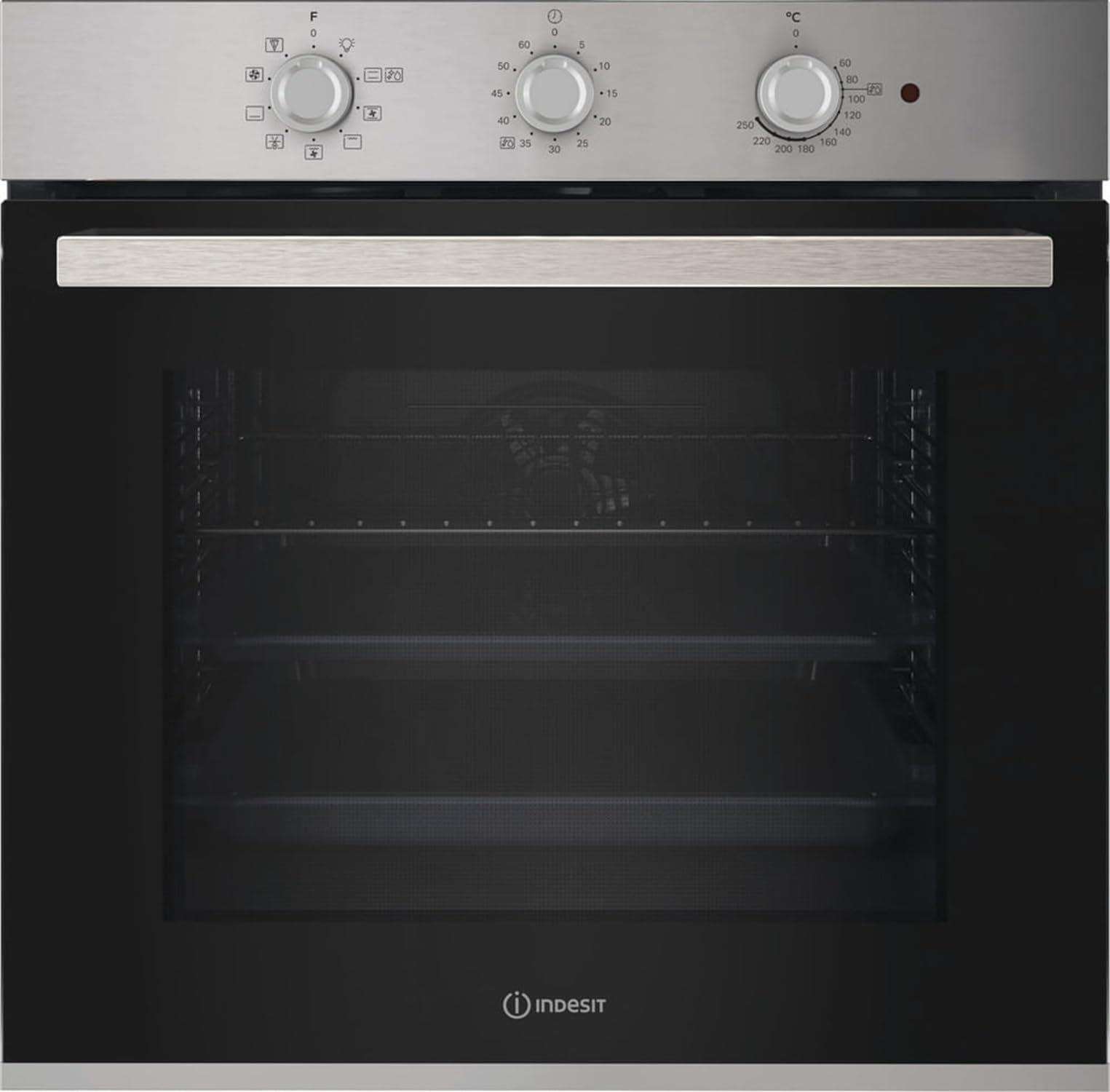
Figure 1: Front view of the Indesit IOK38HX Built-in Electric Oven, showing the control knobs and oven door.
Main Components:
- Control Knobs: Used to select cooking functions and temperature.
- Oven Door: Drop-down opening.
- Oven Cavity: 71-liter capacity with internal light.
- Grill Rack: For grilling functions.
Setup and Installation
Professional Installation Recommended: Installation of this appliance should be performed by a qualified technician in accordance with local safety regulations.
Installation Requirements:
- Compartment Dimensions: Width: 56.8 cm, Depth: 56 cm, Height: 58.5 cm (minimum height: 58.3 cm).
- Electrical Connection: 220-240 V AC, 50/60 Hz, 13 A. Ensure proper grounding.
- Ventilation: Ensure adequate ventilation around the appliance.
First Use:
- Remove all packaging materials and accessories from the oven cavity.
- Clean the interior of the oven with a damp cloth.
- Heat the empty oven at maximum temperature for approximately 30 minutes to burn off any manufacturing residues. Ensure the room is well-ventilated during this process.
Operating Instructions
Control Panel:
The oven is controlled by two main knobs: one for selecting the cooking function and another for setting the temperature.
Cooking Functions:
| Function | Description | Typical Use |
|---|---|---|
| Conventional Cooking | Heat from top and bottom elements. | Roasting, baking cakes and bread. |
| Fan-Assisted Cooking | Heat distributed by a fan for even cooking. | Cooking multiple dishes simultaneously, poultry, fish. |
| Grill | Intense heat from the top element. | Browning, toasting, grilling thin cuts of meat. |
| Defrost Function | Circulates air at room temperature. | Thawing frozen foods. |
| Pizza Function | Specific heating combination for optimal pizza cooking. | Baking fresh or frozen pizzas. |
Setting the Timer:
The oven features a timer function. Consult the specific markings around the timer knob (if present) or refer to the full graphical manual for detailed instructions on setting cooking duration or delayed start.
Maintenance and Cleaning
Regular cleaning and maintenance will ensure the longevity and optimal performance of your oven.
Hydrolytic Cleaning (Automatic Cleaning):
- Ensure the oven is cool.
- Pour approximately 200 ml of water into the bottom of the oven cavity.
- Select the hydrolytic cleaning function (refer to control knob markings).
- Allow the cycle to complete. The steam generated will soften food residues.
- Once the cycle is finished and the oven has cooled, wipe the interior with a damp cloth or sponge to remove softened dirt.
General Cleaning:
- Exterior: Clean with a soft cloth and mild detergent. Avoid abrasive cleaners.
- Interior: For stubborn stains, use a specialized oven cleaner, following the product's instructions. Ensure adequate ventilation.
- Accessories: Racks and trays can be washed in warm soapy water.
Caution: Always ensure the oven is disconnected from the power supply before cleaning.
Troubleshooting
Before contacting customer support, please check the following common issues:
| Problem | Possible Cause | Solution |
|---|---|---|
| Oven does not heat up. | No power supply; incorrect function/temperature setting. | Check power connection and circuit breaker. Verify function and temperature knobs are correctly set. |
| Food not cooking evenly. | Incorrect rack position; oven overloaded; door not fully closed. | Use recommended rack positions. Avoid overcrowding the oven. Ensure door is sealed. |
| Oven light not working. | Bulb needs replacement. | Disconnect power, allow to cool, and replace the bulb (refer to a qualified technician if unsure). |
| Excessive smoke during cooking. | Food spills or grease buildup. | Clean the oven thoroughly. Use a drip tray for fatty foods. |
Technical Specifications
| Feature | Detail |
|---|---|
| Model | IOK38HX |
| Brand | Indesit |
| Oven Type | Electric, Built-in |
| Total Oven Capacity | 71 Liters |
| Energy Class | A |
| Conventional Energy Consumption | 0.99 kWh |
| Forced Convection Energy Consumption | 0.81 kWh |
| Cleaning Type | Hydrolytic (Automatic) |
| Control Type | Knob |
| Product Color | Black, Stainless Steel |
| Internal Light | Yes (1 lamp, front left position) |
| Power Supply | 220-240 V AC, 50/60 Hz |
| Current | 13 A |
| Cable Length | 1 m |
| Product Dimensions (WxDxH) | 595 mm x 551 mm x 595 mm |
| Weight | 27.1 kg |
| Installation Compartment (min) | Width: 56 cm, Depth: 56 cm, Height: 58.3 cm |
Warranty and Support
Warranty Information: The product warranty information is not explicitly detailed in the provided data ("Null."). Please refer to the official Indesit website or your purchase documentation for specific warranty terms and conditions applicable to your region.
Customer Support: For technical assistance, spare parts, or service requests, please contact Indesit customer support. Contact details can typically be found on the Indesit official website or in your purchase receipt.
Always have your product model (IOK38HX) and serial number ready when contacting support.


