
1. Introduction
This manual provides essential information for setting up, operating, and maintaining your OnePlus 15 smartphone. Please read this guide thoroughly to ensure proper use and to maximize your device's capabilities. The OnePlus 15 features a Snapdragon 8 Elite Gen 5 processor, a 165Hz display, a 7300mAh battery, and a triple 50MP camera system with 4K 120fps Dolby Vision recording.
2. What's in the Box
Verify that all items are present in your product packaging:
- OnePlus 15 Smartphone
- Phone Case
- Power Adapter (120W SuperVOOC)
- SIM Tray Ejector
- Screen Protector (pre-applied or in box)
- USB Cable (Type-C)
3. Device Overview
Familiarize yourself with the physical components of your OnePlus 15.

Image: Front and back view of the OnePlus 15 smartphone in Sand Storm color.

Image: Close-up of the triple camera module on the rear of the OnePlus 15.

Image: Front view of the OnePlus 15, showcasing the display with a 'Never Settle' wallpaper.
4. Setup
4.1 Inserting the SIM Card
- Locate the SIM card tray on the side of your device.
- Insert the SIM ejector tool into the small hole next to the tray and press firmly until the tray pops out.
- Place your Nano-SIM card(s) into the tray with the gold contacts facing down. The OnePlus 15 supports Dual SIM.
- Carefully reinsert the SIM tray into the phone.
4.2 Powering On and Initial Configuration
- Press and hold the Power button until the OnePlus logo appears.
- Follow the on-screen instructions to select your language, connect to Wi-Fi, and set up your Google account.
- Configure security features such as fingerprint recognition and a screen lock (PIN, pattern, or password).
5. Operating Your Device
5.1 Basic Navigation
- Home Screen: Swipe left or right to access app pages.
- App Drawer: Swipe up from the bottom of the screen to view all installed applications.
- Notifications & Quick Settings: Swipe down from the top of the screen to access notifications and quick settings toggles.
- Multitasking: Swipe up and hold from the bottom of the screen to view recent apps.
5.2 Display Features
The OnePlus 15 features a 6.78-inch AMOLED display with a 165Hz refresh rate and 2772x1272 pixel resolution, providing a smooth and vibrant visual experience.

Image: Visual representation of the 165Hz display refresh rate on the OnePlus 15.
6. Camera Features
The OnePlus 15 is equipped with a versatile triple 50MP rear camera system and a 32MP front camera.
- Rear Camera: Triple 50MP setup including a wide lens with Shake-free OIS, an ultra-wide lens with a 112° Field of View, and a periscope telephoto lens with 7x Optical Quality Zoom and Shake-free OIS.
- Video Recording: Supports 4K 120fps Dolby Vision video recording and playback.
- DetailMax Engine: Enhances clarity and vibrancy in photos.
- Clear Night Engine: Optimizes low-light photography for brighter and clearer night shots.

Image: Diagram illustrating the triple 50MP camera setup on the OnePlus 15, detailing wide, ultra-wide, and periscope telephoto lenses.

Image: Examples of Ultra Clear Mode and Clear Burst photography, demonstrating enhanced detail and dynamic range.

Image: Side-by-side comparison demonstrating the improved clarity and brightness provided by the Clear Night Engine in low-light conditions.
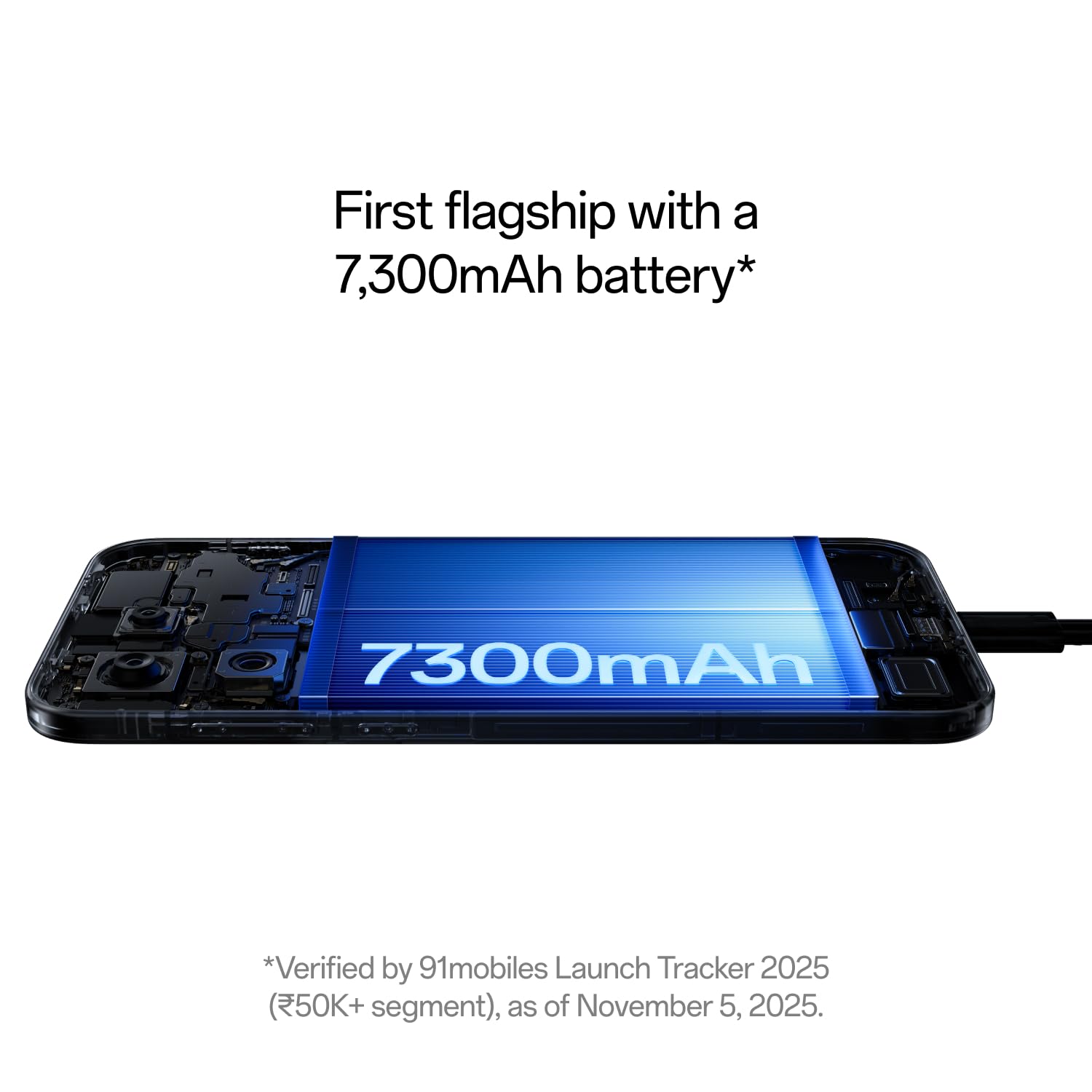
Image: The OnePlus 15 display showcasing 4K 120fps Dolby Vision video playback, highlighting cinematic quality.
7. Battery Management
The OnePlus 15 is equipped with a 7300mAh battery for extended usage and supports advanced charging technologies.
- Capacity: 7300mAh (typical) for prolonged battery life.
- Wired Charging: Supports 120W SuperVOOC ultra-fast wired charging.
- Wireless Charging: Supports 50W AirVOOC wireless charging.
- Battery Longevity: Designed to maintain 80% capacity after 4 years of use.

Image: Internal view of the OnePlus 15 highlighting the large 7300mAh battery.

Image: Graphic illustrating the OnePlus 15's ability to maintain 80% battery capacity after 4 years.
8. Performance and AI Features
The OnePlus 15 is engineered for high performance and integrates advanced AI capabilities.
- Processor: India's first smartphone with Snapdragon 8 Elite Gen 5 chipset.
- Cooling: Advanced 360° Cryo Velocity Cooling System for sustained performance.
- Tri-Chips: Features OPGamingCore engine, a dedicated G2 Wi-Fi chip, and a high-speed touch-response chip for optimized gaming and connectivity.
- Plus Mind AI: An AI tool integrated with Google Gemini, designed to capture, organize, and recall information from your device. It assists with planning, information retrieval from screenshots, and more.
- AI Writer: Tools for mind map generation, table generation, social media caption generation, and other writing aids.

Image: Visual representation of the OnePlus 15's Tri-Chips architecture, including the Snapdragon 8 Elite Gen 5, G2 Wi-Fi, and Touch Response chips.

Image: Screenshot of the Mind Space app on the OnePlus 15, demonstrating integration with Google Gemini for intelligent assistance.

Image: Overview of Plus Mind features within OxygenOS 16, showcasing intelligent organization and recall capabilities.
9. Durability
The OnePlus 15 is built with robust materials and features comprehensive protection.
- IP Ratings: IP66, IP68, IP69, and IP69K for dust and water resistance.
- Display Protection: Features Gorilla Glass Victus 2 for enhanced screen durability.
- Construction: Micro-Arc Oxidation process makes the device 3.4x tougher than aluminum and 1.3x tougher than titanium.

Image: The OnePlus 15 being used underwater, illustrating its IP66/68/69/69K water resistance.

Image: Visual representation of the Micro-Arc Oxidation process, highlighting its contribution to the device's toughness.

Image: The OnePlus 15 display protected by Gorilla Glass Victus 2, emphasizing breakthrough durability.
10. Specifications
| Feature | Specification |
|---|---|
| Brand | OnePlus |
| Model | OnePlus 15 |
| Operating System | Android 16, OxygenOS 16 |
| CPU Model | Snapdragon 8 Elite Gen 5 |
| CPU Speed | 4.61 GHz |
| RAM Memory | 12 GB (available in 16 GB variant) |
| Storage Capacity | 256 GB (available in 512 GB variant) |
| Display Type | AMOLED |
| Screen Size | 6.78 Inches |
| Resolution | 2772×1272 Pixels |
| Refresh Rate | 165 Hz |
| Rear Camera Resolution | Triple 50 MP |
| Front Camera Resolution | 32 MP |
| Video Capture Resolution | 8K, 4K 120fps Dolby Vision |
| Battery Capacity | 7300 mAh |
| Wired Charging | 120W SuperVOOC |
| Wireless Charging | 50W AirVOOC |
| Water Resistance Level | IP66/68/69/69K |
| Biometric Security | Fingerprint Recognition |
| Connectivity | 5G, Bluetooth, Infrared, NFC, USB, Wi-Fi |
| Dimensions | 16.1 x 7.7 x 0.8 Centimeters |
| Weight | 211 Grams |
11. Troubleshooting
This section addresses common issues you might encounter with your OnePlus 15.
11.1 Device Not Powering On
- Ensure the battery is charged. Connect the device to the 120W SuperVOOC charger and wait a few minutes.
- Press and hold the Power button for at least 10-15 seconds to perform a force restart.
11.2 Poor Network Connectivity
- Check if your SIM card is properly inserted.
- Toggle Airplane Mode on and off.
- Restart your device.
- Verify your network settings (Settings > Mobile network).
11.3 Apps Crashing or Freezing
- Close the problematic app from recent apps and reopen it.
- Clear the app's cache and data (Settings > Apps > [App Name] > Storage > Clear cache/Clear data).
- Ensure the app is updated to its latest version.
- Restart your phone.
12. Maintenance
Proper care extends the life of your OnePlus 15.
- Cleaning: Use a soft, lint-free cloth to clean the screen and body. Avoid abrasive materials or harsh chemicals.
- Software Updates: Regularly update your device's software to ensure optimal performance and security.
- Battery Care: Avoid extreme temperatures. While the device has battery longevity features, try to keep the charge between 20% and 80% for daily use to further prolong battery health.
- Physical Protection: Utilize the provided phone case and screen protector to guard against drops and scratches.
13. Warranty and Support
Your OnePlus 15 comes with a manufacturer's warranty and access to customer support.
- Manufacturer Warranty: 1 Year Manufacturer Warranty.
- Lifetime Display Warranty: OnePlus provides a lifetime display warranty for industry-wide greenline issues.
- Customer Service Contact:
Phone: 1800 102 8411
WhatsApp: +91-9289606888 - Manufacturer: OPPO Mobiles India Private Limited, PLOT-NO.1, SECTOR ECOTECH-VII, GREATER, NOIDA, UTTAR PRADESH, India-201306.

Image: Information regarding OnePlus's Lifetime Display Warranty for greenline issues.


