
1. Product Overview
The HP 17.3" Laptop PC is designed for performance and comfort, featuring a large display and efficient processing power. This manual provides essential information for setting up, operating, and maintaining your device.
Key features include:
- Processor: AMD Ryzen 5 7430U (6 cores, 12 threads, up to 4.3GHz burst frequency)
- Display: 17.3" Full HD (1920x1080) IPS display with narrow bezels and flicker-free technology
- Graphics: Integrated AMD Radeon Graphics
- Operating System: Windows 11 Pro
- Memory: 32GB RAM
- Storage: 1TB Solid State Drive (SSD)
- Design: Lift-hinge keyboard for comfortable typing
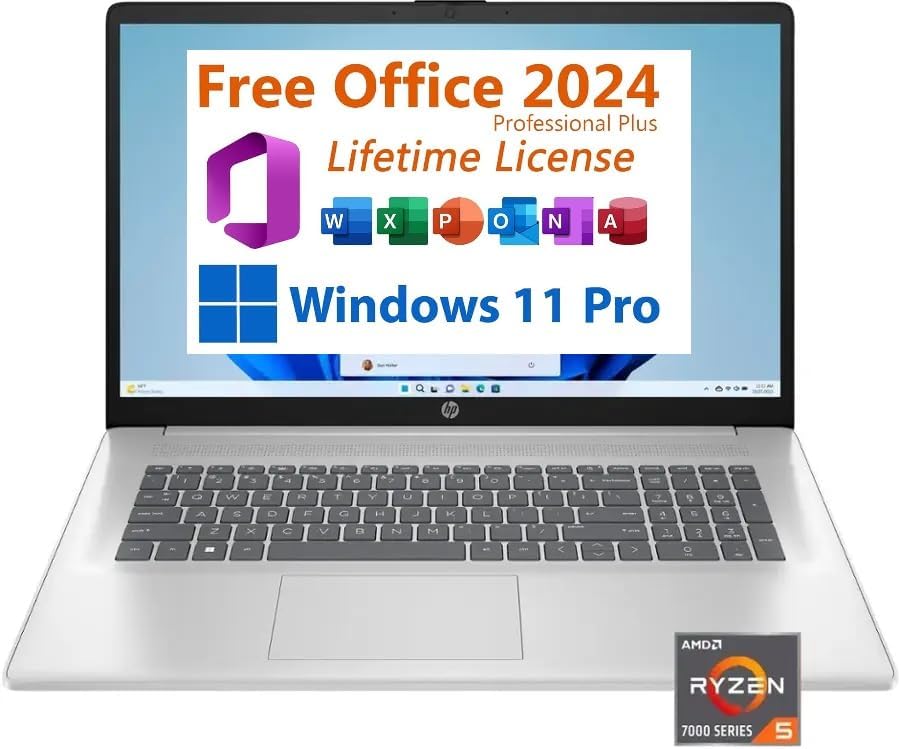
Figure 1: Front view of the HP 17.3" Laptop PC.
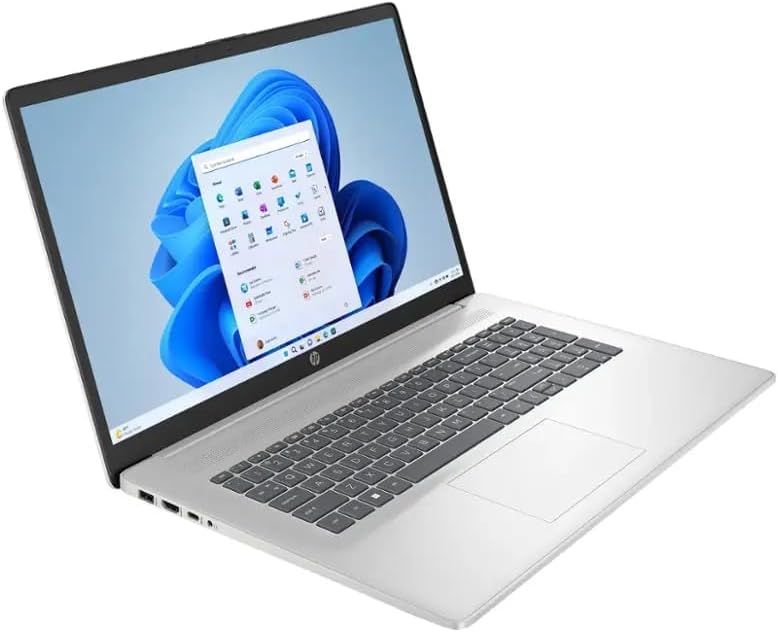
Figure 2: Angled view of the HP 17.3" Laptop PC.
2. What's in the Box
Upon opening your HP 17.3" Laptop PC package, you should find the following items:
- HP 17.3" Laptop PC
- 45W Smart AC Power Adapter

Figure 3: Contents of the HP 17.3" Laptop PC package.
3. Setup
Follow these steps to set up your new HP 17.3" Laptop PC:
- Connect Power: Plug the 45W Smart AC Power Adapter into the AC Smart Pin port on your laptop and then into a power outlet.
- Power On: Open the laptop lid and press the power button.
- Initial Configuration: Follow the on-screen prompts to complete the Windows 11 Pro setup, including language selection, network connection, and user account creation.
4. Operating Instructions
4.1 Keyboard and Touchpad
Your HP laptop features a full-size keyboard with a dedicated numeric keypad for efficient data entry. The integrated touchpad supports multi-touch gestures for navigation.
4.2 Ports and Connectivity
The laptop offers various ports for connecting external devices:
- 2x USB Type-A 3.0 ports
- 1x USB Type-C port
- 1x Headphone/microphone combo jack
- 1x HDMI port (for external displays)
- 1x AC Smart Pin (for power adapter)
Wireless connectivity includes Wi-Fi 6 for fast internet access and Bluetooth 5.0 for connecting peripherals like headphones or mice.
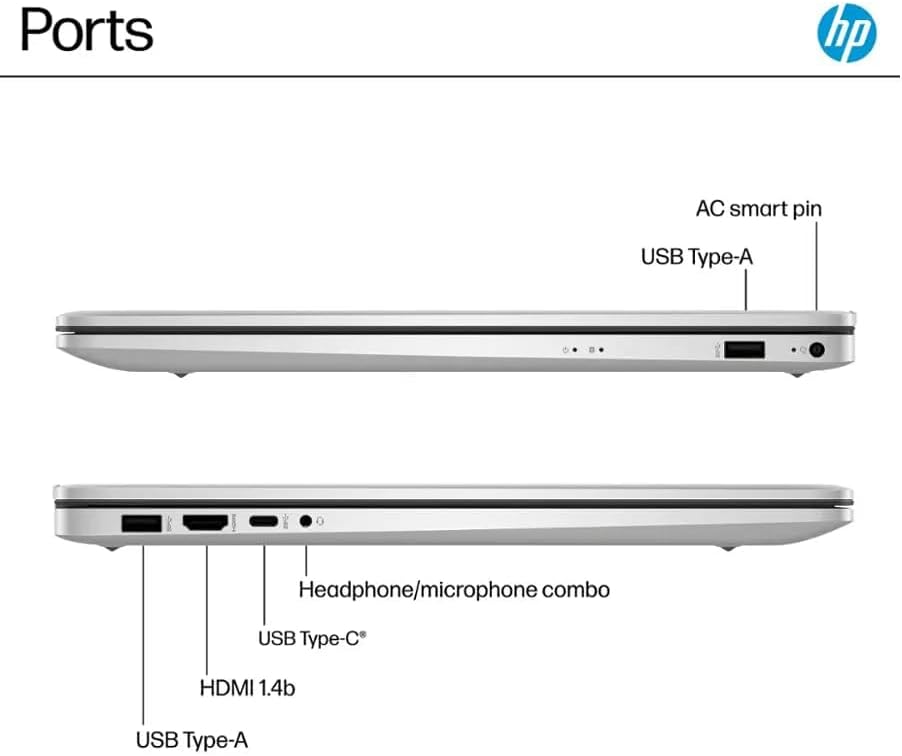
Figure 4: Available ports on the HP 17.3" Laptop PC.
4.3 Webcam and Audio
The integrated webcam is located above the display, suitable for video calls and conferences. The laptop features HD Audio with stereo speakers and an integrated microphone for clear sound input and output.
5. Maintenance
To ensure the longevity and optimal performance of your HP laptop, consider the following maintenance tips:
- Cleaning: Regularly clean the screen with a soft, lint-free cloth and the keyboard with compressed air. Avoid harsh chemicals.
- Software Updates: Keep your Windows 11 Pro operating system and drivers updated to ensure security and performance.
- Battery Care: While the laptop offers up to 9 hours of battery life, avoid consistently draining the battery to 0% or keeping it plugged in at 100% for extended periods.
- Physical Protection: Transport the laptop in a protective sleeve or bag to prevent scratches and impacts.
6. Troubleshooting
If you encounter issues with your HP laptop, try these basic troubleshooting steps:
- No Power: Ensure the power adapter is securely connected to both the laptop and a working power outlet. Try a different outlet if available.
- System Unresponsive: Press and hold the power button for 10-15 seconds to perform a hard shutdown, then restart the laptop.
- Connectivity Issues: For Wi-Fi, ensure your router is working and try reconnecting. For Bluetooth, ensure the device is paired correctly and within range.
- Display Problems: If the screen is blank, try connecting an external monitor via HDMI to check if the issue is with the laptop's display or graphics output.
For persistent issues, refer to the HP support website or contact customer service.
7. Specifications
| Feature | Specification |
|---|---|
| Brand | HP |
| Model Name | HP Laptop 17 |
| CPU Model | AMD Ryzen 5 7430U |
| Processor Speed | Up to 4.3 GHz |
| RAM Memory | 32 GB DDR4 |
| Hard Disk Size | 1 TB SSD |
| Operating System | Windows 11 Pro |
| Screen Size | 17.3 Inches |
| Display Resolution | 1920 x 1080 (Full HD) |
| Graphics Coprocessor | AMD Radeon Graphics |
| Wireless Technology | Wi-Fi 6, Bluetooth 5.0 |
| Ports | 2x USB Type-A 3.0, 1x USB Type-C, 1x HDMI, 1x Headphone/microphone combo, 1x AC Smart Pin |
| Battery Life | Up to 9 Hours |
| Item Weight | 4.6 Pounds |
| Dimensions (L x W x T) | 15.78" x 10.15" x 0.78" |
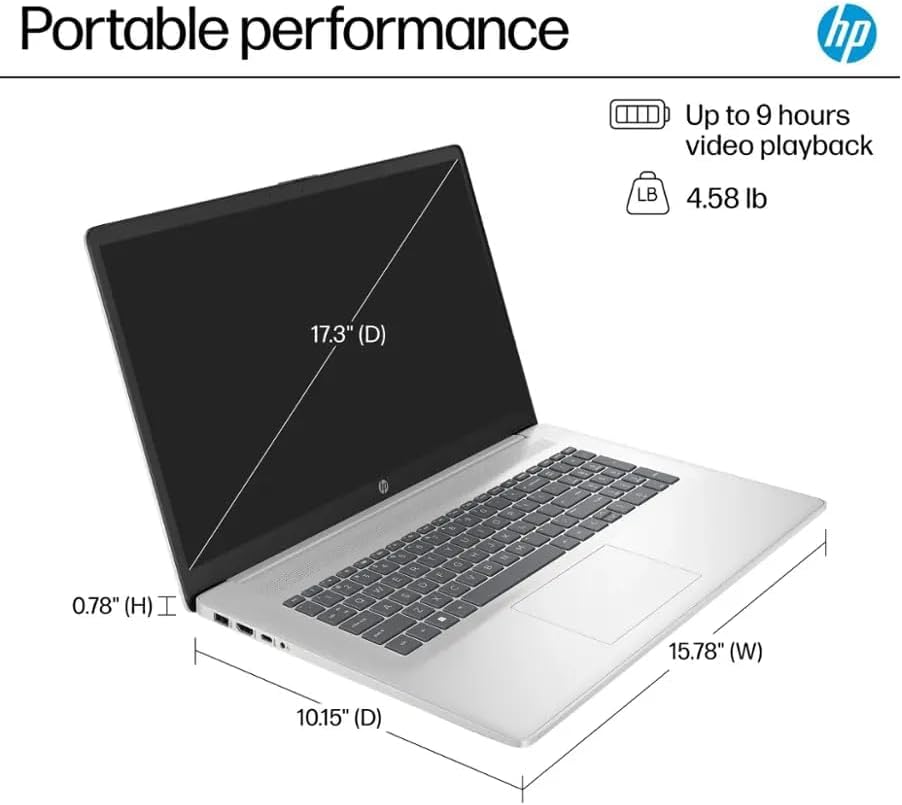
Figure 5: Physical dimensions and weight of the HP 17.3" Laptop PC.
8. Warranty & Support
Your HP 17.3" Laptop PC comes with a warranty to protect against manufacturing defects. Please note the following details:
- A 1-year warranty on the upgraded RAM/SSD is provided by the seller.
- Remaining components are covered by the original 1-year manufacturer's warranty from HP.
For warranty claims or technical assistance, please contact the seller for RAM/SSD related issues or HP customer support for other hardware components. Keep your purchase receipt and product serial number readily available.