
1. Introduction
The Axtel UC35 Stereo Wired Headset is designed for professional use in office, remote, and hybrid work environments. It features dual noise-cancelling microphones, 40mm HD speakers, and an inline control module for convenient audio management. This manual provides detailed instructions for setting up, operating, and maintaining your headset.
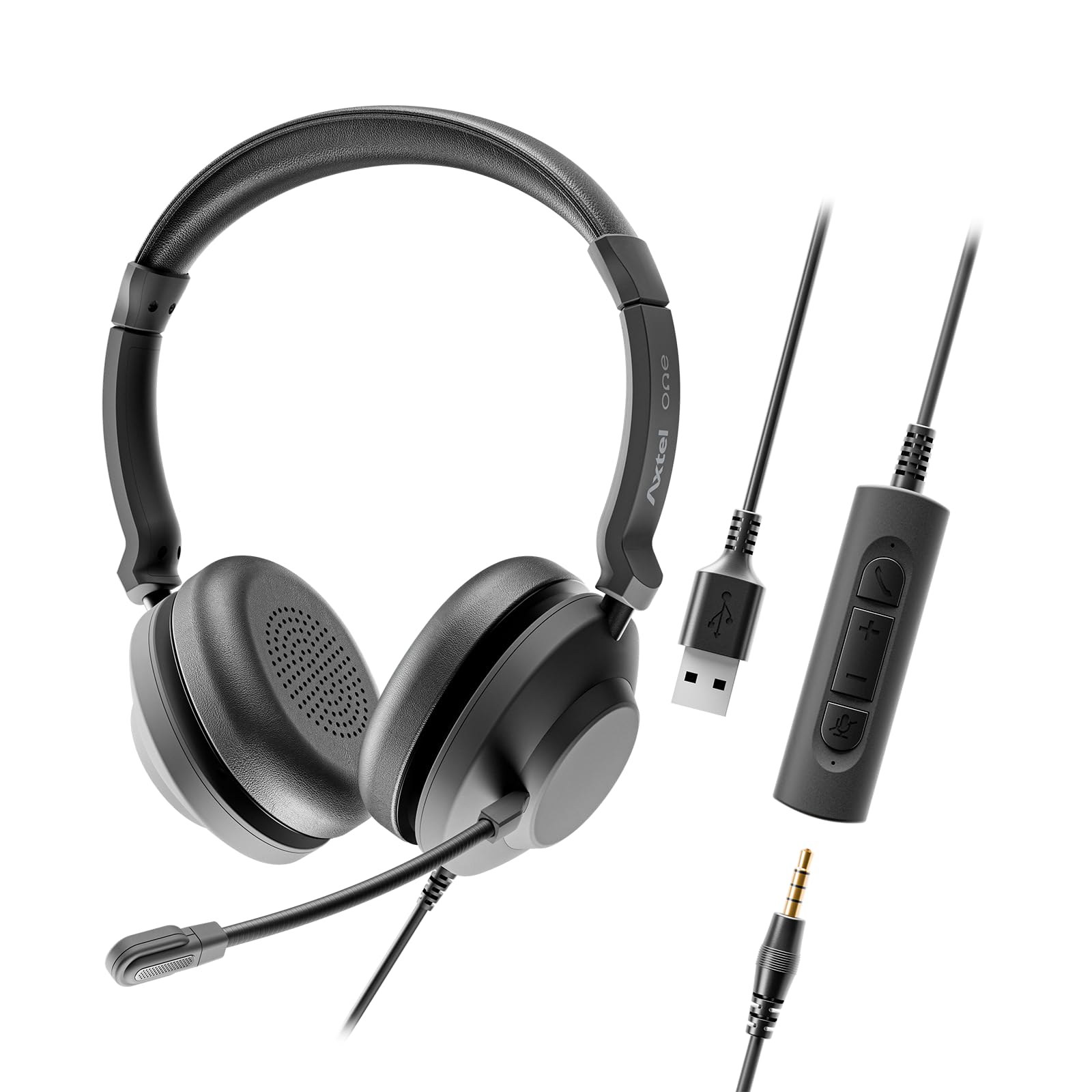
Image 1.1: Axtel UC35 Stereo Wired Headset with microphone boom extended.
2. What's in the Box
Verify that all components are present in the package:
- Axtel UC35 Stereo Wired Headset
- Inline Control Module with USB-A connector
- Soft carrying pouch

Image 2.1: The inline control module, showing the 3.5mm jack for headset connection and the USB-A connector for device connection.
3. Setup
3.1 Connecting the Headset
The Axtel UC35 headset offers flexible connectivity options:
- USB-A Connection: Connect the USB-A plug of the inline control module directly to an available USB-A port on your computer or laptop. The headset is plug-and-play, requiring no additional drivers.
- 3.5mm Jack Connection: Detach the inline control module from the headset's 3.5mm jack. Plug the 3.5mm jack directly into the audio port of your compatible device (e.g., laptop, tablet, smartphone).

Image 3.1: The inline control module separated from the headset's 3.5mm jack, illustrating the dual connectivity options.
3.2 Adjusting the Headset
For optimal comfort and audio performance, adjust the headset as follows:
- Headband Adjustment: Gently slide the earcups up or down along the headband until they rest comfortably over your ears. The headband should sit securely on your head without excessive pressure.
- Earcup Orientation: Ensure the earcups fully cover your ears. The soft vegan leather cushions are designed for extended wear.

Image 3.2: Top view of the headset, highlighting the adjustable headband for a customized fit.
3.3 Microphone Positioning
Proper microphone positioning is crucial for clear voice transmission:
- Position the microphone boom approximately 1-2 centimeters (0.4-0.8 inches) from the corner of your mouth.
- Ensure the microphone is aligned with your mouth to capture your voice effectively and utilize the noise-cancelling feature.

Image 3.3: Diagram illustrating key features of the Axtel UC35 headset, including the noise-cancelling microphone.
4. Operating Instructions
4.1 Inline Control Module
The inline control module provides easy access to essential functions:
- Volume Up (+): Press to increase listening volume.
- Volume Down (-): Press to decrease listening volume.
- Microphone Mute: Press the microphone icon button to mute or unmute your microphone. A red indicator light on the module typically signifies that the microphone is muted.
- Call Answer/End: Press the phone icon button to answer an incoming call or end an active call.

Image 4.1: Close-up view of the inline control module, showing the volume, mute, and call control buttons.
4.2 Busy Light Indicator
The inline control module features a busy light indicator. This light automatically illuminates when you are on a call, signaling to others that you are occupied and helping to reduce interruptions.
4.3 Platform Compatibility
The Axtel UC35 headset is universally compatible with leading communication platforms, including Microsoft Teams, Zoom, Skype, and Webex, ensuring seamless integration into your existing workflow.
5. Maintenance
5.1 Cleaning
To maintain hygiene and prolong the life of your headset:
- Wipe the ear cushions and headband with a soft, damp cloth. Avoid using harsh chemicals or abrasive cleaners.
- Gently clean the microphone and inline control module with a dry, soft cloth.
5.2 Storage
When not in use, store your headset in the provided soft carrying pouch to protect it from dust and damage. Avoid storing it in extreme temperatures or direct sunlight.
6. Troubleshooting
If you encounter issues with your Axtel UC35 headset, refer to the following common solutions:
| Problem | Possible Solution |
|---|---|
| No sound from headset |
|
| Microphone not working |
|
| Poor audio quality |
|
7. Specifications
Detailed technical specifications for the Axtel UC35 Stereo Wired Headset:
- Model Name:
- One UC35 stereo USB-A AMZ
- Model Number:
- AXH-ONEUCD-35-AMZ
- Connectivity:
- Wired (USB-A and 3.5mm Jack)
- Speaker Size:
- 40 mm
- Speaker Frequency Response:
- 20 Hz - 20,000 Hz
- Microphone:
- Dual Noise-Cancelling
- Digital Signal Processing (DSP):
- Yes
- Acoustic Protection Technology:
- Yes, < 118 dB(A)
- Automatic Gain Control:
- Yes
- Busy Light Indicator:
- Yes
- Ear Cup and Headband Material:
- Memory Foam, Vegan Leather
- Wearing Style:
- Stereo, On-Ear
- Plug & Play:
- Yes

Image 7.1: Visual representation of the Axtel UC35 headset alongside its technical specifications.
8. Warranty and Support
8.1 Warranty Information
The Axtel UC35 Stereo Wired Headset comes with a 1-Year Limited Manufacturer Warranty. This warranty covers defects in materials and workmanship under normal use. Please retain your proof of purchase for warranty claims.
8.2 Customer Support
For further assistance, technical support, or warranty inquiries, please refer to the official Axtel website or contact their customer service department. Contact information can typically be found on the product packaging or the manufacturer's official website.