
Introduction
This manual provides detailed instructions for the safe and effective use of your Coast FL97R Voice-Controlled 1200 Lumen Rechargeable LED Headlamp. Please read this manual thoroughly before operating the device and retain it for future reference.

The Coast FL97R Voice-Controlled 1200 Lumen Rechargeable LED Headlamp in Ocean Blue.
Product Overview
Key Features
- Voice Control Technology: Hands-free operation for power, modes, and beam shape.
- Glide Focus Radial Arm: Seamlessly adjust between flood and spot beams.
- ARC Area Lights: Soft, warm-white C.O.B. lights for reduced glare in close-up work.
- Four Color Modes: White primary beam, warm white side area lights, red, and green beams for various lighting needs.
- Rechargeable Plus Technology: Compatible with included ZX350 rechargeable battery or three AAA alkaline batteries.
- Durable Design: IP54 water- and dust-resistant construction.
What's in the Box
- Coast FL97R Headlamp
- ZX350 Rechargeable Battery
- USB-C Charging Cable

The package includes the FL97R headlamp, a USB-C charging cable, and a ZX350 rechargeable battery.
Setup
Battery Installation and Charging
- Install Battery: The FL97R headlamp comes with a ZX350 rechargeable battery. Ensure it is correctly inserted into the battery compartment. Alternatively, three AAA alkaline batteries (not included) can be used.
- Initial Charge: Before first use, fully charge the ZX350 rechargeable battery using the provided USB-C cable. Connect the USB-C end to the headlamp's charging port and the other end to a compatible USB power source. The charging indicator light will show charging status.
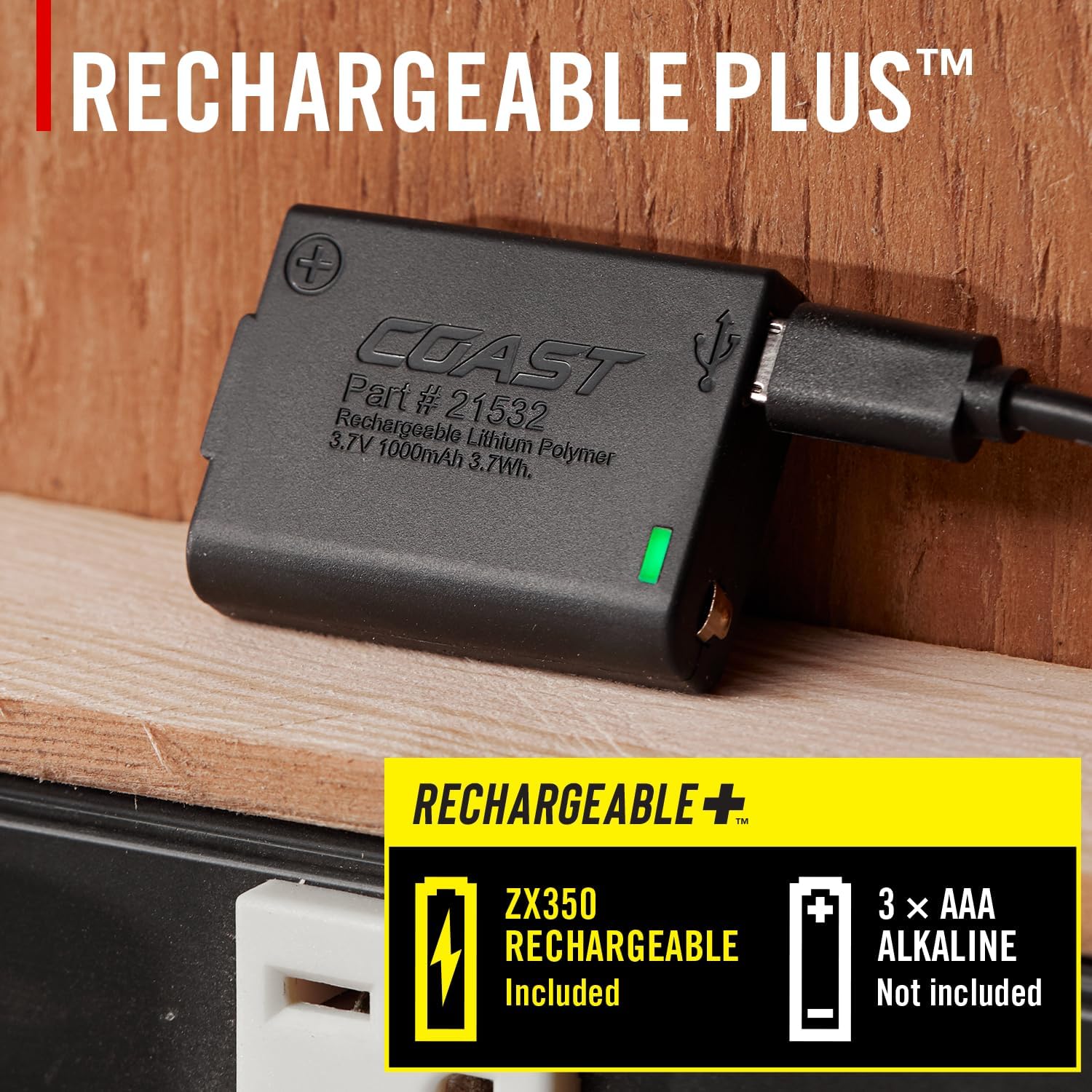
The headlamp supports both the included ZX350 rechargeable battery and standard AAA alkaline batteries.
Strap Adjustment
Adjust the elastic head strap to ensure a comfortable and secure fit on your head, helmet, or hardhat. The strap is designed for all-day comfort and stability.
Operating Instructions
Voice Control
The FL97R features voice control for hands-free operation. To activate voice control, ensure the headlamp is powered on. Use the following commands:
- "Coast On" - Powers on the headlamp.
- "Coast Off" - Powers off the headlamp.
- "Coast Low" - Sets brightness to Low.
- "Coast Medium" - Sets brightness to Medium.
- "Coast High" - Sets brightness to High.
- "Coast Turbo" - Activates maximum brightness (Turbo mode).
- "Coast Warm" - Activates warm white ARC area lights.
- "Coast Red" - Activates red light mode.
- "Coast Green" - Activates green light mode.
- "Coast Up" - Increases brightness.
- "Coast Down" - Decreases brightness.

Activate voice control by saying 'Coast On!'

A list of common voice commands for controlling the headlamp.
Manual Button Control
The headlamp also features physical buttons for manual control:
- Beam Power Button: Controls the main white beam (spot/flood). Press to cycle through brightness modes (Low, Medium, High, Turbo).
- Area Light Power Button: Controls the warm white ARC area lights. Press to cycle through brightness modes.
- Red/Green Power Button: Activates and cycles between red and green light modes.

The headlamp features dedicated buttons for beam power, area light power, and red/green modes, along with the Glide Focus radial arm.
Beam Adjustment (Glide Focus)
The Glide Focus Radial Arm allows you to easily transition the PURE BEAM optic between a focused spot beam and a wide flood beam. Rotate the arm to adjust the beam to your desired spread.
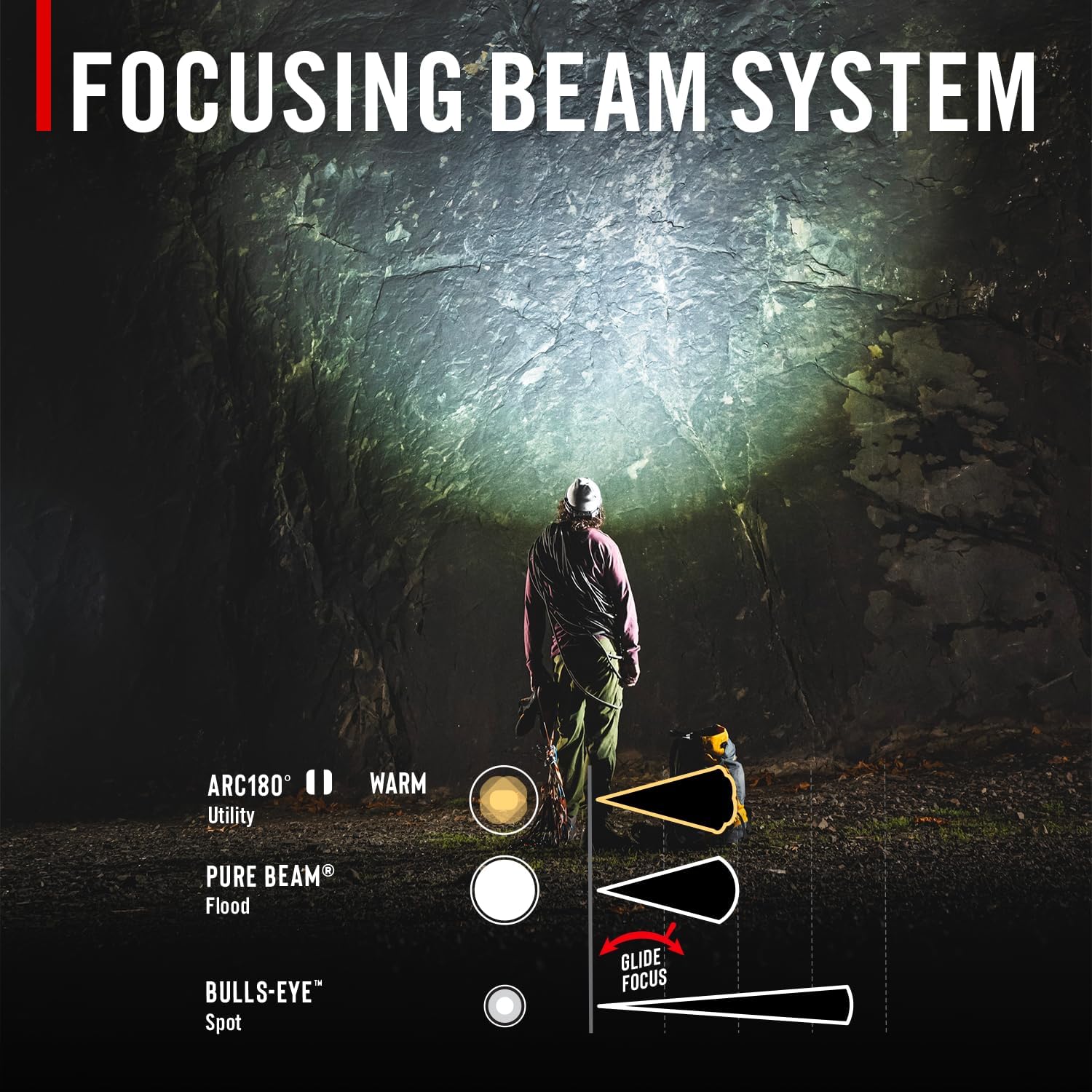
The Focusing Beam System allows adjustment from a wide flood to a concentrated spot beam using the Glide Focus.
Color Modes
The FL97R offers multiple light colors for different situations:
- White Primary Beam: For general illumination and maximum brightness.
- Warm White ARC Area Lights: Provides soft, diffused light ideal for close-up tasks and reducing glare.
- Red Beam: Preserves night vision and is useful for discreet navigation.
- Green Beam: Enhances visibility in certain environments and can be less disruptive to wildlife.

The headlamp features both red and green light modes for specialized use.
Maintenance
Cleaning
Wipe the headlamp with a soft, damp cloth to remove dirt and debris. Do not use abrasive cleaners or solvents, as these can damage the finish or internal components. Ensure the charging port cover is securely closed to maintain water resistance.
Battery Care
- For optimal performance, fully charge the ZX350 rechargeable battery regularly.
- If using AAA alkaline batteries, replace all three batteries at the same time with new ones. Do not mix old and new batteries or different battery types.
- Remove batteries if the headlamp will not be used for an extended period to prevent leakage.
Storage
Store the headlamp in a cool, dry place away from direct sunlight and extreme temperatures. Ensure the headlamp is clean and dry before storage.
Troubleshooting
- Headlamp not turning on: Check battery charge level or replace AAA batteries. Ensure the battery is correctly inserted.
- Voice control not responding: Ensure you are speaking clearly and at a normal volume. Check for any obstructions near the microphone. Try using manual button controls.
- Dim or flickering light: Recharge the battery. If using AAA batteries, replace them.
- Charging issues: Ensure the USB-C cable is properly connected to both the headlamp and the power source. Try a different USB-C cable or power adapter.
If problems persist, refer to the support section for assistance.
Specifications
| Feature | Specification |
|---|---|
| Model Number | FL97R |
| Light Output (Max) | 1250 Lumens |
| Beam Distance (Max) | 225 meters |
| Run Time (Max) | 15 hours |
| Power Source | ZX350 Rechargeable Battery (included) or 3x AAA Alkaline Batteries (not included) |
| Water Resistance | IP54 (Water and Dust Resistant) |
| Light Source Type | LED |
| Material | Plastic |
| Dimensions (L x W x H) | 2.4" x 1.9" x 2.2" |

Detailed product specifications certified to ANSI standards.
Warranty
The Coast FL97R Headlamp is backed by the COAST Lifetime Warranty. This warranty covers defects in materials and workmanship for the lifetime of the original owner. For full details and to register your product, please visit the official Coast website or contact customer support.
Support
For further assistance, technical support, or warranty claims, please contact Coast customer service:
- Website: www.coastportland.com
- Email: Refer to the official website for contact forms or email addresses.
- Phone: Refer to the official website for phone support numbers.
Please have your product model number (FL97R) and purchase information ready when contacting support.