
1. Introduction
This manual provides detailed instructions for the SJCAM C300W 4K Dual Touchscreen Action Camera. Please read this guide thoroughly before using your device to ensure proper operation and maintenance. The SJCAM C300W is a compact, high-performance action camera designed to capture your adventures in stunning 4K resolution with the convenience of dual touchscreens.

Figure 1: SJCAM C300W 4K Dual Touchscreen Action Camera with included accessories.
2. What's Included
Verify that all the following items are present in your package:
- SJCAM C300 4K Dual Touchscreen Action Camera (White)
- 64GB Extreme Pro microSDXC Memory Card
- USB-C Adapter
- Deluxe Cleaning Kit
- Memory Card Wallet
- Memory Card Reader
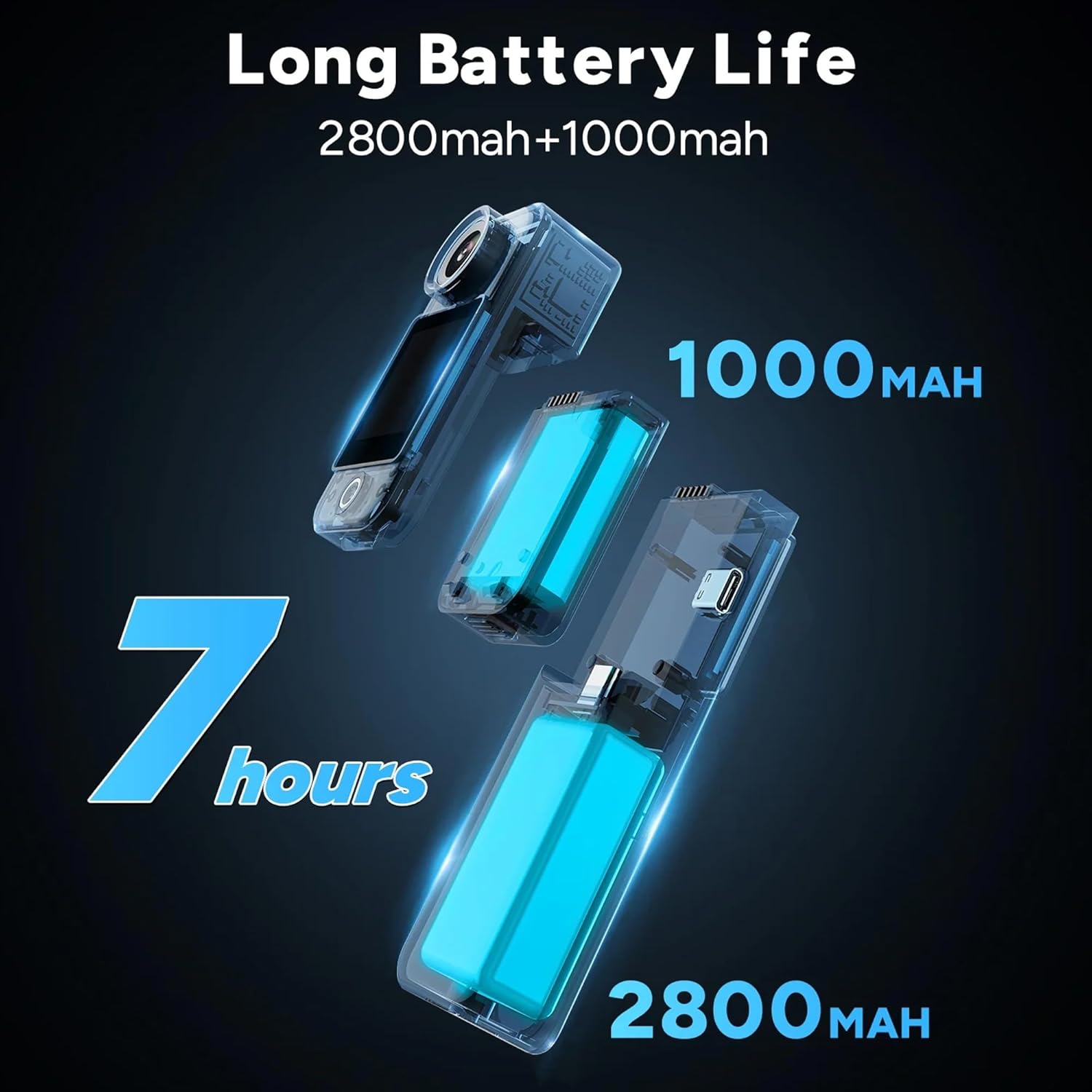
Figure 2: All components included in the SJCAM C300W bundle.
3. Product Overview
The SJCAM C300W features a compact design with dual touchscreens for versatile operation. The main camera unit is detachable from the larger battery stick, offering flexibility in usage scenarios.
3.1 Key Features
- 4K Ultra HD Recording: Capture video at 30 frames per second.
- Dual Touchscreens: Front and rear 1.3-inch displays for easy framing and control.
- Modular Battery System: Main unit (1000mAh) and battery stick (2700mAh) for extended recording times.
- 6-Axis EIS: Electronic Image Stabilization for smooth footage.
- Waterproof Design: IP65 rating, with optional waterproof housing for deeper dives.
- Wi-Fi Connectivity: Connect to the SJCAM Zone app for remote control and live streaming.

Figure 3: Overview of key features of the SJCAM C300W.
3.2 Physical Components
- Camera Lens: Front-facing lens with 154° FOV.
- Dual Touchscreens: 1.3-inch screens on both front and rear.
- Power/Record Button: Located on the main unit.
- USB Type-C Port: For charging and data transfer.
- MicroSD Card Slot: Supports cards up to 128GB.
- Microphone: Integrated for audio recording.
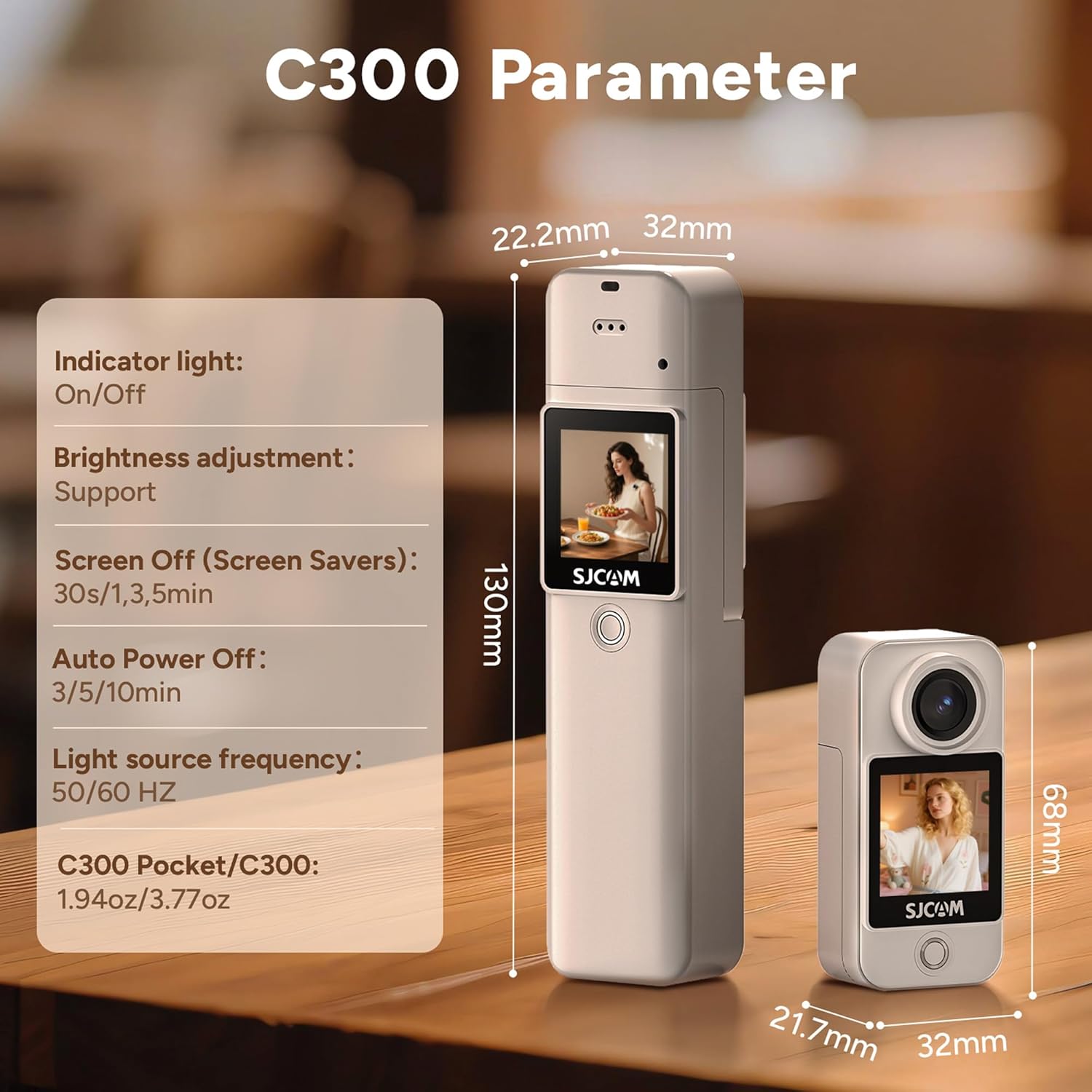
Figure 4: The SJCAM C300W in its waterproof housing for underwater use.
4. Setup
4.1 Battery Installation and Charging
- Ensure the main camera unit is securely attached to the battery stick.
- Connect the provided USB Type-C cable to the camera's port and a power source.
- The charging indicator light will illuminate. Charging is complete when the light turns off.
4.2 MicroSD Card Installation
- Locate the microSD card slot on the side of the camera unit.
- Insert the 64GB Extreme Pro microSDXC Memory Card with the gold contacts facing the back of the camera until it clicks into place.
- To remove, gently push the card until it springs out.
4.3 Powering On/Off
- Power On: Press and hold the Power/Record button for a few seconds until the screen illuminates.
- Power Off: Press and hold the Power/Record button for a few seconds until the screen turns off.
4.4 SJCAM Zone App Installation & Connection
- Download the