
Introduction
The Sharper Image Powerboost Move Aero is a compact, portable percussion massage gun designed for muscle recovery and pain relief. It features deep tissue percussion massage, a whisper-quiet brushless motor, and a soft-touch texture for comfortable use. With four massage speeds and four interchangeable attachments, it offers customizable relief for various muscle groups. This manual provides essential information for setting up, operating, maintaining, and troubleshooting your device.
What's Included
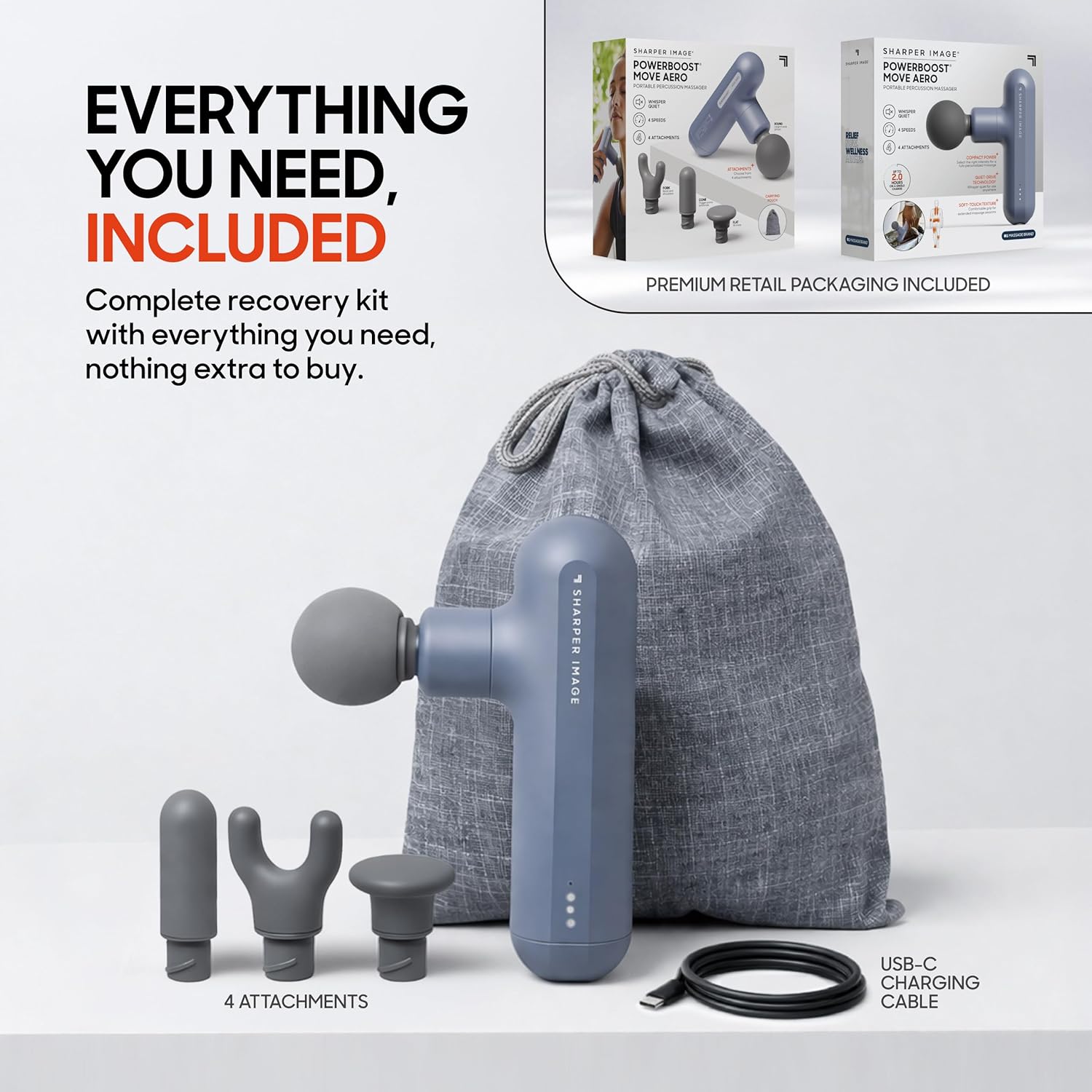
Your Sharper Image Powerboost Move Aero package includes the following items:
- Powerboost Move Aero Massage Gun
- USB-C Charging Cable
- Four (4) Interchangeable Attachments: Flat, Round, Cone, Fork
- Stylish Thatch Carrying Bag
Setup
- Charge the Device: Before first use, fully charge the massage gun using the provided USB-C cable. The charging port is located at the bottom of the handle. The indicator lights will show charging progress. A full charge takes approximately 3 hours.
- Select an Attachment: Choose one of the four interchangeable attachments based on your massage needs. Gently push the desired attachment into the opening at the front of the massage gun until it is securely in place.
- Power On: Press and hold the power button located on the bottom of the handle for a few seconds to turn on the device.
Operating Instructions
- Adjust Speed: Once powered on, press the power button repeatedly to cycle through the four available speed settings. The indicator lights on the handle will illuminate to show the current intensity level.
- Apply to Muscles: Gently press the massage gun onto the desired muscle area. Move it slowly across the muscle, applying light to moderate pressure. Avoid direct contact with bones, joints, or sensitive areas.
- Duration: Use the massage gun for approximately 1-2 minutes per muscle group. Do not exceed 15 minutes of continuous use on any single area.
- Power Off: To turn off the device, press and hold the power button until the lights turn off.

Interchangeable Attachments
The Powerboost Move Aero comes with four specialized attachments to target different muscle groups and massage needs:
- Round Head: Ideal for large muscle groups like quads, glutes, and hamstrings, providing a general, comfortable massage.
- Cone Head: Designed for deep-tissue targeting and pinpointing trigger points or stubborn knots in smaller areas.
- Fork Head: Suitable for muscles around the spine, neck, and Achilles tendon, allowing for targeted pressure on parallel muscle lines.
- Flat Head: Versatile for general use and deep impact on various body parts, offering a broader contact surface for muscle relief.

Charging
To charge your Powerboost Move Aero massage gun:
- Connect the provided USB-C charging cable to the charging port at the bottom of the device.
- Plug the other end of the USB-C cable into a compatible USB power adapter (not included) or a USB port.
- The indicator lights will show the charging status. All lights will be solid when fully charged.
A full charge takes approximately 3 hours and provides up to 2 hours of battery life, depending on the intensity setting used.
Maintenance
- Cleaning: Wipe the device and attachments with a slightly damp cloth after each use. Do not immerse the device in water or use harsh chemicals.
- Storage: Store the massage gun and all attachments in the provided carrying bag when not in use. Keep it in a cool, dry place away from direct sunlight.
Troubleshooting
| Problem | Possible Cause | Solution |
|---|---|---|
| Device does not turn on | Low battery | Charge the device fully. |
| Weak percussion | Low battery or incorrect speed setting | Recharge the device or increase the speed setting. |
| Attachment falls off | Attachment not securely inserted | Ensure the attachment is pushed firmly into place. |
Specifications
- Model Number: 1019690
- Dimensions: 3.35 x 1.71 x 6.46 inches
- Weight: 1.5 Pounds
- Power Source: Battery Powered (1 Nonstandard Battery included)
- Battery Average Life: 2 Hours
- Charging Time: 3 Hours
- Massage Therapy Technique: Percussion
- Massage Speeds: 4 Intensity Levels
- Attachments: 4 (Flat, Round, Cone, Fork)
- Special Features: Lightweight, Portable, Quiet, Rechargeable, Speed Control
Warranty and Support
For warranty information, product support, or to inquire about protection plans, please refer to the documentation included with your purchase or contact Sharper Image customer service directly. Protection plans may be available through your retailer.