
1. Important Safety Information
Please read this entire manual carefully before operating the MJWW Walking Pad. Retain this manual for future reference.
General Safety Warnings:
- Ensure the treadmill is placed on a flat, stable surface.
- Keep children and pets away from the treadmill during operation.
- Do not use the treadmill if you weigh more than 300 lbs (136 kg).
- Wear appropriate athletic footwear.
- Stop exercising immediately if you feel dizzy, nauseous, or experience pain.
- Do not attempt to repair or modify the treadmill yourself. Contact customer service for assistance.
Electrical Safety:
- Plug the treadmill into a grounded electrical outlet.
- Unplug the treadmill from the power source when not in use, before cleaning, or before performing any maintenance.
- Keep the power cord away from hot surfaces.
2. Package Contents
Verify that all components are present in the package:
- MJWW Walking Pad Treadmill x1
- Remote Controller x1
- Lubricating Oil x1
- 5# Wrench x1
- User Manual x1
- Power Cord x1

Figure 2.1: Included Components
3. Setup
Follow these steps to set up your MJWW Walking Pad:
- Unpack the Treadmill: Carefully remove the treadmill and all accessories from the packaging.
- Placement: Place the treadmill on a level, hard surface. Ensure there is adequate space around the treadmill for safe operation. The compact design allows for placement under desks or in small areas.
- Power Connection: Connect the power cord to the treadmill and then to a grounded electrical outlet.

Figure 3.1: Easy Movement and Storage
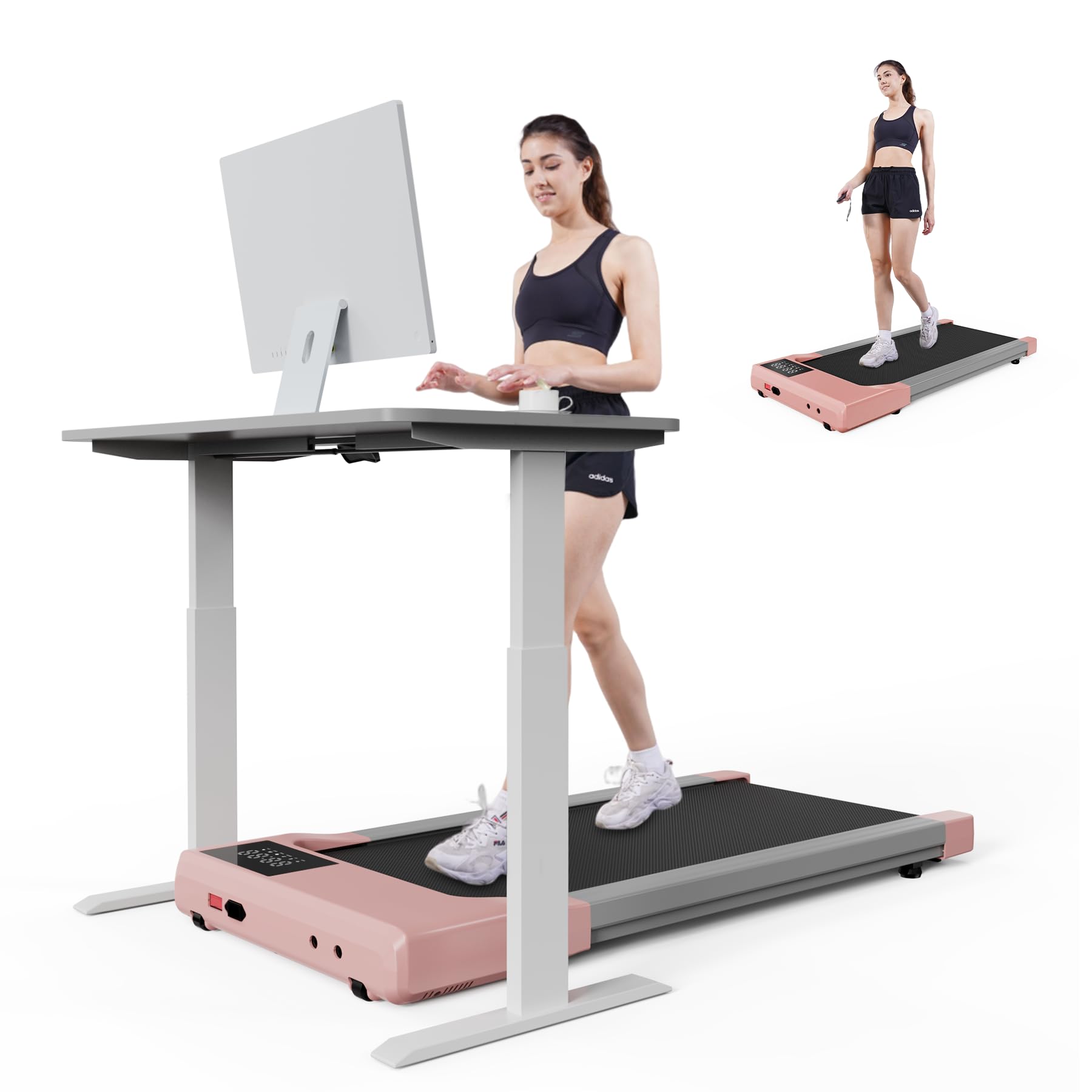
Figure 3.2: Treadmill in a Home Office Setting
4. Operating Instructions
4.1 Basic Operation
- Power On: Flip the main power switch located at the front of the treadmill to the 'ON' position.
- Start/Stop: Use the remote control to start and stop the treadmill. Press the play/pause button to begin or end a workout.
- Speed Adjustment: Use the '+' and '-' buttons on the remote control to increase or decrease the speed. The speed range is 0.6 to 3.8 MPH.
- LED Display: The integrated LED display shows real-time data including time, speed, distance, and calories burned.

Figure 4.1: LED Display and Remote Control
Video 4.1: A beginner's guide to operating the MJWW Walking Pad, covering essential functions and initial setup steps.
4.2 PitPat App Integration
Enhance your workout experience by connecting the treadmill to the PitPat APP:
- Download the PitPat app from your device's app store.
- Pair your treadmill with the app via Bluetooth.
- The app tracks fitness data including calories burned, speed, time, and distance.
- Access various training courses and challenges through the app.

Figure 4.2: PitPat App Interface

Figure 4.3: Treadmill with App and Remote Control
4.3 Modes of Use
The MJWW Walking Pad supports various activity modes:
- Walking Mode: Ideal for light activity, typically 0.6-1.6 MPH.
- Working Mode: Use while standing at a desk, typically 0.6-1.6 MPH.
- Reading Mode: Moderate pace, typically 1.6-2.6 MPH.
- Running Mode: Higher intensity, typically 2.6-3.8 MPH.

Figure 4.4: Treadmill Usage Modes
5. Maintenance
5.1 Belt Adjustment
If the treadmill belt becomes misaligned and cannot be corrected by standard adjustment, guide belt hooks can be installed:
- Ensure the treadmill is powered off and unplugged.
- Turn the equipment over to access the underside.
- Pull up the edge of the treadmill belt to locate the crossbeam.
- Install a guide hook into the protruding part of the edge of the crossbeam.
- Secure the guide hook by installing and tightening the screw clockwise with the L-shaped wrench.
- Repeat the process for the other side.
- Plug in the power supply, start the equipment at 0.6 MPH, and verify the belt is centered and running normally.
Video 5.1: This video demonstrates the process of installing guide belt hooks to correct treadmill belt misalignment, ensuring proper operation.
5.2 Lubrication
Regular lubrication of the running belt is essential for optimal performance and longevity. Refer to the specific instructions provided with the lubricating oil for frequency and application method.
5.3 Cleaning
Wipe down the treadmill surfaces with a damp cloth after each use. Avoid using abrasive cleaners or solvents.
6. Troubleshooting
If you encounter any issues with your MJWW Walking Pad, please refer to the following common problems and solutions:
- Treadmill not powering on: Check if the power cord is securely plugged into both the treadmill and the outlet. Ensure the main power switch is in the 'ON' position.
- Belt slipping: The running belt may need adjustment or lubrication. Refer to the maintenance section.
- Unusual noise: Ensure the treadmill is on a level surface. Check for any loose parts or foreign objects under the belt.
- Remote control not responding: Check the remote control battery. Ensure there are no obstructions between the remote and the treadmill's receiver.
If the problem persists, please contact customer service for further assistance.
7. Specifications
| Feature | Specification |
|---|---|
| Brand | MJWW |
| Model Name | BA |
| Product Dimensions (LxWxH) | 42.72"D x 20.17"W x 4.17"H |
| Item Weight | 40.12 Pounds |
| Material | Alloy Steel |
| Maximum Speed | 3.8 Miles per Hour |
| Minimum Speed | 0.6 Miles per Hour |
| Maximum Horsepower | 2.5 Horsepower |
| Maximum Weight Recommendation | 300 Pounds |
| Deck Length | 35.43 Inches |
| Deck Width | 15.35 Inches |
| Screen Size | 8.02 Inches |
| Special Feature | Compact Design |
| Assembly Required | No |

Figure 7.1: 2.5 HP Motor Overview

Figure 7.2: Low Noise Operation (Below 45dB)

Figure 7.3: 300 lbs Weight Capacity

Figure 7.4: 5-Layer Anti-Slip Belt for Reduced Impact
8. Warranty and Support
Warranty Information:
The MJWW Walking Pad comes with a 1-year warranty from the date of purchase. This warranty covers manufacturing defects under normal use conditions. Please retain your proof of purchase for warranty claims.
Customer Support:
For any questions regarding your product, technical assistance, or warranty claims, our professional customer service team is available 24 hours a day, 7 days a week. Please contact us via email through Amazon.