
1. Introduction
The Nilox ONAIR is a screenless smart band designed for continuous health and activity monitoring. Its minimal design ensures comfort for 24/7 wear, while its long-lasting battery supports extended use. The device integrates with a dedicated app to provide smart coaching and detailed insights into your well-being.
Key Features:
- Ultralight Design: Weighing only 15 grams, it offers continuous comfort day and night.
- Advanced 24/7 Monitoring: Tracks heart rate, HRV, SpO2, blood pressure, and body temperature for comprehensive wellness data.
- Exceptional Battery Life: Up to 25 days of use on a single charge.
- Nilox ONAIR App: Real-time Bluetooth synchronization, access to over 100 sports modes, guided breathing exercises, and a personal diary.
- GOMORE Algorithm: Provides intelligent analysis and personalized suggestions based on biometric data to enhance performance.
- Menstrual Cycle Monitoring: Customizable calendar for tracking menstrual cycles via the app.
2. What's in the Box
Verify that all components are present in the package:
- Nilox ONAIR Smart Band (main unit)
- Charging Cable
- Watch Strap (Blue)
- Additional Watch Strap (Grey)
- User Manual

Image: Nilox ONAIR Smart Band packaging and contents.
3. Product Overview
The Nilox ONAIR Smart Band consists of a main tracking unit and interchangeable straps. The main unit houses the sensors and charging contacts.
Main Unit:
- Sensors: Located on the underside of the unit, these monitor heart rate, SpO2, and other biometric data.
- Charging Contacts: Two metallic pins on the underside for connecting the charging cable.
- Side Button: A small button on the side for basic interactions (e.g., waking up the device, confirming actions).
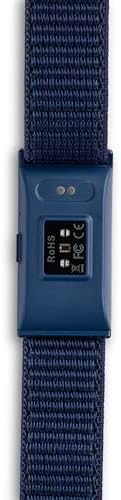
Image: Underside of the smart band with sensors.

Image: Side view of the smart band showing the button.
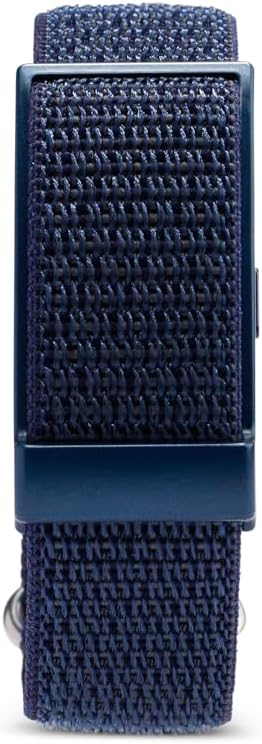
Image: Top view of the smart band.
4. Setup
4.1 Initial Charging
Before first use, fully charge your Nilox ONAIR Smart Band. Connect the charging cable to the contacts on the underside of the main unit and plug the USB end into a power source (e.g., computer USB port, USB wall adapter).
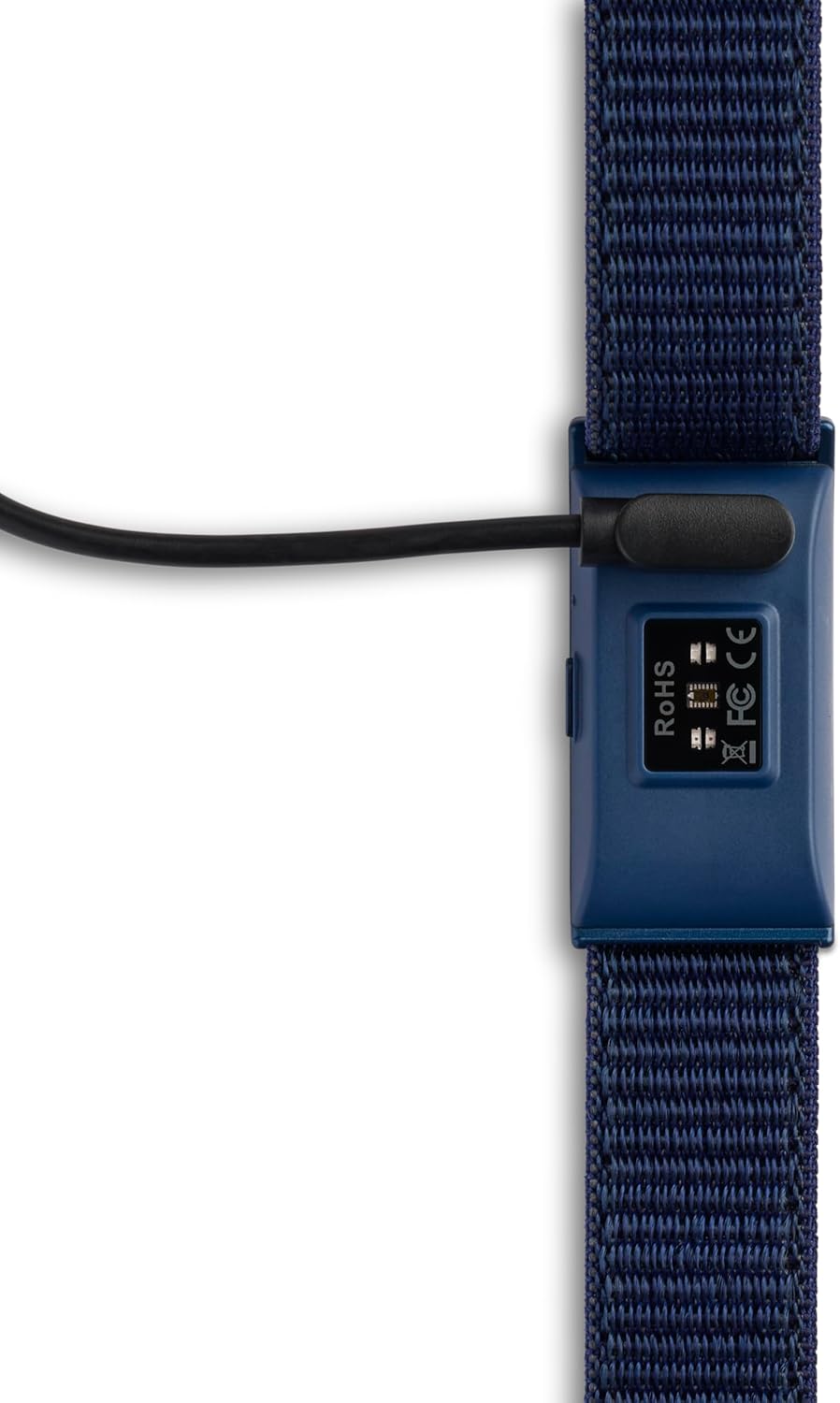
Image: Smart band connected to the charging cable.
4.2 App Installation
Download the Nilox ONAIR app from your smartphone's app store (iOS App Store or Google Play Store). Search for "Nilox ONAIR" and install the application.
4.3 Device Pairing
- Ensure your smartphone's Bluetooth is enabled.
- Open the Nilox ONAIR app and follow the on-screen instructions to create an account or log in.
- Select the option to add a new device. The app will search for nearby Nilox ONAIR bands.
- Select your device from the list to initiate pairing. Confirm any pairing requests on both your phone and the smart band (if prompted by a vibration or light pattern).
- Once paired, the app will synchronize with your smart band, and you can begin customizing settings and viewing data.
5. Operating Instructions
The Nilox ONAIR Smart Band operates primarily through its companion app, providing a comprehensive overview of your health and activity data.
5.1 24/7 Health Monitoring
The smart band continuously monitors various health metrics:
- Heart Rate: Tracks your heart rate throughout the day and during exercise.
- HRV (Heart Rate Variability): Provides insights into your autonomic nervous system and stress levels.
- SpO2 (Blood Oxygen Saturation): Measures the oxygen level in your blood.
- Blood Pressure: Estimates your blood pressure. Note: This feature is for reference only and not a substitute for medical devices.
- Body Temperature: Monitors your skin temperature.
All data is synchronized to the Nilox ONAIR app, where you can view trends, historical data, and detailed reports.
5.2 Activity and Sports Modes
The app offers over 100 sports modes. Select your activity in the app before starting your workout to get accurate tracking of calories burned, steps, distance, and heart rate zones.
5.3 Sleep Tracking
Wear the smart band during sleep to monitor your sleep patterns, including light sleep, deep sleep, and wake times. The app provides a detailed analysis of your sleep quality.
5.4 Smart Coaching and Personal Diary
The GOMORE Algorithm analyzes your biometric data to provide personalized suggestions for improving your well-being and sports performance. Use the personal diary feature in the app to log your progress and set new goals.
5.5 Menstrual Cycle Monitoring
Utilize the app's customizable calendar to track your menstrual cycle, predict ovulation, and monitor related symptoms.
5.6 Notifications
The smart band can provide vibration alerts for incoming calls and messages from your smartphone. Configure notification settings within the Nilox ONAIR app.
6. Maintenance
6.1 Cleaning
Regularly clean your smart band to ensure optimal performance and hygiene. Wipe the main unit and straps with a soft, damp cloth. Avoid using harsh chemicals or abrasive materials.
6.2 Strap Replacement
The Nilox ONAIR comes with interchangeable straps. To replace a strap, carefully detach the current strap from the main unit and attach the new strap, ensuring it clicks securely into place.

Image: Smart band with blue strap.

Image: Smart band with grey strap.
7. Troubleshooting
If you encounter issues with your Nilox ONAIR Smart Band, try the following steps:
- Device Not Connecting: Ensure Bluetooth is on, the app is open, and the band is charged. Try restarting both your phone and the smart band.
- Inaccurate Data: Ensure the band is worn snugly on your wrist, not too tight or too loose. Clean the sensors regularly. Environmental factors or movement can sometimes affect readings.
- Battery Draining Quickly: Reduce the frequency of continuous monitoring or notifications if not needed. Ensure the band is fully charged.
- App Not Syncing: Check your internet connection. Close and reopen the app. Ensure the app has necessary permissions on your phone.
- No Vibration Alerts: Check notification settings in the Nilox ONAIR app and your phone's system settings to ensure the app has permission to send notifications.
If problems persist, consult the official Nilox support resources or contact customer service.
8. Specifications
| Feature | Detail |
|---|---|
| Brand | Nilox |
| Model Name | Onair |
| Weight | 15 grams (device only) / 180 grams (package) |
| Dimensions (Package) | 16.7 x 15.2 x 3.7 cm |
| Display | Screenless |
| Memory Capacity | 64 MB |
| Operating System | Unknown |
| Compatible Devices | Smartphones |
| Connectivity Technology | Bluetooth |
| Wireless Standard | Bluetooth |
| Input Interface | Touchscreen (implied for app interaction, but device itself is screenless) |
| Battery Life | Up to 25 Days |
| Battery Capacity | 180 (unknown modifier) |
| GPS | No GPS |
| Shape | Rectangular |
9. Warranty and Support
For warranty information, product support, or to report any issues not covered in this manual, please refer to the official Nilox website or contact their customer service department. Keep your proof of purchase for warranty claims.
Online resources and FAQs may also be available on the Nilox support pages.


