
1. Important Safety Instructions
When using electrical appliances, basic safety precautions should be followed, including the following:
- Read all instructions before using the appliance.
- Do not operate any appliance with a damaged cord or plug, or after the appliance malfunctions or has been damaged in any manner.
- Do not heat liquids or other foods in sealed containers as they are liable to explode.
- Do not attempt to tamper with or make any adjustments or repairs to the door, control panel, safety interlock switches, or any other part of the microwave.
- Ensure proper ventilation around the microwave. Do not block any ventilation openings.
- Always use microwave-safe cookware. Metal containers or foil can cause arcing and damage the oven.
- Supervise children closely when the microwave is in use.
- This appliance is designed for commercial use.
2. Product Overview
The Frigidaire Commercial Microwave Oven EMW965 is designed for efficient and reliable performance in high-volume settings. It features a durable stainless steel construction and a flatbed design for maximized interior space and easy cleaning.
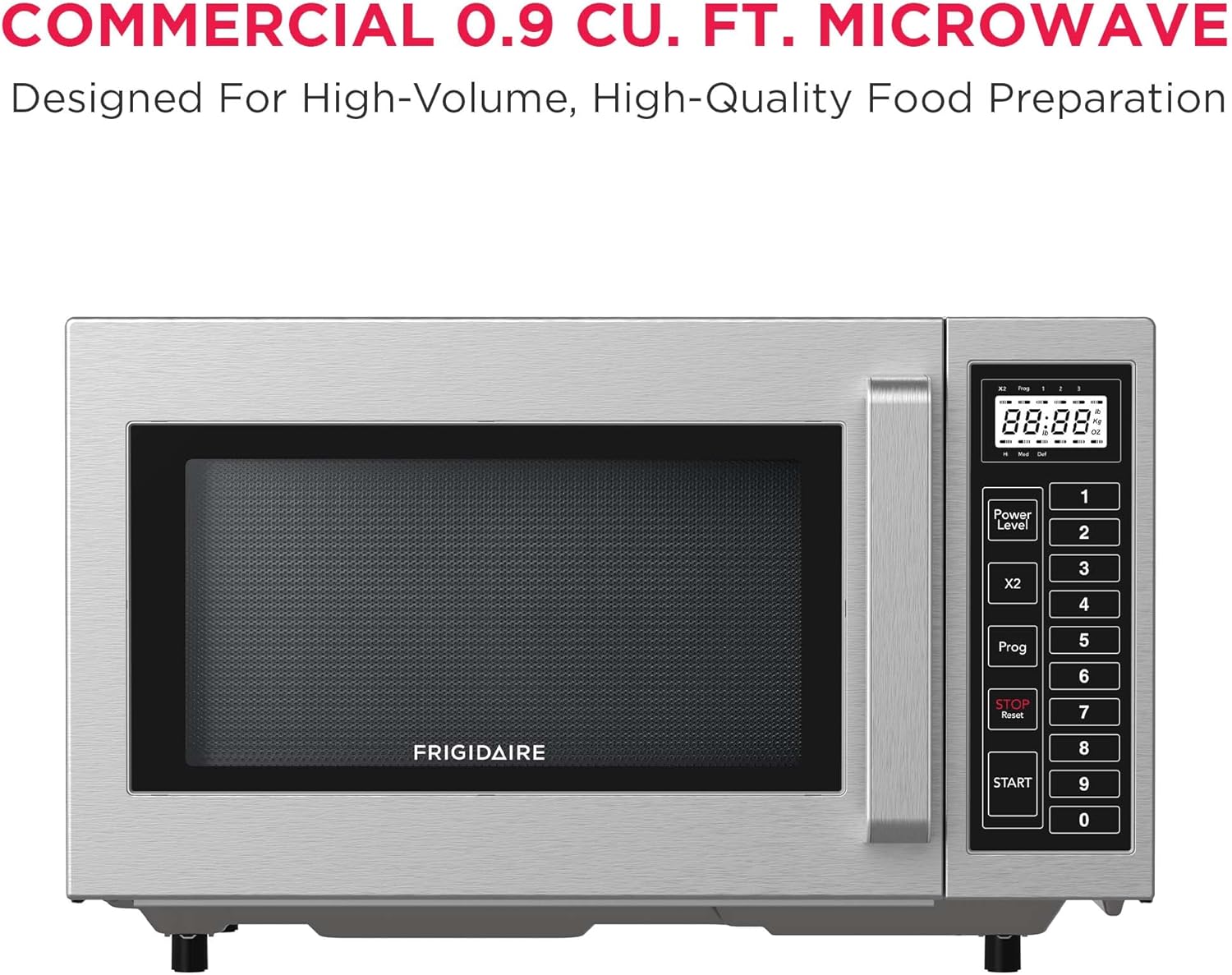
Front view of the Frigidaire Commercial Microwave Oven EMW965, showcasing its stainless steel exterior and control panel.
Key Features:
- Spacious 0.9 cu. ft. Capacity: Accommodates various dish sizes.
- Commercial-Grade Performance: Designed for consistent results in demanding environments.
- Ceramic Bottom Heating Surface: Ensures even heating without a turntable and simplifies upkeep.
- Powerful 1000W Output: Delivers fast and efficient cooking.
- All-Stainless Steel Interior & Exterior: Provides durability and easy cleaning.
- Sleek Flatbed Design: Maximizes usable space and simplifies cleaning by eliminating the need for a turntable.
- Large Transparent Glass Door: Allows monitoring of food without opening the microwave.
- Easy-Touch LED Control Panel & Intuitive Keypad: User-friendly operation for precision cooking.
- 10 Programmable Memory Pads: For flexible minute capacity, presets, power levels, and program lists.

Image illustrating key features such as fast cooking, flatbed ceramic interior, all-stainless steel design, and programmable LED controls.
3. Setup and Installation
3.1 Unpacking
Carefully remove the microwave oven and all packing materials from the carton. Check the oven for any damage, such as dents or a broken door. Do not operate the oven if it is damaged. Contact customer service for assistance.
3.2 Placement
- Place the microwave on a flat, stable surface strong enough to support its weight (approximately 25 pounds).
- Ensure there is adequate space for ventilation: at least 4 inches (10 cm) of clearance on the top, sides, and rear of the oven. Do not block any air vents.
- Keep the microwave away from heat sources, steam, or splashing liquids.
- This microwave is designed for countertop installation.
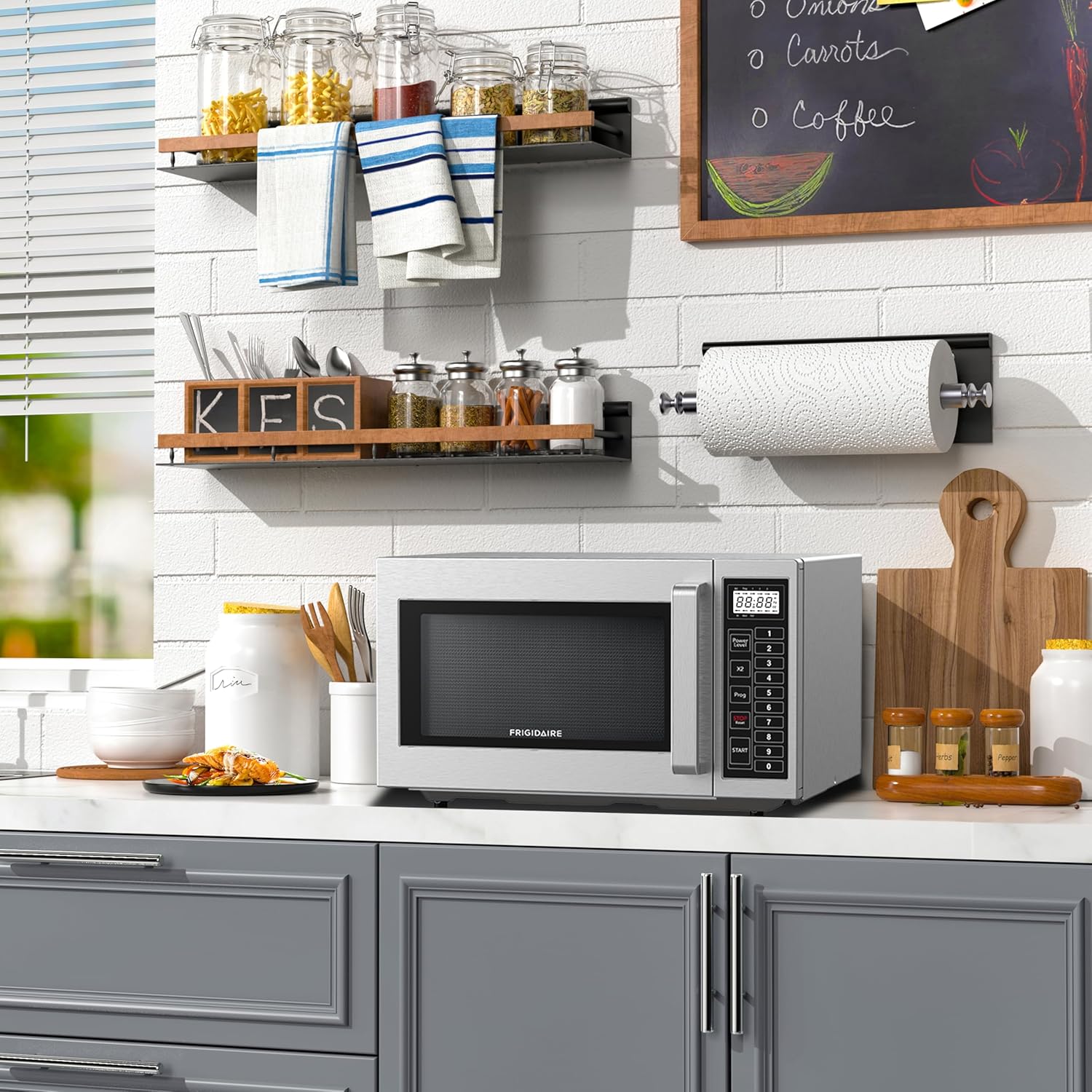
The Frigidaire Commercial Microwave Oven EMW965 placed on a kitchen counter, demonstrating typical installation.
3.3 Electrical Connection
The microwave oven must be plugged into a properly grounded 120V, 60Hz AC outlet with a dedicated circuit. Do not use extension cords or multiple outlet adapters.
4. Operating Instructions
The Frigidaire EMW965 features an easy-touch LED control panel and intuitive keypad for precise cooking.

Close-up of the control panel, showing the LED display, number pad, and function buttons including Power Level, X2, Prog, Stop/Reset, and Start.
4.1 Basic Cooking
- Place food in a microwave-safe container inside the oven.
- Close the oven door securely.
- Enter the desired cooking time using the number pad (e.g., for 1 minute 30 seconds, press '1', '3', '0').
- Press the START button to begin cooking.
4.2 Adjusting Power Level
The microwave has 10 power levels. By default, it cooks at 100% power.
- Enter the desired cooking time.
- Press the Power Level button.
- Enter the desired power level (1-10) using the number pad (e.g., '5' for 50% power).
- Press the START button.
4.3 Using Programmable Memory
The oven features 10 programmable memory pads to save frequently used cooking settings.
- To Program: Press Prog, then select a memory number (1-10). Enter cooking time and power level (if desired). Press Prog again to save.
- To Use: Press the corresponding memory number (1-10) and then START.
4.4 Defrost Function
The microwave includes a defrost function for various food items.
- Press the Defrost button (if available, or use a low power level setting).
- Enter the desired defrost time or weight (refer to specific defrost options on the control panel).
- Press START.
4.5 X2 Button
Press the X2 button to double the current cooking time or to repeat the previous cooking cycle.

Interior view of the microwave showing a bowl of popcorn, highlighting the flatbed design.
5. Care and Maintenance
Regular cleaning and maintenance will ensure the longevity and optimal performance of your microwave oven.
5.1 Cleaning the Exterior
Wipe the exterior surfaces with a soft, damp cloth and mild detergent. Avoid abrasive cleaners or scouring pads that could scratch the stainless steel finish.
5.2 Cleaning the Interior
Clean the interior cavity, including the ceramic bottom, with a soft cloth, warm water, and mild soap. For stubborn food splatters, place a bowl of water with lemon slices inside and microwave for a few minutes to loosen residue before wiping clean. The flatbed design makes cleaning simple as there is no turntable to remove.

Detailed view of the microwave's interior, showing the stainless steel walls and ceramic flatbed bottom.
5.3 Cleaning the Door and Seal
Wipe the door, door seals, and adjacent parts with a soft, damp cloth to remove any spills or splatters. Ensure the door seals are clean to maintain proper operation.
6. Troubleshooting
If you experience issues with your microwave, refer to the following common problems and solutions before contacting customer service.
| Problem | Possible Cause | Solution |
|---|---|---|
| Oven does not start | Power cord not plugged in; Door not closed properly; Fuse blown or circuit breaker tripped. | Ensure plug is securely in outlet; Close door firmly; Check household fuse or reset circuit breaker. |
| Food not heating | Door not closed properly; Cooking time or power level set incorrectly; Microwave-safe cookware not used. | Close door firmly; Verify cooking time and power level settings; Use appropriate cookware. |
| Light not working | Bulb needs replacement. | Contact qualified service personnel for bulb replacement. |
| Uneven cooking | Food not stirred or rearranged; Incorrect power level or cooking time. | Stir or rearrange food during cooking; Adjust power level and time as needed. |
7. Specifications
Detailed technical specifications for the Frigidaire Commercial Microwave Oven EMW965.
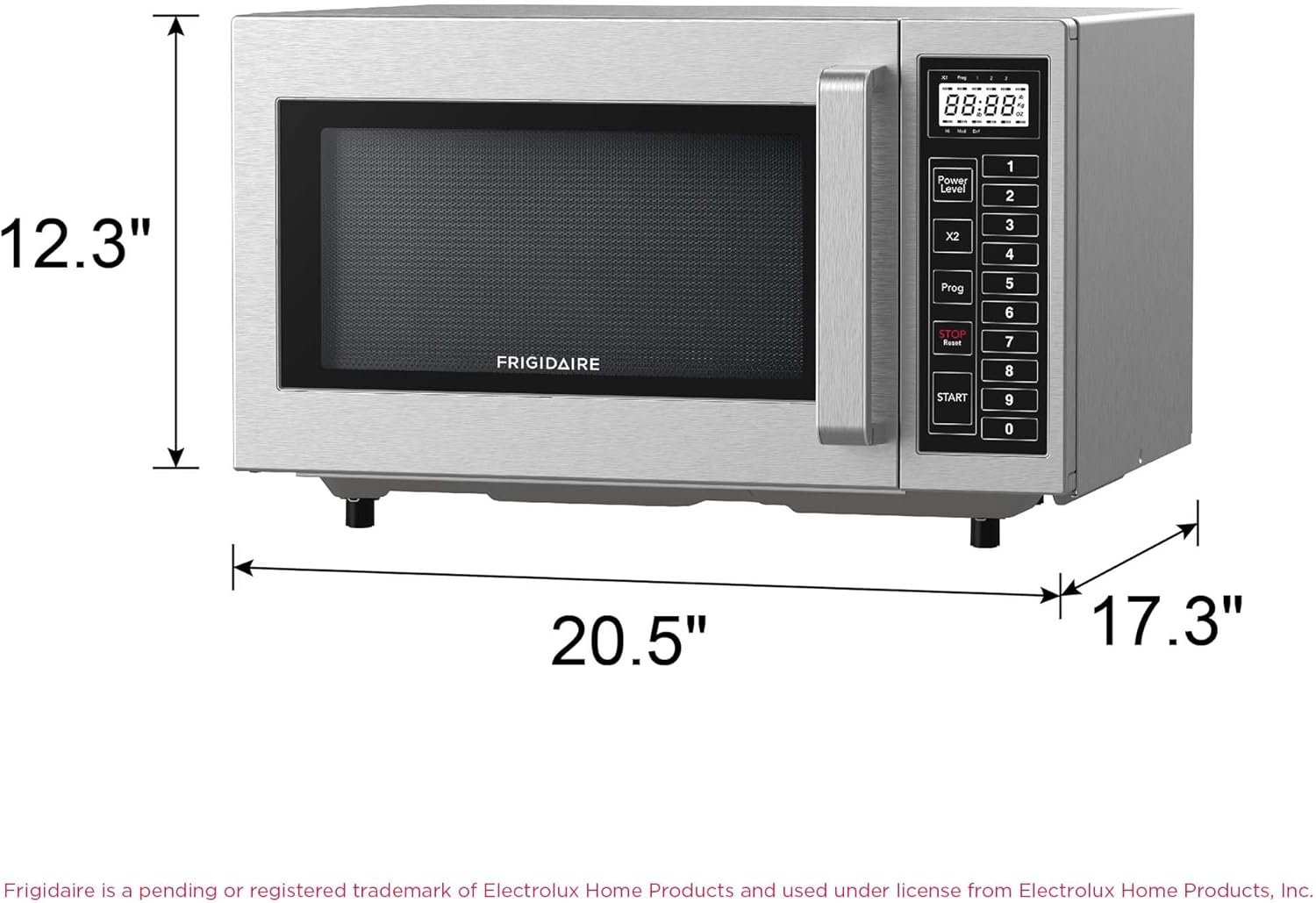
Diagram showing the dimensions of the Frigidaire Commercial Microwave Oven EMW965: 20.5 inches wide, 17.3 inches deep, and 12.3 inches high.
| Feature | Specification |
|---|---|
| Model Number | EMW965 |
| Capacity | 0.9 Cubic Feet |
| Wattage | 1000 Watts |
| Voltage | 120 Volts |
| Frequency | 60 Hz |
| Product Dimensions (D x W x H) | 17"D x 20.5"W x 12.5"H |
| Item Weight | 25 Pounds |
| Material | Stainless Steel (Interior & Exterior) |
| Installation Type | Countertop |
| Control Type | Touch, Keypad |
| Number of Power Levels | 10 |
| Special Feature | Programmable Memory |
| Certifications | NSF certified |
8. Warranty and Support
8.1 Warranty Information
This Frigidaire Commercial Microwave Oven EMW965 comes with a 1-year limited warranty from the date of purchase. This warranty covers defects in materials and workmanship under normal use. Please retain your proof of purchase for warranty claims.
8.2 Customer Support
For technical assistance, warranty service, or to order replacement parts, please contact Frigidaire customer service. Refer to the contact information provided with your product packaging or visit the official Frigidaire website for support details.
When contacting support, please have your model number (EMW965) and serial number ready.
