
Introduction
The Camp Snap CS-V105 is a screen-free digital camera designed for capturing moments without digital distractions. Its durable construction and simple controls make it ideal for outdoor adventures, travel, and everyday photography. This manual provides essential information for setting up, operating, maintaining, and troubleshooting your camera.
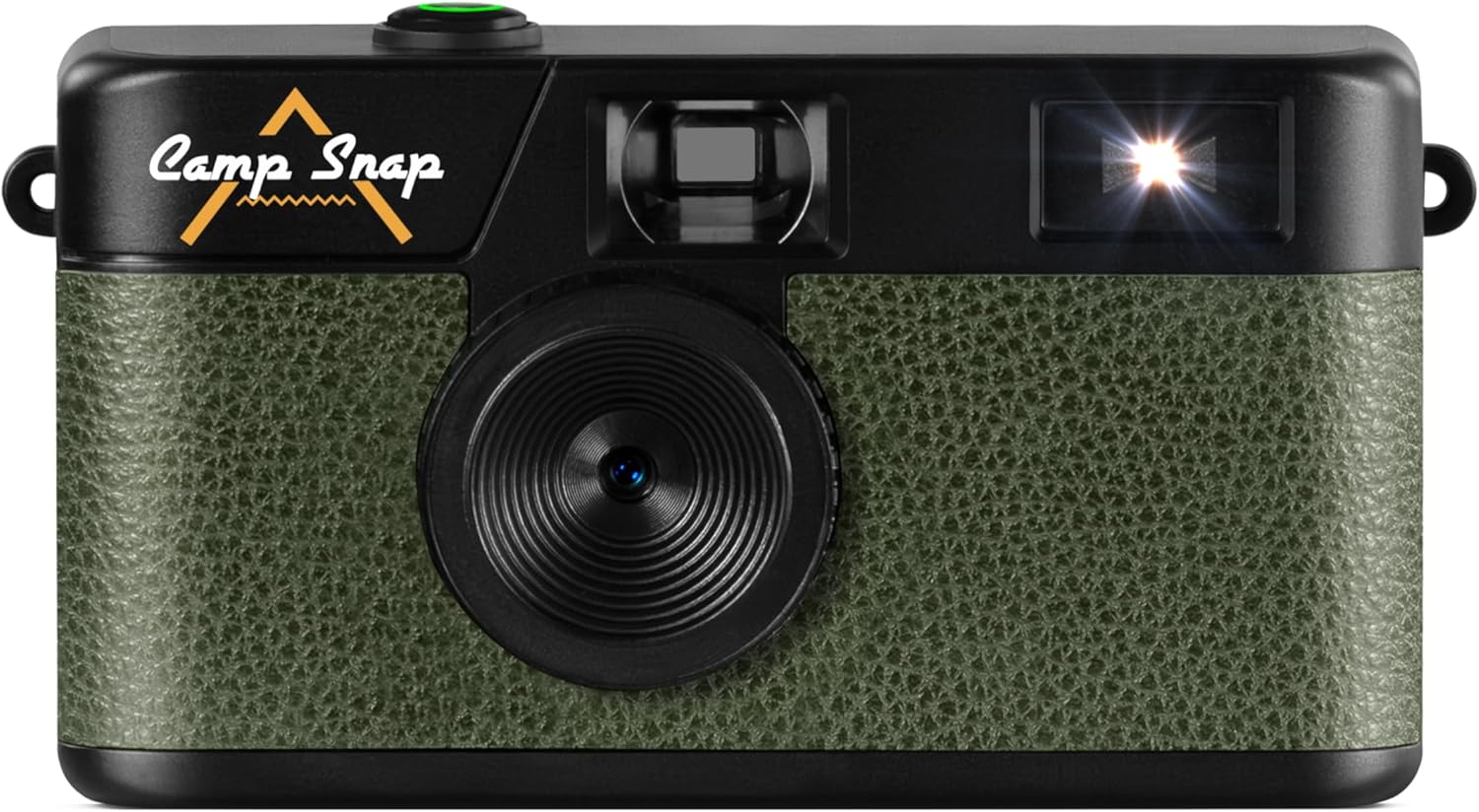
Image: Front view of the Camp Snap CS-V105 Digital Camera, showcasing its olive green textured finish and black body with the Camp Snap logo.
What's in the Box
Verify that all items are present in the package:
- Camp Snap CS-V105 Digital Camera
- User Manual
- Micro SD Card (pre-installed or included separately)
- USB-C to USB-C Cable
Setup
1. Charging the Camera
The camera features an internal, rechargeable battery. Before first use, fully charge the camera using the provided USB-C cable. Connect one end of the USB-C cable to the camera's USB-C port (located on the side) and the other end to a compatible USB power adapter or computer.
2. Inserting the Micro SD Card
The camera requires a Micro SD card for storing photos. A Micro SD card is included. Locate the Micro SD card slot (usually next to the USB-C port) and gently insert the card until it clicks into place. Ensure the card is inserted in the correct orientation.

Image: Side view of the Camp Snap CS-V105 Digital Camera, highlighting the USB-C port and Micro SD card slot.
Operating Instructions
1. Powering On/Off
To power on the camera, press and hold the shutter button (the green button on top) for a few seconds. The camera will emit a sound, indicating it is ready. To power off, press and hold the shutter button again until the camera powers down.
2. Taking Photos
Point the camera at your subject using the optical viewfinder. Press the shutter button firmly to capture a photo. The camera will make a shutter sound, and the photo will be saved to the Micro SD card.

Image: Top view of the Camp Snap CS-V105 Digital Camera, highlighting the green shutter button.
3. Flash Control
The camera features a built-in flash. On the back of the camera, locate the flash switch. Slide the switch to select between "OFF", "ON", or "Flash" (auto flash) modes. Use the flash in low-light conditions.

Image: Back view of the Camp Snap CS-V105 Digital Camera, showing the flash ON/OFF switch and the small digital counter.
4. Setting Date and Time / Volume Control
On the side of the camera, there are small buttons labeled "MODE", "UP", and "DOWN". These buttons are used to set the date and time, and to control the volume of camera sounds. Refer to the on-screen prompts (if any, or through connected device) or experiment with combinations to adjust these settings.

Image: Side view of the Camp Snap CS-V105 Digital Camera, indicating the location of the date, time, and volume control buttons.
5. Applying Photo Filters
The camera supports interchangeable vintage film-style filters, allowing you to capture images with different aesthetic effects such as Classic, Vintage, and Black & White. These filters are applied during the capture process or can be selected via camera settings (refer to specific model instructions for filter selection method).

Image: The Camp Snap CS-V105 Digital Camera shown alongside examples of photos taken with Classic, Vintage, and Black & White film-style filters.
6. Transferring Photos
To transfer photos to a computer, connect the camera using the provided USB-C cable. The camera will appear as a removable storage device. You can then copy the JPEG image files from the Micro SD card to your computer.
Maintenance
- Cleaning: Use a soft, dry cloth to clean the camera body. For the lens, use a specialized lens cleaning cloth and solution. Avoid abrasive materials or harsh chemicals.
- Storage: Store the camera in a cool, dry place away from direct sunlight and extreme temperatures.
- Battery Care: To prolong battery life, avoid fully discharging the battery frequently. Charge the camera regularly, especially if it will not be used for an extended period.
- Water Resistance: The camera is not water-resistant. Avoid exposure to water or high humidity.
Troubleshooting
- Camera does not power on:
- Ensure the battery is charged. Connect the camera to a power source using the USB-C cable and try again.
- Photos are not saving:
- Check if a Micro SD card is properly inserted and has sufficient free space. Reformat the card if necessary (this will erase all data).
- Flash is not working:
- Verify that the flash switch on the back of the camera is set to "ON" or "Flash" mode.
- Cannot transfer photos to computer:
- Ensure the USB-C cable is securely connected to both the camera and the computer. Try a different USB port or cable. The camera should appear as a removable drive.
Specifications
| Brand | Camp Snap |
| Model Name | Campsnap Digital Camera (CS-V105) |
| Special Features | Compact, Screen-free Design, Digital |
| Item Dimensions (LxWxH) | 14.5 x 9.6 x 4 cm (5.7 x 3.8 x 1.6 inches) |
| Compatible Devices | Standalone |
| Max Shutter Speed | 1/60 seconds |
| Exposure Control Type | Automatic |
| ISO Range | 100-6400 |
| Image Stabilization | Digital |
| Video Capture Resolution | 2.7K |
| Still Image Resolution | 8 MP |
| Shooting Modes | Automatic |
| Water Resistance Level | Not water-resistant |
| File Format | JPEG (Images), MP4 (Video) |
| Media Type | Internal Memory, SD Card (Micro SD) |
| Viewfinder Type | Optical |
| Color | Olive Green |
Warranty Information
For detailed warranty information, please refer to the documentation included with your purchase or visit the official Camp Snap website. Warranty terms and conditions may vary by region.
Support
If you encounter any issues not covered in this manual or require further assistance, please visit the official Camp Snap support page or contact their customer service. Contact details can typically be found on the product packaging or the manufacturer's website.


