
Introduction
Welcome to the Mivi DuoPods Echo True Wireless Earbuds user manual. This guide provides detailed instructions on how to set up, operate, maintain, and troubleshoot your new earbuds. Please read this manual carefully before using your device to ensure optimal performance and longevity.
Package Contents
Your Mivi DuoPods Echo package includes the following items:
- Mivi DuoPods Echo True Wireless Earbuds (Left and Right)
- Charging Case
- USB Type-C Charging Cable
- Multiple Sizes of Eartips
- User Manual
Product Overview
The Mivi DuoPods Echo are designed for a superior audio experience with advanced features. Familiarize yourself with the components:
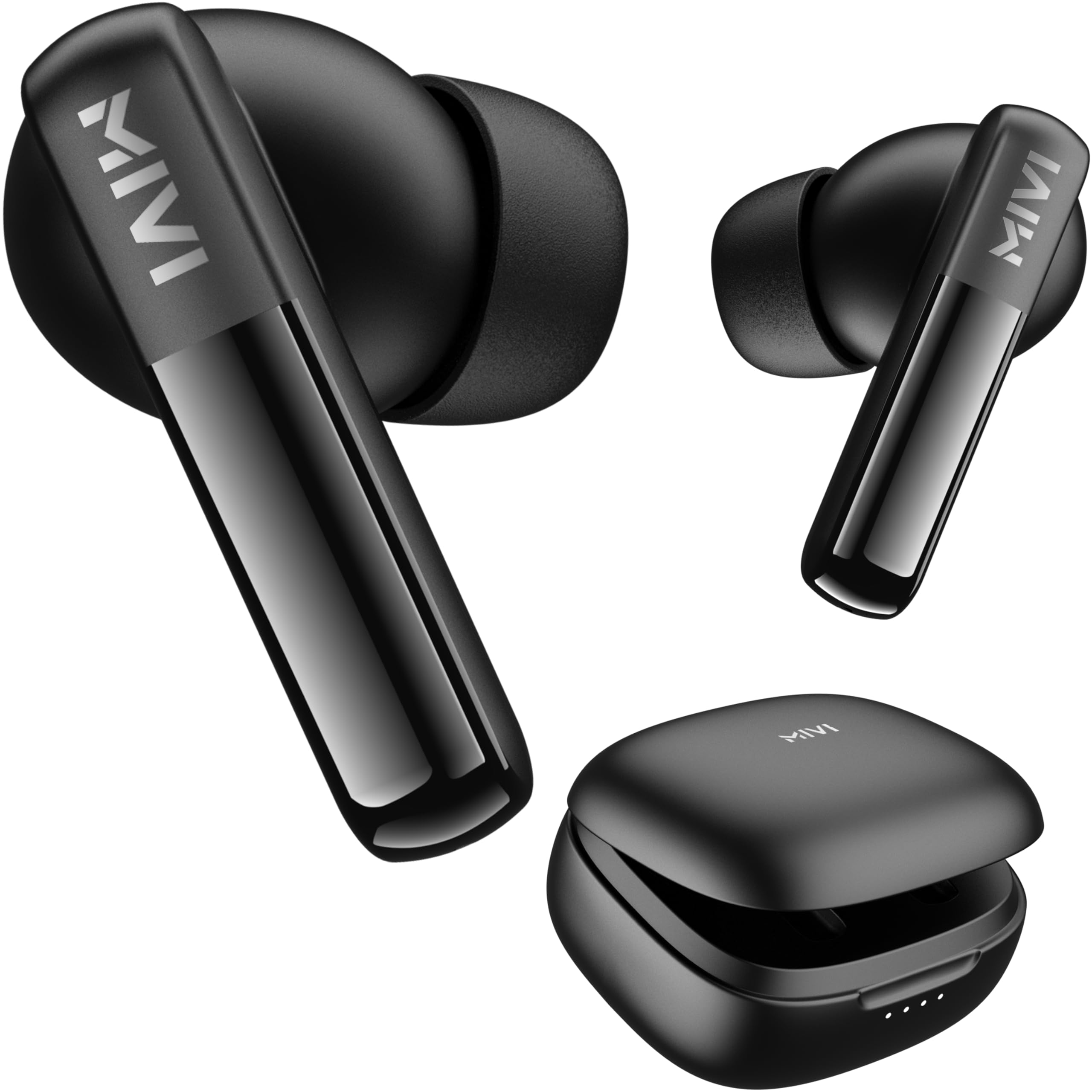
Image: Mivi DuoPods Echo earbuds in their charging case.

Image: Overview of key features including 13mm dynamic drivers, AI-ENC, 60 hours playtime, and Bluetooth 5.3.
Each earbud features a touch control area for managing music and calls. The charging case protects the earbuds and recharges them on the go.
Setup
1. Charging the Earbuds and Case
Before first use, fully charge the Mivi DuoPods Echo. Place the earbuds into the charging case and close the lid. Connect the USB Type-C cable to the charging port on the case and to a power source.
- A full charge takes approximately 1 hour.
- The charging case provides multiple recharges, offering up to 60 hours of total playtime.
- The earbuds themselves provide up to 8.5 hours of playtime on a single charge.

Image: Earbuds placed inside the charging case.
2. Pairing with Your Device
- Open the charging case. The earbuds will automatically enter pairing mode.
- On your smartphone, tablet, or laptop, enable Bluetooth.
- Search for available devices and select "Mivi DuoPods Echo" from the list.
- Once connected, you will hear an audio prompt, and the earbuds will be ready for use.
The earbuds utilize Bluetooth v5.3 for a stable and efficient connection.
Operating Instructions
Touch Controls
The Mivi DuoPods Echo feature intuitive touch controls on each earbud:
- Play/Pause Music: Single tap on either earbud.
- Next Track: Double tap on the right earbud.
- Previous Track: Double tap on the left earbud.
- Answer/End Call: Single tap on either earbud during an incoming call.
- Reject Call: Press and hold either earbud for 2 seconds during an incoming call.
- Activate Voice Assistant: Triple tap on either earbud.
AI-ENC for Calls
The AI-Environmental Noise Cancellation (AI-ENC) technology ensures clear voice transmission during calls, even in noisy environments.

Image: AI-ENC technology provides clear calls in noisy surroundings.
Pro Gaming Mode
Activate the dedicated low-latency Pro Gaming Mode for a synchronized audio-video experience during gaming. Refer to the quick start guide included in your package for specific activation gestures.

Image: The earbuds offer up to 60 hours of combined playtime.
Maintenance
Cleaning
Regularly clean your earbuds and charging case to maintain optimal performance and hygiene.
- Use a soft, dry, lint-free cloth to wipe the earbuds and charging case.
- Gently remove any earwax or debris from the earbud nozzles and eartips using a small brush or cotton swab.
- Avoid using abrasive materials, solvents, or harsh chemicals.
Water and Dust Resistance
The Mivi DuoPods Echo are rated IPX 4.0, providing resistance against sweat and light splashes of water. They are not designed for submersion in water. Ensure the earbuds are dry before placing them back into the charging case.
Storage
When not in use, store the earbuds in their charging case to protect them and keep them charged. Store the device in a cool, dry place away from extreme temperatures.
Troubleshooting
If you encounter any issues with your Mivi DuoPods Echo, refer to the following common solutions:
| Problem | Solution |
|---|---|
| Earbuds not pairing |
|
| No sound from one earbud |
|
| Charging case not charging |
|
| Poor call quality |
|
Specifications
| Feature | Detail |
|---|---|
| Model Name | Mivi DuoPods Echo |
| Model Number | TEWS019 |
| Bluetooth Version | 5.3 |
| Bluetooth Range | 10 Metres |
| Audio Driver Size | 13 Millimetres |
| Frequency Range | 20 Hz - 20,000 Hz |
| Battery Average Life (Total) | 60 Hours |
| Battery Life (Earbuds) | Up to 8.5 Hours |
| Battery Charge Time | 1 Hour |
| Control Type | Touch Control |
| Water Resistance Level | IPX 4.0 (Sweat & Splash Resistant) |
| Special Features | AI-ENC for HD Calls, Pro Gaming Mode |
| Compatible Devices | Tablets, Desktops, Cellphones, Laptops |
| Item Weight | 44 Grams |
| Country of Origin | India |
Warranty Information
The Mivi DuoPods Echo comes with a 1 Year Manufacturer Warranty from the date of purchase. This warranty covers manufacturing defects. Please retain your purchase receipt as proof of purchase for warranty claims. The warranty does not cover damage caused by misuse, accidents, unauthorized repairs, or normal wear and tear.
Customer Support
For further assistance, technical support, or warranty claims, please contact Mivi customer service. You can find contact information on the official Mivi website or through the retailer where you purchased the product.
Visit the official Mivi Store for more information: Mivi Store on Amazon