
Introduction
Thank you for purchasing the LG 43QNED70A 43 inch Class 70A Series QNED AI 4K Smart TV. This manual provides essential information for the safe and efficient use of your television. Please read it thoroughly before operating the product and retain it for future reference.
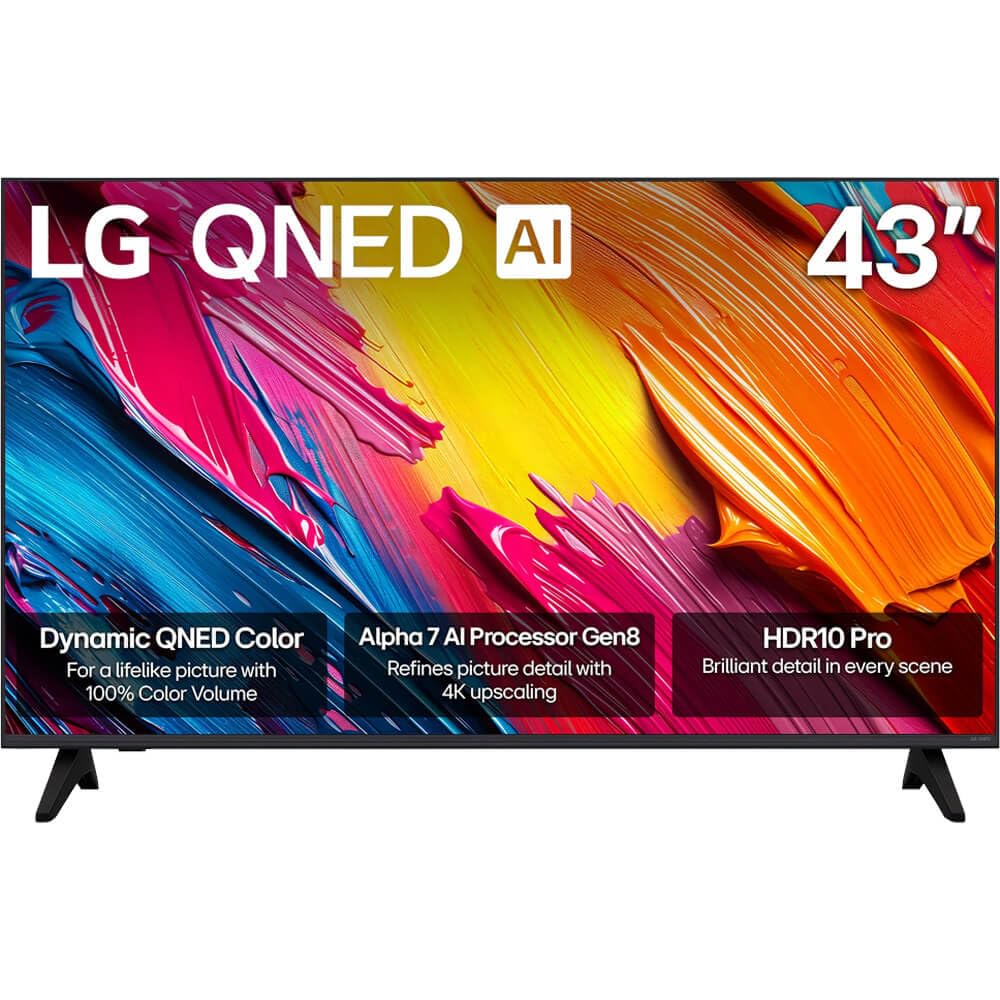
Figure 1: Front view of the LG 43QNED70A Smart TV.
Safety Information
Before using your TV, please read these safety instructions carefully to prevent damage and ensure safe operation.
- Power Source: Connect the TV to an AC 100-240V, 50/60Hz power outlet. Do not overload wall outlets.
- Ventilation: Ensure adequate ventilation around the TV. Do not block ventilation openings.
- Water and Moisture: Do not expose the TV to rain or moisture. Do not place objects filled with liquids on the TV.
- Cleaning: Unplug the TV before cleaning. Use a soft, dry cloth. Avoid liquid cleaners.
- Placement: Place the TV on a stable, level surface. Avoid placing it in direct sunlight or near heat sources.
- Children: Supervise children to prevent them from climbing on the TV or stand.
- Servicing: Do not attempt to service the TV yourself. Refer all servicing to qualified service personnel.
Package Contents
Verify that all items are present in your product box:
- LG 43QNED70A 43 inch QNED AI 4K Smart TV
- AI Magic Remote Control
- Power Cord
- TV Stand (2 pieces) and Screws
- User Manual (this document)
- Batteries for Remote Control (AA or AAA, depending on region)
Setup
1. Physical Setup (Stand Installation or Wall Mounting)
Before installing the TV, ensure the power cord is disconnected. Place the TV face down on a soft cloth or cushion to protect the screen.
Stand Installation:
- Align the two stand pieces with the corresponding slots on the bottom of the TV.
- Secure the stands using the provided screws. Ensure they are tightened firmly.
- Carefully lift the TV to an upright position on a stable surface.
Wall Mounting:
This TV supports VESA mount standard 200 x 200 mm. Wall mounting requires a compatible wall mount bracket (sold separately) and professional installation. Refer to the wall mount bracket's instructions for proper installation.
2. Connecting External Devices
Your LG 43QNED70A TV provides various ports for connecting external devices such as Blu-ray players, game consoles, soundbars, and USB storage devices.

Figure 2: Rear view of the TV with input ports.
- HDMI Ports: Connect high-definition devices like Blu-ray players or game consoles. This model has 1 HDMI port.
- USB Ports: Connect USB storage devices for media playback. This model has 1 USB 3.0 port.
- Audio Input (RCA): For connecting older audio devices.
- Ethernet Port: For a wired internet connection.
After connecting devices, ensure all cables are securely fastened.
3. Initial Power On and Network Setup
- Connect the power cord to the TV and then to a wall outlet.
- Press the power button on the remote control or the TV to turn it on.
- Follow the on-screen instructions for the initial setup, which includes language selection, country, and network connection.
- For network setup, you can choose between Wi-Fi or a wired Ethernet connection. Follow the prompts to connect to your home network.
Operating
1. AI Magic Remote Control Overview
The AI Magic Remote allows for intuitive control of your TV with point-and-click, scrolling, and voice commands.

Figure 3: LG AI Magic Remote Control.

Figure 4: Key features of the AI Magic Remote.
- Power Button: Turns the TV on or off.
- AI Button: Activates AI features for search and recommendations.
- Scroll Wheel (OK Button): Navigates menus and confirms selections.
- Directional Buttons: Moves cursor or navigates menus.
- Home Button: Accesses the webOS Smart TV home screen.
- Volume/Channel Buttons: Adjusts volume and changes channels.
- Streaming Service Buttons: Quick access to popular streaming apps like Netflix, Prime Video, Disney+, and LG Channels.
2. Smart TV Features (webOS)
Your LG QNED AI 4K Smart TV runs on webOS, providing a user-friendly interface for accessing content and applications.
- AI Search & Recommendations: Use voice commands or the AI button to search for content, get personalized recommendations, and control smart home devices.
- Streaming Services: Access a wide range of popular streaming applications directly from the home screen.
- LG Channels: Enjoy free access to a variety of streaming channels provided by LG.
3. Picture and Sound Settings
Optimize your viewing experience with advanced picture and sound technologies.

Figure 5: Dynamic QNED Color technology for enhanced color reproduction.

Figure 6: The α7 AI Processor Gen8 enhances brightness, sound, and picture detail.

Figure 7: HDR10 Pro delivers a dramatic visual experience by enhancing colors.

Figure 8: 4K Super Upscaling transforms regular content into sharper 4K definition.
- Picture Mode: Select from various preset picture modes (e.g., Vivid, Standard, Cinema, Game, Filmmaker Mode) or customize settings like brightness, contrast, and color.
- Sound Mode: Choose sound presets (e.g., Standard, Cinema, Clear Voice) or adjust equalizer settings. The TV also supports immersive sound with LG Soundbars.
- AI Picture Pro / AI Sound Pro: The α7 AI Processor Gen8 automatically optimizes picture and sound based on content and environment.
- Dynamic Tone Mapping: Enhances HDR content for optimal brightness and contrast.
Maintenance
1. Cleaning the Screen and Cabinet
To maintain the appearance and performance of your TV:
- Screen: Gently wipe the screen with a soft, dry microfiber cloth. For stubborn marks, lightly dampen the cloth with water or a specialized screen cleaner (do not spray directly on the screen).
- Cabinet: Wipe the cabinet with a soft, dry cloth. Avoid using abrasive cleaners, waxes, or solvents.
- Always unplug the TV before cleaning.
2. Software Updates
LG regularly releases software updates to improve performance and add new features. Ensure your TV is connected to the internet to receive these updates.
- Navigate to Settings > All Settings > General > About This TV > Check for Updates.
- Follow the on-screen prompts to download and install any available updates.
Troubleshooting
If you encounter issues with your TV, refer to the following common problems and solutions:
| Problem | Possible Solution |
|---|---|
| No power / TV won't turn on | Check if the power cord is securely plugged into the TV and the wall outlet. Try a different outlet. Ensure the remote control batteries are not depleted. |
| No picture, but sound is present | Check the input source. Ensure external devices are powered on and connected correctly. Try a different HDMI cable. |
| No sound, but picture is present | Check the volume level. Ensure the TV is not muted. Check audio output settings (e.g., internal speakers, external soundbar). |
| Remote control not working | Replace the batteries. Ensure there are no obstructions between the remote and the TV. Re-pair the AI Magic Remote if necessary (refer to the on-screen guide). |
| Poor picture quality | Check the input source resolution. Adjust picture settings (brightness, contrast, sharpness). Ensure the antenna/cable connection is secure. |
| Cannot connect to Wi-Fi | Ensure your Wi-Fi router is on and working. Re-enter the Wi-Fi password. Try restarting the TV and router. |
If the problem persists after trying these solutions, please contact LG customer support.
Specifications
Detailed technical specifications for the LG 43QNED70A Smart TV:
| Feature | Specification |
|---|---|
| Model Name | 43QNED70A |
| Screen Size | 43 Inches |
| Display Technology | QNED |
| Resolution | 4K (3840 x 2160) |
| Refresh Rate | 120 Hz |
| Aspect Ratio | 16:9 |
| Processor | α7 AI Processor Gen8 |
| Picture Quality Enhancement | Dynamic Tone Mapping, HDR10 Pro |
| Display Backlight Technology | Self-Luminous |
| Supported Internet Services | Netflix, YouTube, Amazon Prime, etc. |
| Color | Black |
| Model Year | 2025 |
| Total HDMI Ports | 1 |
| Total USB 3.0 Ports | 1 |
| Audio Input | USB, RCA |
| Control Method | Remote |
| VESA Mount Standard | 200 x 200 mm |
| Manufacturer | LG |
Warranty and Support
Your LG 43QNED70A TV comes with a limited warranty. Please refer to the warranty card included in your package for specific terms and conditions, including coverage duration and limitations.
For technical support, service, or warranty claims, please contact LG Customer Service:
- Website: Visit the official LG website for support resources, FAQs, and contact information. www.lg.com/us/support
- Phone: Refer to your warranty card or the LG website for the appropriate customer service phone number in your region.
When contacting support, please have your TV's model number (43QNED70A) and serial number ready.