
Introduction
This manual provides detailed instructions for the safe and effective use of your A'gold SLF-02 360-Degree Auto Face Tracking Gimbal Stabilizer. Please read this manual thoroughly before operating the device and retain it for future reference.
The A'gold SLF-02 is a versatile smartphone gimbal designed to enhance your video recording and photography experience. It features 360-degree automatic face tracking, a removable RGB LED light, and Bluetooth remote control for dynamic and creative content capture.
Package Contents
Verify that all the following items are included in your package:
- A'gold SLF-02 Gimbal Stabilizer
- USB Charging Cable
- Bluetooth Remote Control
- Removable RGB LED Light
- User Manual (this document)
Product Overview
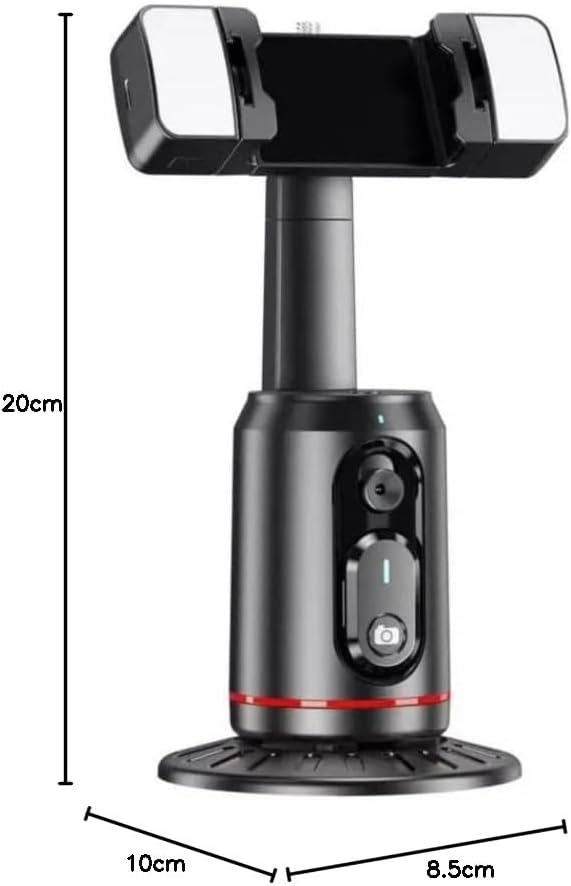
Familiarize yourself with the components of your A'gold SLF-02 gimbal stabilizer.
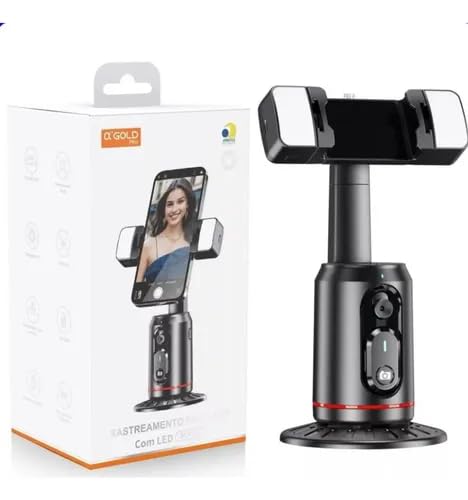
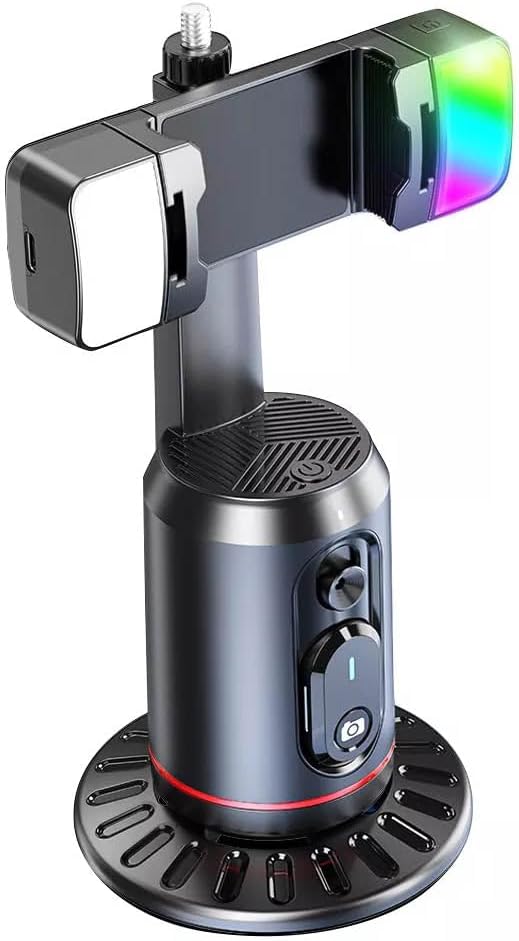
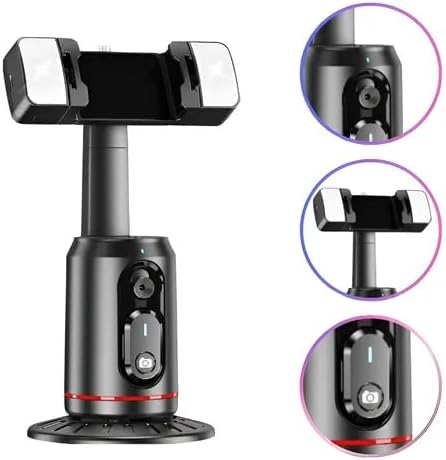
Setup
1. Charging the Device
Before first use, fully charge the gimbal stabilizer. Connect the provided USB charging cable to the charging port on the device and to a standard USB power adapter (not included).
- The indicator light will show charging status.
- A full charge typically takes approximately 2-3 hours.
2. Mounting Your Smartphone
- Gently extend the smartphone holder arms.
- Place your smartphone securely into the holder, ensuring it is centered for optimal balance.
- Ensure the phone is firmly gripped and will not fall out during operation.
3. Powering On/Off
- To power on: Press and hold the power button (usually marked with a power icon) on the main unit for 3 seconds until the indicator light illuminates.
- To power off: Press and hold the power button for 3 seconds until the indicator light turns off.
4. Bluetooth Pairing (Remote Control)
- Ensure the gimbal is powered on.
- Activate Bluetooth on your smartphone.
- On your smartphone, search for available Bluetooth devices. The gimbal should appear as "SLF-02" or a similar name.
- Select the device to pair. Once paired, the indicator light on the remote control (if separate) or gimbal will confirm connection.
Operating Instructions
1. Automatic Face Tracking
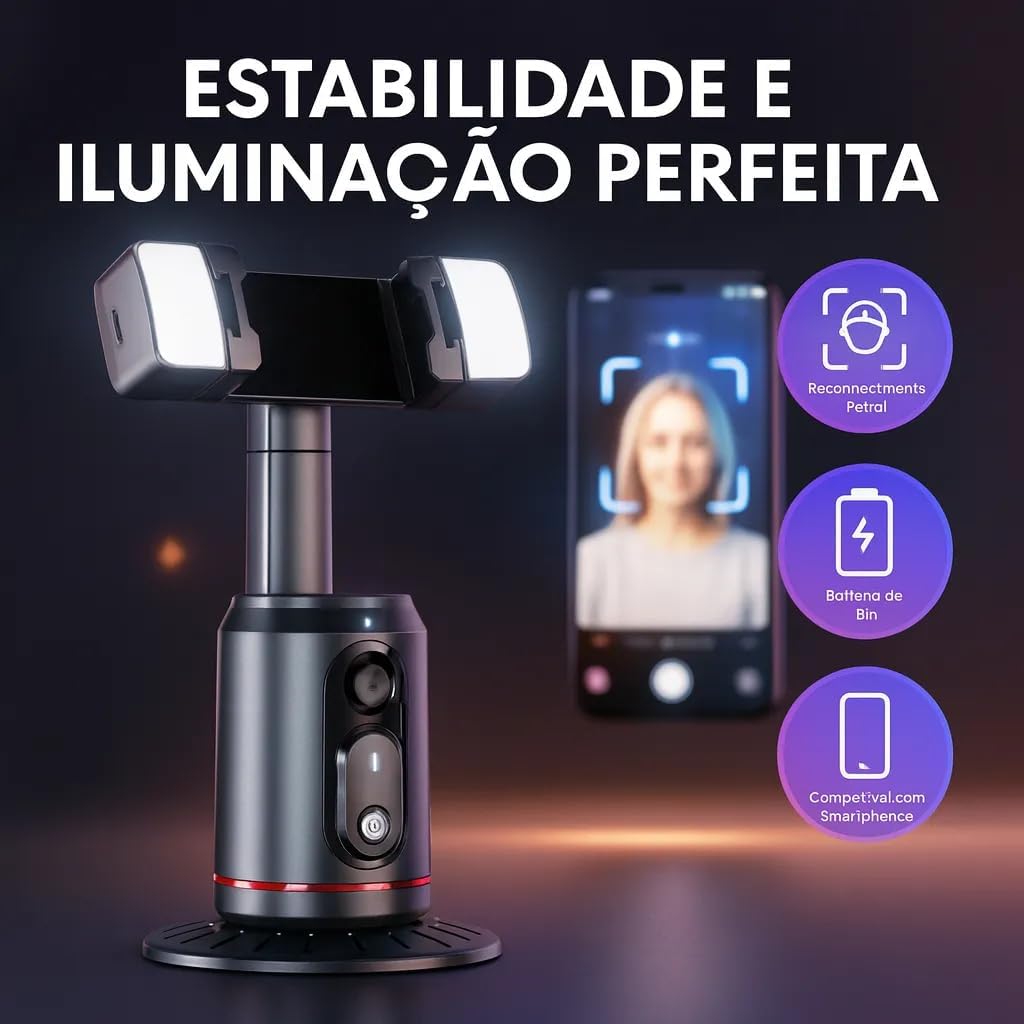
The A'gold SLF-02 features AI-powered face tracking. Once your smartphone is mounted and the gimbal is powered on:
- Open your smartphone's camera or a compatible video recording application.
- Position yourself in front of the camera. The gimbal will automatically detect and track your face, rotating to keep you centered in the frame.
- Ensure adequate lighting for optimal face detection performance.

2. Using the Removable RGB LED Light
The gimbal includes removable RGB LED lights for enhanced illumination.
- Attach the LED lights to the designated slots on the smartphone holder.
- Press the power button on the LED light unit to turn it on/off.
- Cycle through different light modes and colors by pressing the mode button on the LED unit.
3. Remote Control Functions
The Bluetooth remote control allows for convenient operation from a distance.
- Shutter Button: Press to take a photo or start/stop video recording in your smartphone's camera app.
- Mode Button: (If applicable) Cycle through different tracking or rotation modes. Refer to the remote's specific markings.
4. 360-Degree Rotation
The gimbal provides smooth 360-degree horizontal rotation for comprehensive coverage.
- In face tracking mode, the gimbal will automatically rotate to follow your movement.
- Manual rotation may be possible by gently turning the phone holder, depending on the active mode. Avoid forcing rotation against resistance.
Maintenance
- Cleaning: Wipe the device with a soft, dry cloth. Do not use harsh chemicals or abrasive cleaners.
- Storage: Store the gimbal in a cool, dry place away from direct sunlight and extreme temperatures.
- Battery Care: To prolong battery life, charge the device regularly, even if not in frequent use. Avoid fully discharging the battery for extended periods.
Troubleshooting
| Problem | Possible Cause | Solution |
|---|---|---|
| Gimbal does not power on. | Low battery. | Charge the gimbal using the provided USB cable. |
| Bluetooth remote not connecting. | Not in pairing mode; already paired to another device; low battery in remote. | Ensure remote is on and in pairing mode. Disconnect from other devices. Check/replace remote battery. |
| Face tracking is not working accurately. | Poor lighting conditions; subject too far/close; obstructions. | Ensure good, even lighting. Maintain an appropriate distance from the camera. Clear any obstructions. |
| Gimbal rotation is jerky or unresponsive. | Smartphone not balanced; low battery; physical obstruction. | Ensure smartphone is centered. Charge the gimbal. Check for any physical obstructions preventing smooth rotation. |
Specifications
| Model | SLF-02 |
| Brand | Genérico (Manufacturer: A'gold) |
| Color | Black |
| Compatible Devices | iPhone, Samsung Galaxy, Android Smartphones |
| Product Dimensions (L x W x H) | 10 cm x 8.5 cm x 20 cm |
| Folded Size | 15 cm x 8 cm x 8 cm |
| Product Weight | 450 Grams |
| Connectivity | Bluetooth |
| Special Features | 360-Degree Auto Face Tracking, Removable RGB LED Light, Remote Control |
Warranty and Support
Warranty: No warranty information is provided for this product.
For technical support or inquiries, please refer to the retailer or manufacturer's contact information provided at the point of purchase.