
1. Introduction
The taobosec F2 Air Tracker Tag is a compact and efficient item finder designed specifically for Android devices. Utilizing Google's Find My Device network, it helps you locate your valuables with high precision. This manual provides detailed instructions on how to set up, operate, and maintain your F2 tracker.
2. Product Overview
The F2 Air Tracker Tag offers a range of features to ensure your belongings are always within reach or easily locatable:
- High-Precision Tracking: Locates items within a 40-meter Bluetooth range and shows the last known location on a map via the Find My Device app when out of range.
- Sound Finder: Trigger a sound from the tracker's built-in speaker to find nearby items.
- Left-Behind Reminders: Receive instant notifications on your phone if your tagged item disconnects from Bluetooth.
- Google-Certified Privacy: Ensures anonymized and encrypted communication, with no location data stored on the device.
- IP67 Water & Dust Resistance: Durable design for reliable performance in various conditions.
- User-Replaceable Battery: Powered by a CR2032 battery with up to 1-year life, with low-battery alerts.
- Smart Sharing: Securely share location access with family or friends through the app.

Image: The taobosec F2 Air Tracker Tag utilizes Google's system for accurate worldwide tracking, as shown with a map and the 'Find My Device' app interface. Note: Apple and Huawei devices are not supported.

Image: The F2 tracker features a 365-day exchangeable battery and IP67 water and dust resistance, ensuring durability and long-term use.
3. What's in the Box
Your taobosec F2 Air Tracker Tag package includes:
- taobosec F2 Air Tracker Tag(s)
- CR2032 Battery(s) (pre-installed or included separately)
- Lanyards (for attachment)
4. Specifications
| Feature | Description |
|---|---|
| Model Number | F2 |
| Dimensions | 1.2 x 1.2 x 0.35 inches |
| Item Weight | 2.39 ounces |
| Connectivity | Bluetooth |
| Battery Type | CR2032 (user-replaceable) |
| Battery Life | Up to 1 year |
| Water Resistance | IP67 (Dust and Water Resistant) |
| Supported Application | Google Find My Device |
| Compatibility | Android 9.0 and above (Not compatible with iOS or Huawei) |
5. Setup Guide
Follow these steps to set up your taobosec F2 Air Tracker Tag with your Android device:
- Download the App: Download and install the official "Google Find My Device" app from the Google Play Store on your Android smartphone. Ensure your device is running Android 9.0 or above.
- Enable Bluetooth: Turn on Bluetooth on your Android smartphone.
- Activate Tracker: Press the button on your F2 tracker to activate it and put it into pairing mode.
- Pair Device: Open the "Google Find My Device" app. Bring the tracker close to your phone. A connection pop-up should appear in the app. Follow the on-screen prompts to complete the pairing process.
- Connection Successful: Once connected, your F2 tracker will appear in the app, ready for use. You can manage multiple trackers simultaneously.
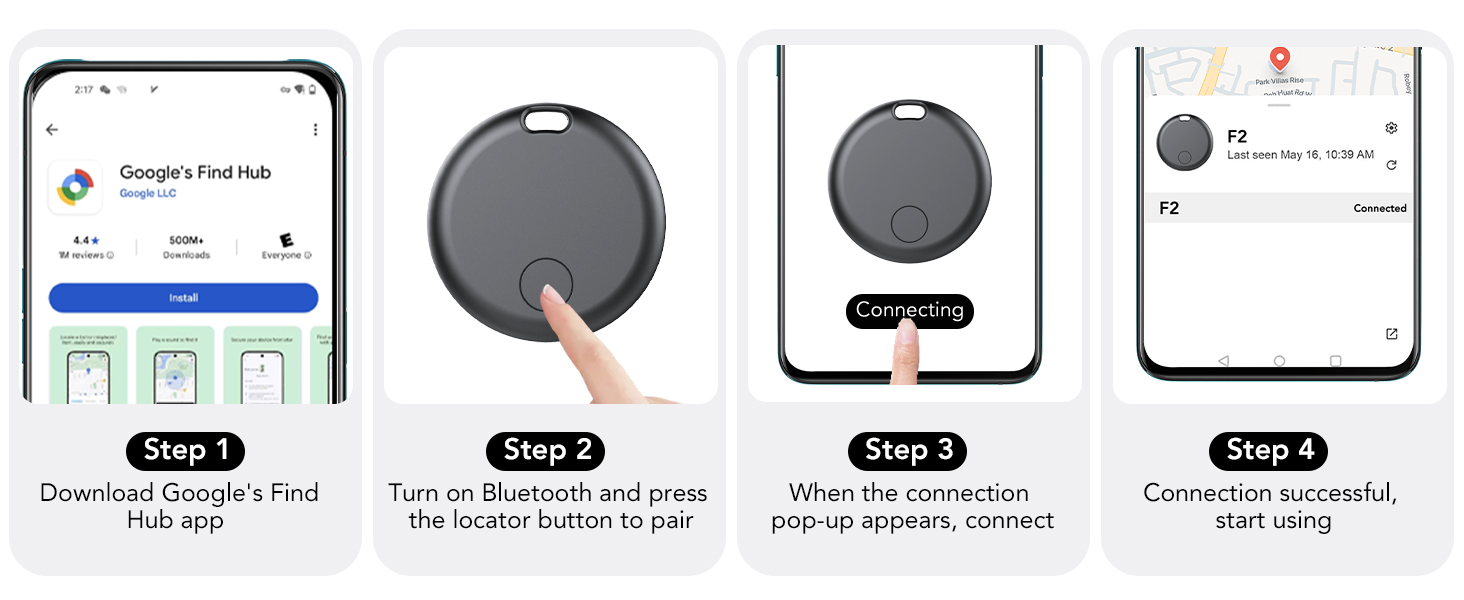
Image: Visual steps for connecting your F2 tracker to the Google Find My Device app.
6. Operating Instructions
6.1 Locating Nearby Items
When your F2 tracker is within Bluetooth range (up to 40 meters), you can use the app to make it emit a sound:
- Open the "Google Find My Device" app.
- Select your F2 tracker from the list of devices.
- Tap the "Play sound" option. The tracker will emit a clear sound, helping you pinpoint its exact location.
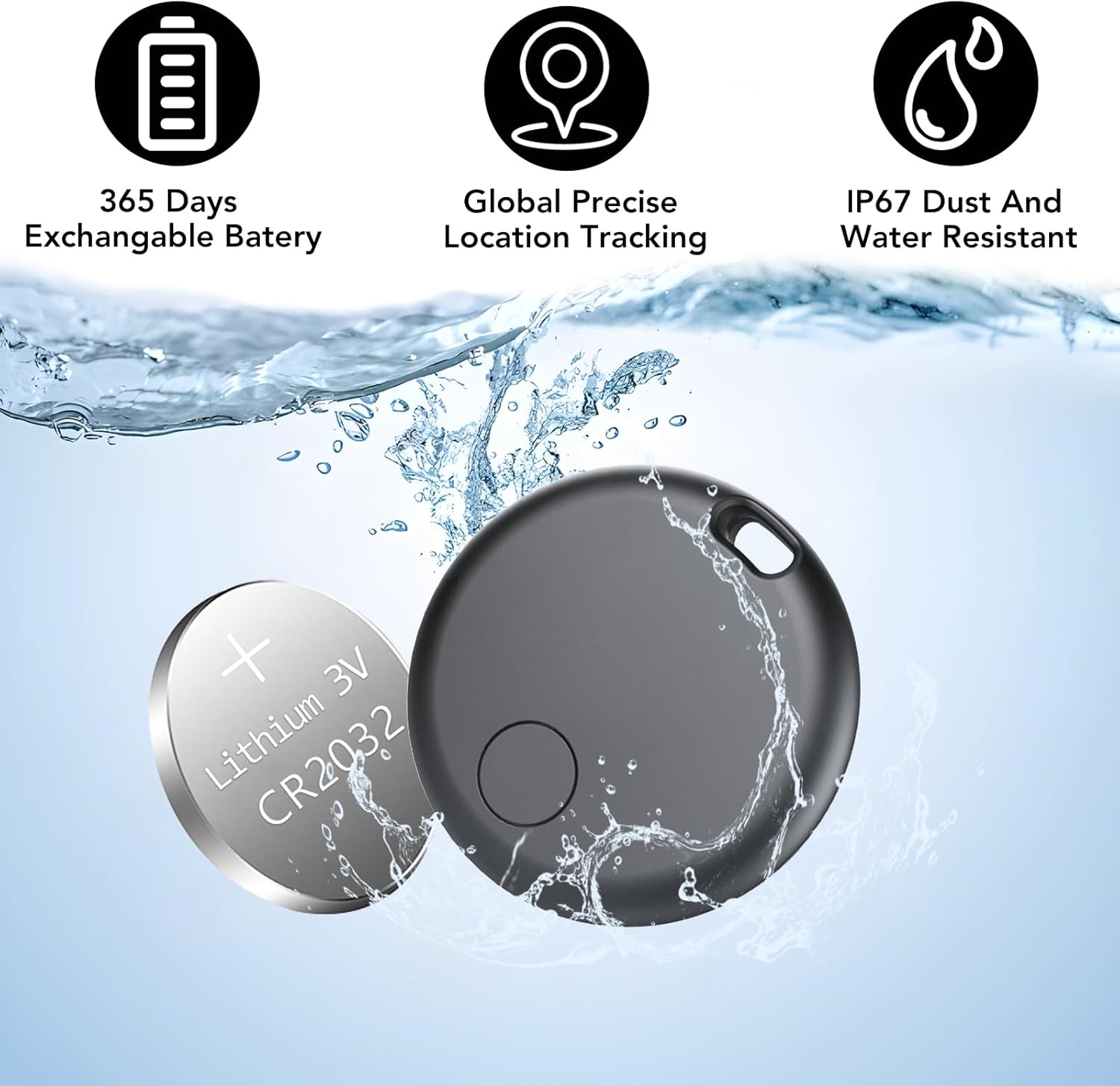
Image: Use the 'Play sound' feature in the app to locate your F2 tracker when it's nearby.
6.2 Tracking Out of Bluetooth Range
If your item moves beyond Bluetooth range, the "Google Find My Device" app will show its last known location on a map. This feature relies on the collective network of Android devices to anonymously detect your tracker's location.
- Open the "Google Find My Device" app.
- Select your F2 tracker.
- The app will display the last recorded location on a map. You can use navigation features to get directions to that location.
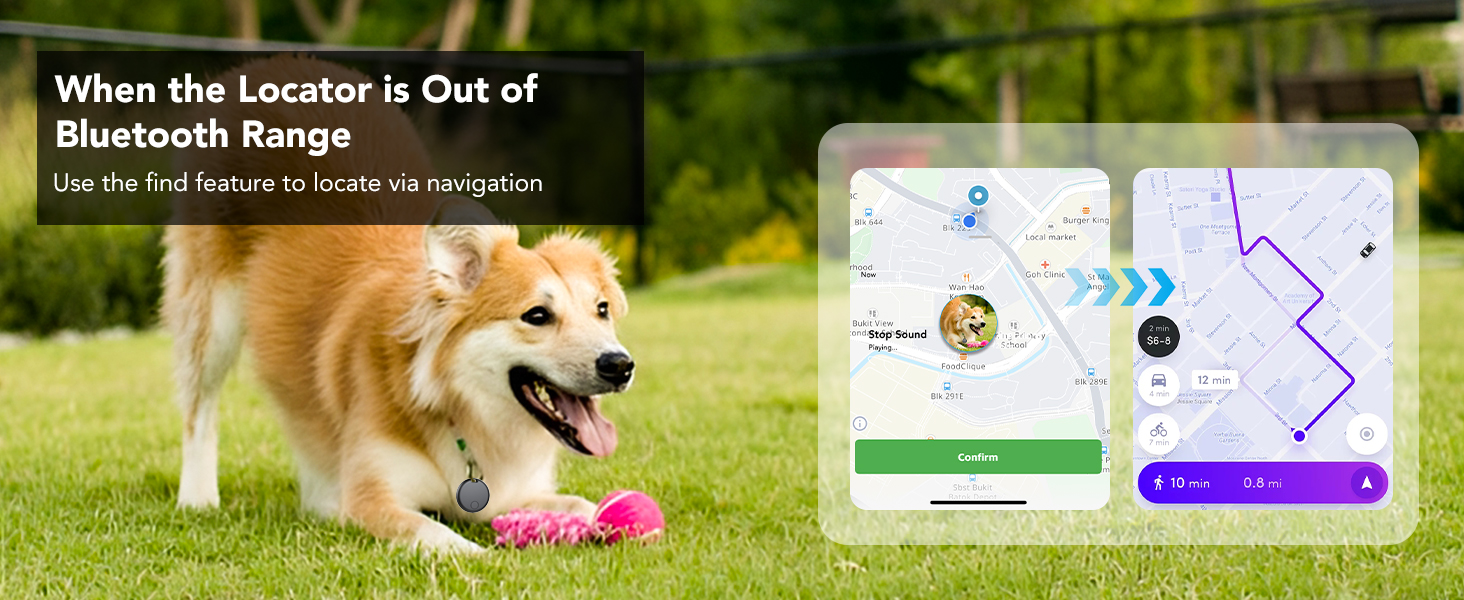
Image: When the tracker is out of Bluetooth range, use the app's navigation feature to locate it via its last known position.
6.3 Left-Behind Reminders
The F2 tracker can alert you if you leave an item behind:
- The app will send an instant notification to your phone if your tagged item disconnects from your phone's Bluetooth connection.
- This reminder helps prevent you from forgetting important items.
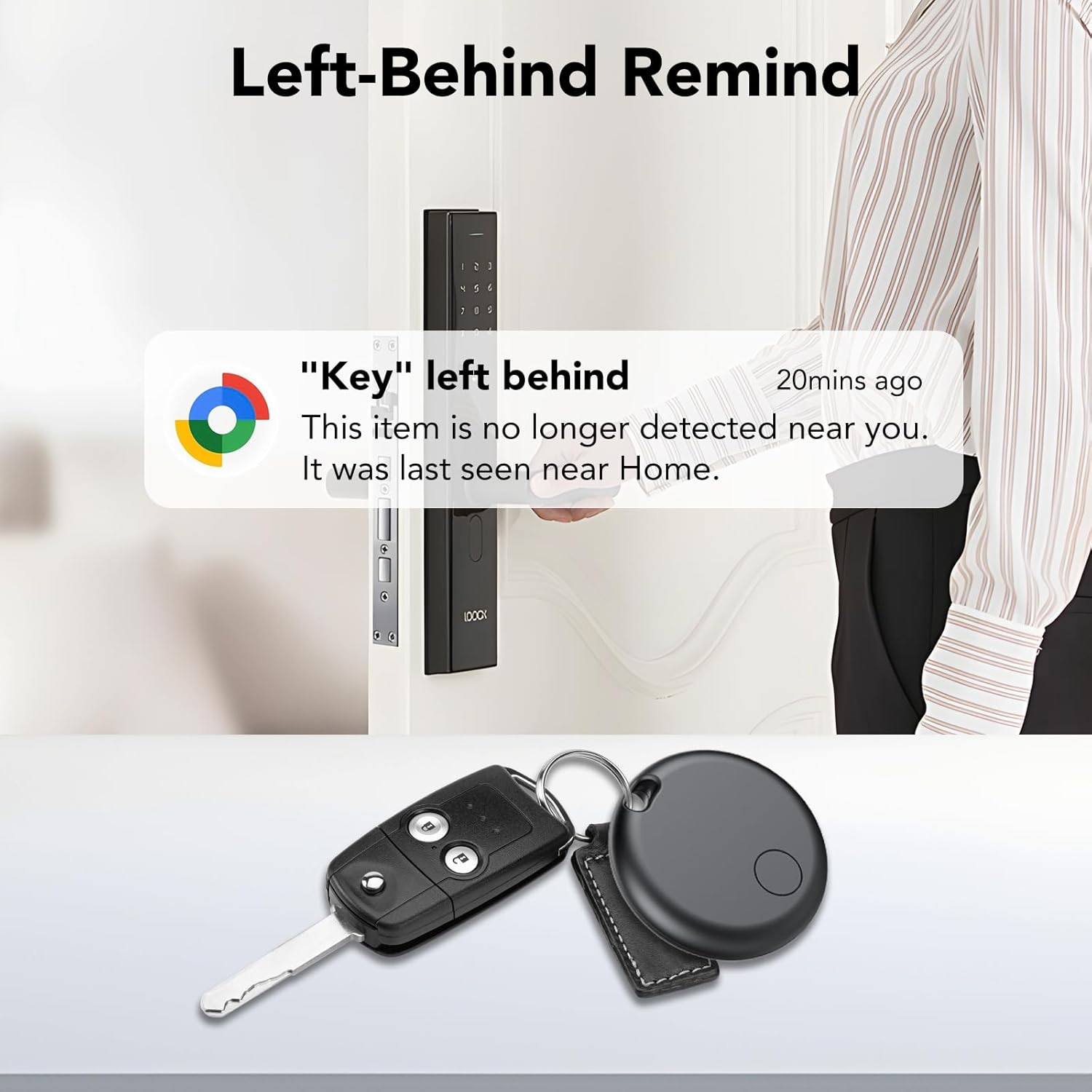
Image: Receive a 'Left-Behind Remind' notification if your tracker disconnects from your phone's Bluetooth.
6.4 Sharing Devices
You can share access to your tracker's location with trusted contacts:
- In the "Google Find My Device" app, select the tracker you wish to share.
- Look for a "Share device" or similar option.
- Follow the prompts to grant location access to family or friends. This requires them to also have the "Google Find My Device" app and an Android 9.0+ device.

Image: Share your tracker's location with family or friends through the Google Find Hub app.
7. Maintenance
7.1 Battery Replacement
The F2 tracker uses a user-replaceable CR2032 coin cell battery. You will receive a low-battery alert on your phone when replacement is needed.
- Open the Casing: Use a small tool (like a thin prying tool or a fingernail) to carefully pry open the seam of the locator's cover.
- Replace Battery: Remove the old CR2032 battery and insert a new one, ensuring the positive (+) side faces upwards.
- Close Casing: Align the cover with the device's slot and press firmly until it clicks securely into place.
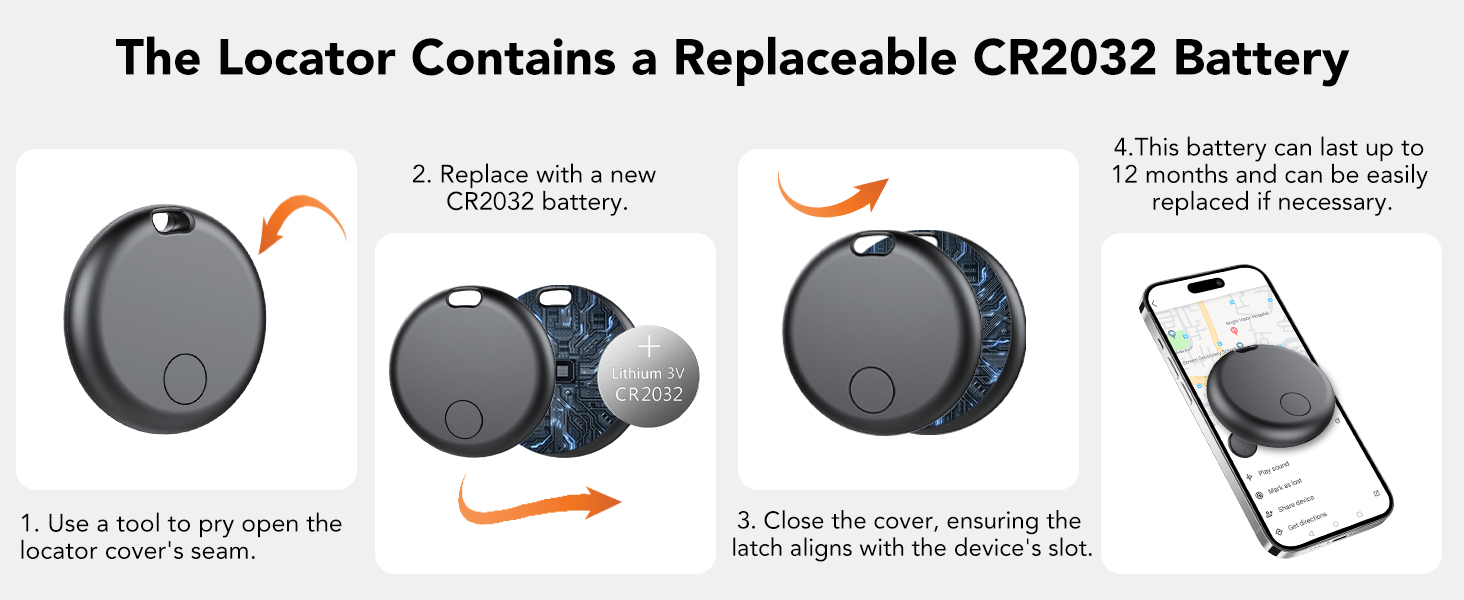
Image: Steps for replacing the CR2032 battery in your F2 tracker.
7.2 Water and Dust Resistance
The F2 tracker has an IP67 rating, meaning it is resistant to dust and can withstand immersion in water up to 1 meter for 30 minutes. While durable, avoid prolonged submersion or exposure to high-pressure water jets to ensure longevity.
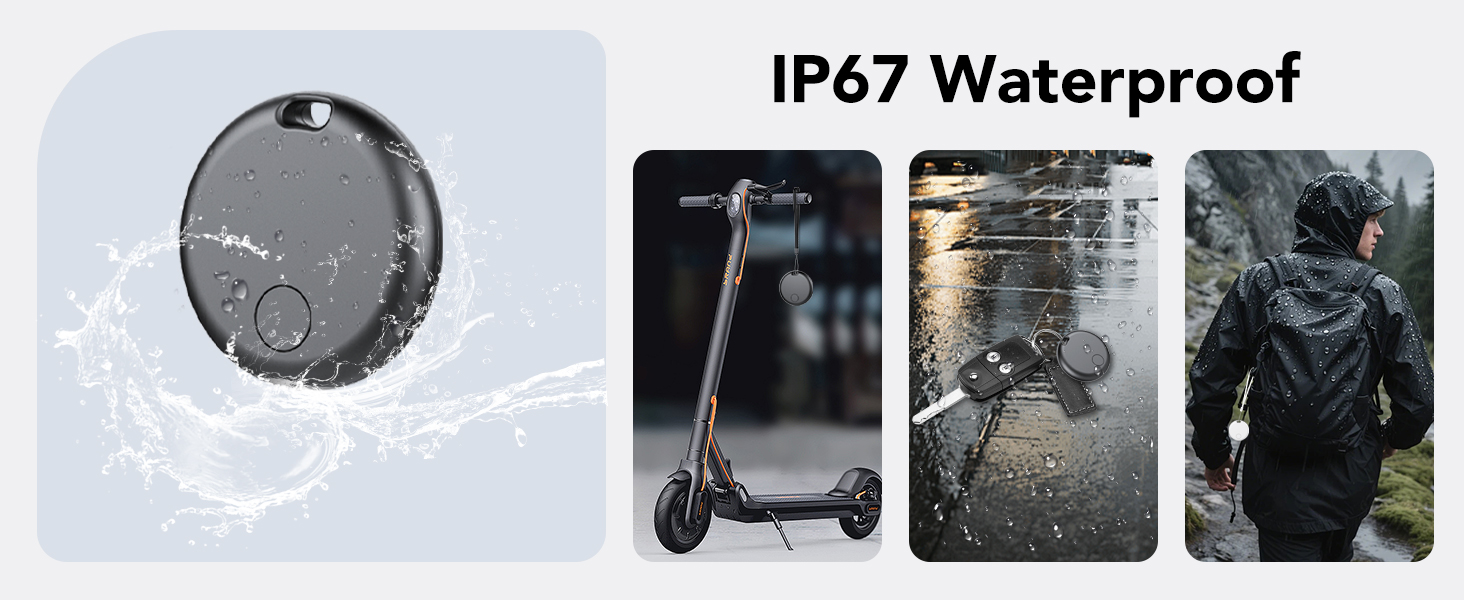
Image: The F2 tracker is IP67 waterproof, suitable for use in rainy or dusty conditions.
8. Troubleshooting
- Tracker Not Connecting:
- Ensure Bluetooth is enabled on your Android device.
- Check if the tracker's battery is charged or needs replacement.
- Make sure your Android device is running version 9.0 or higher.
- Restart your phone and try pairing again.
- No Sound from Tracker:
- Verify the tracker is within Bluetooth range of your phone.
- Check the battery level.
- Inaccurate Location:
- Ensure your phone's location services are enabled.
- Location accuracy can be affected by environmental factors (e.g., dense buildings, underground areas).
- Notifications Not Received:
- Check your phone's app notification settings for "Google Find My Device" to ensure they are enabled.
- Ensure the app has necessary permissions (e.g., location, Bluetooth).
9. Safety Information
- Keep the device and its battery out of reach of small children and pets. The CR2032 battery can be a choking hazard.
- Do not attempt to disassemble or modify the tracker beyond battery replacement.
- Avoid exposing the device to extreme temperatures or direct sunlight for extended periods.
- Dispose of batteries according to local regulations.
10. Warranty and Support
For warranty information, please refer to the documentation included with your purchase or visit the official taobosec website. If you encounter any issues or require further assistance, please contact taobosec customer support through their website or the contact information provided with your product.
Video: An overview of the taobosec F2 Air Tracker Tag for Android, demonstrating its features and ease of use.
