1. Introduction
Welcome to the Fire-Boltt Fire-Lens Dune Smart Glasses user manual. These smart glasses combine stylish eyewear with advanced audio technology, offering Bluetooth calling, open-ear audio, and voice assistant integration. This manual provides essential information for proper setup, operation, and maintenance of your device.
2. What's in the Box
- Fire-Boltt Fire-Lens Dune Smart Glasses
- Charging Cable
3. Product Overview
The Fire-Boltt Fire-Lens Dune Smart Glasses are designed for seamless integration into your daily life, providing audio and communication features without obstructing your hearing of the surroundings.
Key Features:
- Bluetooth Calling & Open-Ear Audio: Answer calls and listen to audio through built-in speakers and microphone, maintaining awareness of your environment.
- HD Voice Clarity & Noise Reduction: Experience clear sound for calls and music, supported by 360° acoustic drivers and a noise-reducing microphone.
- Smart Touch Controls: Manage music playback and calls with intuitive taps on the temple.
- Voice Assistant Compatibility: Activate Siri, Alexa, or Google Assistant with a simple tap for hands-free control.
- Lightweight & Stylish Design: Engineered for comfort during extended wear, suitable for various activities.
- Fast Charging & Long Battery Life: Quick-charge technology provides hours of use from a short charge, with up to 6 hours playtime and 72 hours standby.
- Optical Lens Support: Compatible with prescription lenses for personalized vision correction.

Figure 3.1: Front view of the Fire-Boltt Fire-Lens Dune Smart Glasses.
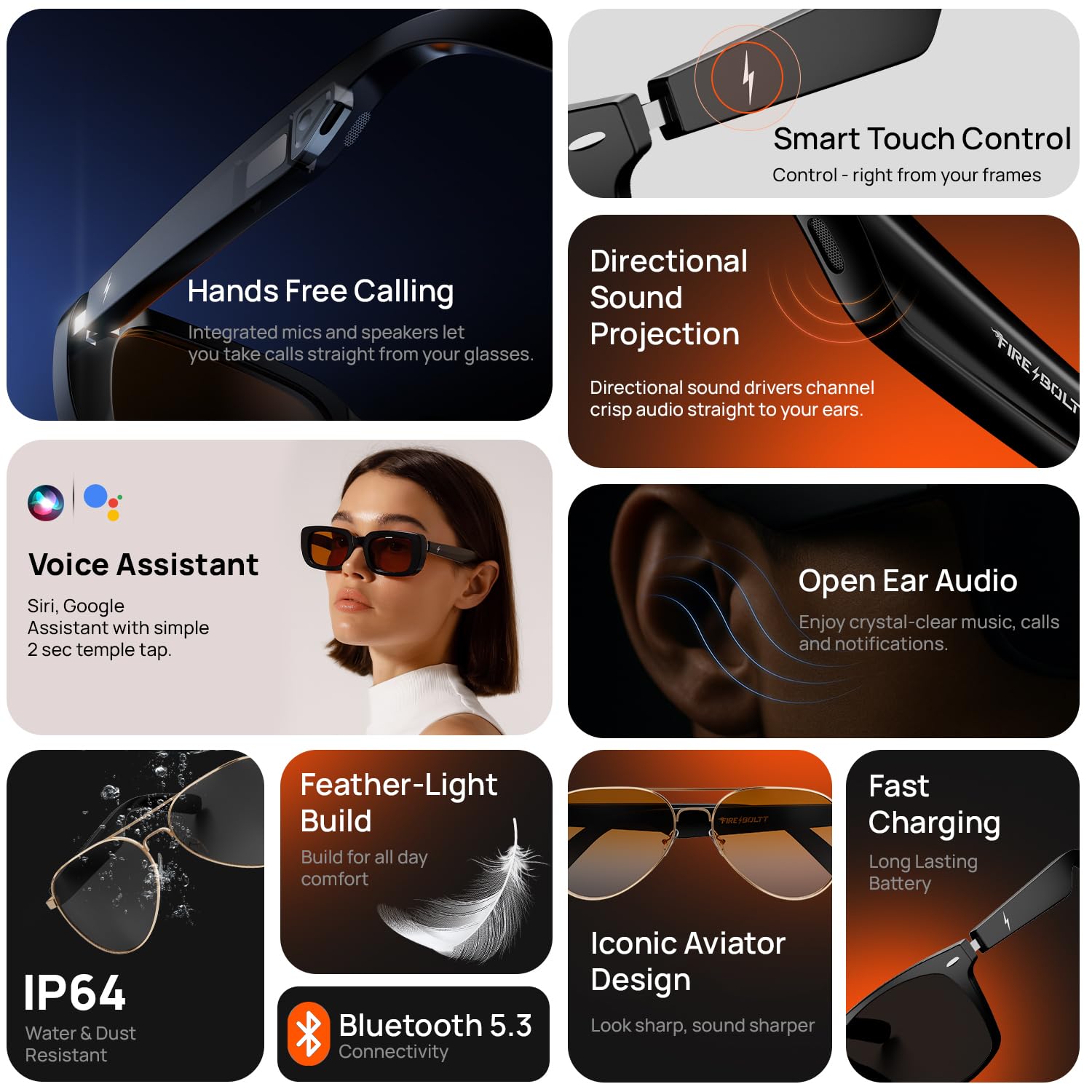
Figure 3.2: Overview of key features such as hands-free calling, directional sound projection, voice assistant, and open-ear audio.
Video 3.1: Official product overview showcasing the features and design of the Fire-Boltt Fire-Lens Dune Smart Glasses.
4. Setup
4.1 Power On
To power on your Fire-Lens Dune Smart Glasses, touch and hold both arms of the glasses for 5 seconds until you hear a confirmation sound or see an indicator light.
4.2 Bluetooth Connectivity
- Ensure your glasses are powered on.
- Enable Bluetooth on your smartphone or other compatible device.
- Search for available devices and select "Firelenses" from the list.
- Upon successful pairing, you will hear a voice prompt: "Connection Succeeded".
If the connection is lost, you will hear: "Connection Disconnected".
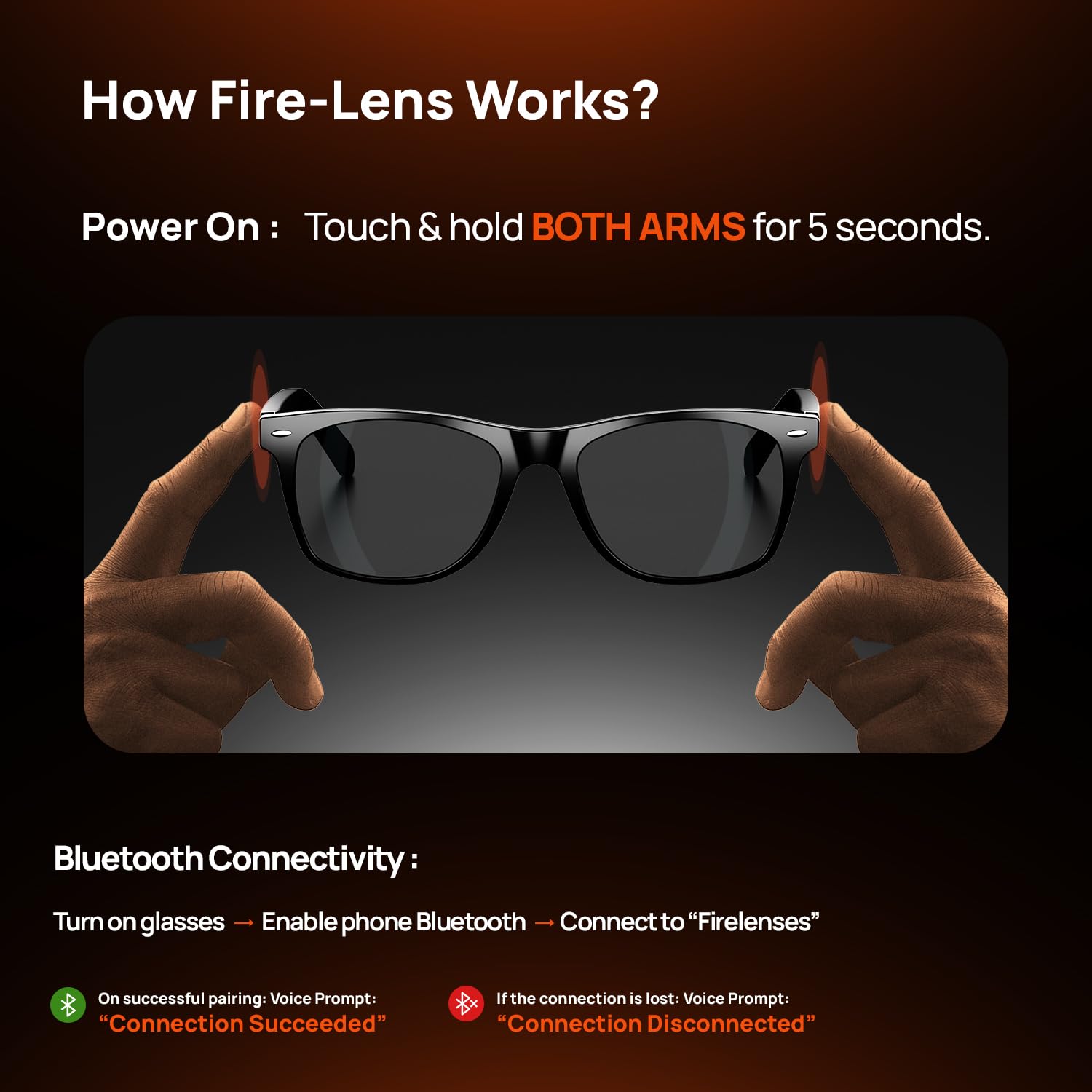
Figure 4.1: Instructions for powering on and connecting the smart glasses via Bluetooth.
5. Operating Instructions
The Fire-Lens Dune Smart Glasses feature intuitive touch controls located on the temple arms.
5.1 Smart Touch Controls
| Action | Function |
|---|---|
| Double-tap on either arm | Play/Pause music or Receive/Hang up call |
| Long Press (2 seconds) either arm | Wake up voice assistant |
| Triple-tap on the left arm | Previous song |
| Triple-tap on the right arm | Next song |
| Press & hold (3 seconds) either arm | Reject call |

Figure 5.1: Detailed smart touch control gestures for various functions.
5.2 Voice Assistant
Activate your preferred voice assistant (Siri, Alexa, Google) with a 2-second long press on either temple arm. This allows for hands-free commands such as making calls, sending messages, setting reminders, getting directions, or playing music.
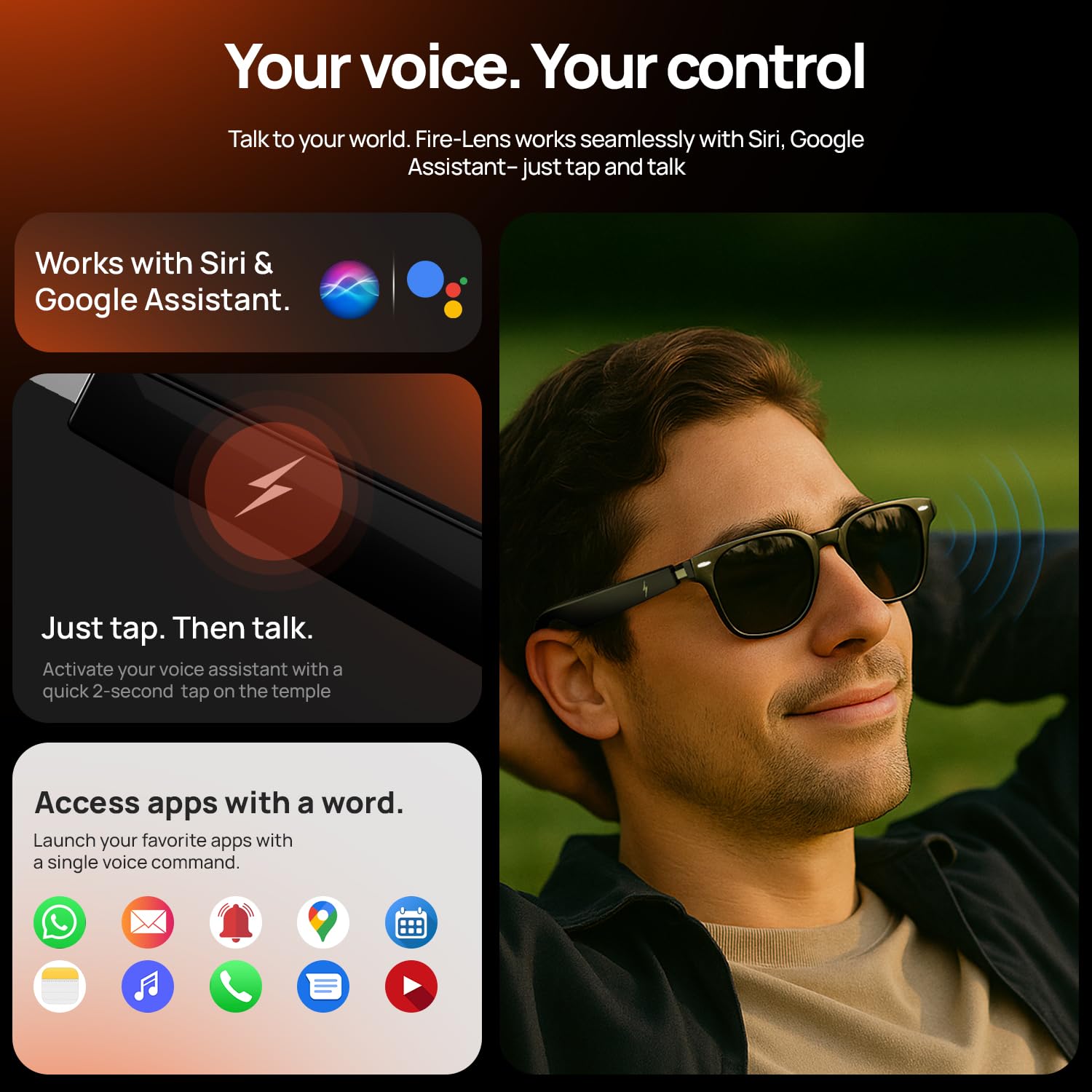
Figure 5.2: Using voice commands to control your smart glasses for various tasks.
6. Battery and Charging
The Fire-Lens Dune Smart Glasses are equipped with dual 60mAh batteries, offering efficient power management.
- Playtime: Up to 6 hours.
- Standby Time: Up to 72 hours.
- Fast Charging: Approximately 15 minutes of charge provides 4 hours of use.
Use the provided charging cable to connect your glasses to a power source. Ensure the magnetic charging interface is properly aligned.
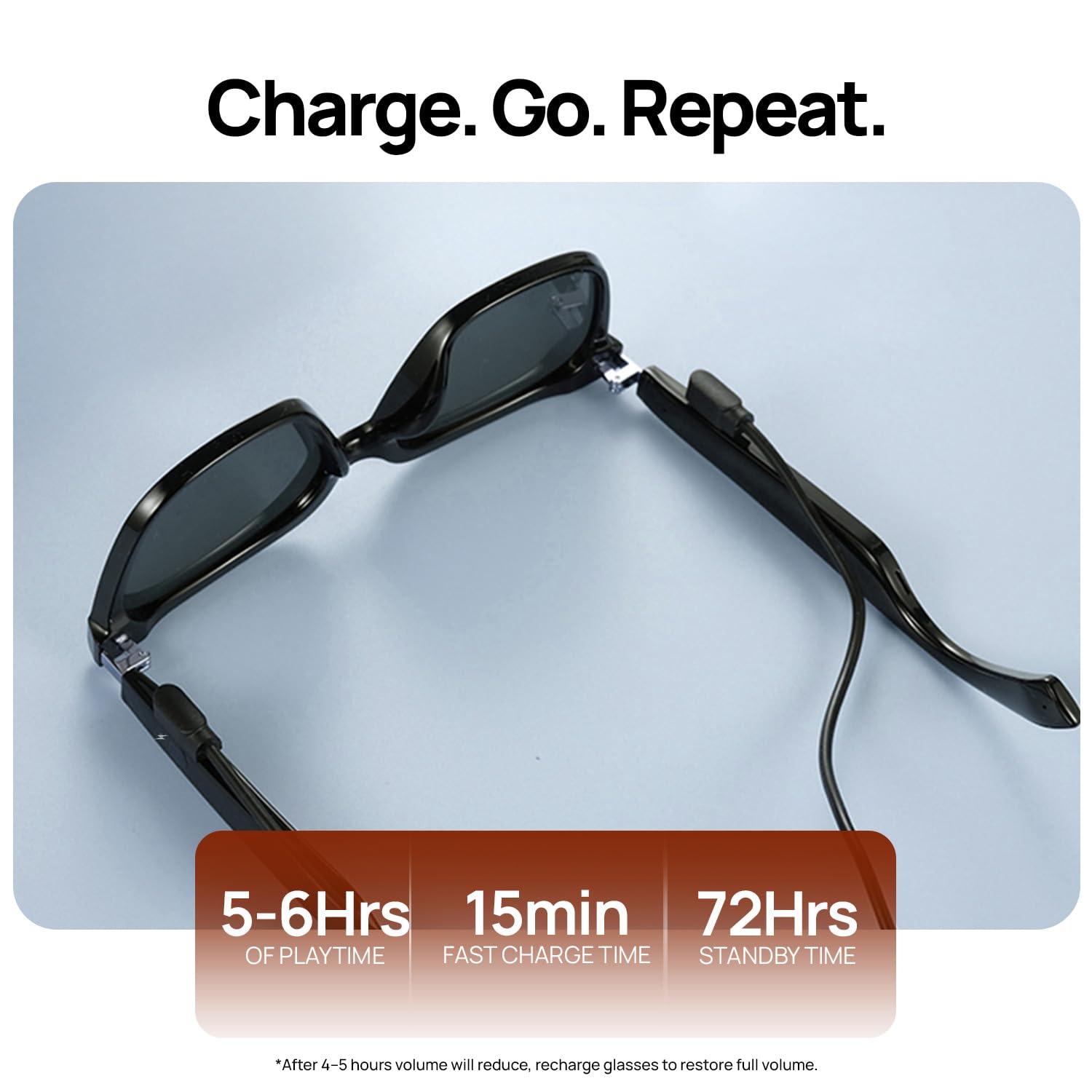
Figure 6.1: Battery life and fast charging capabilities of the smart glasses.
7. Maintenance
To ensure the longevity and optimal performance of your Fire-Boltt Fire-Lens Dune Smart Glasses, follow these maintenance guidelines:
- Cleaning: Use a soft, lint-free cloth to clean the lenses and frame. Avoid abrasive materials or harsh chemicals. For stubborn smudges, a lens cleaning solution designed for eyewear can be used.
- Storage: When not in use, store the glasses in their protective case to prevent scratches and damage.
- Water Resistance: The glasses have an IP64 rating, meaning they are resistant to dust and splashes of water. Avoid submerging them in water or exposing them to heavy rain.
- Temperature: Do not expose the glasses to extreme temperatures (hot or cold) as this can affect battery life and electronic components.
8. Troubleshooting
If you encounter issues with your Fire-Boltt Fire-Lens Dune Smart Glasses, refer to the following common solutions:
- No Power: Ensure the glasses are fully charged. Connect them to the charging cable and allow sufficient time for charging.
- Bluetooth Connection Issues:
- Make sure Bluetooth is enabled on your device and the glasses are in pairing mode.
- Forget the device ("Firelenses") from your phone's Bluetooth settings and attempt to re-pair.
- Ensure the glasses are within the effective Bluetooth range (typically 10 meters).
- No Sound or Low Volume:
- Check the volume levels on both your glasses and your connected device.
- Ensure the speakers are not obstructed.
- Re-establish the Bluetooth connection.
- Touch Controls Unresponsive:
- Ensure the temple arms are clean and dry.
- Restart the glasses by powering them off and on again.
- Voice Assistant Not Responding:
- Confirm the glasses are connected to your device.
- Ensure the voice assistant is enabled on your smartphone and the microphone on the glasses is not obstructed.
If the issue persists, please contact customer support for further assistance.
9. Specifications
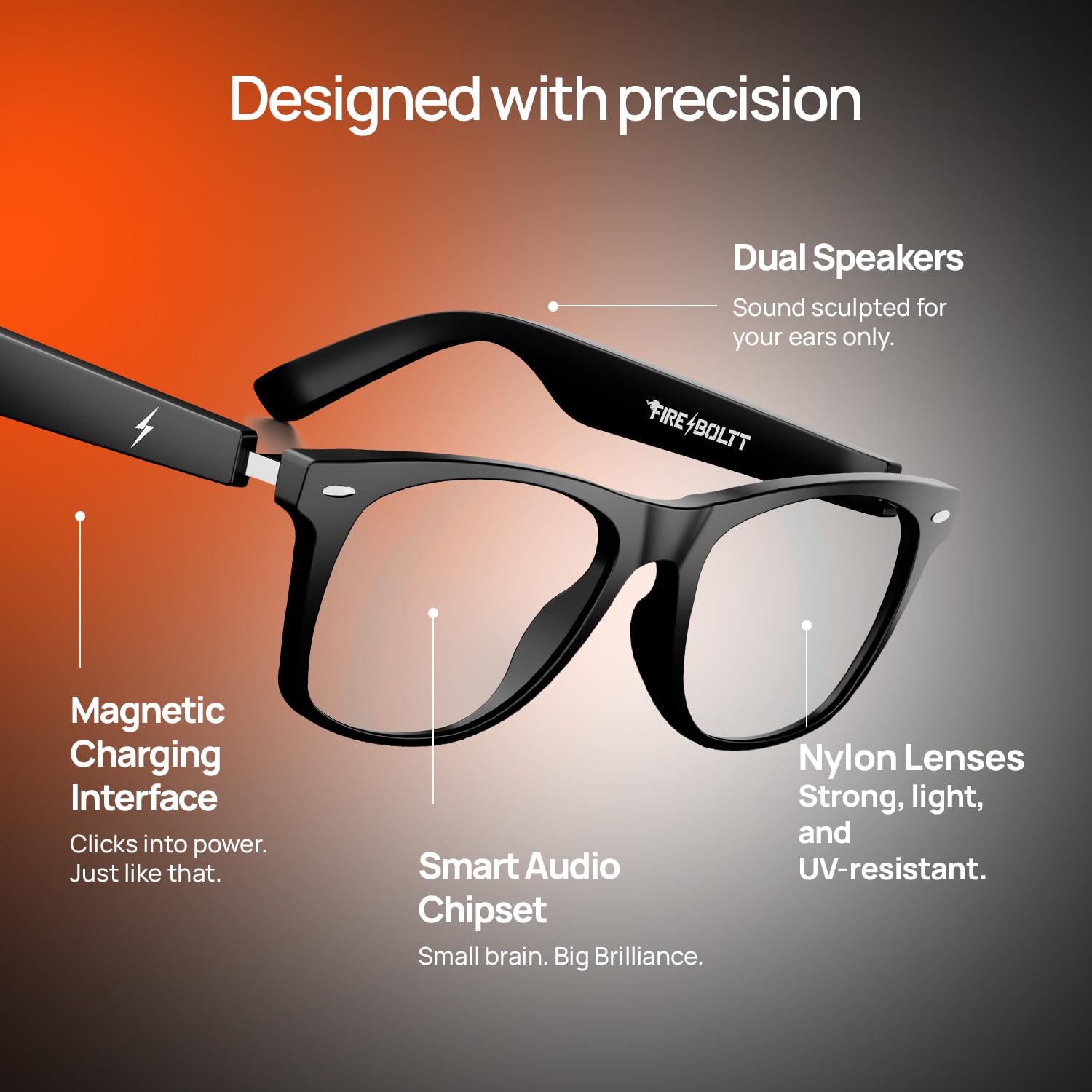
Figure 9.1: Internal design and key components of the smart glasses.
| Feature | Detail |
|---|---|
| Brand | Fire-Boltt |
| Model | BGSG001 |
| Item Weight | 46 g |
| Battery Capacity | 120 Milliamp Hours (dual 60mAh) |
| Battery Cell Composition | Lithium Ion |
| Battery Average Life | 6 Hours (Playtime) |
| Wireless Type | Bluetooth |
| Connectivity Technology | Bluetooth |
| Compatible Devices | Smartphone |
| Special Features | Bluetooth Calling, Open-Ear Audio, Smart Touch Controls, Voice Assistant Compatibility, Fast Charging |
| Display Type | No Display |
| Country of Origin | China |
10. Warranty and Support
Your Fire-Boltt Fire-Lens Dune Smart Glasses come with a standard brand warranty. For specific warranty terms, duration, and claim procedures, please refer to the warranty card included with your product or visit the official Fire-Boltt website.
For further assistance, technical support, or service inquiries, please contact Fire-Boltt customer support through their official channels. You may also find additional information and FAQs on the product detail page where you purchased the item.


