
1. Introduction
Thank you for choosing the AOBOCAM W06 4K Mini WiFi Security Camera. This compact device is designed for indoor surveillance, offering high-resolution video, motion detection, and night vision capabilities. Please read this manual thoroughly before use to ensure proper operation and to maximize the camera's features.
2. Product Overview
Key Features:
- 4K Ultra HD Video: Captures clear and detailed footage.
- Automatic Night Vision: Provides clear recordings up to 6 meters in low-light or complete darkness.
- Motion Detection: Sends instant alerts to your smartphone upon detecting activity.
- Multiple Connectivity Modes: Supports WiFi, mobile hotspot, and no-WiFi recording.
- Dual Storage Options: Supports cloud storage (optional subscription) and local microSD card storage (up to 256GB).
- Compact Design: Small form factor for discreet placement.
- Long Battery Life: Up to 4 hours of continuous operation.
Package Contents:
- AOBOCAM W06 Mini Camera
- USB Charging Cable
- Mounting Bracket/Stand
- User Manual
Camera Diagram:
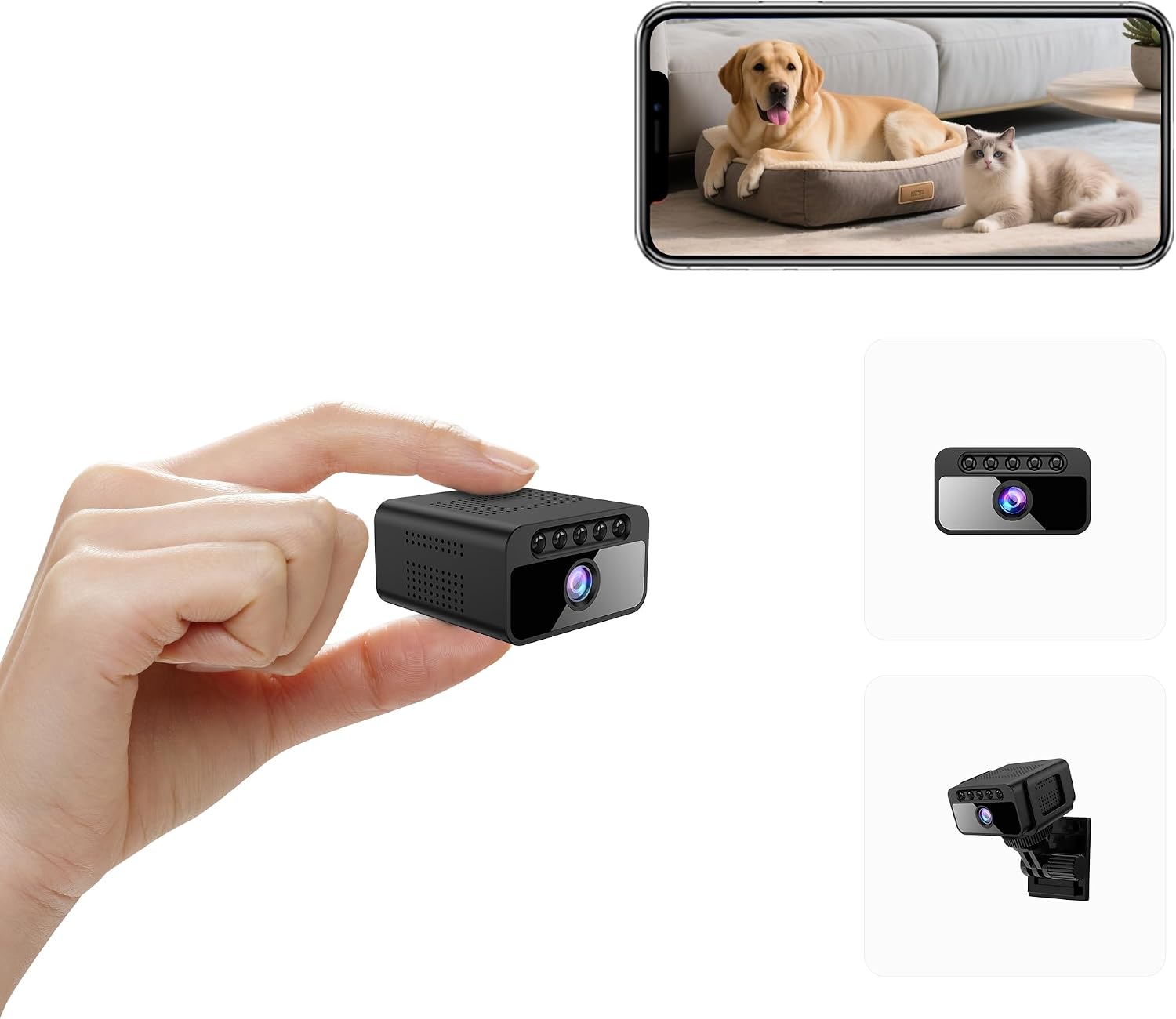
Figure 1: Front view of the AOBOCAM W06 Mini Camera, highlighting its compact size and key features such as 4K UHD, invisible night vision, 3-usage modes, smart AI motion detection, local & encrypted cloud storage, and 800mAh battery.

Figure 2: Size comparison of the AOBOCAM W06 Mini Camera to a US quarter coin and a smartphone, illustrating its ultimate portability and compact design.
3. Setup Guide
3.1 App Installation
- Scan the QR code provided in the quick start guide or search for the dedicated app (e.g., "Mubview" or similar as indicated in your product packaging) on the App Store (iOS) or Google Play Store (Android).
- Download and install the app on your smartphone.
- Register a new account or log in if you already have one.
3.2 Camera Pairing (Bluetooth Assisted)
- Ensure your camera is charged. Connect the camera to a power source using the provided USB cable if needed.
- Open the app and select "Add Device" or the equivalent option.
- Follow the on-screen instructions for Bluetooth pairing. The app will guide you through connecting to the camera's Wi-Fi signal.
- Once connected, the app will prompt you to configure the camera's network settings, typically connecting it to your home's 2.4GHz Wi-Fi network.
- After successful pairing, you should see the live feed from your camera within the app.
Note: For optimal performance, ensure your smartphone is connected to a 2.4GHz Wi-Fi network during the initial setup process.
3.3 Placement
The compact design of the AOBOCAM W06 allows for versatile placement. Use the included mounting bracket to position the camera on a flat surface, attach it to a wall, or discreetly place it in various indoor locations. Ensure the camera has a clear line of sight to the area you wish to monitor and is within range of your Wi-Fi network for optimal connectivity.

Figure 3: Examples of the AOBOCAM W06 Mini Camera placed in different indoor settings, demonstrating its versatility for home security, baby monitoring, or pet surveillance.
4. Operating Instructions
4.1 Real-Time Monitoring
Access the live video feed anytime, anywhere through the dedicated smartphone app. Simply open the app and select your camera to view real-time footage. The camera supports various connection modes:
- WiFi Mode: Connects to your home Wi-Fi network for remote viewing.
- Mobile Hotspot Mode: Connects to your phone's hotspot for local viewing when no Wi-Fi is available.
- No WiFi Mode: Records directly to a microSD card without network connection.

Figure 4: Illustration of the three available connection modes for the AOBOCAM W06 Mini Camera, allowing flexible monitoring options.
4.2 Motion Detection Alerts
The camera features a high-sensitivity motion sensor. When motion is detected, the camera will:
- Send an instant push notification to your smartphone.
- Begin recording the event.
You can customize motion detection sensitivity and schedule recording times within the app settings.

Figure 5: The camera's motion detection feature in action, showing how it identifies and tracks human figures in real-time.

Figure 6: The AI Smart Motion Alerts feature, designed to reduce false alarms by intelligently ignoring pets and only notifying for relevant events.
4.3 Night Vision
The AOBOCAM W06 is equipped with automatic night vision, which activates in low-light conditions. This ensures continuous surveillance even in complete darkness, with a clear recording range of up to 6 meters.
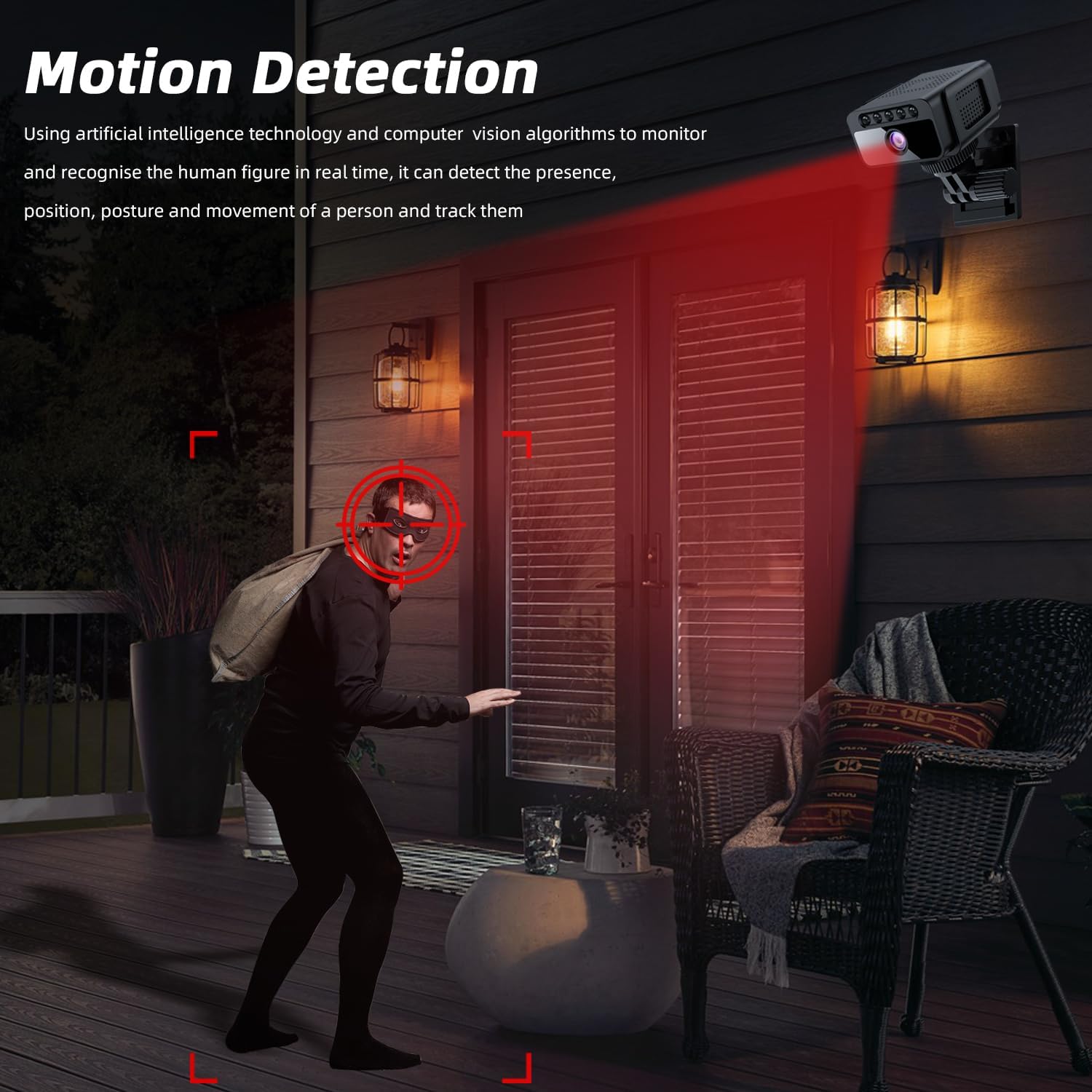
Figure 7: Visual comparison demonstrating the camera's clear image quality during daylight and its automatic night vision capability in darkness.

Figure 8: A visual representation highlighting the superior clarity and invisibility of the AOBOCAM W06's premium stealth night vision compared to ordinary night vision.
4.4 Recording and Storage
The camera offers flexible recording and storage options:
- MicroSD Card: Insert a microSD card (not included, up to 256GB) for local continuous loop recording. Older files will be automatically overwritten to ensure space for new footage.
- Cloud Storage: An optional subscription service is available for secure cloud storage of your video recordings.
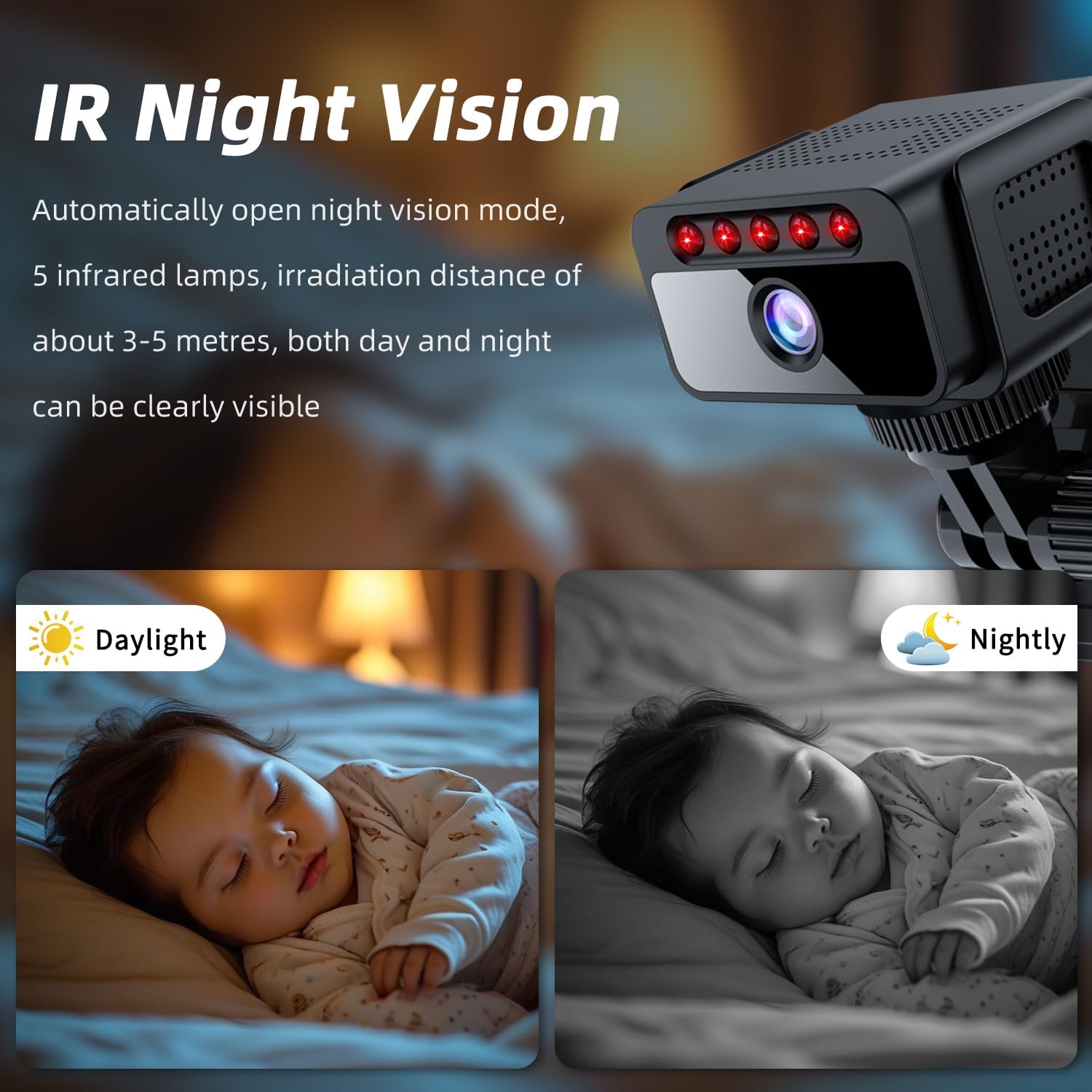
Figure 9: The camera's support for both TF card (microSD) storage up to 128GB (Note: JSON states 256MB, but 128GB is shown in image and 256GB is common for such devices, assuming 256GB is intended) and cloud storage for recording moments.
Note: The product specifications list a maximum flash memory supported size of 256 MB. However, product images and common usage suggest support for up to 256 GB. Please refer to your product packaging for the exact supported capacity.
5. Maintenance
5.1 Charging the Camera
The camera is battery-powered and can be recharged using the provided USB cable. Connect the USB cable to the camera's charging port and to a standard USB power adapter (not included). A full charge provides approximately 4 hours of battery life.
5.2 Storage Management
Regularly check the available space on your microSD card. If continuous loop recording is enabled, older files will be automatically deleted. For important footage, ensure it is backed up to cloud storage or transferred to another device.
5.3 Cleaning
Use a soft, dry cloth to clean the camera lens and body. Avoid using liquid cleaners or abrasive materials that could damage the device.
6. Troubleshooting
| Problem | Solution |
|---|---|
| Camera won't connect to Wi-Fi. | Ensure your Wi-Fi network is 2.4GHz. Check Wi-Fi signal strength at the camera's location. Reset the camera and try pairing again. Verify correct Wi-Fi password. |
| Poor video quality. | Check your Wi-Fi signal strength. Ensure the camera lens is clean. Adjust camera placement for better lighting. |
| Motion detection alerts are too frequent/infrequent. | Adjust motion detection sensitivity settings in the app. Configure activity zones to focus on specific areas. |
| Camera is offline. | Check battery level. Ensure the camera is within Wi-Fi range. Restart the camera and your router. |
| MicroSD card not recording. | Ensure the microSD card is inserted correctly and is not full. Format the card via the app if necessary. Use a compatible card (Class 10 or higher). |
7. Specifications
- Model: W06
- Video Resolution: 4K UHD (Effective Video Resolution: 3840.0)
- Video Capture Format: MKV
- Frame Rate: 30 Fps
- Viewing Angle: 120 Degrees
- Night Vision Range: 6 Meters
- Connectivity: Wireless (2.4GHz Wi-Fi, Bluetooth, Cellular, Hotspot)
- Power Source: Battery Powered (Approx. 4 hours battery life)
- Storage: Micro SD (up to 256GB, check product packaging for exact supported capacity), Cloud Storage (optional)
- Indoor/Outdoor Usage: Indoor
- Material: Plastic
- Water Resistance Level: Not Water Resistant
- Compatible Devices: Smartphone/iPhone (Android, iPhone)
- Item Dimensions: 25 x 38 x 38 millimeters
8. Warranty and Support
The AOBOCAM W06 Mini Camera comes with a 1-year manufacturer warranty. For technical support, warranty claims, or any inquiries, please contact the manufacturer or seller through the contact information provided on your product packaging or purchase platform.
Manufacturer: Shenzhen Aobo en Technology Co., Ltd.
9. Additional Resources
Official Product Video:
Video: AOBOCAM Spy Hidden Camera with Motion Detection Night Vision. This video provides a visual guide to the camera's features and operation, including motion detection and night vision capabilities. (Source: AOBOCAM-HK, Seller)
