
1. Product Overview
The EWEADN V80 is a wired Tenkeyless (TKL) RGB gaming keyboard designed for performance and comfort. It features quiet membrane switches, durable PBT keycaps, and dynamic RGB backlighting. Its compact 80% layout saves desk space while offering essential functionality for gaming and productivity across multiple operating systems.

Image: The EWEADN V80 keyboard displaying multiple RGB lighting effects, highlighting its customizable illumination.
2. Package Contents
- Keyboard x 1
- USB Cable x 1
- Manual x 1
3. Setup Instructions
3.1. Wired Connection
Connect the provided USB-C cable to the keyboard's USB-C port and the other end to an available USB port on your computer. The keyboard is plug-and-play and does not require additional drivers for basic functionality.
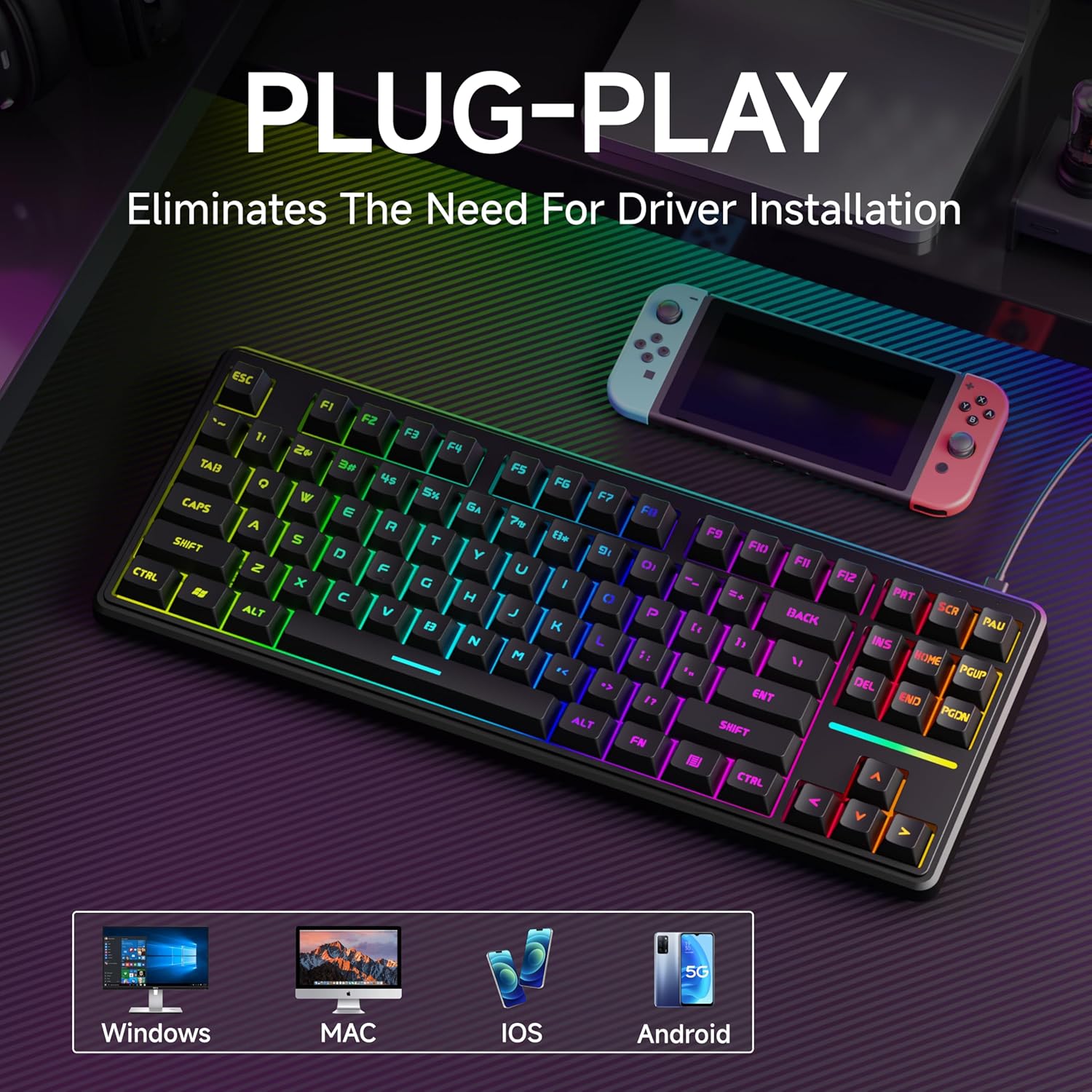
Image: The EWEADN V80 keyboard connected to a laptop, illustrating its plug-and-play wired connectivity and broad compatibility with various operating systems.
3.2. Ergonomic Adjustment
The keyboard features an integrated two-stage kickstand on the underside. Flip these stands up to adjust the typing angle for optimal wrist support and to minimize strain during extended use.

Image: A top-down view of the EWEADN V80 keyboard highlighting its compact 87-key layout, with insets showing the two-stage adjustable feet for ergonomic positioning.
3.3. System Compatibility
The EWEADN V80 keyboard is compatible with Windows, Mac, and iOS operating systems, allowing for seamless integration across multiple devices.
4. Operating Instructions
4.1. RGB Backlighting Control
The keyboard offers 12 dynamic RGB lighting modes. Use the following key combinations to control the backlighting:
- FN + Ins: Cycle through 12 dynamic lighting modes.
- FN + BackSpace: Turn backlighting ON/OFF.
- FN + PU (Page Up): Increase brightness.
- FN + PD (Page Down): Decrease brightness.
- FN + <- (Left Arrow): Decrease lighting speed.
- FN + -> (Right Arrow): Increase lighting speed.
4.2. 26-Key Anti-Ghosting
The 26-key rollover anti-ghosting feature ensures that every keypress is registered accurately, even when multiple keys are pressed simultaneously during intense gaming sessions.

Image: The EWEADN V80 keyboard with several keys highlighted, demonstrating the 26-key anti-ghosting capability for accurate simultaneous key presses.
4.3. Quiet Membrane Switches
The EWEADN V80 utilizes quiet membrane switches, providing a tactile typing experience with minimal noise, suitable for environments where quiet operation is preferred.

Image: A detailed close-up of the EWEADN V80 keyboard's membrane switches, highlighting their smooth, silent, and strain-free design.
4.4. PBT Keycaps
The keyboard is equipped with double-shot injection-molded PBT keycaps. These keycaps are designed for durability, resistance to shine, and improved grip, ensuring longevity and a consistent feel.

Image: A close-up view of the EWEADN V80 keyboard's double-shot PBT keycaps, showcasing their durable, textured, and grease-proof qualities.
5. Maintenance
To ensure the longevity and optimal performance of your EWEADN V80 keyboard, follow these maintenance guidelines:
- Cleaning: Regularly wipe the keycaps and keyboard surface with a soft, damp cloth. Avoid using harsh chemicals or abrasive materials.
- Dust Removal: Use compressed air to remove dust and debris from between the keycaps.
- Cable Care: Avoid bending or twisting the USB-C cable excessively to prevent damage.
- Storage: Store the keyboard in a dry, cool place away from direct sunlight and extreme temperatures when not in use.
6. Troubleshooting
If you encounter any issues with your EWEADN V80 keyboard, please refer to the following common troubleshooting steps:
- Keyboard Not Responding: Ensure the USB-C cable is securely connected to both the keyboard and your computer. Try connecting to a different USB port.
- RGB Lights Not Working: Check if the backlighting is turned ON using FN + BackSpace. Adjust brightness levels using FN + PU/PD.
- Keys Not Registering: Ensure the keyboard is properly connected. Test the keys on a different computer to rule out software issues.
- Intermittent Connection: Try using a different USB-C cable. Ensure there are no physical obstructions or damage to the cable or ports.
If the problem persists after trying these steps, please contact customer support.
7. Specifications
| Brand | EWEADN |
| Model | V80 |
| Connectivity Technology | USB-C (Wired) |
| Keyboard Description | Wired TKL RGB Gaming Keyboard |
| Keycap Material | PBT (Double-shot injection-molded) |
| Switch Type | Membrane (Whisper Quiet) |
| Anti-Ghosting | 26-Key Rollover |
| Backlighting | RGB (12 Dynamic Modes) |
| Ergonomic Features | Two-stage adjustable kickstand |
| Compatible Devices | Laptop, PC, Gaming Console, Tablet, Smartphone |
| Dimensions | 11.97 x 4.56 inches (approximate, based on 80% layout) |
| Item Weight | 2.09 pounds |
8. Warranty and Support
The EWEADN V80 Wired TKL RGB Gaming Keyboard comes with a 48-month manufacturer warranty. Our dedicated customer support team is available to assist with any inquiries or issues you may have.
For pre-sales questions, troubleshooting, accessories reissue, returns, and exchanges, please contact us:
- Email Support: eweadnkeyboard@outlook.com
We are committed to providing high environmental and social standards throughout our operations and supply chain.
9. Official Product Video
Video: An official overview of the EWEADN V80 Wired RGB Gaming Keyboard, demonstrating its features and design.