
1. Introduction
Thank you for choosing the RLQA Fitness Tracker Smart Watch, Model Band2. This manual provides essential information for setting up, operating, and maintaining your device. Please read it carefully to ensure optimal performance and a complete understanding of its features. This smart watch is designed to help you monitor your health, track your fitness activities, and stay connected.
2. What's in the Box
- RLQA Fitness Tracker Smart Watch (Model Band2)
- Charging Cable
- User Manual
3. Setup Guide
3.1 Initial Charging
Before first use, fully charge your smart watch. Connect the charging cable to the magnetic charging points on the back of the watch and to a USB power source. A full charge typically takes approximately 2 hours.

Image: The RLQA Fitness Tracker Smart Watch, Model Band2, in black. This image shows the watch face displaying time and activity metrics, providing a visual reference for the device.
3.2 App Download and Installation
To unlock all features and synchronize data, download the GloryFit app from your smartphone's app store (compatible with iOS 9.0+ and Android 4.4+).
3.3 Device Pairing
- Ensure Bluetooth is enabled on your smartphone.
- Open the GloryFit app and follow the on-screen instructions to create an account or log in.
- Tap 'Add Device' or the '+' icon within the app.
- Select your RLQA Band2 from the list of nearby devices.
- Confirm the pairing request on both your phone and the smart watch.
4. Operating Instructions
4.1 Health Monitoring
The RLQA Band2 provides continuous health monitoring features.
- Heart Rate Monitoring: Tracks your heart rate 24/7. View real-time data on the watch or detailed trends in the app.
- Blood Oxygen (SpO2) Monitoring: Measures your blood oxygen levels.
- Sleep Tracking: Analyzes sleep stages (REM, light, deep sleep) and provides insights to improve sleep quality.
- Menstrual Cycle Tracking: Offers reminders and predictions for menstrual cycles.
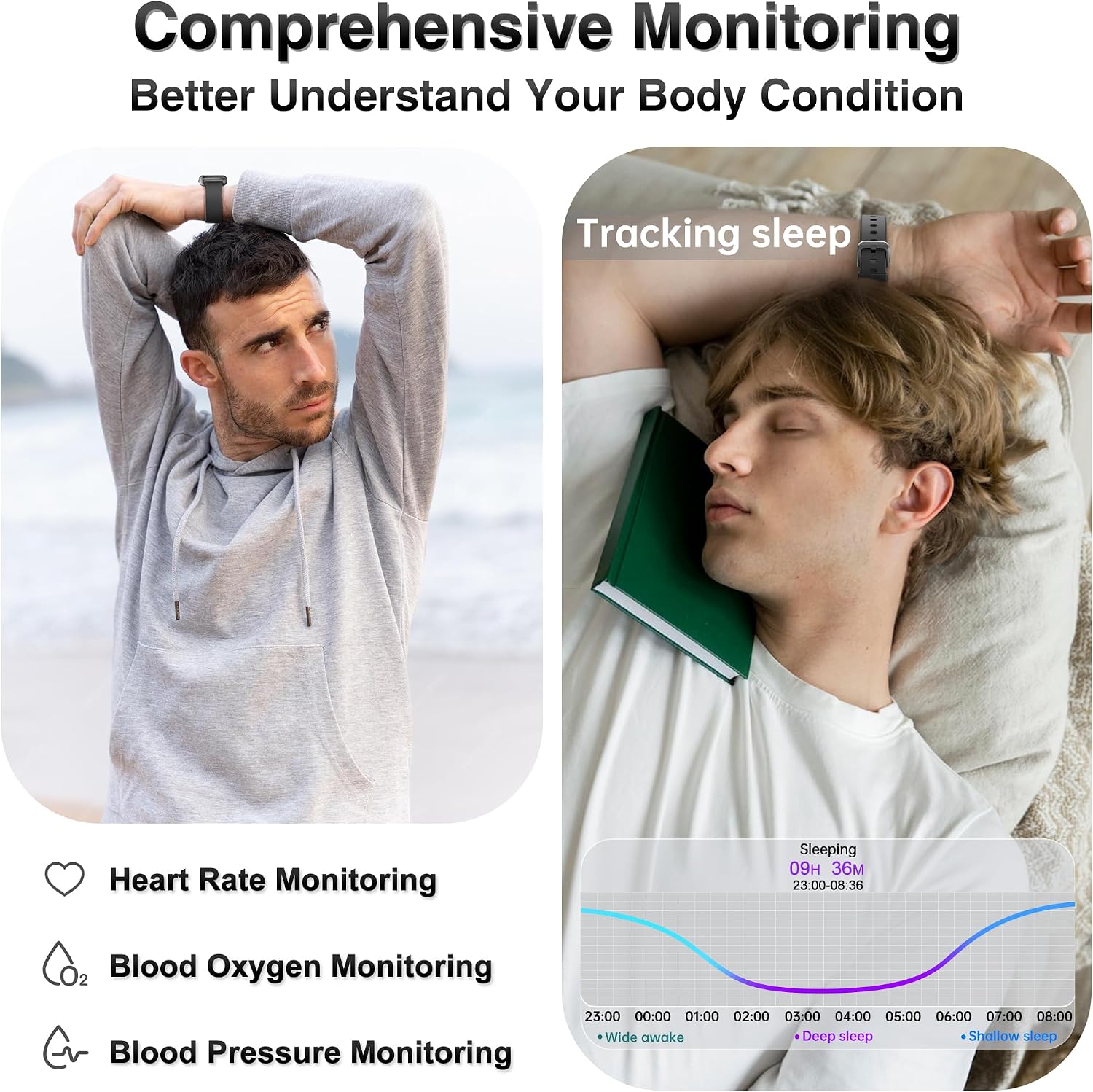
Image: This image illustrates the comprehensive health monitoring capabilities, showing a person exercising with heart rate data and another person sleeping with detailed sleep analysis from the smart watch.

Image: A close-up of the smart watch displaying sleep tracking data, including sleep duration and stages, while a person sleeps peacefully.

Image: The smart watch showing blood oxygen level measurements, with a person in an outdoor setting, highlighting the device's ability to track health metrics anywhere.

Image: The smart watch displaying real-time heart rate data during a basketball activity, emphasizing its continuous heart rate tracking feature.
Video: An official product video demonstrating the RLQA Health & Fitness Tracker's various features, including health monitoring, sports modes, and smart notifications.
4.2 Activity Tracking and Sports Modes
The smart watch accurately tracks your daily activity and supports multiple sports modes.
- Daily Activity: Monitors steps taken, distance traveled, and calories burned.
- Multi-Sport Modes: Includes modes for running, swimming, basketball, football, yoga, cycling, and more. Select a mode to get specific data for your workout.

Image: The smart watch displaying activity data such as steps, distance, and calories during a basketball game, illustrating its fitness tracking capabilities.

Image: This image highlights the diverse sports modes available on the smart watch, showing different individuals engaged in activities like running, yoga, and cycling.
4.3 Smart Features and Notifications
Stay connected and manage your day with these smart functionalities.
- Call and Message Notifications: Receive alerts for incoming calls and messages from social media apps directly on your watch.
- Music Control: Control music playback on your smartphone from your watch.
- Remote Camera Control: Use your watch as a remote shutter for your phone's camera.
- Find Phone: Locate your misplaced smartphone by triggering an alert from your watch.
- Weather Forecast: Get real-time weather updates.
- Sedentary Reminders: Receive alerts to move after periods of inactivity.
Image: This image demonstrates the message notification feature, showing a smartphone with incoming messages and the smart watch displaying a notification.
Image: The smart watch showing a sedentary reminder and icons representing practical functions like weather forecast, timer, camera control, and music control, illustrating its smart assistant capabilities.
Image: This image shows the incoming call notification feature, with a smartphone receiving a call and the smart watch simultaneously displaying the caller ID.
4.4 Customization
Personalize your smart watch to match your style.
- Customizable Watch Faces: Choose from over 200 free watch faces via the GloryFit app or upload your own photos to create a unique display.
Image: The smart watch showcasing a customizable watch face with a scenic mountain background, emphasizing the personalization options available.
5. Maintenance
5.1 Waterproofing
The RLQA Band2 is IP68 waterproof, meaning it is resistant to dust and can withstand immersion in water up to 1.5 meters for 30 minutes. It is suitable for everyday activities such as washing hands, sweating, and swimming. However, it is not recommended for hot showers, saunas, or diving.
Image: This image demonstrates the IP68 waterproof feature, showing the smart watch in water and a person fishing, indicating its suitability for various water-related activities.
5.2 Cleaning and Care
- Wipe the watch and strap regularly with a soft, dry cloth.
- Avoid using harsh chemicals or abrasive materials.
- Ensure the charging contacts are clean and dry before charging.
6. Troubleshooting
- Watch not turning on: Ensure the watch is fully charged. Connect it to the charger for at least 30 minutes.
- Cannot pair with phone: Make sure Bluetooth is on, the GloryFit app is open, and the watch is within range. Try restarting both the watch and your phone.
- Inaccurate data: Ensure the watch is worn snugly on your wrist, not too tight or too loose. Clean the sensor on the back of the watch.
- Notifications not appearing: Check app permissions on your phone to ensure GloryFit has access to notifications. Verify notification settings within the GloryFit app.
7. Specifications
| Feature | Detail |
|---|---|
| Model Name | Band2 |
| Operating System Compatibility | Android 4.4+ & iOS 9.0+ |
| Screen Size | 1.47 Inches |
| Display Type | TFT |
| Resolution | 280 x 160 |
| Connectivity | Bluetooth 5.3 |
| Battery Capacity | 200 Milliamp Hours |
| Battery Life (Average) | 7 days |
| Battery Charge Time | 2 Hours |
| Waterproof Rating | IP68 (up to 1.5 meters for 30 minutes) |
| Memory Storage Capacity | 64 MB |
| GPS Functionality | GPS Via Smartphone |
| Band Material Type | Silicone |
| Item Weight | 92 Grams |
| Metrics Measured | Distance, Step Count, Heart Rate, Blood Oxygen, Sleep |
| Special Features | Activity Tracker, Calorie Consumption, Sedentary Reminder, Female Menstrual Cycle, Heart Rate Monitor, Blood Oxygen Monitor, Sleep Tracker, Pedometer, Weather Forecast, Music/Camera Control, Messages Notification |
8. Warranty and Support
Your RLQA Fitness Tracker Smart Watch (Model Band2) comes with a 1-Year Standard Warranty from the date of purchase. This warranty covers manufacturing defects and ensures proper functioning under normal use.
For any questions, technical assistance, or warranty claims, please contact RLQA customer support through the vendor (JTian-US) or refer to the contact information provided with your purchase. Please have your purchase details and model number ready when contacting support.