
1. Introduction
Thank you for choosing the Miady 5000mAh Mini Portable Charger. This device is designed to provide convenient and reliable power for your mobile devices on the go. Its compact size and dual output ports make it an ideal companion for daily use and travel. Please read this manual carefully to ensure proper use and maintenance of your portable charger.
2. Package Contents
Verify that all items are present in your package:
- 2 x Miady 5000mAh Mini Portable Charger (Black)
- 2 x USB-C Charging Cable
- 1 x User Manual
3. Product Overview
The Miady 5000mAh Mini Portable Charger features a compact design with essential ports and indicators for efficient charging.
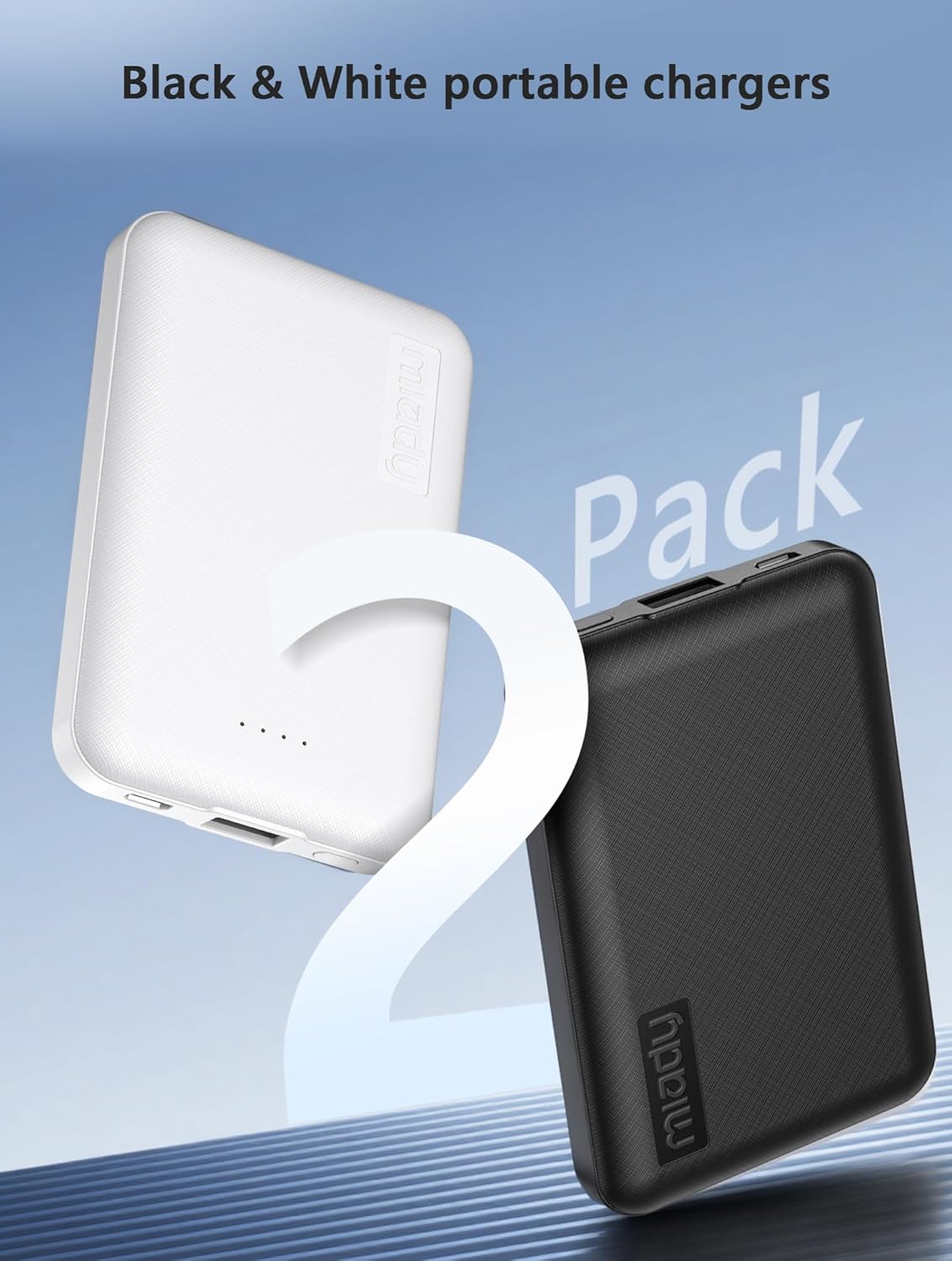
Image: Two Miady 5000mAh portable chargers, one white and one black, illustrating the compact size and dual pack.
Key Features:
- Compact and Lightweight: Dimensions of 3.6 x 2.5 x 0.4 inches and a weight of 4.2 oz for easy portability.
- Dual Output Ports: Equipped with one USB-A output and one USB-C input/output port.
- Fast Charging: Provides 5V/2.4A (12W) high-speed charging.
- LED Indicators: Four LED lights indicate the remaining battery level.
- Safety Protection: Built-in intelligent protection systems against overcharge, overdischarge, short circuit, and temperature fluctuations.
- Airline Approved: Safe for air travel with a capacity of 5000mAh / 18.5 watt-hours.

Image: Close-up of the Miady portable charger showing the USB-A output port and the USB-C input/output port.
The portable charger features a USB-A output port and a USB-C port that functions as both input and output. Four small LED lights indicate the battery status.
4. Setup
Charging the Portable Charger:
- Connect the provided USB-C cable to the USB-C input/output port on the portable charger.
- Connect the other end of the USB-C cable to a compatible USB wall adapter (not included) or a computer's USB port.
- The LED indicators will light up to show the charging progress. All four LEDs will be solid when the portable charger is fully charged.
It is recommended to fully charge the portable charger before its first use.
5. Operating Instructions
Charging Your Devices:
- Identify the appropriate charging cable for your device.
- Connect one end of your device's charging cable to the USB-A output port or the USB-C input/output port on the portable charger.
- Connect the other end of the cable to your device.
- The portable charger will automatically begin charging your device. The LED indicators will show the remaining power level.
The portable charger supports charging two devices simultaneously using both the USB-A and USB-C output ports.

Image: A Miady portable charger connected via USB-C cable to a smartphone, displaying 12W fast charging.
The device provides 12W rapid charging for compatible devices.
Video: This video demonstrates the Miady portable charger's compact size and its ability to charge multiple devices simultaneously, highlighting its suitability for travel.
This video illustrates the compact design and dual charging capability of the Miady portable charger.
6. Maintenance
- Keep the portable charger away from water, moisture, and extreme temperatures.
- Avoid dropping or subjecting the device to strong impacts.
- Clean the device with a dry, soft cloth. Do not use harsh chemicals or abrasive materials.
- Store the portable charger in a cool, dry place when not in use.
- For optimal battery life, recharge the power bank at least once every three months if not used regularly.
7. Troubleshooting
Common Issues and Solutions:
- Device not charging:
- Ensure the portable charger has sufficient power (check LED indicators).
- Verify that the charging cable is securely connected to both the portable charger and your device.
- Try a different charging cable or port on the portable charger.
- Confirm your device is compatible with the charger's output specifications.
- Portable charger not recharging:
- Ensure the USB-C charging cable is properly connected to a power source and the portable charger's USB-C port.
- Try a different USB wall adapter or power source.
- Check if the USB-C cable is damaged.
- Slow charging:
- Ensure you are using a high-quality charging cable.
- Some devices may charge slower if multiple devices are connected simultaneously.
- Verify that your device supports 12W fast charging.
If issues persist, please contact Miady customer support for further assistance.
8. Specifications
| Feature | Specification |
|---|---|
| Model Name | HYD009 |
| Battery Capacity | 5000mAh / 18.5Wh |
| Input (USB-C) | 5V / 2.4A (Max) |
| Output (USB-A) | 5V / 2.4A (Max) |
| Output (USB-C) | 5V / 2.4A (Max) |
| Total Output | 12W |
| Connector Type | USB Type A, USB Type C |
| Battery Cell Type | Lithium Ion |
| Item Dimensions (L x W x Th) | 3.6 x 2.4 x 0.5 inches |
| Item Weight | 120 Grams |
| Special Features | Auto Shut-Off, LED Indicator Lights, Pocket Size, Short Circuit Protection, Slim |
| Compatible Devices | Android Smartphones, Smartphone, Tablet, iPhone 17/16/15/14/13/12/11 Series, XR, XS Max, Galaxy S24, S22, S21, S20, A52, A32, Z fold series, and so on |
9. Warranty and Support
The Miady 5000mAh Mini Portable Charger comes with an 18-month warranty from the date of purchase.
For any questions, concerns, or technical support, please contact Miady's customer service. Our team is available 24/7 to provide a satisfying solution for you.
Your satisfaction is our greatest recognition and support.
10. Safety Information
- Do not disassemble, modify, or repair the device yourself.
- Do not expose the portable charger to fire, direct sunlight, or high temperatures.
- Avoid using the device in extremely humid or dusty environments.
- Keep out of reach of children.
- Dispose of the product according to local regulations for electronic waste.
- The portable charger is safe for air travel as its capacity is within the approved limits (5000mAh / 18.5Wh).

Image: A hand holding a white Miady portable charger next to an airplane window, with an 'Airplane Safe' icon, indicating its suitability for air travel.