
1. Introduction
This manual provides detailed instructions for the safe and effective use of your NBD 5K 64MP Digital Camera, Model K100C. Please read this manual thoroughly before operating the camera and retain it for future reference.
2. Safety Information
- Do not expose the camera to water or moisture.
- Avoid dropping the camera or subjecting it to strong impacts.
- Keep the camera away from extreme temperatures and direct sunlight.
- Use only NBD-approved accessories and power adapters.
- Do not attempt to disassemble or repair the camera yourself. Contact customer support for assistance.
- Keep batteries out of reach of children.
3. Package Contents
Verify that all items are present in your package:
- NBD 5K 64MP Digital Camera (Model K100C)
- 2 x Rechargeable Lithium-Ion Batteries (1500mAh)
- Battery Charger
- 64GB TF Card
- USB Cable
- Camera Neck Strap
- User Manual (this document)

Figure 3.1: Included accessories with the NBD K100C Digital Camera.
4. Camera Overview
4.1 Front View
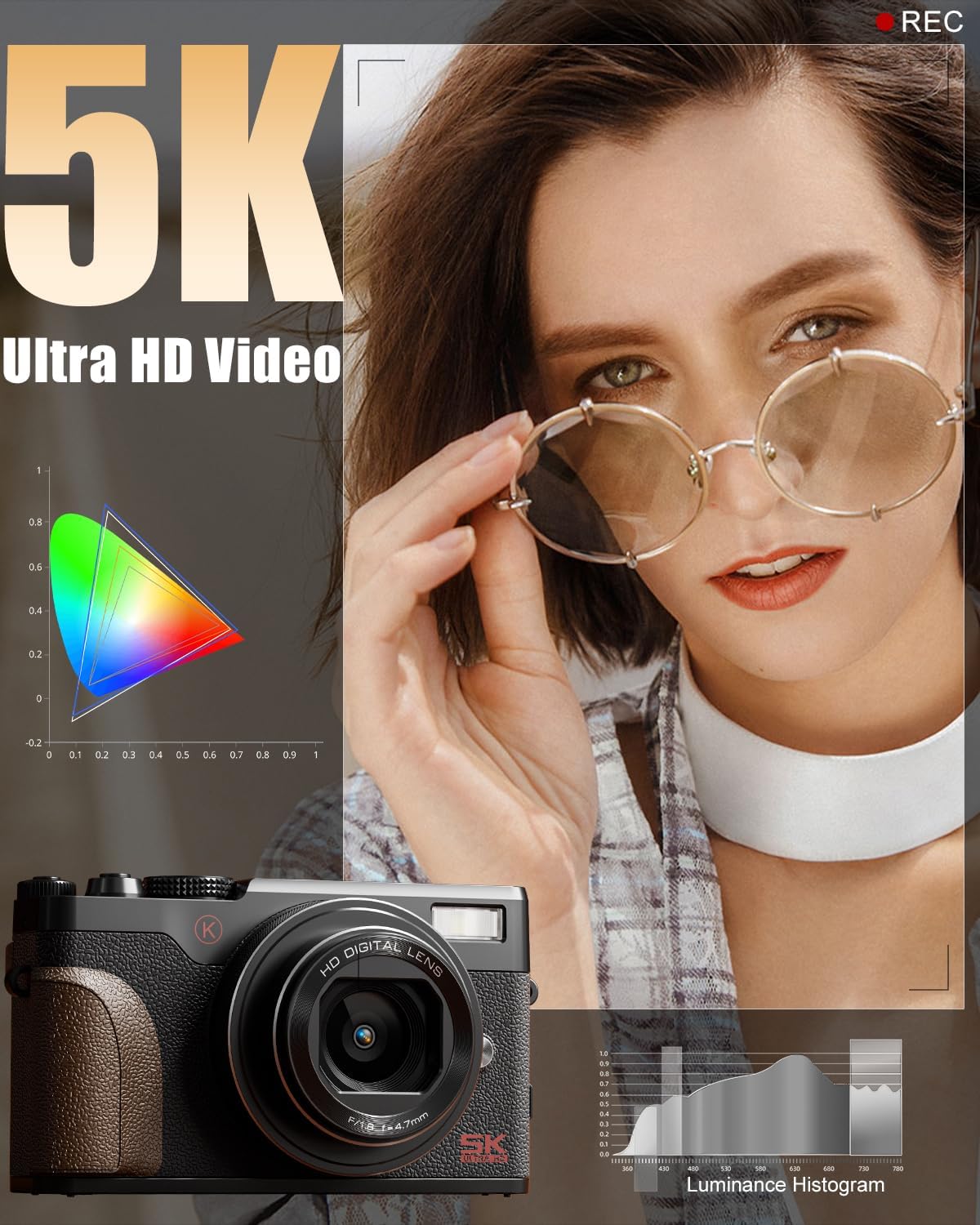
Figure 4.1: Front view of the camera, highlighting the lens and built-in flash.
- Lens: 18X Digital Zoom Lens (F/1.8 f=5.04mm Macro 52mm)
- Built-in Flash: Provides illumination in low-light conditions.
- Grip: Textured surface for secure handling.
4.2 Rear View and Controls

Figure 4.2: Rear view of the camera with the LCD screen and control layout.
- 180° Flip Screen: Rotates for vlogging and selfies.
- Directional Pad (OK button in center): Navigates menus and selects options.
- Menu Button: Accesses camera settings.
- DISP Button: Changes display information on the screen.
- Zoom Buttons (T/W): Controls 18X digital zoom.
4.3 Top View and Mode Dial

Figure 4.3: Top view of the camera, featuring the physical mode dial for quick setting changes.
- Shutter Button: Captures photos.
- Record Button: Starts and stops video recording.
- Physical Mode Dial: Allows quick selection between Photo, Video, Time-lapse, Slow-motion, Macro, Scene, and Filter modes.
4.4 Side Ports
- USB Port: For charging and data transfer.
- Microphone Input: For external microphone connection.
5. Setup
5.1 Charging the Battery
- Insert a rechargeable battery into the provided battery charger.
- Connect the charger to a power source using the USB cable.
- The indicator light on the charger will show charging status. A full charge typically takes approximately 2-3 hours.
5.2 Inserting the Battery and TF Card
- Open the battery/TF card compartment cover on the bottom of the camera.
- Insert the charged battery into the battery slot, ensuring correct orientation.
- Insert the 64GB TF card into the TF card slot until it clicks into place.
- Close the compartment cover securely.
6. Basic Operation
6.1 Power On/Off
Press and hold the Power button (usually located on the top or side) to turn the camera on or off.
6.2 Taking Photos
- Turn the Physical Mode Dial to the Photo mode icon.
- Frame your shot using the 180° Flip Screen.
- Press the Shutter button halfway to activate autofocus. The focus frame will turn green when focused.
- Press the Shutter button fully to capture the photo.

Figure 6.1: Precision autofocus ensures sharp images.
6.3 Recording Videos
- Turn the Physical Mode Dial to the Video mode icon.
- Press the Record button to start recording. A red indicator will typically appear on the screen.
- Press the Record button again to stop recording.

Figure 6.2: The camera is capable of capturing 5K Ultra HD video.
6.4 Using the Zoom
Use the T (Telephoto) and W (Wide) buttons on the rear of the camera to adjust the 18X digital zoom.

Figure 6.3: The 18X digital zoom allows for detailed close-ups.
6.5 Activating the Flash
Press the flash release button (if available) or navigate through the menu to activate the built-in flash for additional lighting.

Figure 6.4: The built-in smart flash enhances photos in low-light conditions.
6.6 Using the 180° Flip Screen
Gently pull the screen outwards and rotate it 180 degrees to face forward for self-recording or vlogging. Adjust the angle as needed.

Figure 6.5: The 180° flip screen is ideal for vlogging and self-portraits.
7. Advanced Features
7.1 Shooting Modes and Filters
The Physical Mode Dial allows quick access to various shooting modes including:
- Photo Mode: Standard still image capture.
- Video Mode: Standard video recording.
- Time-lapse Recording: Captures a series of images over time to create a sped-up video.
- Slow-motion Recording: Captures video at a higher frame rate for slow-motion playback.
- Macro Mode: For close-up photography of small subjects.
- Scene Modes: Pre-set modes optimized for specific shooting conditions (e.g., Portrait, Landscape).
- Filter Modes: Apply various creative filters directly to your photos and videos.

Figure 7.1: Explore various photo modes for creative expression.

Figure 7.2: Utilize different video modes for diverse recording needs.
Video 7.1: Demonstration of various built-in filters available on the NBD K100C camera.
7.2 Anti-Shake Stabilization
The camera features anti-shake technology to minimize blur in handheld shots, especially useful in telephoto, macro, and low-light scenes.

Figure 7.3: Anti-shake feature helps in capturing clear images and videos.
7.3 Webcam Mode
Connect the camera to your PC via the USB cable and select "PC Camera Mode" to use it as a webcam for video calls or live streaming.

Figure 7.4: The camera can be used as a webcam for interactive sessions.
8. Maintenance
- Cleaning the Lens: Use a soft, lint-free cloth specifically designed for camera lenses. Do not use abrasive materials.
- Cleaning the Screen: Wipe the screen gently with a microfiber cloth. Avoid pressing too hard.
- Storage: When not in use, store the camera in a cool, dry place, away from dust and direct sunlight. Remove the battery if storing for extended periods.
- Battery Care: Fully charge batteries before first use. Avoid completely draining batteries regularly to prolong their lifespan.
9. Troubleshooting
| Problem | Possible Cause | Solution |
|---|---|---|
| Camera does not power on. | Battery is drained or incorrectly inserted. | Charge the battery fully. Ensure the battery is inserted with correct polarity. |
| Images are blurry. | Autofocus not engaged, camera shake, or low light. | Press the shutter button halfway to focus. Enable Anti-Shake. Use flash in low light. |
| Cannot record video. | TF card is full or not inserted. | Check TF card storage. Insert TF card correctly. |
| Wi-Fi connection issues. | Incorrect settings or interference. | Ensure Wi-Fi is enabled on camera and device. Check for interference. Refer to the app's instructions. |
10. Specifications
| Brand | NBD |
| Model Name | K100C |
| Effective Still Resolution | 64 MP |
| Video Resolution | 5K Ultra HD |
| Digital Zoom | 18X |
| Photo Sensor Technology | CMOS |
| Photo Sensor Size | 1/2.3-inch |
| Supported File Format | MOV (Video) |
| Special Feature | 180° Flip Screen, Autofocus, Anti-Shake, Built-in Flash, Webcam Mode |
| Batteries | 2 Lithium Ion batteries (1500mAh each) |
| Item Weight | 1.28 pounds |
| Package Dimensions | 6.02 x 4.92 x 3.23 inches |
11. Warranty and Support
For warranty information or technical support, please refer to the contact details provided with your purchase or visit the official NBD website. Keep your proof of purchase for warranty claims.
You can visit the NBD Store for more information: NBD Official Flagship Store


