
Introduction
This manual provides comprehensive instructions for the installation, operation, and maintenance of your Homirxan 2.0 Cub Digital Security Safe Box. Please read this manual thoroughly before using the safe to ensure proper function and security. Keep this manual for future reference.
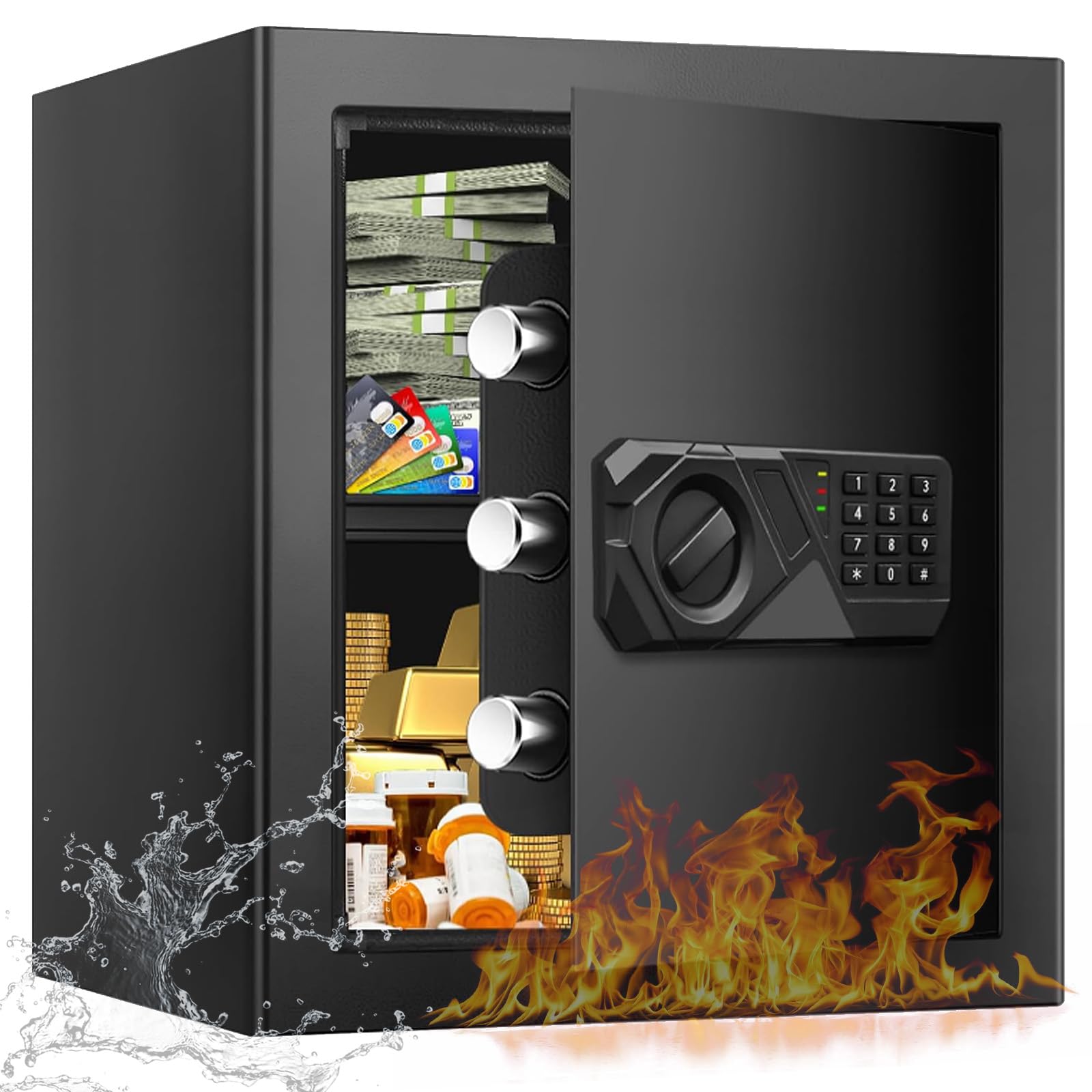
Image: The Homirxan 2.0 Cub Digital Security Safe Box, highlighting its robust construction and digital keypad.
Safety Information
Your Homirxan safe is constructed from alloy steel with reinforced features to enhance security. Adhere to the following safety guidelines:

Image: The safe's all-steel structure and solid anti-pry bolts.
- Do not store emergency keys inside the safe. Always keep them in a secure, separate location.
- Ensure the safe is properly anchored to a wall or floor to prevent unauthorized removal.
- Keep the safe out of reach of children, especially if storing firearms, medicines, or other hazardous items.
- Avoid exposing the safe to extreme temperatures or humidity.
- Do not attempt to force the safe open if the digital lock malfunctions. Refer to the troubleshooting section or contact support.
Package Contents
Verify that all items are present in the package:
- 1 x Homirxan 2.0 Cub Digital Security Safe Box
- 2 x Emergency Keys
- 4 x Expansion Bolts (for anchoring)
- 1 x USB Cable (for emergency power)
- 1 x User Manual (this document)
- 1 x Protective Mat (for interior)

Image: Contents of the Homirxan 2.0 Cub Digital Security Safe Box package, including the safe, keys, bolts, USB cable, and manual.
Specifications
| Brand | Homirxan |
| Model | 2.0 Cub |
| Product Dimensions (D x W x H) | 13" x 13" x 14.2" |
| Lock Type | Electronic Combination Lock |
| Color | Black |
| Capacity | 2 Cubic Feet |
| Material | Alloy Steel |
| Special Features | Anti-Theft, Audible Alarm, Removable Shelf |
| Mounting Type | Floor Mount, Wall Mount |
| Item Weight | 26 Pounds |
Setup
1. Initial Opening
Upon receiving your safe, use one of the provided emergency keys to open it for the first time. The keyhole is typically concealed behind a removable cover on the digital keypad panel. Gently pry off this cover to access the keyhole.
- Locate the keyhole cover on the keypad.
- Insert the emergency key and turn it clockwise.
- Simultaneously turn the knob on the keypad clockwise to open the safe door.
2. Battery Installation
The digital keypad requires batteries for operation. These are usually installed in a compartment on the inside of the safe door.
- Open the safe door.
- Locate the battery compartment (typically on the back of the keypad assembly inside the door).
- Insert the required number of AA batteries, ensuring correct polarity.
- Close the battery compartment.
3. Setting Your Passcode
It is crucial to set a personal passcode immediately after battery installation.
- With the safe door open, press the red reset button located on the inside of the safe door (usually near the hinges or battery compartment). The keypad will beep, and an indicator light will illuminate.
- Enter your desired 3 to 8 digit passcode on the keypad.
- Press the "#" or "*" button to confirm. The indicator light will turn off, and the safe will beep to confirm the new passcode.
- Test the new passcode multiple times with the door open before closing it.
4. Anchoring the Safe
For maximum security, anchor the safe to a wall or floor using the provided expansion bolts.
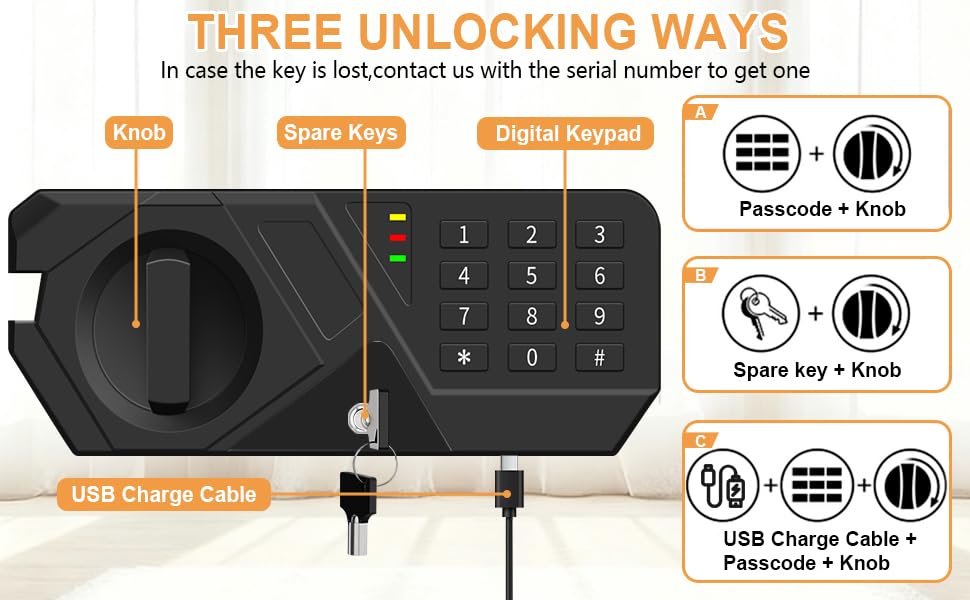
Image: Examples of safe placement in a wardrobe, on a bedside table, and wall-mounted.

Image: Illustration of wall or floor mounting steps for the safe.
- Choose a suitable location for the safe, ensuring it is level and stable.
- Locate the pre-drilled holes on the back or bottom of the safe.
- Mark the drilling points on the wall or floor through these holes.
- Drill pilot holes at the marked locations using an appropriate drill bit.
- Align the safe with the drilled holes and insert the expansion bolts.
- Tighten the bolts securely to fix the safe in place.
5. Installing the Removable Shelf
The safe includes a removable shelf for organizing contents.

Image: The safe's interior with and without the removable shelf.
- Open the safe door.
- Position the shelf on the internal supports at your desired height.
- Ensure the shelf is stable before placing items on it.
Operating Instructions
1. Opening with Passcode

Image: Three methods for opening the safe.
- Enter your 3 to 8 digit passcode on the digital keypad.
- Press the "#" or "*" button to confirm.
- Within 5 seconds, turn the knob clockwise to open the safe door.
2. Opening with Emergency Key
This method is used for initial opening, forgotten passcodes, or dead batteries.
- Gently pry off the keyhole cover on the keypad panel.
- Insert the emergency key and turn it clockwise.
- Simultaneously turn the knob on the keypad clockwise to open the safe door.
3. Opening with USB Emergency Power (Low Batteries)
If the batteries are too low to operate the keypad, you can use the USB cable for temporary power.
- Connect the provided USB cable to the USB port on the keypad panel and to a power source (e.g., power bank, USB wall adapter).
- Enter your 3 to 8 digit passcode on the digital keypad.
- Press the "#" or "*" button to confirm.
- Within 5 seconds, turn the knob clockwise to open the safe door.
4. Alarm System

Image: The safe's alarm system features.
- Incorrect Entry Alarm: If an incorrect passcode is entered 3 times consecutively, the alarm system will activate, and the safe will lock for 20 seconds.
- Silence Mode: The safe may have a silence mode feature to open it without an audible beep. Refer to the specific keypad instructions for your model on how to activate/deactivate silence mode.
Maintenance
- Battery Replacement: Replace batteries annually or when the low battery indicator appears. Always use new, high-quality AA batteries.
- Cleaning: Clean the exterior of the safe with a soft, damp cloth. Avoid abrasive cleaners or solvents that could damage the finish.
- Key Care: Store emergency keys in a safe, easily accessible location outside the safe. Do not duplicate keys without authorization. If a key is lost, note the unique number on the keyhole and contact customer support for assistance.
- Internal Protection: The soft felt-lined flooring helps protect items from scratches. Ensure it remains in place.
Troubleshooting
| Problem | Possible Cause | Solution |
|---|---|---|
| Safe does not open with passcode. | Incorrect passcode entered; low batteries; keypad malfunction. | Re-enter passcode carefully. Replace batteries. Use emergency key or USB power. |
| Alarm sounds after multiple attempts. | Three consecutive incorrect passcode entries. | Wait 20 seconds for the alarm to reset, then try again with the correct passcode or emergency key. |
| Keypad is unresponsive. | Dead or improperly installed batteries. | Replace batteries. Ensure correct polarity. Use USB emergency power. |
| Forgotten passcode. | Passcode cannot be recalled. | Use the emergency key to open the safe, then reset the passcode following the "Setting Your Passcode" instructions. |
| Lost emergency key. | Key is misplaced or lost. | Note the unique number on the keyhole and contact Homirxan customer support for assistance with obtaining a replacement. |
Warranty and Support
Homirxan provides a 120-day return or exchange service for this product. For any questions, technical assistance, or warranty claims, please contact Homirxan customer support.
Customer Support:
- 24-hour online service is available.
- Refer to your purchase documentation or the Homirxan official website for specific contact details.