1. Introduction
The SereneLife Portable Evaporative Air Cooler (Model SLACSW538) is a versatile 3-in-1 unit designed to provide cooling, humidification, and fan functions. It features a high airflow of 2500 CFM, a large 8-gallon (30L) water tank, and convenient control options including LED touch, remote, and Wi-Fi app. This manual provides essential information for safe and efficient operation, maintenance, and troubleshooting of your unit.
2. Important Safety Instructions
- Read all instructions thoroughly before operating the appliance.
- Place the unit on a stable, level surface to prevent tipping and water spillage.
- Do not block the air inlets or outlets. Maintain adequate clearance around the unit for proper airflow.
- Always unplug the unit from the power outlet before cleaning, performing maintenance, or when not in use.
- Keep the appliance out of reach of children and pets.
- Do not operate the unit with a damaged power cord or plug. Contact customer support for assistance.
- Never immerse the electrical components of the unit in water or other liquids.
- Use only clean water in the water tank.
3. Package Contents
Verify that all components are present in the package:
- SereneLife Portable Evaporative Air Cooler Unit
- Remote Control with Battery
- (2) Ice Packs
- User Manual
4. Setup
4.1 Unpacking and Placement
Carefully remove the unit from its packaging. Place the air cooler on a firm, level surface in the desired location. Ensure there is sufficient space around the unit for optimal airflow.
4.2 Filling the Water Tank
The unit features an 8-gallon (30L) removable water tank for easy filling and cleaning. To fill the tank:
- Ensure the unit is unplugged from the power outlet.
- Carefully detach the top section of the cooler from the water tank.
- Fill the water tank with clean, cool water up to the 'MAX' indicator line. Do not overfill.
- If desired, place the included ice packs into the water tank for enhanced cooling.
- Carefully reattach the top section, ensuring the water pump and power cord are not pinched and the latches are securely fastened.

Figure 1: Easy water tank filling and washable filter cleaning.

Figure 2: Advanced cooling technology with water circulation and ice packs.
4.3 Connecting Power
Plug the power cord into a standard 120V AC electrical outlet. The unit is now ready for operation.
5. Operating Instructions
5.1 Control Panel Overview
The SereneLife SLACSW538 features an intuitive LED touch control panel on the top of the unit, along with a remote control and Wi-Fi app for convenient operation.

Figure 3: Simple touch control LED display and status lights.
5.2 Power On/Off
Press the ON/OFF button on the control panel, remote, or via the app to turn the unit on or off.
5.3 Fan Speed Adjustment
Press the Fan Speed button to cycle through the available fan speeds (Low, Medium, High). The current speed will be indicated on the LED display.
5.4 Cooler/Humidifier Mode
Activate the cooling and humidifying function by pressing the Cooler/Humidifier button. This mode utilizes water evaporation to cool and add moisture to the air. Ensure the water tank is filled for this function to operate effectively.
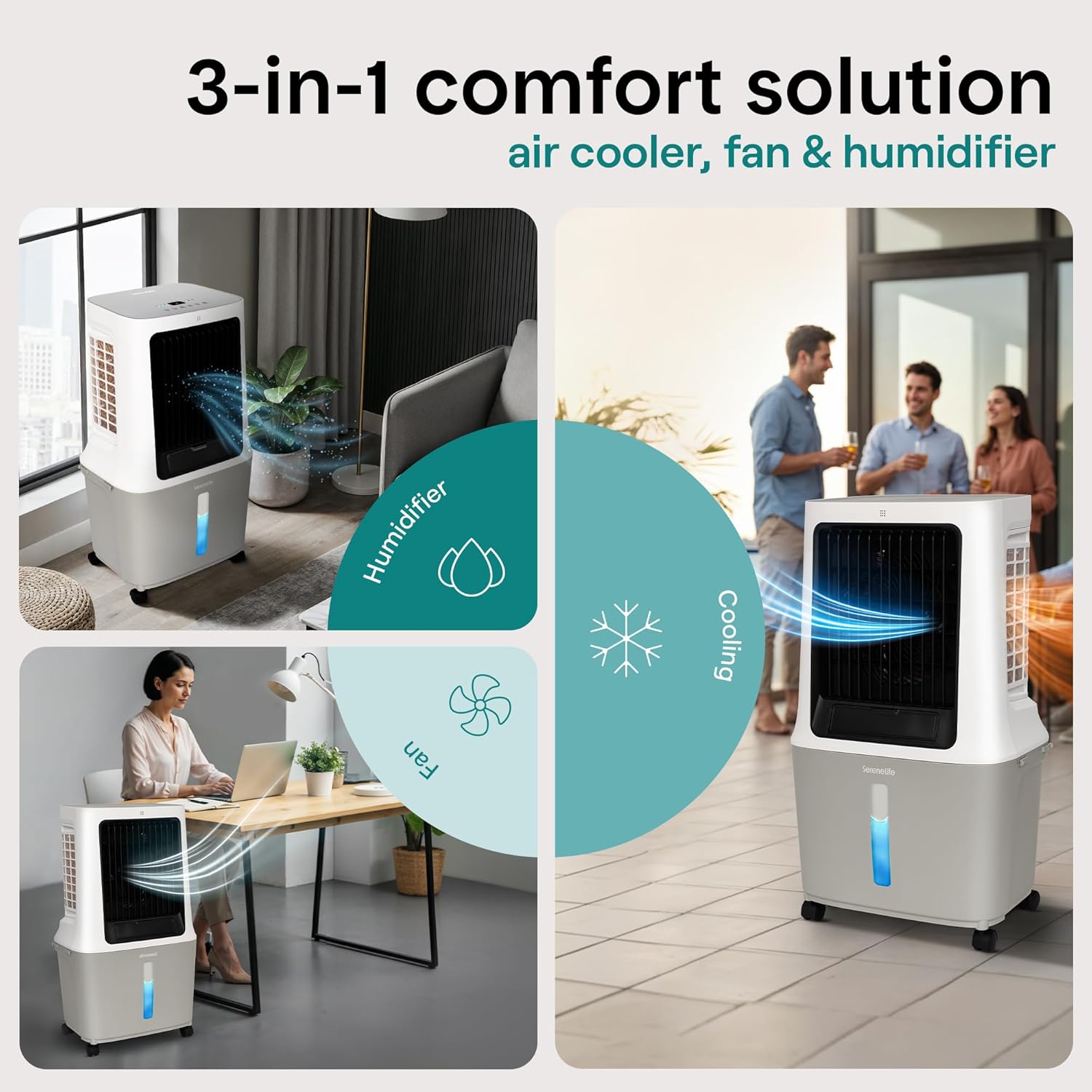
Figure 4: 3-in-1 comfort solution: air cooler, fan, and humidifier.
5.5 Swing Function
Press the Swing button to activate the automatic oscillation of the vertical louvers, distributing air across a wider area. Press again to stop the oscillation.
5.6 Timer Function
Set a desired operating time (up to 12 hours) by pressing the Timer button. Each press will increase the timer setting. The unit will automatically turn off once the set time has elapsed.
5.7 Wi-Fi Control
The unit can be controlled remotely via a dedicated mobile application. Follow the instructions provided in the app to connect your device to the air cooler's Wi-Fi network. This allows for convenient control from anywhere.
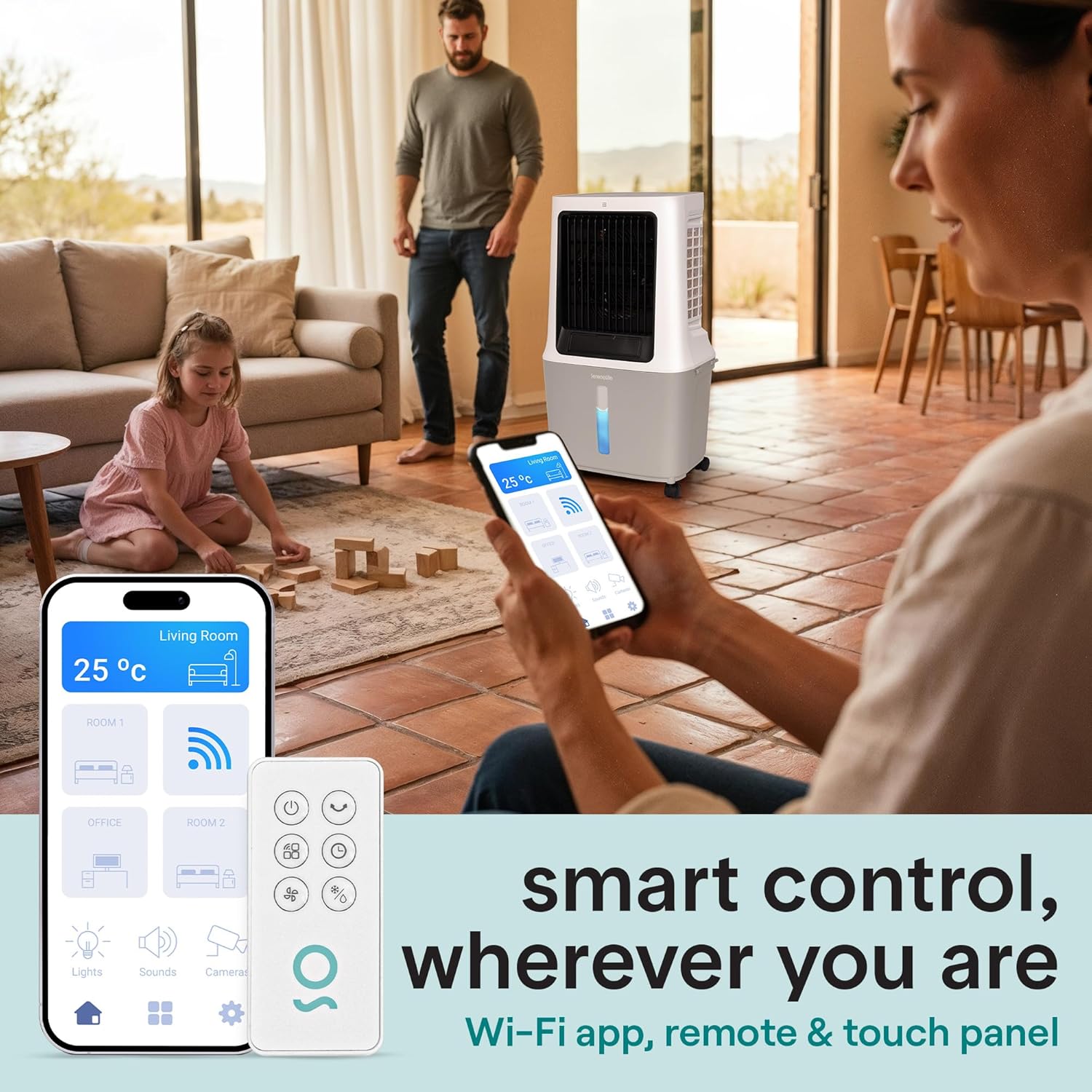
Figure 5: Smart control wherever you are via Wi-Fi app, remote, and touch panel.

Figure 6: Circulates cool air fast with 2500 CFM airflow and large 8-gallon tank.
6. Maintenance
Regular maintenance ensures optimal performance and longevity of your evaporative air cooler.
6.1 Cleaning the Water Tank
To prevent mold and mildew growth, clean the water tank regularly, especially if the unit is used frequently. Unplug the unit, detach the top section, and empty any remaining water. Clean the tank with a mild detergent and water, then rinse thoroughly. Allow it to dry completely before reassembling.
6.2 Cleaning the Washable Filter
The unit is equipped with a washable filter and an auto-dry pad system. Periodically remove and clean the filter to maintain efficient airflow and cooling. Rinse the filter under running water to remove dust and debris. Ensure the filter is completely dry before placing it back into the unit.
6.3 Storage
If the unit will not be used for an extended period, drain and clean the water tank and filter. Store the unit in a cool, dry place, away from direct sunlight and extreme temperatures.
7. Troubleshooting
If you encounter issues with your SereneLife Evaporative Air Cooler, refer to the following common problems and solutions:
| Problem | Possible Cause | Solution |
|---|---|---|
| Unit does not turn on | No power supply; Unit not properly assembled | Check power cord connection; Ensure unit sections are securely latched. |
| No cool air / Weak cooling | Low water level; Cooler/Humidifier mode off; Dirty filter; No ice packs | Fill water tank; Activate Cooler/Humidifier mode; Clean filter; Add ice packs to water tank. |
| Weak airflow | Low fan speed setting; Blocked air inlets/outlets; Dirty filter | Increase fan speed; Clear obstructions; Clean filter. |
| Unusual noise | Obstruction in fan; Unit not on level surface | Check for and remove any obstructions; Place unit on a stable, level surface. |
| Water leakage | Water tank not properly seated; Drain plug loose | Ensure water tank is correctly positioned and latched; Check and secure drain plug. |
8. Specifications
| Feature | Detail |
|---|---|
| Brand | SereneLife |
| Model Name | SLACSW538 |
| Mounting Type | Freestanding |
| Color | White |
| Air Flow Capacity | 2500 Cubic Feet Per Minute (CFM) |
| Controls Type | Touch, Remote, Wi-Fi App |
| Reservoir Capacity | 30 Liters (8 Gallons) |
| Recommended Uses | Residential |
| Noise Level | ≤52 dB |
| Number of Speeds | 3 |
| Product Dimensions | 19.54"D x 14.75"W x 34.24"H |
| Voltage | 120 Volts |
| Item Weight | 20.7 pounds |
| Material | Acrylonitrile Butadiene Styrene (ABS), HIPS, PC, Polypropylene (PP) |
| UPC | 842893175928 |

Figure 7: Product dimensions for the SereneLife Evaporative Air Cooler.
9. Warranty
This SereneLife product comes with a 1 Year Warranty from the date of purchase. Please retain your proof of purchase for warranty claims. For detailed warranty terms and conditions, refer to the official SereneLife website or contact customer support.
10. Customer Support
For any questions, technical assistance, or warranty inquiries, please contact SereneLife Customer Support:
- Visit the official SereneLife website for support resources and contact information.
- Refer to the contact details provided in your product packaging.


