
Introduction
This manual provides detailed instructions for the NBD 8K Digital Camera S100F. It covers essential information for setting up, operating, and maintaining your camera to ensure optimal performance and longevity. Please read thoroughly before use.
What's in the Box
The NBD 8K Digital Camera S100F package includes the following items:
- Camera Body
- 52mm Wide Angle Lens
- 52mm Macro Lens
- 2 x Batteries
- Battery Charger
- Camera Strap
- Protective Pouch
- 64GB TF Card
- USB Cable
- Lens Cleaning Cloth
- Card Reader

Setup
1. Charging the Battery
- Insert a battery into the provided battery charger.
- Connect the charger to a power source using the USB cable.
- Allow the battery to fully charge before first use. The indicator light on the charger will change when charging is complete.
2. Inserting the Battery and TF Card
- Open the battery compartment cover located at the bottom of the camera.
- Insert a charged battery into the compartment, ensuring correct orientation.
- Insert the 64GB TF card into the designated slot next to the battery, with the metal contacts facing down. Push until it clicks into place.
- Close the battery compartment cover securely.
3. Attaching Lenses
- The camera comes with a standard lens attached. To change lenses, gently twist the current lens counter-clockwise to remove it.
- Align the new lens (Wide Angle or Macro) with the camera mount and twist clockwise until it locks into place.
- Ensure the lens is securely attached before use.
Operating the Camera
1. Powering On/Off
Press and hold the power button located on the top of the camera to turn it on or off. The 3-inch IPS flip screen will display the welcome screen upon startup.
2. Using the 180° Flip Screen
The camera features a 180° flip screen, allowing for easy self-recording and vlogging. Simply pull the screen out from the side and rotate it to face forward. This provides a live view of your recording or photo composition.

3. Capture Modes
Rotate the mode dial on the top of the camera to select from various shooting modes:
- Standard Photo: For general photography.
- Standard Video: For regular video recording (up to 8K resolution).
- Interval Photo: Captures a series of photos at set intervals.
- Slow Motion Video: Records video at a higher frame rate for slow-motion playback.
- Interval Video: Records video clips at set intervals for time-lapse effects.
- Playback: Review captured photos and videos.

4. Zoom and Focus
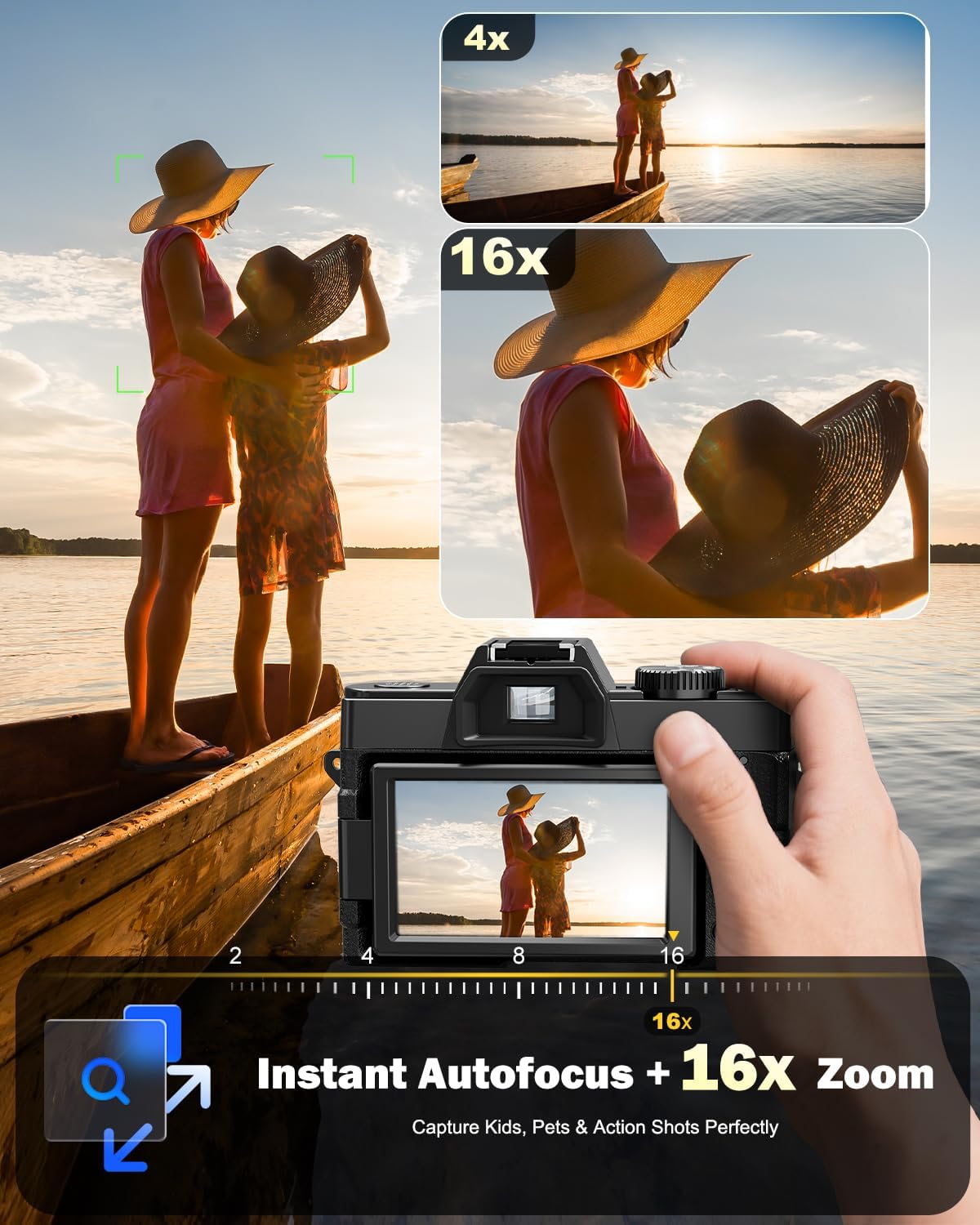
The camera features 16X digital zoom. Use the zoom controls (T/W buttons) to adjust the focal length. The autofocus system helps ensure subjects are sharp and clear. For precise control, manual focus options are also available in the settings.

5. Built-in Flash
Activate the built-in flash for improved lighting in low-light conditions. The flash can be set to automatic mode, where it will activate as needed, or manually controlled via the camera settings.

6. WiFi Connection and App Control
Connect your camera to a smartphone via WiFi for remote control and instant file transfer. Download the dedicated app (refer to the user manual for app name and instructions) to frame shots remotely, transfer photos and videos, and share content directly to social media platforms.

Media Management
1. Transferring Files
- Via USB Cable: Connect the camera directly to a computer using the provided USB cable. The camera will appear as a removable drive, allowing you to drag and drop files.
- Via Card Reader: Remove the TF card from the camera and insert it into the included card reader. Connect the card reader to your computer or smartphone to access and transfer files.
- Via WiFi App: Use the dedicated smartphone app to wirelessly transfer photos and videos to your device.
Specifications
| Feature | Detail |
|---|---|
| Photo Sensor Technology | CMOS |
| Supported File Format | MOV |
| Maximum Webcam Image Resolution | 64 MP |
| Photo Sensor Size | 1/2.3-inch |
| Exposure Control Type | Automatic |
| Form Factor | Compact |
| Effective Still Resolution | 64 MP |
| External-Memory Size | 64 GB |
| Screen Size | 3 Inches |
| Display Type | LCD |
| Display Fixture Type | Articulating (180° Flip) |
| Display Resolution Maximum | 64MP |
| Memory Storage Capacity | 64 GB (TF Card included) |
| Shooting Modes | Automatic, Landscape, Macro, Movie, Panorama, Sports |
| Sensor Type | CMOS |
| Photo Sensor Resolution | 64 MP |
| Light Sensitivity (ISO) | 100-6400 |
| Video Resolution | 8K |
| Flash Modes | Automatic |
| Camera Flash | Built-In |
| Specific Uses For Product | Vlogging, Photography |
| Compatible Devices | Smartphones, WiFi-enabled devices |
| Aperture modes | F1.8 |
| Audio Input | Built-in microphone |
| Video Capture Format | MP4 |
| Battery Type | Lithium Ion (2 included) |
| Lens Type | Macro, Wide Angle (52mm) |
| Digital Zoom | 16 x |
| Connectivity Technology | USB, Wi-Fi |
| Auto Focus Technology | Hybrid |
Maintenance
- Cleaning: Use the provided lens cleaning cloth to gently wipe the lens and screen. Avoid harsh chemicals.
- Storage: Store the camera in its protective pouch in a cool, dry place when not in use.
- Battery Care: Fully charge batteries before extended storage. Remove batteries if the camera will not be used for a long period.
Troubleshooting
- Camera not powering on: Ensure the battery is fully charged and correctly inserted.
- Poor image quality: Check lens cleanliness. Adjust focus mode (auto/manual) and lighting settings (ISO, white balance, flash).
- Memory card error: Ensure the TF card is correctly inserted and formatted. If issues persist, try a different compatible TF card.
- WiFi connection issues: Ensure WiFi is enabled on the camera and your smartphone. Refer to the app's instructions for connection steps.
Warranty and Support
For warranty information and technical support, please refer to the documentation included in your product package or visit the official NBD website. Keep your purchase receipt for warranty claims.


