
Hotpoint H6I8LMSAX
Hotpoint Ariston H6I8LMSAX Freestanding Cooker User Manual
Model: H6I8LMSAX
Introduction
This manual provides essential information for the safe and efficient operation, installation, and maintenance of your Hotpoint Ariston H6I8LMSAX freestanding cooker. Please read these instructions carefully before using the appliance and retain them for future reference.

Image: Front view of the Hotpoint Ariston H6I8LMSAX freestanding cooker, showcasing its stainless steel finish, induction hob, and oven door with a digital display.
Important Safety Information
Always follow basic safety precautions when using electrical appliances to reduce the risk of fire, electric shock, and injury to persons. Keep this manual near the appliance for quick reference.
- Ensure the appliance is properly earthed.
- Do not allow children to play with the appliance.
- Always supervise cooking processes.
- Do not use abrasive cleaners or sharp metal scrapers to clean the oven door glass, as they can scratch the surface, which may result in shattering of the glass.
- Disconnect the appliance from the power supply before performing any maintenance or cleaning.
Setup and Installation
Unpacking the Appliance
Carefully remove all packaging materials. Check the appliance for any signs of damage. Report any damage to your retailer immediately.
What's in the Box
- Hotpoint Ariston H6I8LMSAX Freestanding Cooker
- Power cable
- User Manual (this document)
- Oven racks and trays
Installation
The Hotpoint Ariston H6I8LMSAX is a freestanding cooker designed for easy integration into your kitchen. Ensure adequate ventilation and clearance around the appliance as specified in the detailed installation guide (separate document, if provided, or refer to local regulations). The appliance dimensions are approximately 60 cm (width) x 66 cm (depth) x 94 cm (height).
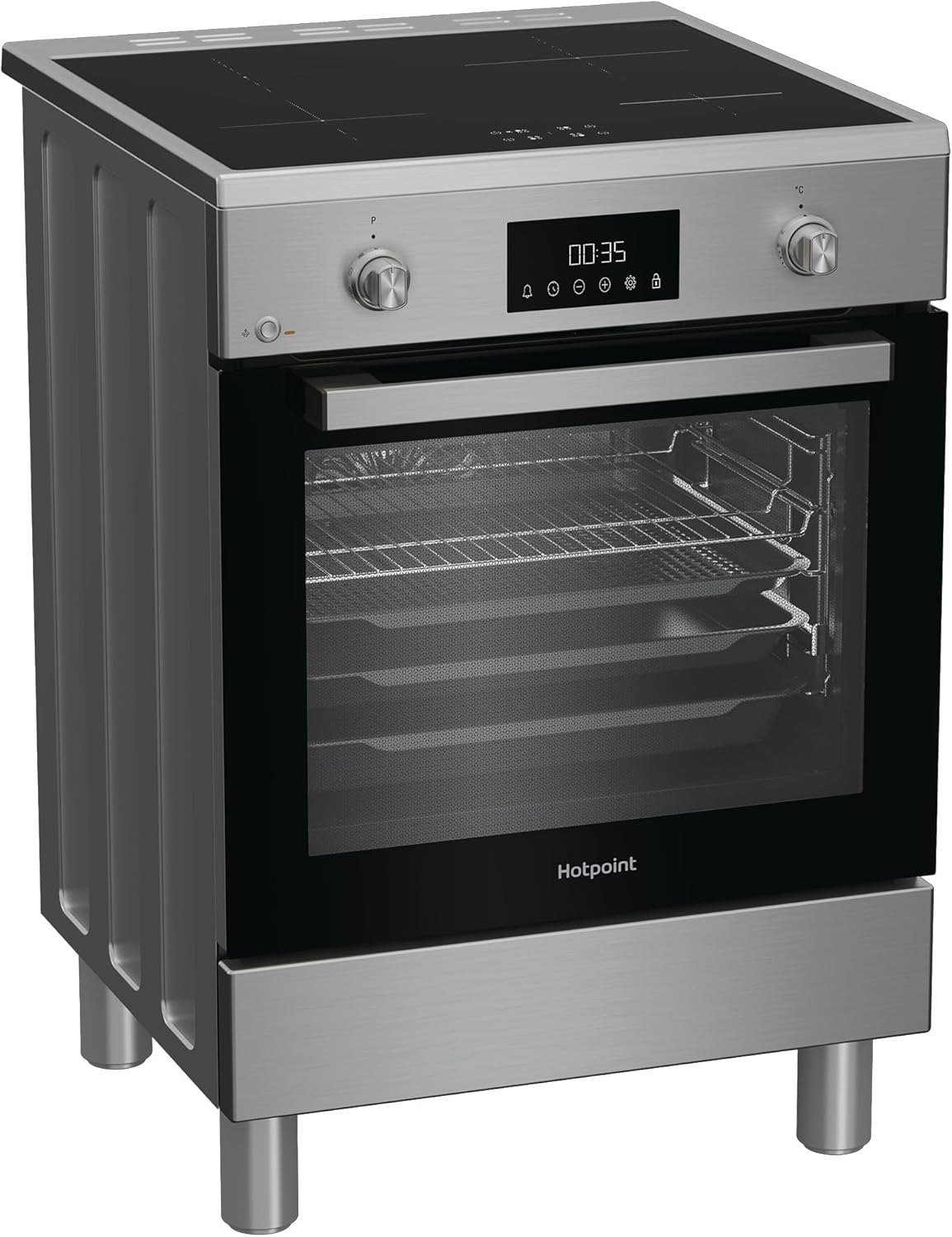
Image: Side view of the Hotpoint Ariston H6I8LMSAX freestanding cooker, illustrating its depth and the placement of the adjustable feet.
Electrical Connection
This appliance must be installed by a qualified electrician in accordance with local wiring regulations. Ensure the voltage and frequency rating on the appliance corresponds to your household supply.
First Use
Before first use, clean the interior of the oven and all accessories with warm soapy water. Run the empty oven at maximum temperature for approximately 30 minutes to burn off any manufacturing residues. Ensure the kitchen is well-ventilated during this process.
Operating Instructions
Control Panel Overview
The cooker features a LED Touch Control display and mechanical knobs for intuitive operation of both the induction hob and the oven.

Image: Close-up view of the Hotpoint Ariston H6I8LMSAX control panel, showing the digital LED display, touch controls, and rotary knobs for hob and oven settings.
Induction Hob Operation
The induction hob provides precise, fast, and efficient cooking. Place suitable cookware on the desired cooking zone. Use the dedicated controls to select the power level. The hob will only heat the base of the pan, ensuring energy efficiency and safety.

Image: Top-down view of the Hotpoint Ariston H6I8LMSAX induction hob, showing the four cooking zones and the integrated control panel.
Multifunction Oven Usage
The 72-liter multifunction oven offers ample capacity with ventilation and an electric grill. Select the desired cooking function and temperature using the oven control knob. The Active Multiflow technology ensures uniform heat distribution, allowing you to cook on up to 4 levels simultaneously for perfect results.

Image: Interior view of the Hotpoint Ariston H6I8LMSAX oven, showing the spacious cavity with multiple rack positions and included baking trays.
Special Functions
- Air Fry Function: This function allows for crispy cooking with little to no oil, promoting healthier and lighter meals. Refer to the recipe guide for optimal results.
- Active Multiflow Technology: Ensures even heat distribution throughout the oven cavity, enabling consistent cooking across all levels.
Care and Maintenance
Diamond Clean System
The Diamond Clean system utilizes the power of steam for natural cleaning. This process softens dirt and removes stubborn encrustations without the need for aggressive detergents. Follow these steps:
- Pour a small amount of water into the bottom of the oven cavity.
- Select the Diamond Clean function (refer to the control panel section for specific instructions).
- Allow the cycle to complete.
- Once the cycle is finished and the oven has cooled, wipe away softened residues with a damp cloth.
General Cleaning
- Clean the exterior surfaces with a soft, damp cloth and mild detergent.
- For the induction hob, use a ceramic hob cleaner and a soft cloth.
- Remove oven racks and trays for separate cleaning in warm soapy water.
- Avoid using abrasive materials or harsh chemicals that could damage surfaces.
Troubleshooting
Before contacting customer service, please refer to the following common issues and solutions:
| Problem | Possible Cause | Solution |
|---|---|---|
| Appliance does not turn on. | No power supply; circuit breaker tripped. | Check power connection; reset circuit breaker. |
| Oven not heating correctly. | Incorrect temperature setting; oven door not closed properly. | Verify temperature setting; ensure door is fully closed. |
| Induction hob not detecting cookware. | Cookware not suitable for induction; pan not centered. | Use induction-compatible cookware; center pan on cooking zone. |
If the problem persists after attempting these solutions, please contact Hotpoint customer support.
Technical Specifications
| Model | H6I8LMSAX |
| Brand | Hotpoint Ariston |
| Dimensions (W x D x H) | 60 cm x 66 cm x 94 cm |
| Weight | 49.2 kg |
| Oven Capacity | 72 Liters |
| Energy Efficiency Class | A |
| Hob Type | Induction |
| Oven Type | Multifunction Ventilated Electric Grill |
| Cleaning System | Diamond Clean (Steam) |
| Country of Origin | Turkey |
| Internal Model Number | 869991716020 |
Warranty and Customer Support
Hotpoint offers a 10-year warranty on repair services with free spare parts, subject to product registration. For detailed warranty terms and conditions, please refer to the documentation provided with your appliance or visit the official Hotpoint website.
For technical assistance, spare parts, or to register your product, please contact Hotpoint customer support through their official channels. Always have your model number (H6I8LMSAX) and serial number ready when contacting support.
Related documentsH6I8LMSAX


Ask a question about this manual
Ask about setup, troubleshooting, compatibility, parts, safety, or missing instructions. Manuals+ will review the question and use this page’s manual context to help answer it.