
Introduction
Thank you for choosing the BORNOON 30.5" 3-Drawer Nightstand with Charging Station. This manual provides essential information for the safe assembly, operation, and maintenance of your new furniture. Please read these instructions carefully before beginning assembly and retain them for future reference.
Safety Information
- Always assemble the unit on a soft, clean surface to prevent scratches.
- Ensure all parts are securely fastened before use.
- Do not overload drawers; adhere to weight limits specified in the specifications section.
- Keep small parts and packaging materials away from children and pets.
- Use the included anti-tip kit to secure the nightstand to a wall, preventing accidental tipping.
- Do not expose the charging station to liquids. Disconnect from power before cleaning.
Package Contents
Please verify that all components listed below are present before starting assembly. If any parts are missing or damaged, contact customer support.
- A. Top Panel (x1)
- B. Side Panels (x2)
- C. Back Panel (x1)
- D. Base Panel (x1)
- E. Drawer Fronts (x3)
- F. Drawer Sides (x6)
- G. Drawer Backs (x3)
- H. Drawer Bottoms (x3)
- I. Legs (x4)
- J. Charging Station Unit (x1)
- K. Hardware Pack (Screws, dowels, cam locks, drawer slides, handles, anti-tip kit)
Assembly Instructions
Follow these steps carefully for proper assembly. A Phillips head screwdriver and a hammer (not included) may be required.
Step 1: Assemble the Main Frame
Attach the side panels (B) to the base panel (D) using the provided screws and dowels from the hardware pack (K). Ensure the pre-drilled holes align. Secure the back panel (C) to complete the main frame structure.

Image: The fully assembled nightstand, showcasing its design and placement in a bedroom.
Step 2: Attach the Legs
Secure the four legs (I) to the underside of the base panel (D) using the designated screws. Ensure they are firmly attached for stability.

Image: Detail of the nightstand's splayed legs, providing a stable base.
Step 3: Install Drawer Slides
Attach the drawer slides (from hardware pack K) to the inner sides of the main frame and to the drawer sides (F). Pay attention to the orientation of the slides to ensure smooth operation.
Step 4: Assemble the Drawers
For each of the three drawers, connect the drawer sides (F), drawer back (G), and drawer front (E) using screws and dowels. Slide the drawer bottom (H) into the grooves. Attach the handles (from hardware pack K) to the drawer fronts.

Image: The nightstand with one drawer partially open, revealing its interior capacity for storage.
Step 5: Install the Top Panel and Charging Station
Place the top panel (A) onto the assembled frame and secure it. Insert the charging station unit (J) into the designated cutout on the top panel. Ensure the power cord is routed correctly.
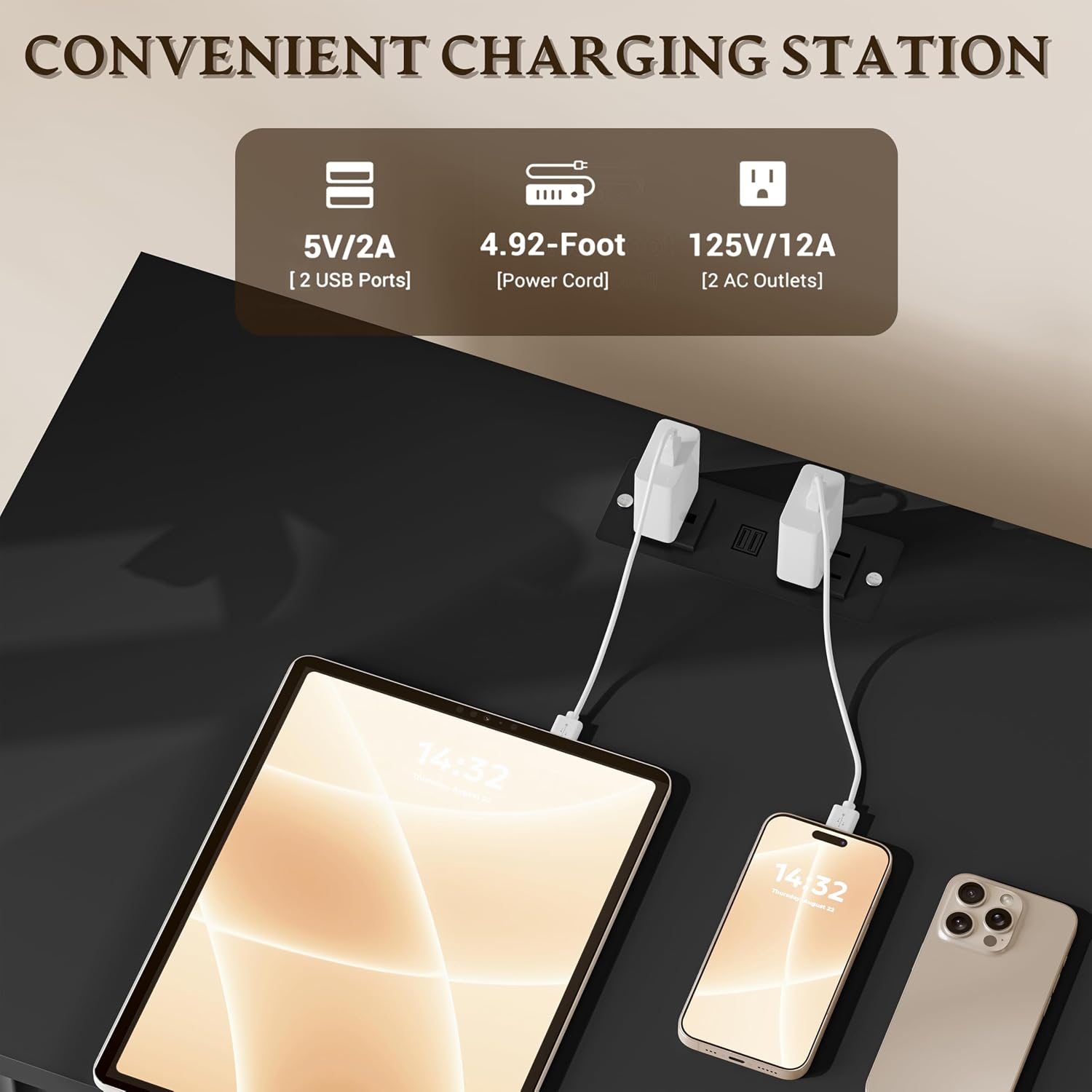
Image: A detailed view of the nightstand's top surface, highlighting the built-in charging station with two USB ports and two AC outlets.
Step 6: Insert Drawers and Secure Anti-Tip Kit
Carefully slide the assembled drawers into the installed slides. Finally, attach the anti-tip kit (from hardware pack K) to the back of the nightstand and to a wall stud, following the instructions provided with the kit, to prevent tipping.

Image: A visual representation of the nightstand's overall dimensions and the weight capacity for the top surface and each drawer.
Operating Instructions
Using the Charging Station
- Plug the nightstand's power cord into a standard wall outlet.
- The charging station provides two AC outlets (125V/12A) and two USB ports (5V/2A).
- Connect your electronic devices (phones, tablets, lamps) to the appropriate ports.
- Ensure devices are compatible with the provided power specifications.
Drawer Usage
The three drawers operate on smooth metal slides. To open, gently pull the handle. To close, push until fully seated. Avoid forcing drawers if they encounter resistance.
Maintenance
- Cleaning: Wipe surfaces with a soft, damp cloth. Avoid harsh chemicals or abrasive cleaners.
- Dusting: Regularly dust with a dry, soft cloth.
- Spills: Clean spills immediately to prevent staining or damage to the engineered wood finish.
- Drawer Slides: Periodically check drawer slides for smooth operation. If needed, a small amount of silicone lubricant can be applied.
- Hardware: Periodically check all screws and fasteners to ensure they remain tight. Retighten as necessary.
Troubleshooting
| Problem | Possible Cause | Solution |
|---|---|---|
| Drawers do not slide smoothly. | Misaligned slides, loose screws, debris in tracks. | Check slide alignment and tighten screws. Clean tracks. Apply silicone lubricant if needed. |
| Charging station not working. | Power cord not plugged in, wall outlet issue, device incompatibility. | Ensure power cord is fully plugged into a working outlet. Test with another device. Verify device power requirements. |
| Nightstand feels wobbly. | Loose fasteners, uneven floor, anti-tip kit not installed. | Tighten all assembly screws. Adjust leg levelers if present. Install or re-secure the anti-tip kit. |
Specifications
- Brand: BORNOON
- Model: 30.5" 3-Drawer Nightstand with Charging Station
- Material: Engineered Wood
- Finish Type: Glossy
- Product Dimensions (D x W x H): 13.78" x 23.62" x 30.51"
- Number of Drawers: 3
- Charging Station: 2 AC Outlets (125V/12A), 2 USB Ports (5V/2A)
- Power Cord Length: 4.9 ft
- Assembly Required: Yes
- Additional Features: Fluted Design, Metal Slides, Anti-Tip Safety
Warranty and Support
BORNOON products come with a manufacturer's warranty against defects in materials and workmanship. For specific warranty details, please refer to the documentation included with your purchase or visit the official BORNOON website. If you encounter any issues, require replacement parts, or need assistance with assembly, please contact BORNOON customer support:
- Customer Support: Refer to your purchase documentation for contact information.
- Online Resources: Visit the BORNOON Store on Amazon
- Replacement Parts: Free damaged part replacement is available. Contact support for details.