
1. Introduction
This manual provides essential information for the safe and efficient use of your Candy BR 26SSB6G-S slim front-load washing machine. Please read these instructions carefully before installation and operation, and keep them for future reference. This appliance is designed for domestic use only.
The Candy BR 26SSB6G-S is a free-standing, front-load washing machine with a 6 kg capacity, featuring Inverter Technology, a maximum spin speed of 1200 RPM, and an energy efficiency class A rating. It includes Wi-Fi and Bluetooth connectivity for remote control via the hOn app.
2. Safety Information
Always follow basic safety precautions when using electrical appliances to reduce the risk of fire, electric shock, or injury.
- Ensure the appliance is properly grounded.
- Do not allow children to play with or operate the washing machine.
- Never touch the appliance with wet hands or feet.
- Do not open the detergent drawer or door during a wash cycle, especially when the water level is high or temperature is hot.
- Unplug the appliance before cleaning or maintenance.
- Keep packaging materials out of reach of children.
3. Installation
3.1 Unpacking
Remove all packaging materials, including the polystyrene base and any inserts in the drum. Retain the packaging for future transport.
3.2 Removing Transit Bolts
Before using the appliance, remove the transit bolts located at the rear of the machine. These bolts secure the drum during transport. Failure to remove them will cause severe vibration and damage.
3.3 Placement
The Candy BR 26SSB6G-S is a free-standing appliance. Place it on a firm, level floor. Ensure there is adequate space around the machine for ventilation and access. The appliance dimensions are: Width 600 mm, Depth 420 mm, Height 850 mm.
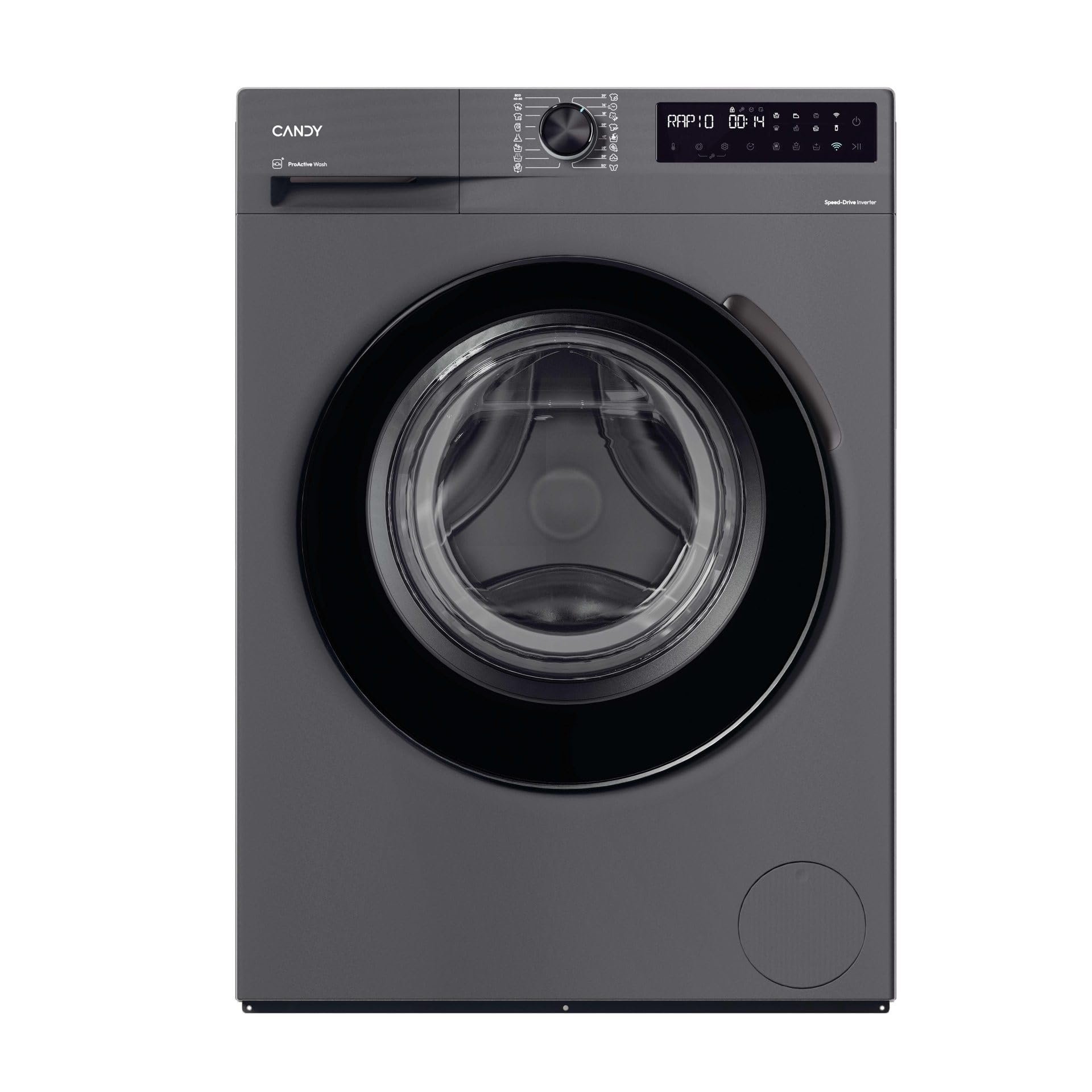
Image 1: Front view of the Candy BR 26SSB6G-S washing machine with the door open, revealing the stainless steel drum. This view highlights the compact design and the anthracite finish.
3.4 Leveling
Adjust the feet at the bottom of the machine to ensure it is perfectly level. A level machine reduces vibration and noise during operation.
3.5 Water Connection
Connect the water inlet hose to a cold water tap with a 3/4" thread. Ensure all connections are tight to prevent leaks. Position the drain hose into a standpipe or over the edge of a sink, ensuring it is securely fixed and not kinked.
3.6 Electrical Connection
Plug the appliance into a grounded electrical outlet. Ensure the voltage and frequency match the specifications on the rating plate. Do not use extension cords or multiple adapters.
4. Operating Instructions
4.1 Control Panel Overview
The washing machine features a control panel with buttons, a program selection knob, and a digital display for easy operation.

Image 2: Close-up view of the control panel and the upper part of the door on the Candy BR 26SSB6G-S washing machine. The program selection knob and digital display are clearly visible.
4.2 Loading Laundry
Open the door and load the laundry into the drum. Do not overload the machine; the maximum capacity is 6 kg. Close the door firmly.
4.3 Adding Detergent
Pull out the detergent drawer. Add the appropriate amount of detergent and fabric softener to the designated compartments. Refer to the detergent packaging for dosage recommendations.

Image 3: The detergent drawer of the Candy BR 26SSB6G-S washing machine is shown pulled open, revealing compartments for detergent and fabric softener. This illustrates where to add washing agents.
4.4 Selecting a Program
Turn the program selection knob to choose the desired wash program. The display will show the default settings for the selected program.
4.5 Adjusting Options
Use the control buttons to adjust options such as:
- Temperature: Adjust the wash temperature.
- Spin Speed: Modify the spin speed (max 1200 RPM).
- Delayed Start: Set a delay for the program to start (up to 24 hours).
- Rinse Function: Add an extra rinse cycle.
4.6 Starting a Cycle
Press the Start/Pause button to begin the wash cycle. The remaining time indicator will show the estimated time until completion.
4.7 Using the hOn App (Wi-Fi/Bluetooth)
Download the hOn app on your smartphone to connect to your washing machine via Wi-Fi or Bluetooth. The app allows for remote control, remote monitoring, remote diagnostics, and remote start functions.
5. Wash Programs
The Candy BR 26SSB6G-S offers 16 wash programs to suit various fabric types and soil levels:
- Cotton: For durable cotton items.
- Cotton 20 °C: Energy-saving wash for lightly soiled cottons.
- Daily Care: A quick and efficient program for everyday laundry.
- Delicates/Silk: Gentle wash for delicate fabrics and silk.
- Eco 40-60°C: Standard program for normally soiled cotton laundry, washable at 40°C or 60°C, together in the same cycle.
- Hand/Wool: Specific program for hand-washable items and wool.
- Hygiene/Allergy Care: High-temperature wash for enhanced hygiene.
- Jeans/Denim: Program optimized for denim fabrics.
- Prewash: An additional pre-wash cycle for heavily soiled items.
- Rinse: An extra rinse cycle.
- Silent: Reduced noise program.
- Smart AI: Intelligent program that adapts to the load.
- Spin/Drain: For spinning and draining water from laundry.
- Steam: Program utilizing steam for refreshing or easier ironing.
- Synthetics: For synthetic and mixed fabrics.
- Whites: For white cottons and linens.
6. Maintenance
6.1 Cleaning the Detergent Drawer
Regularly clean the detergent drawer to prevent residue buildup. Remove the drawer, rinse it under running water, and clean any stubborn deposits with a brush. Reinsert the drawer.
6.2 Cleaning the Filter
The machine has a filter that collects lint and small objects. Clean it periodically to ensure proper drainage. Refer to the full manual for specific instructions on accessing and cleaning the filter.
6.3 Autoclean Function
Utilize the self-cleaning function (if available as a program) to maintain the drum's hygiene and prevent odors.
6.4 Exterior Cleaning
Wipe the exterior of the washing machine with a soft, damp cloth. Do not use abrasive cleaners or solvents.
7. Troubleshooting
If you encounter issues with your washing machine, consult the following common problems:
- Machine does not start: Check if the power cord is plugged in, the door is closed properly, and the Start/Pause button has been pressed.
- Water not filling: Ensure the water tap is open and the inlet hose is not kinked.
- Water not draining: Check the drain hose for kinks or blockages, and ensure the filter is clean.
- Excessive vibration/noise: Verify that the transit bolts have been removed and the machine is level.
- Error codes: If an error code appears on the display, refer to the hOn app's remote diagnostics feature or the full product manual for specific solutions.
For further assistance, use the remote diagnostics feature via the hOn app or contact customer support.
8. Specifications
| Feature | Specification |
|---|---|
| Model Name | BR 26SSB6G-S |
| Appliance Placement | Free-standing |
| Loading Type | Front-load |
| Color | Anthracite |
| Built-in Display | Yes |
| Control Type | Buttons, Knob |
| Door Hinge | Left |
| Inverter Technology | Yes |
| Drum Material | Stainless steel |
| Drum Volume | 39 L |
| Capacity | 6 kg |
| Max Spin Speed | 1200 RPM |
| Spin-drying Efficiency Class | B |
| Number of Wash Programs | 16 |
| Noise Emission Class | A |
| Noise Level (Spin) | 72 dB |
| Delayed Start | Yes (up to 24 h) |
| Load Balancing System | Yes |
| Foam Control System | Yes |
| Adjustable Spin Speed | Yes |
| Adjustable Temperature | Yes |
| Remote Smartphone Support | Yes |
| Wi-Fi Controlled | Yes |
| Bluetooth | Yes |
| Supported Control App | hOn |
| Child Protection | Yes |
| Self-cleaning | Yes |
| Remaining Time Indicator | Yes |
| Energy Efficiency Class | A (Scale A to G) |
| Energy Consumption (100 cycles) | 38 kWh |
| Water Consumption (per cycle) | 35 L |
| Width | 600 mm |
| Depth | 420 mm |
| Height | 850 mm |
| Weight | 54 kg |

Image 4: Energy efficiency label indicating the appliance's Class A rating, from a scale of A to G.
9. Warranty and Support
Your Candy BR 26SSB6G-S washing machine comes with a manufacturer's warranty. Please refer to the warranty card included with your appliance for specific terms and conditions, including the duration and coverage.
For technical support, spare parts, or service requests, please contact Candy customer service. You can find contact information on the official Candy website or in the documentation provided with your product. Remember to have your model number (BR 26SSB6G-S) and serial number ready when contacting support.


