
1. Introduction
Thank you for choosing the Cardirun TM034 Foldable Treadmill. This manual provides essential information for the safe and effective operation, setup, and maintenance of your new fitness equipment. Please read this manual thoroughly before initial use and retain it for future reference.
2. Important Safety Instructions
To reduce the risk of serious injury, always follow basic precautions when using this treadmill, including:
- Read all instructions in this manual before using the equipment.
- Keep children and pets away from the treadmill during operation.
- Place the treadmill on a solid, level surface with at least 2 feet (0.6 meters) of clear space behind it.
- Wear appropriate exercise clothing and athletic shoes. Avoid loose clothing that could get caught.
- Use the safety key at all times. Attach the clip to your clothing before starting your workout.
- Do not operate the treadmill if it has a damaged cord or plug, or if it is not working properly.
- Consult a physician before starting any exercise program.
- Maximum user weight capacity is 320 lbs (145 kg).
3. Package Contents
Verify that all components are present in the package:
- Cardirun TM034 Foldable Treadmill (Main Unit)
- User Manual
- Power Cord
- Remote Control
- Safety Key
- Lubrication Oils (x2)
- Tools Pack
- Tablet/Phone Holder

Image 3.1: Contents included in the Cardirun TM034 package.
4. Setup
The Cardirun TM034 treadmill requires no assembly and is ready for use directly out of the box. Follow these steps for initial setup:
- Unpack: Carefully remove the treadmill from its packaging.
- Position: Place the treadmill on a flat, stable surface. Ensure adequate clearance around the unit.
- Unfold (if applicable): If the handle is folded, gently lift and lock it into the upright position.
- Connect Power: Plug the power cord into a grounded electrical outlet.
- Attach Safety Key: Place the safety key in its designated slot on the console.

Image 4.1: The treadmill's folding mechanism and compact storage capability.
The treadmill's slim design (4.4 inches when folded) and smooth-rolling wheels allow for easy movement and storage under furniture or against a wall.
5. Operating Instructions
5.1. Basic Operation
- Ensure the safety key is properly inserted and the clip is attached to your clothing.
- Step onto the treadmill belt.
- Press the 'Start' button on the control panel or remote control. The treadmill will begin at a low speed.
- Adjust speed using the '+' and '-' buttons on the control panel or remote.
- To stop, press the 'Stop' button or pull the safety key.
5.2. Operating Modes
The TM034 offers two primary operating modes:
- Walking Mode: Speed range of 0.6–3.8 MPH. Ideal for light exercise or use while working at a standing desk.
- Running Mode: Speed range of 0.6–6.2 MPH. Suitable for more intense cardio workouts.

Image 5.1: The treadmill supports both walking and running modes.
5.3. Manual Incline
The treadmill features a 10% manual incline. This can be adjusted before your workout to simulate uphill walking or running, increasing calorie burn and muscle engagement.

Image 5.2: The 10% manual incline feature for enhanced workouts.
5.4. Control Options
The treadmill can be controlled via multiple methods:
- Control Panel: Integrated buttons on the treadmill console for speed adjustment and start/stop.
- Remote Control: A convenient handheld remote for adjusting speed, starting, stopping, and muting.
- Smart App: Connect your smartphone or tablet via Bluetooth to control the treadmill and track workout data.

Image 5.3: Multiple control options for user convenience.
5.5. LED Display & App Integration
The integrated LED display shows real-time workout metrics including time, distance, speed, and calories burned. For advanced tracking and personalized workouts, connect the treadmill to compatible fitness applications such as Zwift, Kinomap, and Health & Fitness apps. No subscription is required for basic app functionality.

Image 5.4: Tracking workout data and using fitness apps with the treadmill.
6. Maintenance
Regular maintenance ensures the longevity and optimal performance of your treadmill.
6.1. Cleaning
- Wipe down the treadmill after each use with a damp cloth to remove sweat and dust.
- Do not use abrasive cleaners or solvents.
6.2. Belt Lubrication
The running belt requires periodic lubrication to reduce friction and extend motor life. Use the provided lubricant or a silicone-based treadmill lubricant.
- Turn off and unplug the treadmill.
- Loosen the belt tension bolts slightly (if necessary) to lift the belt.
- Apply a small amount of lubricant evenly under the center of the running belt.
- Plug in the treadmill and run it at a slow speed (e.g., 1 MPH) for 2-3 minutes to distribute the lubricant.
- Re-tension the belt if loosened.
6.3. Belt Adjustment
If the running belt shifts to one side or slips, it may need adjustment. Refer to the detailed instructions in the included user manual for specific belt centering and tensioning procedures.
7. Troubleshooting
If you encounter issues with your treadmill, refer to the following common problems and solutions:
| Problem | Possible Cause | Solution |
|---|---|---|
| Treadmill does not start | Power cord not plugged in; Safety key not inserted; Power switch off | Check power connection; Insert safety key; Turn on power switch |
| Running belt slips | Belt too loose; Belt needs lubrication | Adjust belt tension; Lubricate running belt |
| Running belt shifts to one side | Belt out of alignment | Adjust belt alignment bolts |
| Unusual noise during operation | Loose parts; Lack of lubrication; Motor issue | Check for loose bolts; Lubricate belt; Contact customer support if motor issue suspected |
For issues not listed here or if solutions do not resolve the problem, please contact Cardirun customer service.
8. Specifications
| Feature | Detail |
|---|---|
| Brand | Cardirun |
| Model Name | TM034 |
| Product Dimensions | 41"D x 19.5"W x 37.6"H |
| Item Weight | 42.2 Pounds |
| Material | Alloy Steel |
| Maximum Speed | 6.2 Miles per Hour |
| Minimum Speed | 0.6 Miles per Hour |
| Maximum Horsepower | 3.0 HP |
| Maximum Incline Percentage | 10% (Manual) |
| Maximum Weight Recommendation | 320 Pounds |
| Running Area | 36" x 16" |
| Display Type | LED |
| Metrics Measured | Calories Burned, Distance, Speed, Time |
| Special Features | Compact Design, Foldable, Manual Incline, Portable, Shock Absorbent, APP Control, Remote Control |
| Assembly Required | No |

Image 8.1: Illustration of the 3.0HP powerful and quiet motor.
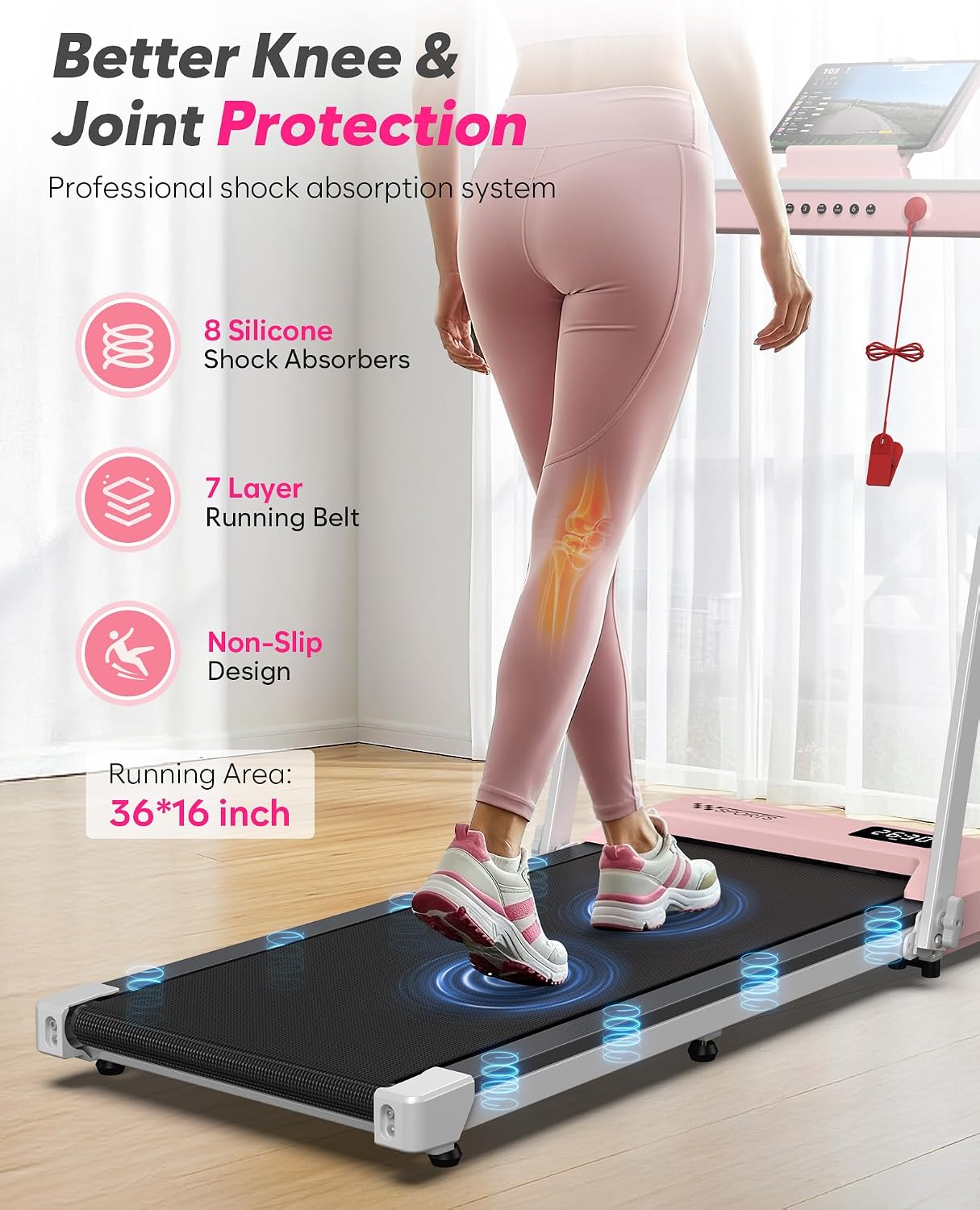
Image 8.2: Details of the shock absorption system and running belt construction.
9. Warranty and Support
The Cardirun TM034 Foldable Treadmill comes with a 1-Year Manufacturer Warranty. This warranty covers defects in materials and workmanship under normal use.
For warranty claims, technical support, or any questions regarding your treadmill, please contact Cardirun customer service. Refer to the contact information provided in your original purchase documentation or visit the official Cardirun website.