
1. Introduction
This manual provides essential information for the safe and effective operation, assembly, maintenance, and troubleshooting of your Cardirun Walking Pad Treadmill, Model TM037. Please read this manual thoroughly before initial use and retain it for future reference.
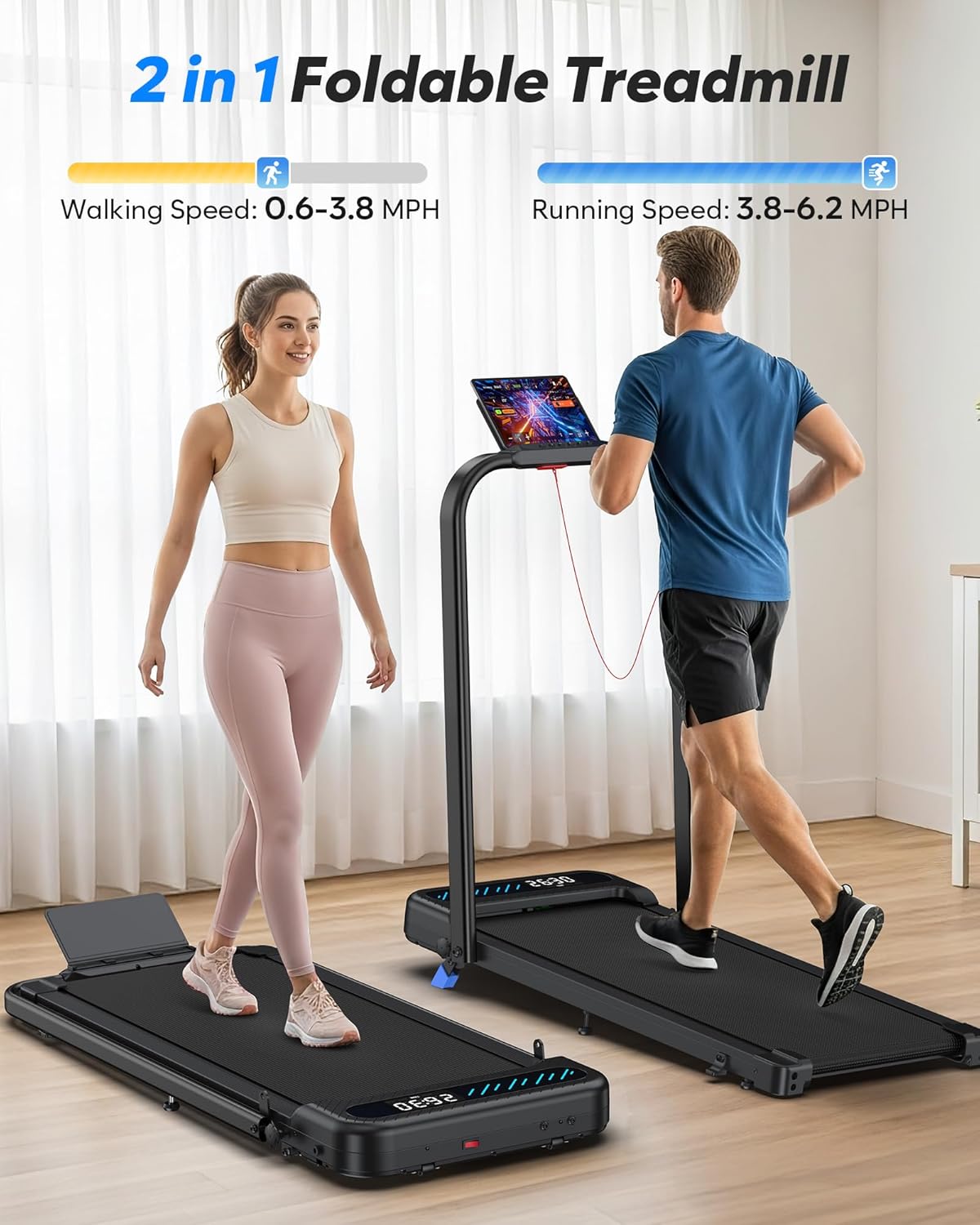
Image: The Cardirun Walking Pad Treadmill shown in its walking mode (handlebar folded down) and running mode (handlebar upright).
2. Safety Information
To reduce the risk of serious injury, read all important precautions and instructions in this manual and on your treadmill before using it. Cardirun assumes no responsibility for personal injury or property damage sustained by or through the use of this product.
- Always place the treadmill on a level surface.
- Ensure adequate clear space around the treadmill during operation.
- Keep children and pets away from the treadmill during operation.
- Do not operate the treadmill if it is damaged or malfunctioning.
- Wear appropriate athletic footwear during use.
- Use the safety key at all times. Attach the clip to your clothing.
- Consult a physician before starting any exercise program.
3. Package Contents
Verify that all components are present and undamaged upon unpacking.
- Cardirun Walking Pad Treadmill (Main Unit)
- Remote Control
- Safety Key
- User Manual
- Lubricant
- Power Cord
4. Assembly and Setup
4.1 Unfolding the Treadmill
- Carefully remove the treadmill from its packaging.
- Place the treadmill on a flat, stable surface.
- Lift the handlebar into the upright position. Secure it using the locking mechanisms on both sides.
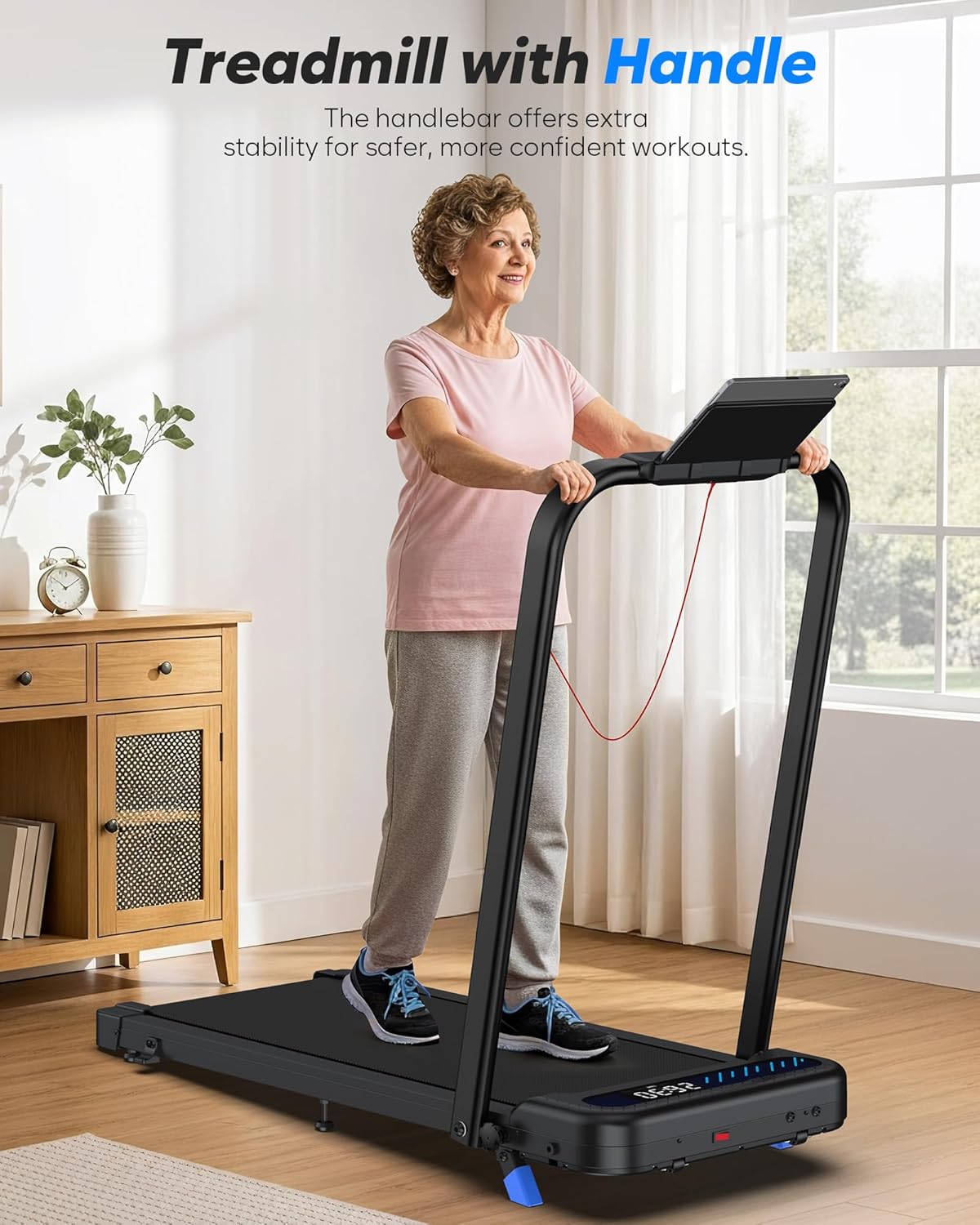
Image: A user demonstrating the upright handlebar position for stability.
4.2 Connecting Power
- Connect the power cord to the treadmill's power input.
- Plug the power cord into a grounded electrical outlet.
4.3 Adjusting Incline
The treadmill features a manual incline. To adjust the incline, locate the incline adjustment points at the rear of the treadmill. Lift the rear of the treadmill and insert the incline supports to the desired level. Ensure both sides are set equally for stability.
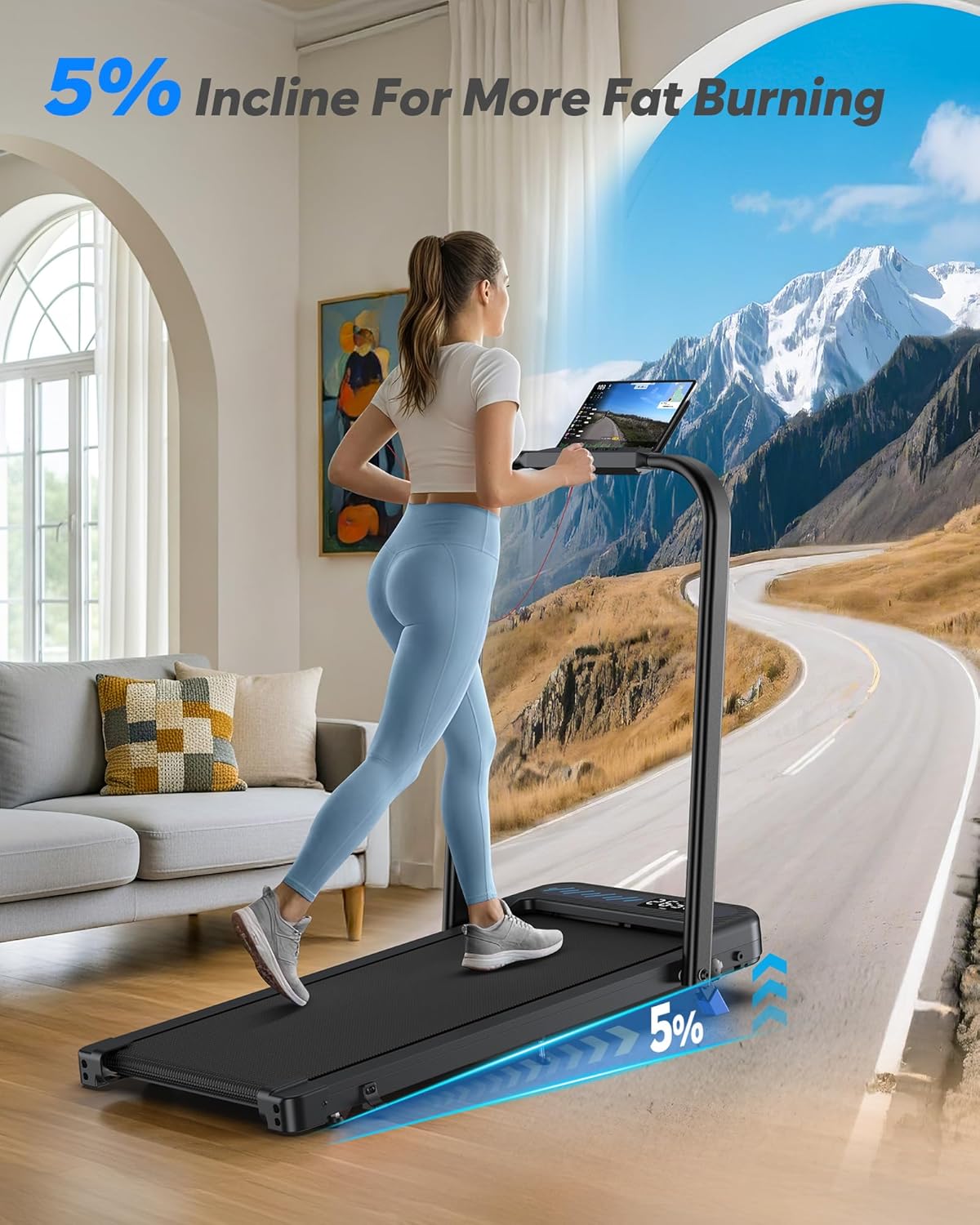
Image: The treadmill operating with a manual incline, illustrating the increased elevation.
5. Operating Instructions
5.1 Power On/Off
Press the power button on the treadmill or remote control to turn the unit on or off.
5.2 Safety Key
Attach the safety key clip to your clothing before starting the treadmill. The treadmill will not operate without the safety key in place. Removing the safety key will immediately stop the treadmill.
5.3 Operating Modes
The treadmill offers two primary operating modes:
- Walking Mode: Speed range of 0.6–3.8 MPH. This mode is suitable for light exercise or use under a desk. The handlebar can be folded down in this mode.
- Running Mode: Speed range of 0.6–6.2 MPH. This mode is for more intense workouts. The handlebar must be in the upright position for speeds above 3.8 MPH for safety.
5.4 Control Methods
The treadmill can be controlled via the integrated control panel, remote control, or a compatible fitness application.
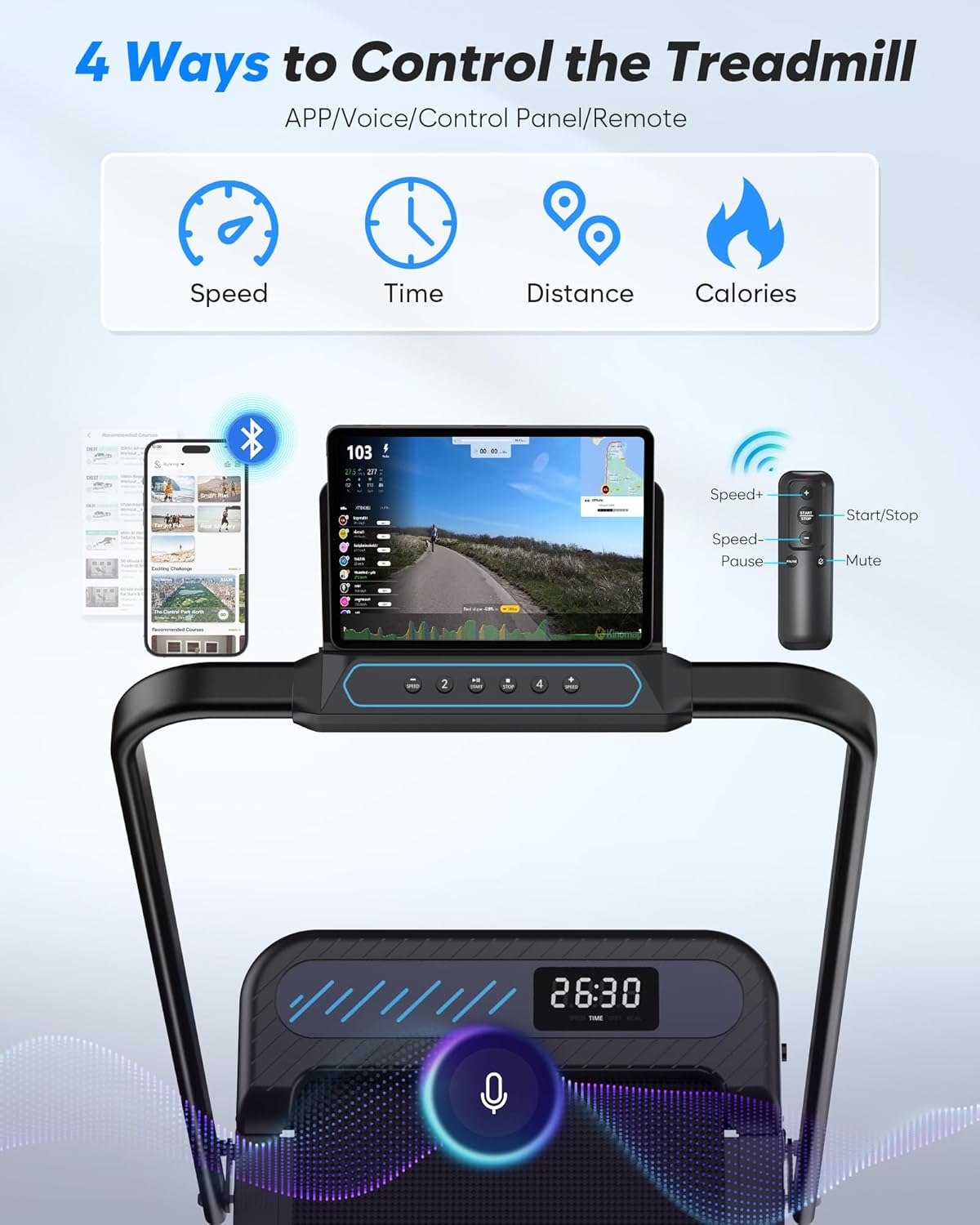
Image: Visual representation of the multiple control options for the treadmill, including app, voice, control panel, and remote.
- Control Panel: Located on the handlebar, it displays real-time data such as time, distance, speed, and calories burned. It also has buttons for speed adjustment and start/stop.
- Remote Control: Use the remote to adjust speed, start/stop, and mute sounds.
- Smart App: Download the compatible fitness app to personalize workouts, track data, and stay motivated. No subscription is required.

Image: A user engaging with the treadmill's app integration, displaying workout metrics and virtual environments.
6. Maintenance
6.1 Lubrication
Regular lubrication of the running belt is crucial for optimal performance and longevity. Apply the provided lubricant under the running belt every 3-6 months, depending on usage frequency. Refer to the specific instructions in the included User Manual for detailed steps.
6.2 Cleaning
Wipe down the treadmill surfaces with a damp cloth after each use. Avoid using abrasive cleaners or solvents.
6.3 Belt Adjustment
If the running belt becomes misaligned or slips, it may require adjustment. Consult the detailed instructions in the included User Manual for proper belt centering and tension adjustment procedures.
7. Troubleshooting
| Problem | Possible Cause | Solution |
|---|---|---|
| Treadmill does not power on | Power cord not connected; Safety key not in place; Power switch off | Ensure power cord is securely plugged in; Insert safety key; Turn on power switch |
| Running belt slips | Belt tension too loose; Belt requires lubrication | Adjust belt tension (refer to manual); Apply lubricant |
| Unusual noise during operation | Loose components; Belt misalignment; Motor issue | Check for loose parts and tighten; Adjust belt alignment; Contact customer service if motor noise persists |
| Remote control not responding | Dead battery; Not paired | Replace remote battery; Re-pair remote control (refer to manual) |
8. Specifications
- Model: TM037
- Brand: Cardirun
- Motor: 3.0 HP (Peak)
- Speed Range: 0.6 - 6.2 MPH
- Incline: 10% Manual Incline
- Running Area: 36" x 16"
- Weight Capacity: Up to 320 lbs (150 kg)
- Product Dimensions: 43.3"D x 21.3"W x 38"H
- Folded Size: 43.3"D x 21.3"W x 5.0"H
- Item Weight: 41.6 lbs
- Material: Alloy Steel
- Display: LED (Time, Distance, Speed, Calories)
- Special Features: Compact Design, Foldable, Manual Incline, Portable, Shock Absorbent, App & Remote Control

Image: Detailed view of the treadmill's shock absorption system, including silicone absorbers and multi-layer belt construction.
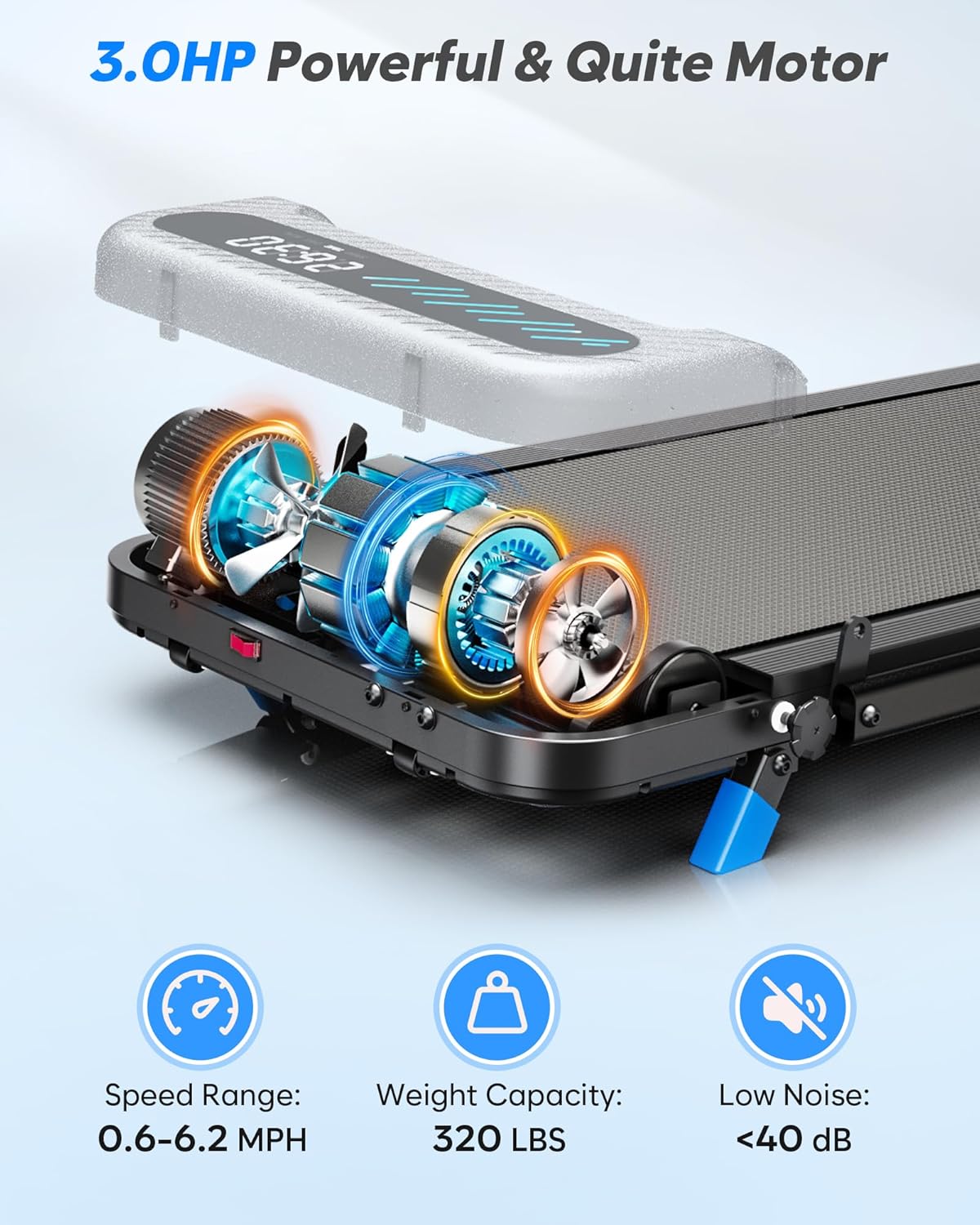
Image: Internal view of the 3.0HP motor, illustrating its compact and quiet design.
9. Storage
The Cardirun Walking Pad Treadmill is designed for easy storage in small spaces.
- Ensure the treadmill is powered off and unplugged.
- Lower the handlebar by disengaging the locking mechanisms.
- The treadmill can be stored flat under furniture (e.g., a bed or sofa) or upright against a wall.

Image: Visual guide demonstrating the folding mechanism and various storage options for the treadmill.
Video: This video demonstrates the folding and unfolding process of the Cardirun Walking Pad Treadmill, highlighting its compact design for storage.
10. Warranty and Support
This Cardirun Walking Pad Treadmill (Model TM037) comes with a 1-Year Manufacturer Warranty. For warranty claims, technical support, or any questions regarding your product, please contact Cardirun customer service. Refer to the contact information provided on the product packaging or the official Cardirun website.