
Introduction
The MELONARE MA-1 Mini Guitar Amplifier is a versatile and portable 10W electric guitar amplifier designed for practice and recording. It features 30 built-in rhythm patterns, switchable clean and overdrive channels, adjustable reverb, and Bluetooth 5.3 connectivity. Its compact design and long-lasting rechargeable battery make it an ideal companion for musicians on the go.
What's in the Box
- Guitar Amplifier *1
- Instruction Manual *1
- USB charging cable *1
- Guitar Amplifier packaging bag *1
- Charging cable packaging bag *1
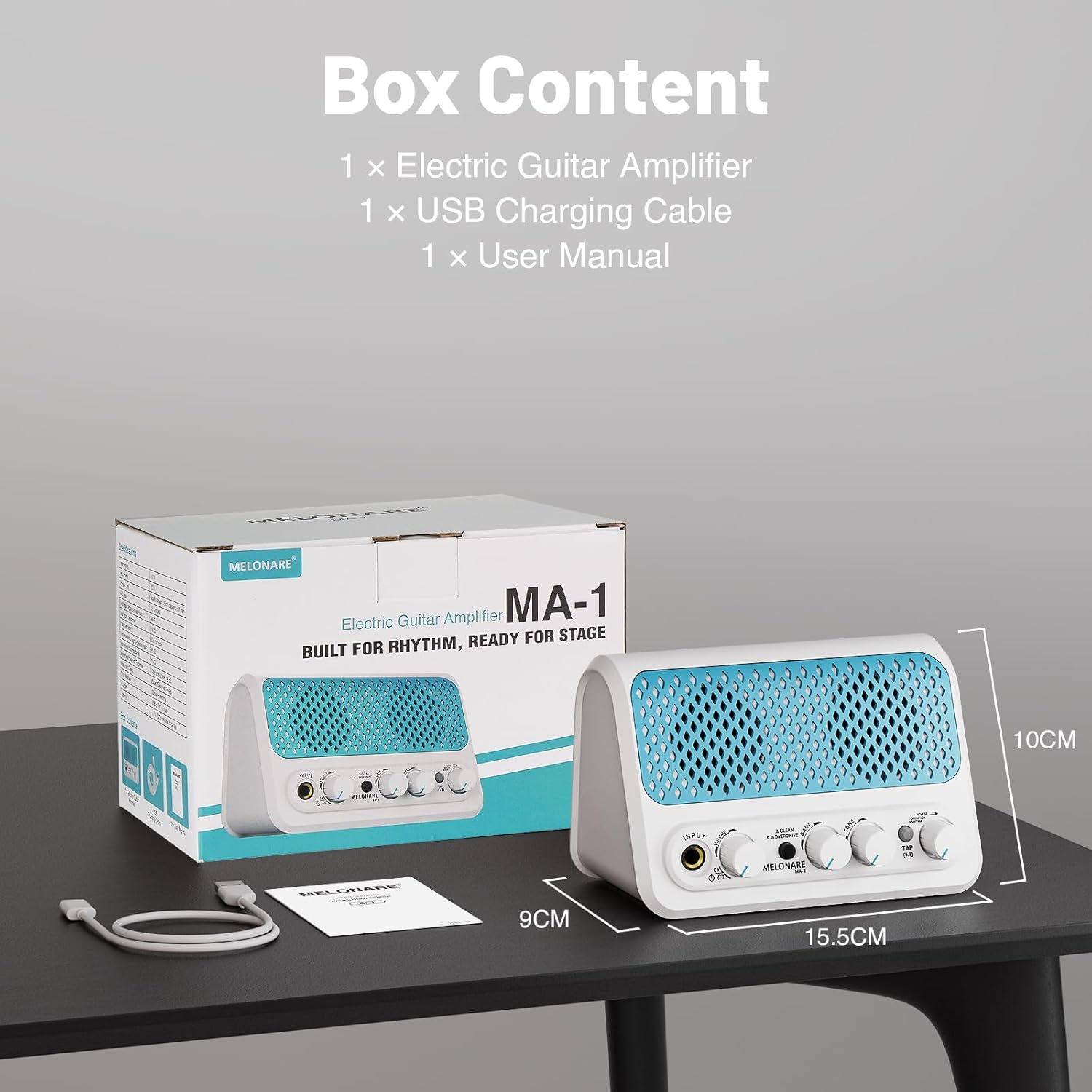
Product Overview and Controls
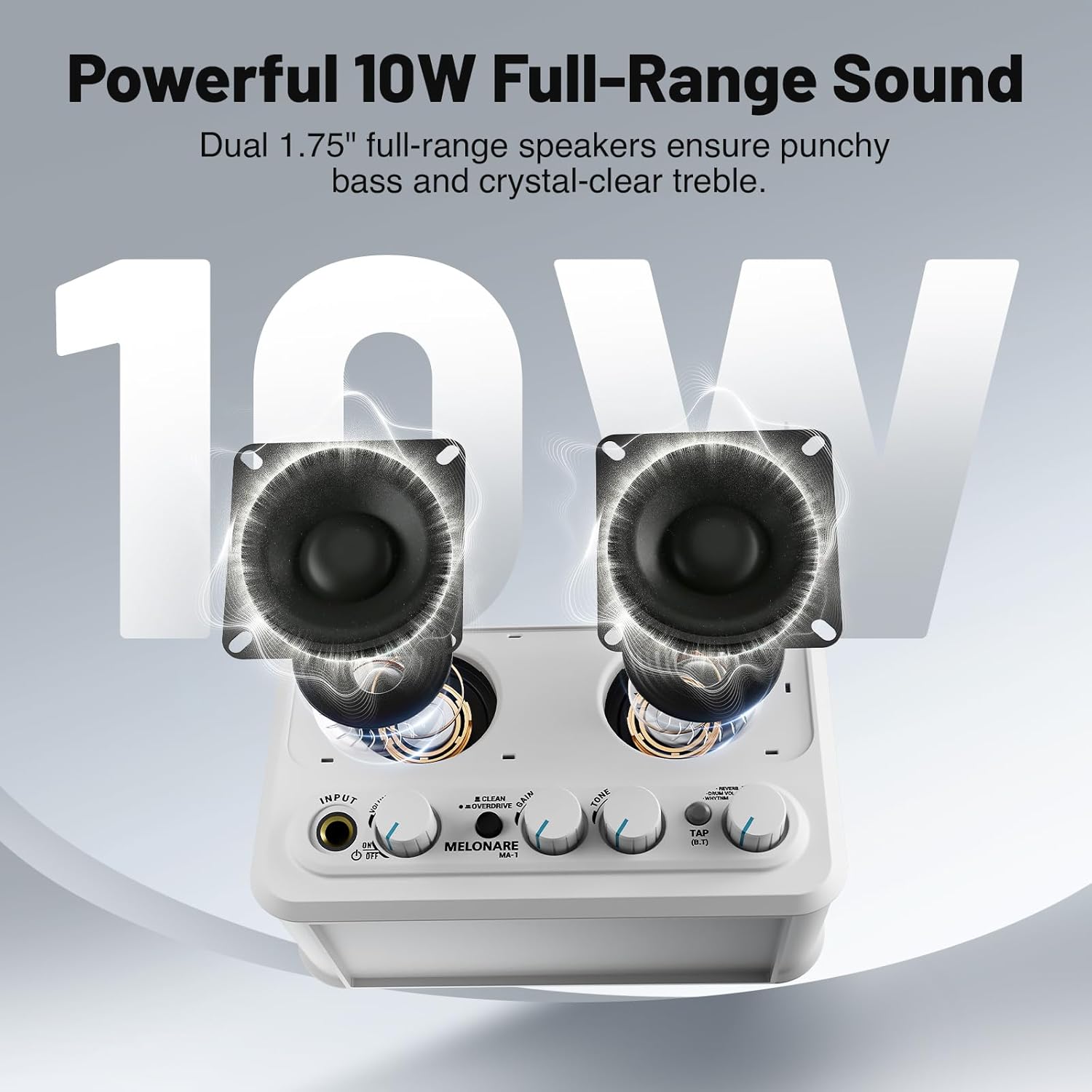
Familiarize yourself with the amplifier's front panel controls:
- INPUT: 6.35mm jack for connecting your electric guitar.
- VOLUME: Adjusts the overall output volume of the amplifier.
- ON/OFF Switch: Powers the unit on or off.
- CLEAN/OVERDRIVE Button: Toggles between clean and overdrive sound modes.
- GAIN: Controls the amount of distortion or overdrive in the signal.
- TONE: Shapes the treble and bass frequencies of your sound.
- TAP (B.T) Button: Used for tap tempo for rhythms and Bluetooth pairing.
- REVERB/DRUM VOL/RHYTHM Knob: This multi-function knob controls reverb depth, drum volume, and selects rhythm patterns.

Setup
1. Charging the Battery
The MA-1 features a built-in 2000mAh rechargeable battery, providing approximately 6-7 hours of continuous playtime on a full charge (actual playtime may vary based on volume and mode). To charge, connect the amplifier to a USB power source (power bank, computer, or wall adapter) using the provided USB charging cable. A full charge typically takes about 3 hours.

2. Connecting Your Guitar
Plug your electric guitar into the INPUT 6.35mm jack on the front panel. Ensure the amplifier is powered on using the ON/OFF switch.
3. Bluetooth Connectivity
To stream audio wirelessly from your phone or other Bluetooth-enabled device, press and hold the TAP (B.T) button until the indicator light flashes, indicating pairing mode. On your device, search for and select 'MELONARE MA-1' to connect. Once connected, the indicator light will remain solid.

4. AUX Input
For wired audio input, connect your phone, MP3 player, tablet, or computer to the 3.5mm AUX IN jack located on the rear of the amplifier.
5. Headphone Output
For personal monitoring or quiet practice, plug your 3.5mm headphones into the HEADPHONE OUT jack on the rear of the amplifier. This mutes the main speakers.
Operating the Amplifier
1. Clean and Overdrive Modes
Press the CLEAN/OVERDRIVE button to switch between the two primary sound modes:
- Clean Mode: Delivers a clear, transparent sound suitable for daily practice or acoustic-style performances.
- Overdrive Mode: Adds a heavy, powerful tone for improvisation or solos.
Adjust the GAIN and TONE knobs to fine-tune your sound in either mode.
2. Metronome and Rhythm Patterns
The amplifier includes 30 built-in rhythm patterns. To activate and control them:
- Select Rhythm: Push the REVERB/DRUM VOL/RHYTHM knob to cycle through the modes. A green LED indicates rhythm selection mode. Turn the knob to choose from the 30 patterns.
- Adjust Tempo: Tap the TAP (B.T) button three times to set the desired tempo.
- Adjust Drum Volume: Push the REVERB/DRUM VOL/RHYTHM knob again. A red LED indicates drum volume mode. Turn the knob to adjust the volume of the rhythm pattern independently.

3. Reverb Control
When no LED is lit on the REVERB/DRUM VOL/RHYTHM knob, you are in reverb control mode. Turn the knob to fine-tune the depth of the reverb effect, adding space and atmosphere to your sound.
4. Video Demonstration
Maintenance
To ensure the longevity and optimal performance of your MELONARE MA-1 Mini Guitar Amplifier, follow these maintenance guidelines:
- Cleaning: Use a soft, dry cloth to clean the exterior of the amplifier. Avoid using abrasive cleaners, solvents, or waxes, as these can damage the finish.
- Storage: Store the amplifier in a cool, dry place away from direct sunlight, extreme temperatures, and high humidity.
- Battery Care: For best battery life, avoid fully discharging the battery frequently. Charge the amplifier regularly, even if not in use, to maintain battery health. If storing for an extended period, charge the battery to approximately 50% every few months.
- Handling: Handle the amplifier with care to prevent drops or impacts, which can damage internal components.
Troubleshooting
If you encounter issues with your MELONARE MA-1 Mini Guitar Amplifier, refer to the following common troubleshooting steps:
- No Sound:
- Ensure the amplifier is powered on and fully charged.
- Check that your guitar cable is securely connected to both the guitar and the amplifier's INPUT jack.
- Verify that the VOLUME knob is turned up.
- If using headphones, ensure they are properly plugged into the HEADPHONE OUT jack and that the main speakers are muted.
- Poor Sound Quality/Distortion (in Clean Mode):
- Reduce the guitar's volume or the amplifier's GAIN setting.
- Check for damaged cables or faulty guitar pickups.
- Bluetooth Connection Issues:
- Ensure the amplifier is in Bluetooth pairing mode (flashing blue LED).
- Disable and re-enable Bluetooth on your device.
- Move your device closer to the amplifier to ensure a strong signal.
- Forget the device from your Bluetooth settings and try pairing again.
- Rhythm Pattern Not Playing:
- Ensure the amplifier is in rhythm selection mode (green LED on REVERB/DRUM VOL/RHYTHM knob).
- Check the drum volume setting.
- Tap the TAP (B.T) button to start the rhythm.
Specifications
| Brand | MELONARE |
| Model | MA-1 |
| Output Wattage | 10 Watts |
| Item Weight | 1.21 pounds |
| Product Dimensions | 5.5 x 3.5 x 1.4 inches |
| Battery Type | Lithium Ion (2000mAh) |
| Power Source | Battery Powered |
| Material Type | Plastic |
| Color | Turquoise |
| Connectivity | Bluetooth 5.3, 3.5mm Jack (AUX IN, Headphone OUT), 6.35mm Jack (Guitar INPUT), USB (Charging) |
Warranty and Support
For warranty information and customer support, please refer to the contact details provided on the product packaging or visit the official MELONARE website. Keep your purchase receipt as proof of purchase for any warranty claims.


